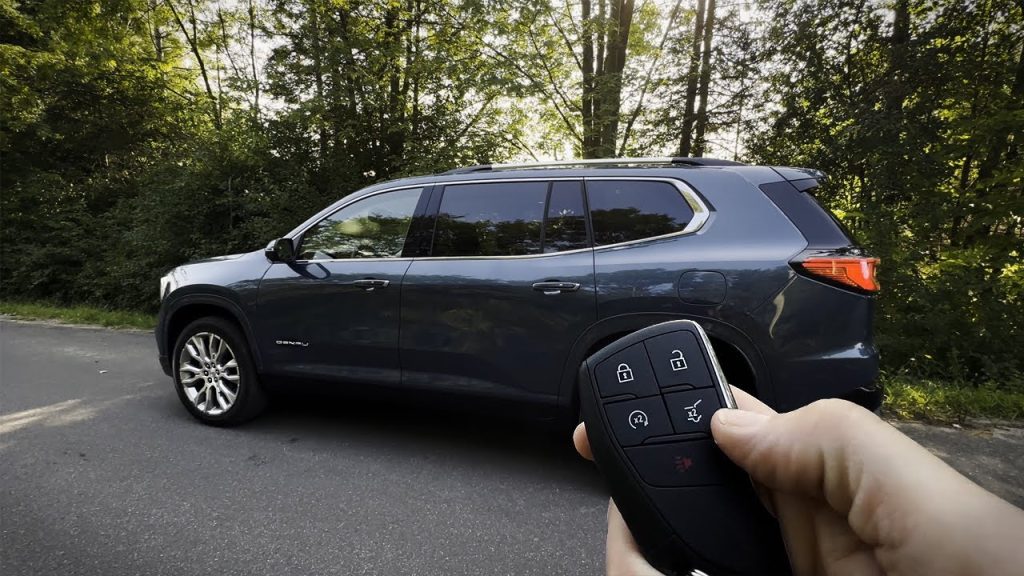
Imagine stepping into your GMC Acadia on a chilly morning and feeling the warmth greet you instantly. Or, on a hot summer day, hopping into a cool, refreshing cabin without waiting for the air to kick in.
Sounds convenient, right? If you’ve ever wondered how to make this happen, you’re in the right place. You’ll discover exactly how to remote start your GMC Acadia quickly and easily. By the time you finish reading, you’ll have the power to control your vehicle’s comfort before you even get inside.
Keep reading to unlock this simple trick that can make your daily drive so much better.
Remote Start Basics
Getting familiar with the basics of remote starting your GMC Acadia can make your driving experience smoother and more comfortable. Remote start lets you power on your vehicle’s engine from a distance, giving you time to warm up or cool down the cabin before you even step inside. Understanding how this feature works and why it benefits you is the first step to making the most out of your Acadia’s technology.
How Remote Start Works
The remote start system uses a key fob or a smartphone app to send a signal to your GMC Acadia. Once the signal is received, the vehicle’s engine starts automatically, even if you’re not inside. This process activates the climate control system, so the interior temperature adjusts to your preferences.
Most remote start systems have a range limit, typically between 300 to 1,000 feet, depending on your environment. Safety is built in—the doors remain locked, and the engine will shut off if you try to drive without the key in the ignition. This means you can’t accidentally leave your car running unattended without security.
Benefits Of Remote Starting Your Gmc Acadia
- Comfort:Step into a warm car during winter or a cool one in summer without waiting inside.
- Convenience:Start your vehicle while finishing up other tasks outside or inside your home.
- Engine Longevity:Letting your engine warm up before driving can reduce wear and tear over time.
- Safety:Your car stays locked and secure while warming up, so you don’t compromise security for comfort.
Imagine rushing out on a cold morning, and instead of shivering by the door, you slide into a cozy cabin. How much time could this save you daily? This small feature can turn your routine into a much more pleasant experience.
Credit: www.ebay.com
Checking Compatibility
Before starting your GMC Acadia remotely, check if your vehicle supports this feature. Not all models come with remote start capability. Compatibility depends on the model year and the equipment installed. Understanding these details helps avoid frustration and saves time.
Model Years With Remote Start Feature
The remote start feature is available on many GMC Acadia models. Usually, vehicles made from 2013 onward include this option. Some trims may have it as standard, while others offer it as an add-on.
- 2013 and newer models often support remote start.
- Higher trims are more likely to include this feature.
- Check your owner’s manual for exact details.
Required Equipment And Key Fob
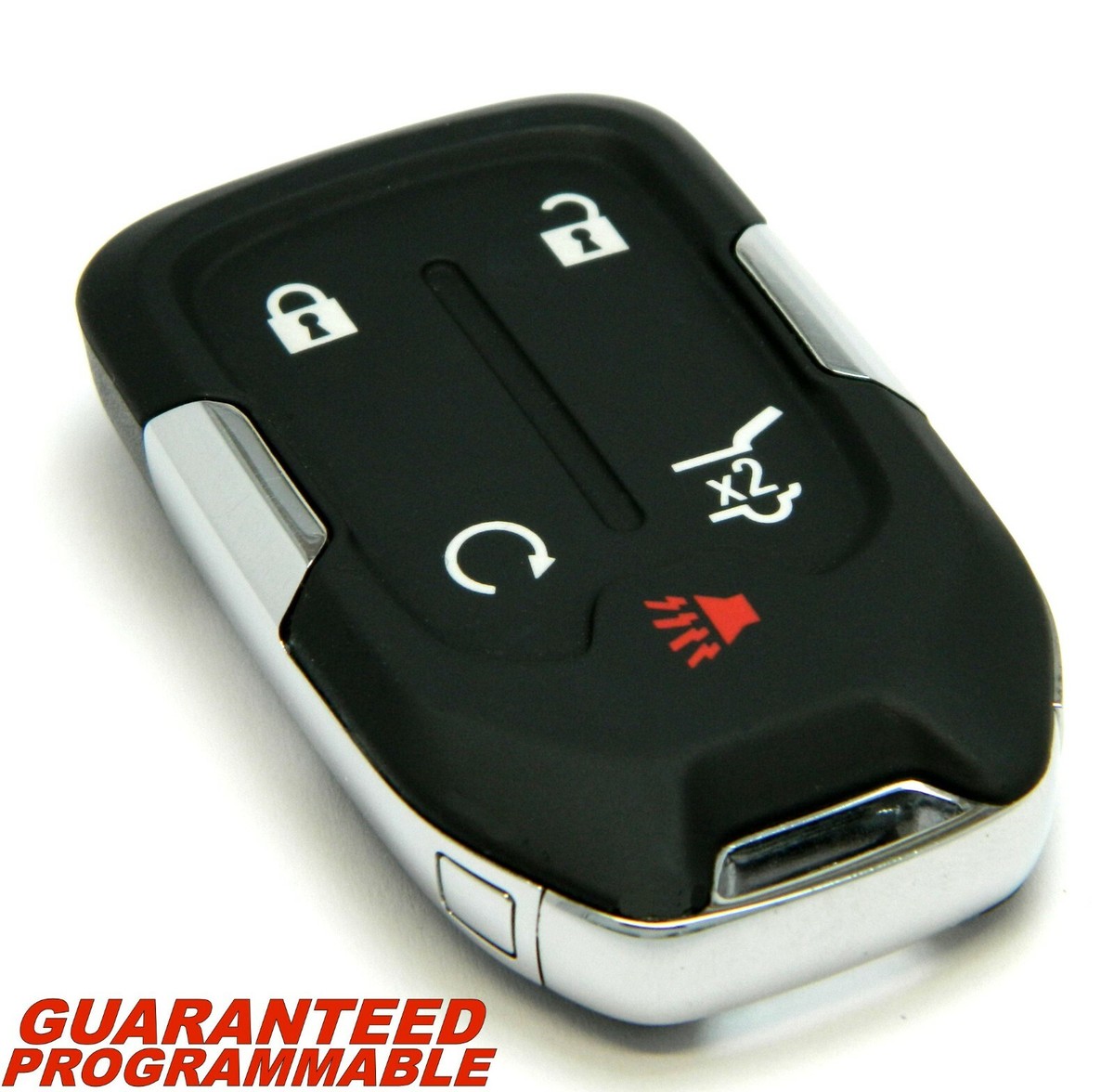
Remote start needs specific equipment to work correctly. Your GMC Acadia must have a compatible key fob and an installed remote start system.
- The key fob must support remote engine start buttons.
- A factory-installed or dealer-installed remote start module is required.
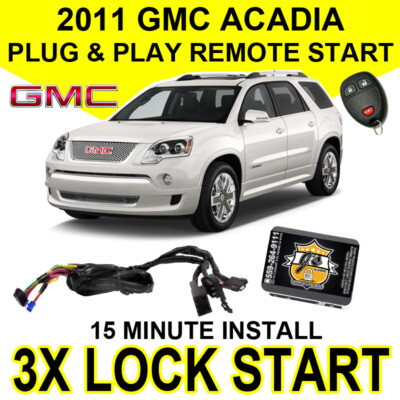
- Aftermarket systems may work but need professional installation.
- Ensure the vehicle battery and fob battery are in good condition.
Activating Remote Start
Activating the remote start on your GMC Acadia lets you start the engine without being inside the vehicle. This feature is useful for warming up or cooling down the car before you get in. Knowing how to activate it correctly saves time and adds comfort.
Step-by-step Remote Start Process
- Make sure all doors are locked and windows are closed.
- Press the lock button on the key fob once.
- Within five seconds, press and hold the remote start button.
- Hold the button for about four seconds until the lights flash.
- The engine will start, and the vehicle will run for 10 minutes.
- To extend the running time, repeat the process before the timer ends.
Using The Key Fob Correctly
- Keep the key fob within a reasonable distance from the vehicle.
- Check the key fob battery regularly to ensure it works well.
- Do not press buttons too quickly; follow the sequence smoothly.
- Use the remote start only when the vehicle is in a safe, open area.
- Avoid pressing other buttons during the remote start process.
Troubleshooting Common Issues
Troubleshooting common issues with your GMC Acadia’s remote start can save time and frustration. Many problems have simple fixes. Understanding these can help you get your vehicle started quickly and easily.
Some issues arise from the remote itself or the vehicle’s system. Others come from external factors like weather or distance. Knowing how to identify these problems helps you respond better.
When Remote Start Doesn’t Work
Check if the vehicle is in park. Remote start won’t work if the car is in gear. Make sure all doors and the hood are closed tightly. If any are open, the remote start will be blocked.
Look for error lights on the dashboard. Sometimes, the system prevents starting due to safety concerns. If the engine is already running, remote start will not activate.
Verify if the remote battery is working. Sometimes a weak battery causes the remote to fail. Try using the physical key or replace the remote battery to test.
Battery And Signal Problems
Low battery power in the vehicle can stop remote start. A weak car battery might not hold enough charge to start the engine. Have the battery tested if the remote start fails repeatedly.
Signal interference can block remote commands. Tall buildings or walls may weaken the signal. Try standing closer to the vehicle when using the remote.
Weather conditions like heavy rain or snow can affect signal strength. Electronic devices nearby may also cause interference. Move away from other electronics to improve remote performance.
Safety Tips For Remote Starting
Using the remote start feature on your GMC Acadia can be a real time-saver, especially on chilly or hot days. However, safety should always be your top priority before pressing that start button from a distance. Knowing the right precautions helps you avoid accidents and keeps you and others safe.
Ensuring Proper Vehicle Conditions
Before you remote start your GMC Acadia, make sure it’s parked in a safe and well-ventilated area. Avoid starting the engine in a closed garage to prevent dangerous carbon monoxide buildup.
Check that all doors, the hood, and the trunk are fully closed. The vehicle’s security system may not allow remote start if any of these are open, but it’s also a critical safety step to ensure no one is accidentally trapped or exposed.
Is your Acadia’s fuel level adequate? Remote starting a car with very low fuel might leave you stranded later, so keep your tank at a reasonable level.
Avoiding Unsafe Situations
Never remote start your vehicle if someone is inside, especially children or pets. The engine running in an enclosed space can cause serious health risks.
Be cautious about remote starting in crowded or busy areas. The car might move unexpectedly if it’s in gear or if the parking brake isn’t fully engaged, which could lead to accidents.
Have you ever thought about weather conditions? Extremely hot or cold temperatures might affect how your engine responds after a remote start. Always observe how your Acadia behaves and stop using the feature if you notice any unusual sounds or performance issues.

Credit: www.youtube.com
Customizing Remote Start Settings
Customizing the remote start settings on your GMC Acadia lets you control how your vehicle prepares itself before you even step inside. This feature saves time and adds convenience, especially during extreme weather. Knowing how to adjust these settings ensures your Acadia warms up or cools down just the way you like it.
Adjusting Remote Start Duration
Your GMC Acadia allows you to change how long the engine runs during a remote start. By default, it might run for 10 minutes, but you can extend or shorten this based on your needs.
Longer durations are great for very cold mornings when you want the engine and cabin fully warmed up. On the other hand, shorter times save fuel and reduce wear when you just need a quick warm-up.
To adjust the remote start duration, check your vehicle’s owner manual or settings menu inside the infotainment system. Some models offer options like 10, 15, or 20 minutes. Have you ever wished your car stayed on longer during a freezing commute? This setting makes that possible.
Using Mobile Apps For Remote Start
Modern GMC Acadia models support remote start through mobile apps, giving you control right from your smartphone. This means you can start your vehicle from anywhere—whether you’re at home, the office, or even shopping.
The GMC Mobile App lets you customize remote start settings such as duration, climate control, and even check your vehicle’s status. It’s useful if you forget to start your car before heading out or want to warm it up while still inside.
Using the app is straightforward: simply log in, select your vehicle, and tap the remote start button. What’s more, some apps notify you if the engine shuts off early due to safety reasons, keeping you informed at all times.
Credit: www.ebay.com
Frequently Asked Questions
How Do You Remote Start A Gmc Acadia?
To remote start your GMC Acadia, press the lock button on your key fob. Then, immediately press and hold the remote start button until the vehicle starts. This feature allows you to start your engine from a distance, ensuring your vehicle is comfortable before you enter.
Can I Remote Start My Gmc Acadia With An App?
Yes, you can use the myGMC app to remote start your Acadia. Download the app, sign in with your GM account, and add your vehicle. With the app, you can remotely start your engine, check your vehicle’s status, and manage other features conveniently from your smartphone.
What Is The Range For Gmc Acadia Remote Start?
The remote start feature on your GMC Acadia typically works within a range of 200 feet. However, this range can be affected by obstacles like buildings or walls. For increased range and convenience, consider using the myGMC app, which allows remote starting from virtually anywhere.
Does Remote Start Work With All Gmc Acadia Models?
Remote start is available on most GMC Acadia models, but it may not be standard on all. Check your vehicle’s specifications or owner’s manual to confirm if your model includes this feature. If not, you might consider aftermarket options to add remote start capability.
Conclusion
Remote starting your GMC Acadia saves time and adds comfort. It warms or cools the car before you get in. The process is simple with the right steps. Always follow the instructions carefully for safety. Practice a few times to feel confident.
Enjoy the convenience every day, no matter the weather. This small skill makes driving easier and more pleasant. Try it today and see how smooth your mornings become.