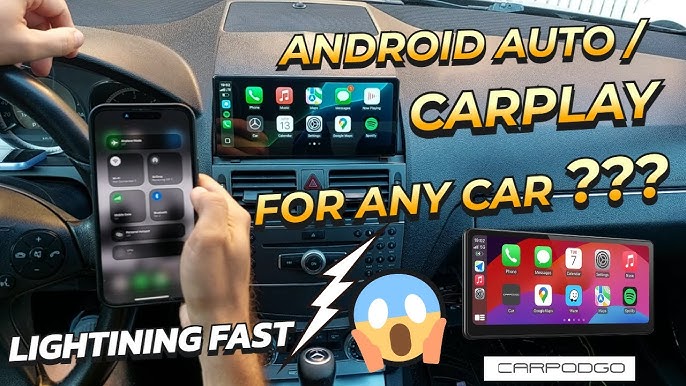
Have you ever wished your car could connect seamlessly to your iPhone, making calls, playing music, and navigating easier than ever? You might be wondering, “Can you install CarPlay in any car?”
The good news is, you don’t have to buy a new vehicle to enjoy this smart technology. But how simple is it really? You’ll discover exactly what it takes to get CarPlay working in your car, no matter the make or model.
Keep reading—you’re closer than you think to turning your drive into a smarter, safer experience.
What Is Apple Carplay
Apple CarPlay is a smart and safe way to use your iPhone in the car. It helps you control apps and features through your car’s display. This system makes driving easier by showing maps, music, calls, and messages on the dashboard screen.
CarPlay connects your iPhone to your car using a USB cable or wirelessly. It mirrors your phone’s interface on the car’s touchscreen. You can use voice commands with Siri to keep your hands on the wheel and eyes on the road.
How Apple Carplay Works
CarPlay works by linking your iPhone to the car’s infotainment system. The car’s screen then shows apps designed for safe driving. You can touch the screen or use car controls to navigate through the options.
Siri plays a big role in CarPlay. You can ask Siri to send texts, make calls, or get directions. This keeps you focused on driving without distractions.
Key Features Of Apple Carplay
- Access to Apple Maps with real-time navigation
- Hands-free calls and text messaging
- Music and podcast streaming from apps like Apple Music
- Control via touch, voice, or car buttons
- Supports third-party apps like Spotify and Audible
Devices Compatible With Apple Carplay
CarPlay works with iPhones running iOS 7.1 or later. It supports iPhone 5 and newer models. The car must have a compatible infotainment system to use CarPlay.
Many car brands now include CarPlay in their newer models. For older cars, aftermarket kits can add CarPlay functionality.
Carplay Compatibility Basics
CarPlay is a smart system that connects your iPhone to your car’s display. It helps you use apps, make calls, and navigate safely while driving. Not every car supports CarPlay, and certain iPhone models and software versions are needed. Understanding CarPlay compatibility basics saves time and effort before installation.
Supported Car Models
Many car brands offer CarPlay in newer models. Cars from popular makers include:
- Ford
- Toyota
- Honda
- BMW
- Chevrolet
- Hyundai
- Mercedes-Benz
Usually, cars from 2016 or later support CarPlay. Older models may need aftermarket systems. Checking your car’s manual or dealer website helps confirm compatibility.
Required Iphone Models
CarPlay works with many iPhones but not all. Compatible models include:
- iPhone 5 and newer
Older iPhones cannot use CarPlay. Newer models offer better performance and features with CarPlay.
Operating System Needs
CarPlay requires a certain iOS version on your iPhone. The minimum is:
- iOS 7.1 or later
Updated iOS versions improve CarPlay’s stability and add new features. Keep your iPhone software up to date for the best experience.
Factory Vs Aftermarket Systems
Choosing between factory and aftermarket CarPlay systems affects your car’s technology and experience. Factory systems come pre-installed by the car maker. Aftermarket options let you add CarPlay to older or unsupported vehicles. Both have benefits and limits. Understanding these helps pick the best fit for your needs.
Built-in Carplay Systems
Built-in CarPlay is part of the car’s original design. It offers smooth integration with the dashboard and controls. The system fits perfectly and looks clean. Updates may come through car software upgrades. Voice commands and touch controls work well together. However, older models may not support CarPlay at all. Also, factory systems can be costly to upgrade or repair.
Aftermarket Head Unit Options
Aftermarket head units replace your car’s current stereo. They add CarPlay to almost any vehicle. These systems vary in price and features. Installation can be simple or require professional help. Many models offer touchscreen, voice control, and app support. Aftermarket units allow customization and upgrades. Some units also support Android Auto for more flexibility.

Credit: www.youtube.com
Installing Carplay In Older Cars
Installing CarPlay in older cars is a smart way to modernize your driving experience. Many older models lack built-in support, but you can add CarPlay with the right tools. This upgrade improves navigation, music, and hands-free calls. Let’s explore how to bring CarPlay to your older vehicle.
Wired Vs Wireless Installation
CarPlay can connect via wired or wireless methods. Wired installation uses a USB cable for a stable connection. It offers faster response and reliable performance.
Wireless CarPlay uses Bluetooth or Wi-Fi. It allows a cable-free experience but can sometimes lag or disconnect. Wireless setup may need specific hardware support.
Necessary Hardware Components
- Compatible CarPlay head unit or receiver
- USB cables for wired connections
- Wireless adapters for Bluetooth or Wi-Fi support
- Power supply and wiring harness for installation
Choosing the right hardware depends on your car model and budget. Some units come with built-in CarPlay support.
Professional Installation Vs Diy
Professional installation ensures proper setup and wiring. Experts can integrate CarPlay without damaging your car’s interior. They also guarantee system compatibility and sound quality.
DIY installation saves money but requires technical skills. You need to handle wiring, mounting, and software setup. Mistakes can cause malfunctions or void warranties.
Weigh the costs and your comfort level before deciding the installation method.
Limitations And Challenges
Installing CarPlay in any car sounds appealing, but several limitations and challenges can affect your experience. Not every vehicle supports a straightforward upgrade, and the process can involve unexpected hurdles. Understanding these challenges helps you decide if adding CarPlay is worth the effort for your car.
Compatibility Issues
Not all cars are built with CarPlay in mind. Older models often lack the necessary hardware or software to support it, making installation tricky or impossible without major modifications.
Even some newer cars might have infotainment systems that only partially support CarPlay or require dealer updates. You might find yourself needing an aftermarket head unit, which means extra installation work and potential compatibility headaches.
Ask yourself: does your car’s existing system allow easy integration, or will you face technical roadblocks? Checking your car’s make, model, and year against CarPlay compatibility lists is a crucial first step.
Cost Considerations
Installing CarPlay can quickly become expensive. Genuine factory upgrades from dealerships often carry a premium price tag, sometimes costing as much as $1,000 or more.
Aftermarket units offer a cheaper alternative but still require professional installation, which adds to the total cost. Don’t forget to factor in wiring, dashboard modifications, and potential software updates.
Consider whether the benefits of CarPlay justify these expenses for your daily driving. Could you achieve similar convenience with your smartphone’s native features and a good mount?
User Experience Differences
CarPlay’s look and feel can vary depending on how it’s installed. Factory systems usually provide seamless integration with your car’s controls and display, enhancing usability.
Aftermarket solutions might not sync perfectly with steering wheel buttons or dashboard layouts. This can lead to frustration when trying to use voice commands or switch apps on the go.
Think about your driving habits: will you be comfortable adapting to a different interface or control scheme? Sometimes the user experience can make or break how often you actually use CarPlay.

Credit: www.youtube.com
Enhancing Carplay Experience
Enhancing your CarPlay experience goes beyond just connecting your phone to your car’s display. It’s about making every drive smoother, safer, and more enjoyable by using the right apps, customizing settings to fit your preferences, and knowing how to fix common hiccups. Have you ever wondered how to get the most out of CarPlay on your daily commute or long road trip?
Useful Apps To Try
CarPlay supports a variety of apps that can make your driving experience better. Beyond the basics like Maps and Music, consider trying these:
- Waze:Real-time traffic updates and alerts for faster routes.
- Pandora or Spotify:Personalized playlists and podcasts to keep you entertained.
- Audiobooks:Great for making long drives feel shorter and more engaging.
- WhatsApp:Send and receive messages hands-free, keeping you connected without distraction.
Using these apps helps you stay focused on the road while still accessing the content you love.
Customization Tips
CarPlay allows you to tailor the interface to fit your style and needs. Have you explored rearranging the app icons? It’s simple and helps prioritize the tools you use most.
- Go to your iPhone’s Settings > General > CarPlay, select your car, then drag apps to reorder them.
- Adjust the brightness and appearance of the screen to reduce eye strain during night drives.
- Enable voice control shortcuts for quick access to frequent commands.
These tweaks can make your interaction with CarPlay faster and safer, especially when you’re on the go.
Troubleshooting Common Problems
Sometimes CarPlay might not connect or respond as expected. Don’t let frustration take over—many issues have simple fixes.
- Check your USB cable for damage or try a different port; connection issues often stem from faulty cables.
- Restart your iPhone and your car’s infotainment system to reset the connection.
- Ensure your iPhone’s iOS is up to date; outdated software can cause compatibility problems.
- Disable and re-enable CarPlay in your phone’s settings to refresh the setup.
Have you encountered any specific problems with CarPlay? Identifying the issue quickly can save you time and keep your drive stress-free.
Future Trends In Car Connectivity
The way cars connect with our digital lives is evolving rapidly. This shift affects how you use features like CarPlay and what you can expect from them in the near future. Staying updated on these trends will help you make smarter choices about upgrading your car’s connectivity.
Upcoming Carplay Features
Apple continues to add new features to CarPlay that enhance your driving experience. Soon, you might see more customization options, such as personalized home screens that show apps and information tailored to your daily routes and habits.
Imagine having your calendar, weather updates, and favorite playlists ready as soon as you start your car. Apple is also working on deeper integration with car controls, allowing you to adjust climate settings or check fuel levels directly through CarPlay.
Integration With Other Technologies
CarPlay won’t just work with your phone anymore; it’s set to connect with other smart devices and in-car systems. This means your car could sync seamlessly with smart home gadgets, like adjusting your thermostat or turning on lights as you arrive home.
Think about how your car’s AI assistant might soon work alongside Siri to offer a more intuitive and hands-free experience. Could your car become a hub that manages both your driving and home environment? This integration will change what you expect from in-car technology.

Credit: rdvfl.com
Frequently Asked Questions
Can You Install Apple Carplay In Any Car?
Yes, you can install Apple CarPlay in most cars with a compatible aftermarket stereo. It requires a compatible head unit and might need professional installation. Always check the compatibility of the stereo with your vehicle model before purchasing.
What Do You Need To Install Carplay?
To install CarPlay, you need a compatible head unit and sometimes an adapter kit. Professional installation might be necessary for seamless integration. Ensure the head unit is compatible with your vehicle’s make and model.
Is Installing Carplay Worth It?
Installing CarPlay is worth it for enhanced connectivity and access to apps. It offers seamless integration with your iPhone, improving navigation, music streaming, and hands-free calling. It enhances driving convenience and safety.
How Much Does Carplay Installation Cost?
CarPlay installation costs vary based on the stereo and installation complexity. Prices range from $200 to $1,000, including parts and labor. Check with professional installers for accurate pricing tailored to your vehicle.
Conclusion
CarPlay can fit in many cars, but not all. Some older models need extra parts or upgrades. Professional installation helps avoid problems and ensures it works well. Check your car’s system and compatibility first. This way, you know what to expect and avoid surprises.
Adding CarPlay makes driving safer and more fun. It keeps your phone easy to use without distraction. So, plan carefully and choose the right option for your car.