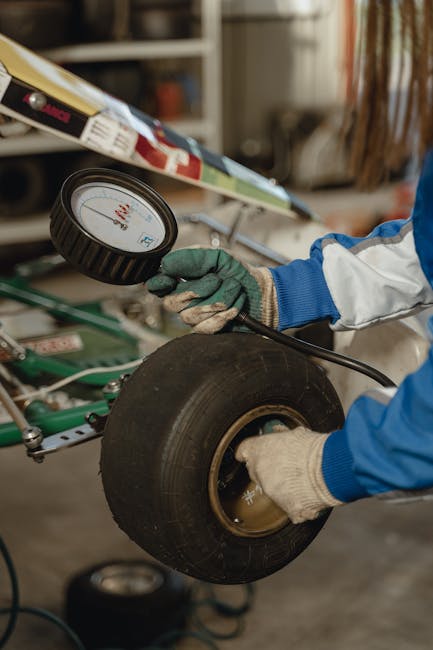
Are you sure your Toyota’s tire pressure is just right? Keeping your tires properly inflated is key to safety, better fuel efficiency, and longer tire life.
But checking tire pressure can feel like a hassle—until you discover how easy it is with the Toyota app. In this guide, you’ll learn exactly how to check your tire pressure using the app, saving you time and giving you peace of mind every time you drive.
Keep reading and take control of your car’s health with just a few taps.
Accessing The Toyota App
Accessing the Toyota App is the first step to checking your tire pressure easily. The app connects your smartphone to your vehicle. This connection allows you to see important details like tire pressure on your screen. The process is simple and only takes a few minutes to set up. Follow the steps below to get started.
Downloading And Installing The App
Start by opening the app store on your phone. Search for “Toyota App” or “Toyota Owner’s App.” Check the app developer to ensure it is official. Tap the download or install button. Wait for the app to finish downloading. The app will appear on your home screen once installed.
Creating Or Logging Into Your Account
Open the Toyota App on your phone. You will see options to create an account or log in. New users should choose “Create Account.” Fill in your name, email, and other details. Set a strong password for security. Existing users just need to enter their email and password. Tap the login button to access your account.

Credit: apps.apple.com
Connecting Your Vehicle
Connecting your Toyota to its app allows you to check tire pressure easily. The connection process is simple and quick. It helps you stay updated on your vehicle’s status anytime. Follow the steps carefully to link your car and app securely.
Pairing Your Toyota With The App
Start by downloading the official Toyota app on your smartphone. Open the app and create an account or sign in. Next, turn on your Toyota’s ignition without starting the engine. Access the app’s vehicle settings and select “Add Vehicle.” Follow the on-screen instructions to find your car. Confirm the pairing request on both your phone and vehicle screen. Wait a few moments as the devices connect. Once paired, the app will display your vehicle’s details.
Ensuring Bluetooth And Gps Are Enabled
Bluetooth must be active for the app to communicate with your car. Turn on Bluetooth in your phone’s settings before opening the app. GPS helps the app locate your vehicle and provide accurate data. Enable location services to improve app performance. Check both Bluetooth and GPS regularly to maintain a strong connection. This ensures real-time updates on tire pressure and other alerts.
Locating The Tire Pressure Feature
Finding the tire pressure feature on the Toyota app is simple. It helps you keep your tires safe and your ride smooth. This section guides you through locating this important option.
Navigating The App Dashboard
Open the Toyota app on your phone. The dashboard is the first screen you see. It shows an overview of your vehicle’s status. Look for icons or menu options related to your car.
Common icons include a car shape or a tire symbol. Tap these to explore more details. The dashboard organizes features for easy access. Take a moment to familiarize yourself with its layout.
Finding The Vehicle Health Section
Within the dashboard, find the “Vehicle Health” section. This area contains key information about your car’s condition. It often lists tire pressure alongside other alerts.
Tap on “Vehicle Health” to open detailed reports. Here, you can check each tire’s pressure in real-time. The app shows numbers in PSI or kPa. This section helps you track and maintain proper tire pressure.
Credit: www.rav4world.com
Reading Tire Pressure Data
Reading tire pressure data on the Toyota app is simple and clear. It helps keep your tires in good shape and improves safety. The app shows the pressure for each tire and gives alerts if something is wrong. Understanding these details helps you know when to add air or check for problems.
Understanding Pressure Units
The Toyota app shows tire pressure in different units. The most common are PSI (pounds per square inch) and kPa (kilopascals). PSI is often used in the United States, while kPa is common in other countries. You can switch units in the app settings to fit your preference.
Make sure to know the correct pressure for your tires. This number is usually on a sticker inside the driver’s door or in the owner’s manual. Keeping the pressure in the right range improves tire life and car performance.
Interpreting Alerts And Warnings
The app sends alerts if tire pressure is too low or too high. Low pressure can cause poor fuel efficiency and tire wear. High pressure might lead to a rough ride or tire damage. The app uses colors and symbols to show the status:
- Green:Pressure is normal and safe.
- Yellow:Pressure is slightly off. Check soon.
- Red:Pressure is too low or high. Fix immediately.
Respond to alerts quickly. Check tires with a gauge or visit a service center. Proper tire pressure keeps your drive smooth and safe.
Troubleshooting Common Issues
Sometimes, the Toyota app might not show your tire pressure data as expected. This can be frustrating, especially when you rely on the app for quick vehicle checks. Understanding how to troubleshoot these common issues helps you stay safe and informed without unnecessary delays.
What To Do If Tire Pressure Data Is Missing
If your tire pressure readings disappear from the app, start by checking your vehicle’s tire pressure monitoring system (TPMS) sensors. These sensors need to be active and properly transmitting data to the vehicle’s onboard computer.
Try these quick checks:
- Ensure your Toyota is turned on or in accessory mode—sometimes the app won’t update if the car is completely off.
- Verify the app has permission to access vehicle data and location services on your phone.
- Inspect the tires manually with a pressure gauge to confirm if the issue is with the app or actual tire pressure.
Have you ever ignored a missing data alert only to find a flat tire later? Catching this early can save you from roadside trouble.
Resetting The App And Vehicle Connection
If the data still doesn’t appear, resetting the app’s connection to your vehicle often fixes communication glitches. This can refresh the link between your phone and Toyota’s system.
Follow these steps to reset:
- Log out of the Toyota app and close it completely on your phone.
- Restart your smartphone to clear any temporary software hiccups.
- Open the app again and log back in.
- Navigate to the app’s vehicle settings and disconnect the current vehicle profile.
- Re-add your Toyota by following the pairing instructions carefully.
Sometimes, the simplest resets solve persistent problems. Think about the last time a quick reboot fixed a tech issue for you—why not with your Toyota app?
Credit: www.rav4world.com
Maintaining Optimal Tire Pressure
Maintaining optimal tire pressure is crucial for safety, fuel efficiency, and tire longevity. Proper tire pressure ensures better control of your Toyota and reduces the risk of tire damage. The Toyota app simplifies this task by providing easy-to-understand tire pressure readings.
Regular checks prevent unexpected tire issues and keep your ride smooth. Staying informed about your tire pressure helps avoid costly repairs and improves driving comfort. The Toyota app offers a convenient way to monitor tire pressure anytime and anywhere.
Recommended Tire Pressure Levels For Toyota Models
Each Toyota model has specific tire pressure guidelines. These levels ensure optimal performance and safety.
| Model | Front Tire Pressure (PSI) | Rear Tire Pressure (PSI) |
|---|---|---|
| Corolla | 32 | 30 |
| Camry | 33 | 32 |
| RAV4 | 35 | 33 |
| Tacoma | 35 | 35 |
Check the owner’s manual or the driver’s side door sticker for exact numbers. Use the Toyota app to track and match these recommendations easily.
Tips For Regular Tire Pressure Checks
- Check tire pressure when tires are cold for accurate readings.
- Use the Toyota app before driving to get current pressure data.
- Inspect tires weekly to spot slow leaks or damage early.
- Set reminders in the app for routine pressure checks.
- Keep a portable tire gauge as backup for manual checks.
- Adjust pressure according to the load and driving conditions.
Frequently Asked Questions
How Do I Access The Toyota App?
To access the Toyota app, download it from the App Store or Google Play. Register or log in with your Toyota account. Ensure your vehicle is linked to the app for complete functionality. The app provides various features, including checking tire pressure, vehicle status, and other maintenance updates.
Can I Check Tire Pressure On All Toyota Models?
Yes, most modern Toyota models support the tire pressure monitoring feature in the app. However, ensure your specific model is compatible by checking the app’s supported vehicle list. This feature allows you to monitor tire pressure without manually checking each tire.
Why Is Tire Pressure Important For Toyota Vehicles?
Proper tire pressure ensures optimal handling, fuel efficiency, and safety. Under-inflated tires can lead to poor fuel economy and increased tire wear. Over-inflated tires may reduce traction and comfort. Regularly checking tire pressure via the Toyota app ensures your vehicle’s performance and longevity.
What Should I Do If Tire Pressure Is Low?
If the app indicates low tire pressure, inflate the tires to the recommended PSI. You can find the recommended PSI in the owner’s manual or on the door jamb sticker. Regularly monitoring and maintaining proper tire pressure enhances safety and prolongs tire lifespan.
Conclusion
Checking tire pressure with the Toyota app is quick and simple. The app shows real-time tire pressure on your phone. Keeping tires at the right pressure saves fuel and improves safety. Regular checks help avoid flat tires and wear. Use the app often to keep your ride smooth.
This small step keeps your car in top shape. Try it today and drive with confidence.