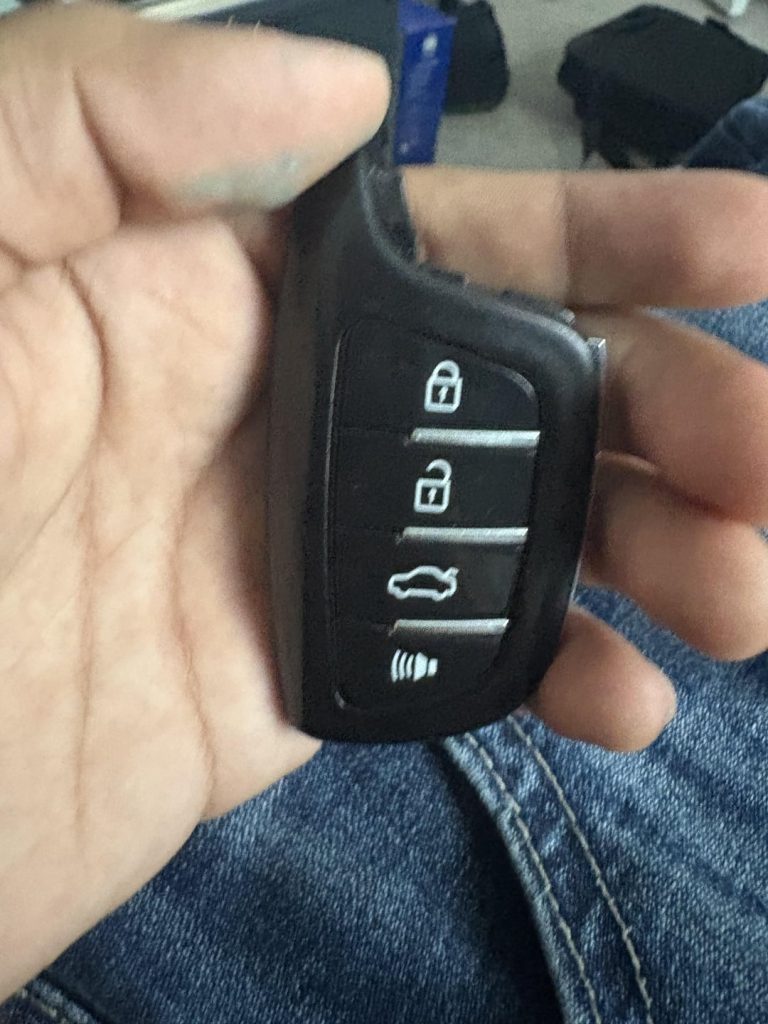
Is your Buick key fob acting up or completely dead? You might be surprised how often a simple battery change can fix the problem.
Knowing how to replace your Buick key fob battery yourself saves you time, money, and frustration. In this guide, you’ll get clear, step-by-step instructions that anyone can follow, even if you’ve never handled a key fob before. Keep reading to learn the easy way to bring your key fob back to life and get back on the road without hassle.

Credit: www.reddit.com
Identify Your Buick Key Fob
Before you replace your Buick key fob battery, it’s important to first identify which type of key fob you have. Buick offers several key fob models, each with a unique design and battery type. Knowing exactly what you’re dealing with saves time and prevents any guesswork during replacement.
Common Buick Key Fob Models
Buick key fobs come in various styles depending on the year and model of your vehicle. Some of the most common types include:
- Standard Key Fob:A compact device with buttons for lock, unlock, and trunk release.
- Smart Key Fob:Features proximity sensors allowing keyless entry and push-button start.
- Flip Key Fob:The key blade flips out with a button press, combined with remote locking features.
Each model uses a specific battery type, so knowing your exact key fob is critical. Have you ever tried replacing a battery only to find the new one didn’t fit? That’s usually because the model wasn’t identified correctly.
Check Your Key Fob Design
Look closely at your key fob’s shape, button layout, and whether it has a visible key blade. Some fobs have a small slot or seam where the two halves snap together—this is where you’ll open it to replace the battery.
Check for any markings or numbers on the back or inside the battery compartment. These details often indicate the battery type (like CR2032 or CR2025).
If your key fob feels bulky or has extra features like a panic button or remote start, it might use a different battery than a simple lock/unlock fob. Does your key fob have a removable key blade? That’s a hint you might need to slide or push a release to open it safely without damage.

Credit: www.youtube.com
Gather Necessary Tools
Before you open your Buick key fob, it’s important to gather all the necessary tools. Having everything ready makes the battery replacement quick and hassle-free. Missing a tool midway can turn a simple task into a frustrating experience.
Battery Types Used In Buick Key Fobs
Most Buick key fobs use coin cell batteries, but the exact type can vary by model and year. Commonly, you’ll find CR2032 or CR2025 batteries inside. Checking your current battery will help you get the right replacement.
Have you ever tried replacing a battery only to realize you bought the wrong size? It’s a small detail that can save you time and money.
Tools Required For Replacement
- Small flathead screwdriver:Helps to gently pry open the key fob casing without damage.
- Plastic pry tool or guitar pick:Prevents scratching the plastic when opening the fob.
- Clean cloth or gloves:Keeps the battery and internal components free from oils and dirt.
- New battery:Make sure it matches the type inside your key fob.
Having these tools on hand will make the replacement smoother and prevent accidental damage to your key fob. What tools do you usually keep handy for small car repairs?
Open The Key Fob
Opening your Buick key fob is the first step to replacing its battery. It might seem tricky, but with a little patience, you can easily access the inside without damaging the casing. Let’s break down how to carefully open your key fob to get to the battery.
Locate The Release Mechanism
Start by examining your key fob closely. Look for a small notch or button along the edge—this is often the release mechanism designed to separate the fob’s halves.
Sometimes, the release is a tiny slider or a push button that you can move with your thumb or a fingernail. If you’re unsure, try gently pressing or sliding these areas to see if the key fob begins to open.
Have you noticed how some key fobs feel more secure than others? That’s because manufacturers use different release designs to prevent accidental openings. Identifying this mechanism correctly helps avoid any damage.
Separate The Key Fob Halves
Once you’ve found the release point, apply gentle pressure to pry the two halves apart. You don’t need a lot of force—too much can crack the plastic casing.
If your fingers aren’t enough, a small flathead screwdriver or a plastic pry tool can help. Insert it into the notch and twist gently to separate the halves.
After the halves start to come apart, carefully pull them completely open to reveal the battery compartment inside. Keep track of how the pieces fit together so you can reassemble your key fob without trouble later.
Remove The Old Battery
Removing the old battery from your Buick key fob is a simple task that requires careful handling. This step ensures the new battery fits properly and the key fob works perfectly. Follow these instructions to safely take out the old battery without damaging the device.
Identify Battery Placement
Locate the small seam or notch on the key fob’s edge. This is where you will pry open the case. The battery usually sits inside a small compartment near this split. Most Buick key fobs use a coin-cell battery, often labeled with a number like CR2032.
Check the battery’s position and orientation. Note which side faces up. This will help you place the new battery correctly later. Handle the key fob gently to avoid breaking any clips or plastic parts.
Safely Extract The Battery
Use a small flathead screwdriver or a plastic pry tool to open the key fob case. Insert the tool into the notch and twist gently. The case should pop open without force.
Once open, carefully lift the battery out. Avoid using metal tools that can short-circuit the battery. If the battery is stuck, wiggle it slightly to loosen it. Dispose of the old battery safely, following local guidelines.
Insert The New Battery
After opening your Buick key fob, the next task is inserting the new battery. This step requires care to avoid damage and ensure the fob functions correctly. Proper placement of the battery affects the remote’s performance and battery life.
Align Battery Correctly
Check the battery’s positive (+) and negative (-) sides. Match these with the symbols inside the key fob’s battery slot. Usually, the positive side faces up, but verify to be sure. Incorrect alignment will prevent the key fob from working.
Secure Battery In Place
Once the battery is aligned, place it gently into the slot. Press down lightly until it fits snugly. Avoid forcing it, which could damage the contacts. Ensure the battery does not move around inside the compartment.

Credit: www.youtube.com
Reassemble The Key Fob
After replacing the battery in your Buick key fob, reassembling it carefully is essential. Proper reassembly ensures the fob works correctly and stays secure. Handle the parts gently to avoid damage or misalignment.
Snap The Halves Together
Align the two halves of the key fob case properly. Make sure the battery and internal components stay in place. Press the halves firmly until you hear a click. This sound means the fob is securely closed. Avoid forcing it to prevent cracks or breaks.
Test The Key Fob Functionality
Stand near your vehicle and press any button on the key fob. Check if the doors lock or unlock. Try other functions like the trunk release or panic alarm. Confirm the key fob works as expected. If it doesn’t, open it again and check the battery position.
Troubleshooting Tips
Replacing your Buick key fob battery is usually straightforward, but sometimes things don’t go as planned. Troubleshooting helps you identify what’s really going on and saves you time and frustration. Let’s look at some practical tips to get your key fob back to working perfectly.
When The Key Fob Doesn’t Work
If your key fob stops responding even after replacing the battery, don’t panic. First, check if the battery is installed correctly—polarity matters.
Try pressing the buttons firmly and from different angles. Sometimes dirt or debris inside the fob can block the contact points.
- Clean the inside gently with a dry cloth or a soft brush.
- Inspect for any visible damage to the circuit board or buttons.
- Test the battery with a multimeter to ensure it’s fully charged.
Have you considered that your key fob might need reprogramming? This can happen after battery replacement, especially with older models. Check your owner’s manual or contact a dealer for programming instructions.
Additional Battery Replacement Advice
Always use the exact battery type recommended for your Buick key fob. Using the wrong battery can cause malfunction or even damage.
Handle the battery with care and avoid touching it with bare hands to prevent corrosion from skin oils. Use gloves or a clean cloth when installing.
- Store spare batteries in a cool, dry place.
- Dispose of old batteries properly at designated recycling centers.
- Keep a backup battery handy to avoid being stranded.
Do you have a habit of replacing the battery only when the fob fails? Try changing it proactively every couple of years. This small step can prevent unexpected lockouts and save you a trip to the dealership.
Frequently Asked Questions
How Do I Know My Buick Key Fob Battery Is Low?
If your Buick key fob battery is low, you’ll notice reduced range and delayed response. The key fob might not work consistently, and a warning light may appear on your dashboard. Replace the battery promptly to ensure uninterrupted access to your vehicle.
What Type Of Battery Does A Buick Key Fob Use?
Most Buick key fobs use a CR2032 lithium battery. This flat, round battery is commonly available at electronic stores, supermarkets, and online. Always check your key fob’s manual or existing battery to confirm the correct type before purchasing a replacement.
Can I Replace The Buick Key Fob Battery Myself?
Yes, you can replace the Buick key fob battery yourself. It’s a simple process requiring minimal tools, usually a small screwdriver. Follow the instructions in your vehicle’s manual or online guides. Ensure you have the correct battery type before starting the replacement.
How Often Should I Replace My Buick Key Fob Battery?
Typically, replace your Buick key fob battery every 1-2 years. Battery life depends on usage frequency and environmental factors. If you notice reduced performance or a warning light, replace the battery sooner. Regular replacement ensures your key fob functions reliably.
Conclusion
Replacing a Buick key fob battery is quick and simple. Just follow the steps carefully and use the right battery type. This small task can save you time and avoid trips to the dealer. Keep a spare battery at home to stay prepared.
Your key fob will work like new again. Don’t wait for problems—change the battery as soon as you notice issues. This way, your Buick stays secure and easy to use every day.