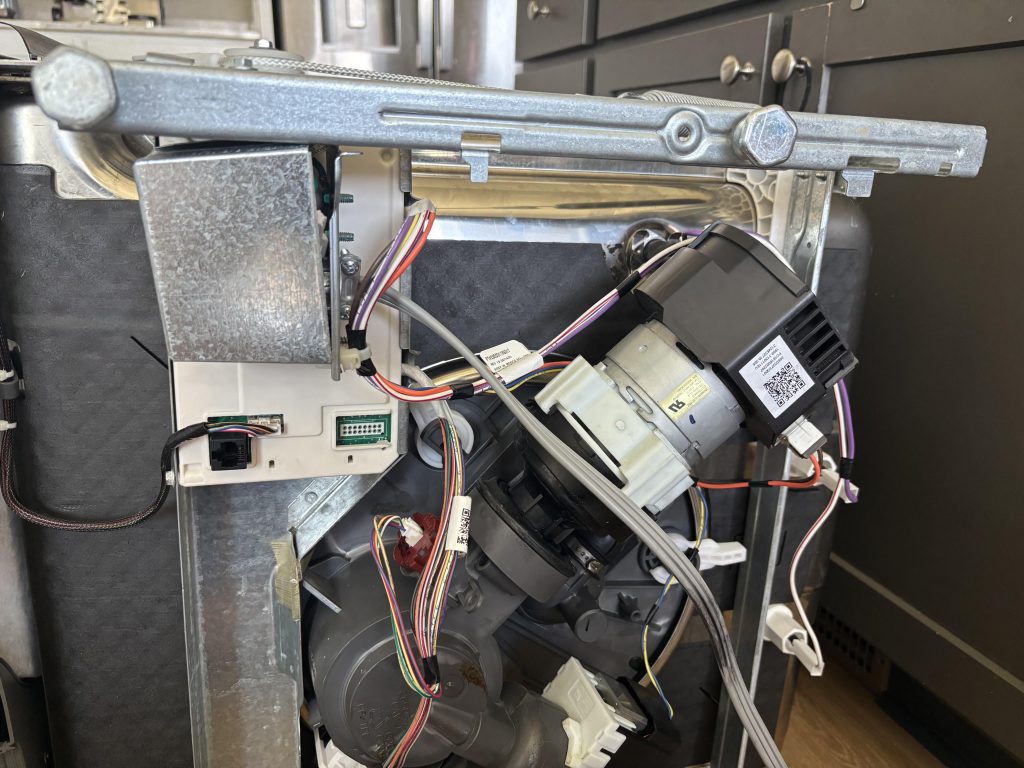
You’re in the middle of your busy day, and your trusty GE dishwasher suddenly decides to throw a tantrum. Frustrating, right?
We’ve all been there, and it’s never fun when your kitchen companion stops cooperating. But don’t worry! Resetting your GE dishwasher might just be the quick fix you need to get things back on track. Imagine the relief of hearing that familiar hum as it starts working again.
In this guide, we’ll walk you through the simple steps to reset your GE dishwasher, empowering you to tackle the issue head-on. So, roll up your sleeves, because you’re about to become the hero of your own kitchen story.
Reset Methods For Ge Dishwashers
Resetting your GE dishwasher can solve many common issues like unresponsive controls or cycle errors. Knowing the right reset method saves you time and frustration. Below are practical ways you can try to reset your dishwasher using simple tools and steps.
Using The Control Panel
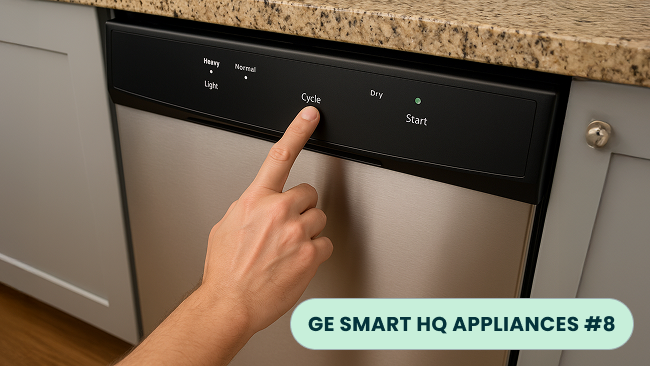
Most GE dishwashers allow you to reset directly through the control panel. Look for a “Cancel” or “Reset” button on your model’s keypad. Press and hold this button for about 3 to 5 seconds until the lights blink or the display clears.
This method clears error codes and cancels the current cycle, giving you a fresh start. If your dishwasher doesn’t have a clear reset button, try pressing the “Start/Resume” button twice quickly. Have you noticed if your control panel responds differently depending on the cycle?
Power Cycling The Dishwasher
Power cycling is a quick way to reset many electronic devices, including GE dishwashers. Simply turn off the dishwasher by opening the door and pressing the “Cancel” button, or just turn off the power at the dishwasher’s switch if available.
Wait for about 5 minutes before closing the door and turning the dishwasher back on. This pause allows the dishwasher’s internal computer to reset. Have you ever tried this after a sudden power surge? It often resolves temporary glitches.
Resetting Via Circuit Breaker
If your dishwasher remains unresponsive, resetting through the circuit breaker might help. Locate your home’s breaker panel and find the switch labeled for the dishwasher or kitchen appliances. Flip the breaker off, wait 30 seconds, then flip it back on.
This cuts power completely, forcing a full system reboot. Be cautious when handling breakers, and ensure you know which one controls your dishwasher. Does your dishwasher show signs of electrical issues that make this step necessary?

Credit: theappliancecarecompany.com
When To Reset Your Dishwasher
Resetting your GE dishwasher can solve many common problems. Knowing the right time to reset helps keep the machine working well. Some issues need a reset to clear errors and restore normal function.
Here are key signs that show you should reset your dishwasher.
Common Error Codes
Dishwashers display error codes when something goes wrong. Codes like E1, E2, or E3 signal different problems. A reset can clear these errors if they are not serious. Check the manual to understand each code.
Unresponsive Controls
Sometimes the control panel stops responding. Buttons may not work or the screen stays blank. This can happen due to a minor glitch. Resetting the dishwasher often fixes this issue quickly.
Incomplete Cycles
Dishwashers may stop mid-cycle or fail to finish cleaning. Water might not drain, or the machine won’t dry dishes. Resetting can restart the cycle and clear temporary faults.
Step-by-step Reset Instructions
Resetting your GE dishwasher can solve many common issues quickly. Follow these clear instructions to reset your model effectively. Each type of dishwasher has a slightly different reset process. Choose the steps that match your dishwasher’s control panel. This helps avoid confusion and saves time.
Resetting Model Without Display
Locate the “Start/Reset” button on your dishwasher. Press and hold this button for about 3 seconds. Release the button once the dishwasher beeps or the lights blink. This action cancels the current cycle and resets the system.
If your dishwasher does not have a “Start/Reset” button, try turning the power off at the circuit breaker. Leave it off for 5 minutes, then turn it back on. This power cycle resets the dishwasher’s internal computer.
Resetting Model With Touch Controls
Touch and hold the “Start/Reset” or “Cancel” button on the control panel. Hold the button for 3 to 5 seconds until the display clears or changes. This resets the dishwasher’s current cycle and settings.
Some models require pressing two buttons at the same time. Check your user manual for exact button combinations. After pressing the buttons, wait for the dishwasher to beep or the lights to flash.
After Reset: What To Expect
The dishwasher’s display may show a blinking light or a reset message. The unit will stop any ongoing cycle and drain water if needed. Controls return to their default settings.
Run a short rinse cycle to verify the reset worked properly. If problems continue, repeat the reset or consult the manual. Resetting does not fix hardware issues but clears errors and glitches.
Troubleshooting After Reset
After resetting your GE dishwasher, you might expect everything to run smoothly. But sometimes, the problem lingers. Troubleshooting after a reset is crucial to ensure your dishwasher works efficiently and avoids repeated issues.
Checking Water Supply
Water is essential for your dishwasher to clean properly. Start by confirming the water supply is fully turned on and not blocked.
Check the hose connected to your dishwasher for any kinks or bends that could restrict water flow. Also, examine the water inlet valve for signs of damage or clogging. Have you noticed your dishwasher starting but not filling with water? This could be a water supply issue that a reset won’t fix.
Inspecting Door Latch
Your dishwasher won’t run if the door latch isn’t secure. This safety feature stops the cycle if the door isn’t properly closed.
Look closely at the latch for any visible damage or dirt that might prevent it from locking. Sometimes, simply cleaning the latch area or adjusting the door alignment solves the issue. Have you ever pushed the door firmly only to find the dishwasher won’t start? The latch could be the culprit.
Cleaning Filters And Spray Arms
Clogged filters and spray arms reduce cleaning power and can cause error codes. After a reset, inspect these parts carefully.
Remove the filters and rinse them under running water to clear debris. Spin the spray arms to ensure they move freely and use a toothpick or small brush to clear any blocked holes. Neglecting this step might leave you wondering why your reset didn’t fix the cleaning problems.
Preventive Tips To Avoid Frequent Resets
Frequent resets can signal underlying dishwasher issues. Avoid these by taking simple preventive steps. Proper care reduces the need to reset your GE dishwasher often. It helps keep the machine running smoothly and saves time.
Regular Maintenance
Clean the dishwasher filter every month. Remove food debris to prevent clogs. Check spray arms for blockages and clean them. Wipe down door seals to stop leaks. Run an empty cycle with dishwasher cleaner to remove buildup.
Proper Loading Techniques
Place dishes according to size and type. Avoid overcrowding; water must reach all surfaces. Position plates and bowls facing the spray arms. Keep large items away from detergent dispenser. Load utensils with handles down for better cleaning.
Using Recommended Detergents
Use only detergents made for dishwashers. Avoid regular dish soap; it causes excessive suds. Choose detergent suitable for your water hardness. Store detergent in a dry place to keep it fresh. Follow the detergent amount recommended in the manual.
Credit: appworkco.com

Credit: www.reddit.com
Frequently Asked Questions
How Do I Reset My Ge Dishwasher Control Panel?
To reset the control panel, press the “Start/Reset” button once. Wait for the dishwasher to drain and stop. This clears any error codes and restarts the cycle.
Can I Reset My Ge Dishwasher Without Unplugging It?
Yes, use the control panel by pressing “Start/Reset. ” Unplugging is optional but not necessary for a reset.
Why Won’t My Ge Dishwasher Reset Properly?
A faulty door latch, control panel, or power issue can prevent resetting. Check these components and try again.
How Long Does A Ge Dishwasher Reset Take?
A reset usually takes 2 to 5 minutes. The dishwasher drains water and restarts the system automatically.
Conclusion
Resetting your GE dishwasher is simple and quick. Follow the steps carefully for the best results. This helps fix many common issues and keeps your dishwasher working well. Remember to unplug the machine before starting the reset. If problems continue, check the manual or contact support.
Taking small actions can save time and money. Your dishwasher will be ready to clean dishes again in no time. Keep this guide handy for future use. Easy fixes like this make home care less stressful.