Have you ever been watching your favorite show on your LED TV when suddenly the screen freezes? It’s frustrating, right?
You might wonder, “Will a LED TV freeze often? And why does it happen? ” If your TV stops responding or the picture locks up, it can ruin your entire viewing experience. But don’t worry—understanding why your LED TV freezes and how to fix it is easier than you think.
Keep reading, and you’ll discover simple tips to keep your TV running smoothly every time you turn it on.
Why Led Tvs Freeze
LED TVs may freeze due to software glitches or overheating. Poor internet connection can also cause the screen to stop responding. Regular updates and proper ventilation help prevent freezing issues.
Freezing issues with LED TVs can be frustrating. Understanding why they occur helps in solving them. Let’s explore common reasons behind this problem.Common Causes
LED TVs may freeze due to a variety of reasons. Often, it’s related to overheating. Placing the TV in a poorly ventilated area can lead to this. Dust accumulation can also block airflow. Another factor is power surges, which can disrupt normal functions. An unstable internet connection can lead to streaming freezes too.Hardware Issues
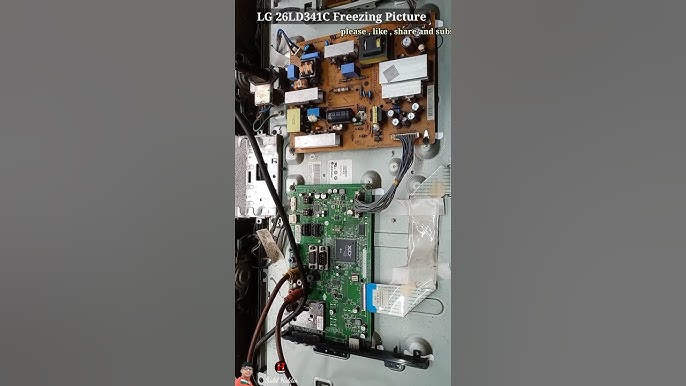
Sometimes, the problem lies in the hardware. Faulty power supplies can cause interruptions. If the TV’s internal components are damaged, freezing can occur. Loose cables might also be the culprit. They can disrupt the connection between the TV and its source. Regular checks can help identify these issues early.Software Glitches
Software problems are another common cause. Outdated firmware might lead to operational hiccups. Bugs in the TV’s operating system can also cause freezing. These can often be resolved with updates. Sometimes, apps running on the TV might be incompatible. Clearing the cache or reinstalling apps can help. Always keep the software up to date for smooth performance.Troubleshooting Steps
Experiencing your LED TV freezing can be frustrating, but there are simple ways to troubleshoot the issue yourself. Taking a few practical steps can often bring your screen back to life without needing professional help. Let’s look at some actions you can try immediately to fix the freezing problem.
Restarting The Tv
Sometimes, a quick restart can clear temporary glitches causing your TV to freeze. Turn off your LED TV using the remote or the power button, then unplug it from the power source. Wait for at least 30 seconds before plugging it back in and turning it on.
This process helps reset the TV’s internal memory and can resolve minor software hiccups. Have you noticed your TV running smoother after a restart? This simple step often surprises users with how effective it is.
Checking Connections
Loose or faulty cables can cause your LED TV to freeze or display erratic behavior. Check all HDMI, power, and antenna cables to make sure they are securely connected.
- Inspect HDMI cables for any visible damage or wear.
- Ensure power cords are firmly plugged into the wall outlet and TV.
- Try swapping cables with known working ones to rule out faults.
Have you considered that a cheap or damaged cable might be the culprit? Sometimes, replacing a single cable can solve freezing issues instantly.
Updating Firmware
Outdated firmware can cause your LED TV to freeze because it may not handle new apps or signals well. Check your TV’s settings menu for a software update option.
Updating the firmware can improve performance and fix known bugs. If your TV is connected to the internet, the update process is usually straightforward and automatic.
Do you keep your TV’s software up to date regularly? Neglecting updates might be why your TV is freezing now.
Advanced Fixes
Sometimes, basic fixes can’t solve a LED TV that freezes. Advanced fixes dig deeper into the issue. These steps help identify hidden problems and restore smooth performance. Follow these tips carefully to avoid further issues.
Resetting To Factory Settings
Resetting the TV clears all settings and restores original software. This can fix bugs causing freezing. Use the remote to access the menu. Find “Settings” and choose “Reset” or “Factory Reset.” Confirm the action. Wait for the TV to restart. Remember, this deletes saved data and apps.
Inspecting External Devices
External devices can cause your TV to freeze. Unplug all devices like HDMI cables, USB drives, or soundbars. Turn off the TV and unplug it from power. Wait for a few minutes before reconnecting. Test the TV without any devices attached. Connect devices one by one to find the faulty one.
Contacting Support
If the problem continues, contact the TV manufacturer’s support. Provide the model number and describe the freezing issue clearly. They can offer advanced troubleshooting or repair options. Some problems require professional service or parts replacement. Early contact saves time and prevents worsening damage.

Credit: eu.community.samsung.com
Preventing Future Freezes
Preventing future freezes on your LED TV helps keep it working smoothly. Small actions can avoid many common problems. Consistent care and smart habits extend your TV’s life. Focus on these key areas to reduce freezing issues and enjoy clear, uninterrupted viewing.
Regular Maintenance
Clean your TV screen and vents often. Dust blocks airflow and causes overheating. Overheating can make the TV freeze or shut down. Use a soft cloth to wipe the screen gently. Avoid sprays that can harm the display. Check cables and connections for damage or looseness. Replace any worn or broken parts quickly. Regular maintenance keeps the TV running cool and fast.
Proper Usage Habits
Turn off the TV when not watching. Leaving it on long hours stresses internal parts. Avoid running many apps or inputs at once. Too many tasks slow the TV’s processor and memory. Give the TV short breaks during extended use. Position the TV in a cool, ventilated space. Heat buildup inside the TV leads to freezing. Simple habits protect your TV and keep it responsive.
Safe Software Updates
Keep the TV’s software up to date. Updates fix bugs that cause freezing and improve performance. Download updates only from the official manufacturer’s site. Avoid third-party or unofficial software versions. Install updates during low-use times to prevent interruptions. Restart the TV after updating to apply changes fully. Safe updates help the TV stay stable and fast.
When To Replace Your Led Tv
Knowing when to replace your LED TV can save you both money and frustration. A TV that freezes frequently can disrupt your viewing experience, but the cause might not always be obvious. Understanding the signs that point to hardware failure and weighing repair costs against replacement can guide you toward the best decision for your home entertainment setup.
Signs Of Hardware Failure
Hardware failure often shows up as persistent freezing, flickering screens, or complete shutdowns during use. If your LED TV freezes even after a factory reset or software update, it’s a strong indication of internal issues. Pay attention to unusual noises or overheating, as these can signal failing components inside your TV.
Have you noticed uneven brightness or color distortion? These are subtle clues your LED panel or backlight might be deteriorating. When these signs appear frequently and disrupt your viewing, it’s time to consider replacement.
Cost Vs. Repair Benefits
Before rushing to fix your LED TV, compare the repair costs with the price of a new model. Repairs involving the mainboard, power supply, or screen can be expensive and sometimes approach the cost of a new TV.
| Repair Type | Typical Cost Range | Consideration |
|---|---|---|
| Mainboard Replacement | $100 – $200 | Often costly; assess TV’s age |
| Power Supply Repair | $80 – $150 | May be worth fixing if TV is newer |
| Screen Replacement | $200 – $400+ | Usually better to replace TV |
If your TV is over five years old, investing in repairs might not be practical. Newer models offer better picture quality and smart features that can enhance your experience. Ask yourself: will the repair truly extend your TV’s life enough to justify the cost?

Credit: www.foxnews.com

Credit: www.reddit.com
Frequently Asked Questions
Why Does My Led Tv Freeze Sometimes?
LED TVs may freeze due to software glitches, overheating, or poor signal quality. Restarting the TV or updating its firmware often fixes this issue quickly.
Can Outdated Firmware Cause Led Tv Freezing?
Yes, outdated firmware can cause freezing. Manufacturers release updates to fix bugs and improve performance. Regular updates help maintain smooth TV operation.
How To Fix A Frozen Led Tv Screen?
Try unplugging your LED TV for 30 seconds, then plug it back in. This simple reset often resolves freezing issues effectively and quickly.
Does Overheating Cause Led Tv Freezing?
Yes, overheating can cause your LED TV to freeze or shut down. Ensure proper ventilation and avoid placing the TV in direct sunlight or enclosed spaces.
Conclusion
A LED TV may freeze due to software or hardware issues. Restarting the TV often solves freezing problems quickly. Keeping the TV software updated helps prevent glitches. Avoid overloading the TV with too many apps at once. Sometimes, poor signal or bad cables cause the screen to freeze.
Checking connections can fix many common problems. Regular maintenance keeps your TV running smoothly. Small steps can improve your viewing experience greatly. Stay patient and try simple fixes before seeking repairs.