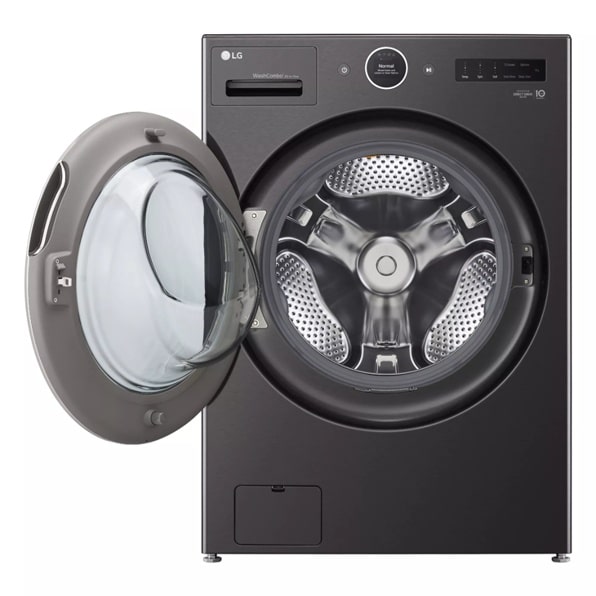
Are you ready to make laundry day easier and faster? Your LG ThinQ Washer Dryer Combo is designed to save you time and effort, but only if you know how to use it right.
Imagine finishing a full load of laundry—from washing to drying—in one smooth cycle without moving clothes between machines. In this guide, you’ll discover simple steps to get the most out of your LG ThinQ Washer Dryer Combo. By the end, you’ll feel confident using its smart features to keep your clothes fresh and clean with less hassle.
Keep reading to unlock the full potential of your appliance and transform the way you do laundry.
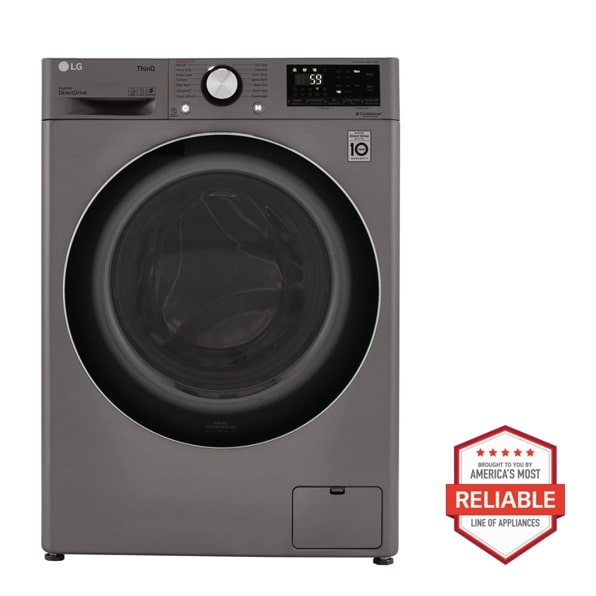
Credit: www.lg.com
Getting Started With Lg Thinq Combo
The LG ThinQ Washer Dryer Combo offers a smart way to wash and dry clothes in one machine. This guide helps you start using it easily.
Follow simple steps to set up your machine, connect it to Wi-Fi, and use the ThinQ app for control and monitoring.
Unboxing And Setup
Carefully remove the washer dryer combo from the box. Check that all parts and manuals are included. Place the machine on a flat, stable surface near a power outlet and water source.
- Remove all packaging materials and tape.
- Check the water inlet hose and drain hose for leaks.
- Connect the water inlet hose to your water tap.
- Attach the drain hose securely to prevent leaks.
- Plug the power cord into a grounded outlet.
- Level the machine by adjusting the feet if needed.
Connecting To Wi-fi
Connect your LG ThinQ Combo to your home Wi-Fi network. This allows remote control and status updates through the app.
| Step | Action |
| 1 | Press the Wi-Fi button on the machine’s control panel. |
| 2 | Open Wi-Fi settings on your phone or tablet. |
| 3 | Select the LG ThinQ network from the list. |
| 4 | Enter your home Wi-Fi password when prompted. |
| 5 | Wait for the machine to connect to the network. |
Downloading The Thinq App
The ThinQ app lets you control your washer dryer combo from anywhere. Download it on your smartphone or tablet to start.
Follow these steps to download and set up the ThinQ app:
- Open the App Store or Google Play Store on your device.
- Search for “LG ThinQ” and download the app.
- Create an LG account or log in if you already have one.
- Add your washer dryer combo by following the in-app instructions.
- Use the app to start, stop, and monitor wash cycles remotely.
Basic Operation Steps
The LG ThinQ Washer Dryer Combo is easy to use. It combines washing and drying in one machine.
Follow simple steps to clean your clothes effectively with this appliance.
Loading Clothes Properly
Load clothes evenly inside the drum. Avoid overloading to allow good washing and drying.
Separate clothes by fabric type and color to prevent damage and color transfer.
- Do not stuff clothes tightly
- Place heavy items at the bottom
- Keep delicate items on top
- Check pockets before loading
Choosing The Right Cycle
Select a washing cycle based on fabric type and soil level. The machine has preset cycles for different needs.
Use the control panel to pick the cycle that fits your laundry load.
- Normal cycle for everyday clothes
- Delicate cycle for fragile fabrics
- Heavy-duty for very dirty items
- Quick wash for small loads
- Drying cycle to remove moisture
Adding Detergent And Fabric Softener
Pour detergent and fabric softener in the correct compartments. Use the recommended amount for best results.
Check the detergent drawer labels to know where to add each product.
- Use liquid or powder detergent in the main wash compartment
- Add fabric softener in the softener compartment
- Do not overfill to avoid residue on clothes
- Use high-efficiency detergent if needed
Using Smart Features
The LG ThinQ Washer Dryer Combo has smart features that make laundry easier. You can control it from your phone.
These features help you save time and keep your laundry running smoothly.
Remote Control And Monitoring
You can start, stop, or pause your washer dryer from anywhere using the ThinQ app. This means you do not have to be near the machine.
The app also lets you check the cycle status in real time. You will know when your laundry is done.
- Start or stop wash and dry cycles remotely
- Check how much time is left
- Receive alerts if you need to add detergent or clothes
Customizing Wash And Dry Cycles
The app lets you choose special settings for your laundry. You can pick cycles based on your clothes’ needs.
You can save your favorite cycle settings. This makes it easy to use the same settings again.
- Select wash temperature and spin speed
- Choose drying time and heat level
- Save custom cycles for quick use
Receiving Maintenance Alerts
The washer dryer sends alerts if it needs maintenance. This helps you keep the machine working well.
Alerts can tell you when to clean filters or check for errors. This can prevent bigger problems later.
- Get notifications for filter cleaning
- Receive error messages with easy fixes
- Schedule service reminders

Credit: www.youtube.com
Maintenance Tips
Keeping your LG ThinQ washer dryer combo in good shape helps it last longer. Regular care improves performance and avoids problems.
Follow simple steps to clean and maintain your machine. This guide covers key maintenance tips.
Cleaning The Drum And Filter
Cleaning the drum and filter removes dirt and lint. This keeps clothes fresh and prevents damage.
- Run a drum cleaning cycle monthly using a washer cleaner.
- Remove and rinse the filter every few weeks to clear trapped debris.
- Use a soft cloth to wipe the inside of the drum after each use.
- Leave the door open after washing to air dry the drum.
Preventing Odors
Bad smells can develop if moisture stays inside. You can stop odors with simple habits and cleaning.
| Method | How It Helps |
|---|---|
| Keep door open after use | Dries out moisture to stop mold growth |
| Use high-efficiency detergent | Reduces soap residue that causes smells |
| Clean detergent drawer monthly | Prevents buildup of dirt and mildew |
| Run a hot water wash cycle | Kills bacteria that cause odors |
Regular Software Updates
Your LG ThinQ washer dryer combo uses smart software. Updates improve functions and fix bugs.
- Connect the machine to your Wi-Fi network.
- Open the LG ThinQ app on your phone.
- Check for available updates in the app menu.
- Follow prompts to download and install updates.
- Restart the machine after update completes.
Troubleshooting Common Issues
The LG ThinQ washer dryer combo is easy to use but may have some common problems. This guide helps you fix these issues quickly.
Follow simple steps to handle error codes, drainage issues, and unbalanced loads. These tips save time and keep your machine working well.
Handling Error Codes
Your LG ThinQ washer dryer shows error codes when there is a problem. Knowing what these codes mean helps you fix the issue fast.
- OE:Check the drain hose for clogs or kinks.
- UE:The load is unbalanced. Rearrange clothes evenly.
- FE:There is a water overflow. Turn off water and call support if needed.
- DE:Door is not closed properly. Close the door firmly.
Resolving Drainage Problems
Drainage problems can cause water to stay inside the machine. This leads to bad smells or machine errors.
| Issue | Cause | Solution |
| Water not draining | Clogged drain hose | Remove hose and clear blockages |
| Water leaks | Loose hose connection | Tighten the hose properly |
| Drain pump noise | Foreign objects in pump | Check and remove objects from pump filter |
Dealing With Unbalanced Loads
An unbalanced load makes the washer shake and stops the cycle. Fix this by adjusting the clothes inside.
- Spread clothes evenly around the drum.
- Mix heavy and light items for better balance.
- Do not overload the washer. Use smaller loads if needed.
- Check that the machine stands level on the floor.
Energy Efficiency And Saving Tips
Using your LG ThinQ Washer Dryer Combo wisely can save energy and lower your bills. Simple changes in how you do laundry make a big difference.
Learn how to use eco-friendly cycles, load your washer correctly, and schedule washes for off-peak hours to maximize savings.
Using Eco-friendly Cycles
Eco-friendly cycles use less water and electricity. They clean clothes effectively while being gentle on the environment.
- Select the “Eco” mode on your washer for most loads.
- Use cold water settings to reduce energy use.
- Choose shorter cycle times when possible.
Optimal Load Sizes
Loading your washer correctly helps it work efficiently. Avoid overloading or underloading for the best results.
| Load Size | Recommended Action |
| Full Load | Run a normal cycle |
| Half Load | Use a quick wash cycle |
| Small Load | Combine with other items |
Scheduling Washes For Off-peak Hours
Washing clothes during off-peak hours can save money. Energy rates are often lower at these times.

Credit: www.youtube.com
Frequently Asked Questions
How Do I Start The Lg Thinq Washer Dryer Combo?
Press the power button, select the wash or dry cycle, adjust settings, and press start. Use the ThinQ app for remote control and monitoring.
Can I Use The Thinq App For Remote Laundry Control?
Yes, the ThinQ app lets you start, stop, and monitor your laundry remotely. It also provides cycle notifications and maintenance alerts.
What Maintenance Is Needed For Lg Thinq Washer Dryer Combo?
Clean the lint filter after each use, run the tub clean cycle monthly, and check hoses regularly for leaks or damage.
How Do I Troubleshoot Common Lg Thinq Washer Dryer Issues?
Restart the machine, check error codes in the manual or app, ensure proper load balance, and contact support if problems persist.
Conclusion
Using the LG ThinQ washer dryer combo saves space and time. You can wash and dry clothes in one machine. The controls are simple and easy to learn. Connect it to Wi-Fi for remote control and updates. This appliance suits small homes and busy lives.
Regular cleaning keeps it working well. Follow the steps carefully to get the best results. Enjoy fresh, clean clothes with less effort every day. This combo makes laundry faster and less stressful. Give it a try and see the difference yourself.