Are you wondering if your Cricut machine can handle cutting foam board? You’re not alone.
Many crafters want to know if their trusted Cricut can tackle this thicker, sturdier material without damaging the machine or ruining their project. Imagine creating clean, precise shapes and designs from foam board with ease—sounds perfect, right? You’ll discover the truth about using your Cricut for foam board, learn important tips to get the best results, and avoid common mistakes that could cost you time and money.
Keep reading to unlock the full potential of your Cricut and take your crafting to the next level!
Credit: www.thecountrychiccottage.net
Choosing The Right Foam Board
Cutting foam board with a Cricut machine can be tricky. Picking the right foam board helps you get clean cuts.
Not all foam boards work well with Cricut tools. Knowing the types and thickness is important.
Types Of Foam Board Compatible With Cricut
Some foam boards are better for Cricut cutting. Look for boards with soft foam inside and smooth outer layers.
Boards with thick paper or plastic layers cut easier. Avoid boards with very hard or thick outer layers.
- Standard foam board with paper surfaces
- Lightweight foam board with thin layers
- Craft foam sheets (thin and flexible)
Thickness And Density Considerations
Thickness affects how well your Cricut can cut foam board. Thinner boards cut cleaner and easier.
Foam density matters too. Softer foam cuts better than very dense foam. Check your Cricut model’s thickness limit.
- Foam board thickness should be under 3/16 inch (about 5 mm)
- Softer foam inside helps with smooth cutting
- Denser foam may need multiple cuts or special blades
Preparing Your Cricut Machine
Cutting foam board with a Cricut requires careful setup. Your machine needs the right tools and settings to cut cleanly.
Preparing your Cricut properly helps avoid mistakes and saves material. Focus on blade choice and machine adjustments first.
Blade Selection For Foam Board
Choosing the right blade is key to cutting foam board. The standard blade may not work well because foam board is thick and dense.
- Use the Deep-Point Blade for thicker foam boards.
- The Rotary Blade is not recommended for foam board.
- Try the Knife Blade for very thick or layered foam boards.
- Test the blade on a small piece before full cutting.
Adjusting Machine Settings
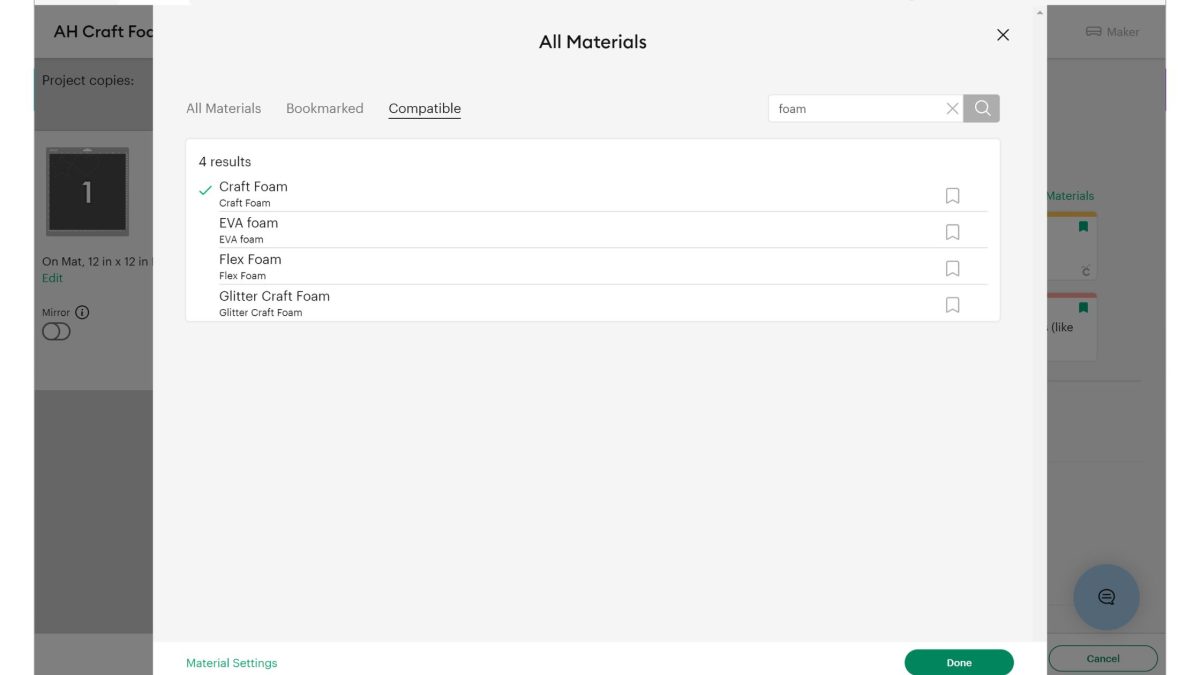
Adjust your Cricut settings to match the foam board thickness and blade type. Settings control pressure, speed, and passes.
| Setting | Recommended Value | Notes |
| Material Type | Foam Board or Custom | Select the closest match or create a custom setting |
| Pressure | High | Increases blade force to cut through foam |
| Cutting Speed | Slow | Helps prevent tearing or incomplete cuts |
| Passes | 2-3 | Multiple passes improve cut depth |
Cutting Techniques For Foam Board
Cutting foam board with a Cricut machine needs care. The right cutting technique helps get smooth edges and avoids damage.
Choosing the cutting style and using tools properly will improve your results on foam board projects.
Single Vs Multiple Passes
A single pass means the blade cuts the foam board once. It works for thin foam boards and simple shapes.
Multiple passes cut the same area several times. This helps cut thicker foam board without tearing or bending.
- Use single pass for foam boards under 3mm thick
- Choose multiple passes for thicker or denser foam boards
- Multiple passes reduce blade pressure, making cleaner cuts
- Test cuts help find the best number of passes for your foam board
Using A Cutting Mat Effectively
A cutting mat holds the foam board in place while cutting. It stops the board from moving and keeps cuts accurate.
Choose a mat with strong adhesive. Replace it when it loses stickiness to avoid slips during cutting.
- Clean the mat before placing foam board
- Press foam board firmly on the mat to avoid air bubbles
- Use a protective sheet if the foam board is fragile
- Store mats flat to keep their stickiness longer

Credit: www.reddit.com
Common Challenges And Solutions
Cutting foam board with a Cricut machine can be tricky. The material is thick and delicate. This guide covers common problems and how to fix them.
Knowing the right settings and techniques helps avoid damage and incomplete cuts. Read on for tips on handling foam board safely and effectively.
Preventing Foam Board Damage
Foam board can tear or dent if cut incorrectly. Using the wrong blade or pressure can cause damage. Follow these tips to keep your foam board intact.
- Use a deep-cut blade designed for thick materials.
- Set the blade pressure to medium or low to avoid tearing.
- Place a strong cutting mat under the foam board for support.
- Do multiple passes instead of one deep cut to reduce damage.
- Secure the foam board with painter’s tape to stop shifting.
Dealing With Incomplete Cuts
Incomplete cuts happen when the blade does not go all the way through the foam board. This leaves the design stuck and hard to remove.
| Cause | Solution |
| Blade dull or dirty | Replace or clean the blade |
| Incorrect pressure setting | Increase pressure slightly in the Cricut app |
| Foam board too thick | Use thinner foam board or multiple passes |
| Cutting mat not sticky | Use a fresh mat or add painter’s tape |
| Blade not installed properly | Check and reinstall blade securely |
Design Tips For Foam Board Projects
Foam board is a popular material for crafts and displays. Cutting foam board with a Cricut can produce clean and precise shapes. Planning your design well helps you get the best results.
This guide covers ways to optimize your designs and ideas for layering and assembly. These tips make your foam board projects easier and more attractive.
Optimizing Designs For Clean Cuts
Designing for foam board needs extra care. The material is thick and can be tricky to cut cleanly. Simple shapes and clear lines work best. Avoid very thin details that may tear or break.
- Use bold, simple shapes with smooth edges.
- Keep lines wider than 1/8 inch to avoid ripping.
- Choose single-layer designs instead of complex patterns.
- Test cut a small piece before cutting your full design.
- Adjust blade depth and speed for thick foam board.
Layering And Assembly Ideas
Layering foam board pieces adds depth and strength to your projects. Use glue or double-sided tape to join parts. Plan your layers for easy assembly and a neat finish.
| Layer Type | Purpose | Assembly Tips |
| Base Layer | Supports whole design | Cut thick foam for stability |
| Middle Layers | Add dimension | Use thinner foam for detail |
| Top Layer | Final design look | Cut carefully for clean edges |
Maintenance And Care After Cutting
Cutting foam board with a Cricut machine needs extra care. Proper maintenance helps keep your machine working well.
After cutting, clean and check your machine to avoid damage and ensure smooth cuts in the future.
Blade Cleaning And Replacement
Foam board can dull your Cricut blade faster than paper. Clean your blade often to keep it sharp.
Replace the blade if cuts become rough or if you see visible wear. A sharp blade makes clean cuts.
- Remove debris and foam pieces from the blade after each use.
- Use a soft brush or cloth to clean the blade gently.
- Check blade sharpness regularly to decide when to replace.
- Keep spare blades on hand for quick replacement.
Machine Care Tips
Foam dust and bits can build up inside your Cricut machine. Clean it after cutting foam board.
Keep your machine dry and free of sticky residue. This stops jams and keeps parts moving smoothly.
- Use a soft cloth to wipe the machine surface.
- Blow out dust and foam scraps from inside with compressed air.
- Check the rollers and guides for stuck debris and clean them carefully.
- Store the machine covered to protect from dust and damage.

Credit: www.youtube.com
Frequently Asked Questions
Can Cricut Explore Cut Foam Board?
Yes, the Cricut Explore can cut foam board. However, it requires the Deep Point Blade for optimal results. Adjust your settings for a clean cut. Thicker foam boards might pose challenges. Always perform a test cut to ensure precision and avoid wasting materials.
Which Cricut Blade For Foam Board?
The Deep Point Blade is ideal for cutting foam board with a Cricut. It offers the necessary strength and depth. Ensure the blade is sharp for best results. Regular blade checks can prevent cutting issues. Adjust pressure settings as needed for thicker boards.
How Thick Foam Board Can Cricut Cut?
Cricut can generally cut foam board up to 3mm thick. For thicker boards, multiple passes may be needed. Always test before starting the final project. Adjusting the machine’s pressure settings can enhance cutting performance. Regular blade maintenance is essential for thicker materials.
Do I Need A Mat For Foam Board?
Yes, using a StrongGrip mat is recommended when cutting foam board with Cricut. It holds the board securely in place. Ensure the mat is clean for optimal grip. A well-maintained mat prevents material shifting. This leads to more precise cuts and better project outcomes.
Conclusion
Cricut machines can cut foam board, but with some limits. Thin foam boards work best for clean cuts. Thick foam may cause damage or uneven edges. Use the right blade and settings for safer results. Test a small piece before starting your project.
This helps avoid mistakes and wasted materials. Always handle foam board carefully to keep your machine safe. With practice, you can create fun and creative designs easily. Keep these tips in mind for successful foam board cutting.