
Is your home feeling too hot and uncomfortable? Knowing how to turn on your air conditioner quickly can bring instant relief.
Whether you’re new to using an AC unit or just want to make sure you’re doing it right, this guide will walk you through simple, easy steps. You’ll learn exactly what to do so you can enjoy cool air without any hassle.
Keep reading to discover the best way to get your air conditioner running smoothly and make your space comfortable again.
Check The Power Supply
First, find the power source for your air conditioner. It is usually a wall outlet near the unit. Make sure the outlet is easy to reach and not blocked by furniture or other objects.
Next, check the power cord for any damage. Look for cuts, frays, or exposed wires. A damaged cord can be dangerous and stop your air conditioner from working.
- Ensure the plug fits snugly into the outlet.
- If the plug feels loose, try a different outlet.
- Do not use extension cords unless the manual says it is safe.
Confirm the outlet has power by plugging in a small device like a lamp. If it does not work, check your home’s circuit breaker or fuse box.

Credit: www.youtube.com
Set The Thermostat
Set the thermostatto control the room temperature. Choose the temperature that feels comfortable. Usually, between 72°F and 78°Fworks well for most people.
Select the cooling modeon the thermostat or remote control. This mode helps the air conditioner to cool the room effectively.
- Check if the thermostat is set to “Cool”.
- Use the arrow buttons to adjust temperature.
- Make sure the fan is on “Auto” or “On” based on your preference.
Use The Remote Control
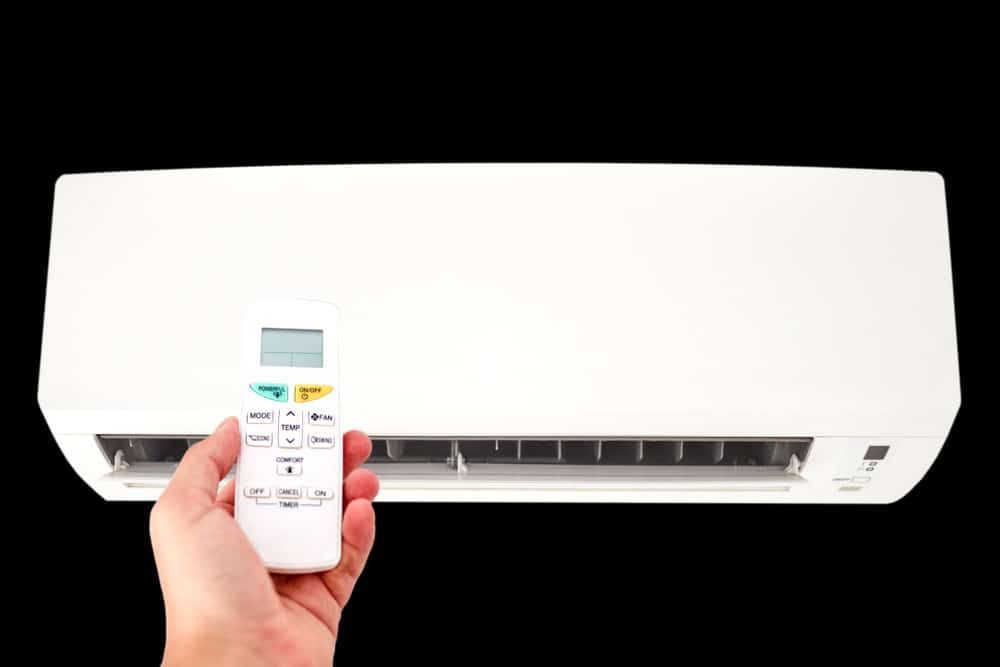
Press the power buttonon the remote to start the air conditioner. The unit will beep or show a light to confirm it is on. Point the remote directly at the air conditioner for the best signal.
Use the fan speed buttonto adjust airflow. Options usually include low, medium, and high. Choose the speed that feels most comfortable to cool the room quickly or quietly.
- Press power to turn on.
- Point remote at AC unit.
- Use fan speed button to set airflow.
- Higher speed cools faster.
- Lower speed is quieter.
Manual Controls On The Unit
Find the control panelon the air conditioner unit. It is usually on the front or top. The panel has buttons or a small screen.
Press the power buttonto turn the unit on. The button may say “Power” or have a symbol like a circle with a line.
- Check if the unit shows lights or sounds after pressing power.
- If nothing happens, make sure the unit is plugged in.
- Look for a reset button if needed.
Troubleshoot Common Issues
Look at the air conditioner’s display for any error codes. These codes show what might be wrong. Check the user manual or online for code meanings.
Sometimes, the unit needs a simple reset. Unplug the air conditioner and wait for about 5 minutes. Plug it back in to clear minor issues.
- Press the reset buttonif your model has one.
- Resetting can fix problems like frozen coils or sensor errors.
- Ensure the remote control has fresh batteries for proper reset.

Credit: www.youtube.com
Maintain For Optimal Performance
Cleaning or replacing filters helps keep the air conditioner running smoothly. Dirty filters block airflow and reduce cooling power. Check filters every month during heavy use. Replace disposable filters or wash reusable ones with water. Dry filters completely before reinstalling.
Scheduling regular servicing ensures the system stays in good shape. A professional can check refrigerant levels, clean coils, and inspect electrical parts. This prevents breakdowns and saves money on repairs. Service the unit at least once a year, ideally before summer.
Credit: airconditioninggladstone.com.au
Frequently Asked Questions
How Do I Turn On An Air Conditioner?
To turn on an air conditioner, locate the power button on the unit or remote. Press the button to activate the unit. Ensure the mode is set to cooling, and adjust the temperature to your preference. Consult the user manual for specific model instructions.
Why Is My Air Conditioner Not Turning On?
If your air conditioner doesn’t turn on, check the power supply and ensure it’s plugged in. Verify if the circuit breaker has tripped. Also, examine the thermostat settings. If issues persist, consult a professional technician to diagnose and fix potential internal problems.
How Do I Use A Remote To Turn On Ac?
To use a remote, ensure the remote has working batteries and is pointed at the AC unit. Press the power button to activate the AC. Use the mode and temperature buttons to adjust settings. Refer to the manual for specific remote control functions.
Can I Turn On Ac Without A Remote?
Yes, you can turn on an AC without a remote by using the power button on the unit. Locate the button on the unit’s control panel. Press it to activate the AC. Adjust the settings manually if needed. Check the manual for detailed instructions.
Conclusion
Turning on an air conditioner is simple and quick. First, check the power supply and remote control. Next, press the power button to start cooling. Adjust the temperature to your comfort level. Remember to clean or replace filters regularly. This keeps your AC running well and saves energy.
Enjoy cool air anytime you need it. Stay comfortable during hot days with these easy steps.