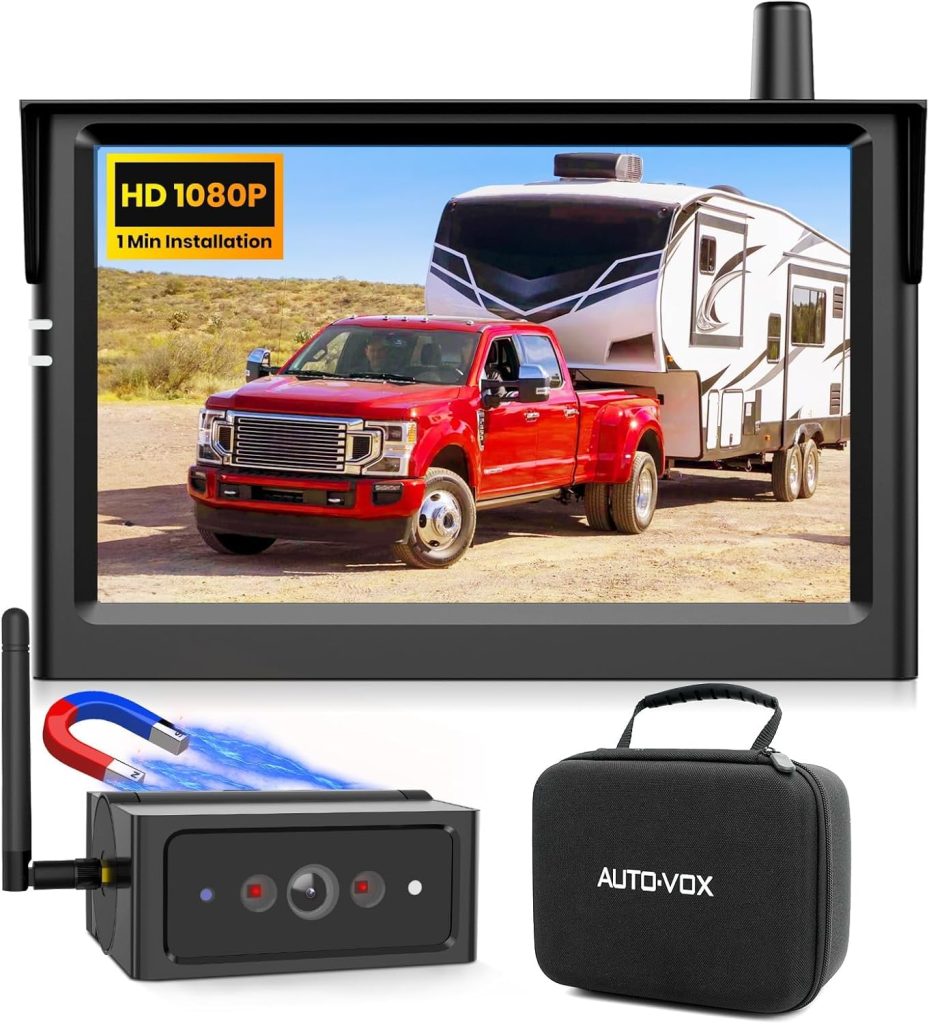
Have you ever wished for an extra set of eyes while reversing your car? A backup camera can make parking safer and stress-free.
But what if your car didn’t come with one? Can you install a backup camera on any car? If you’ve been wondering whether your vehicle can be upgraded with this handy feature, you’re in the right place. Keep reading to discover how easy—or tricky—it really is to add a backup camera to your ride and what you need to know before getting started.
Your next parking experience might just get a whole lot better.
Types Of Backup Cameras
Backup cameras help drivers see behind their cars. They make parking and reversing safer. There are different types of backup cameras for various cars.
Choosing the right type depends on your car and your needs. Let’s look at the main types of backup cameras available.
Wired Cameras
Wired backup cameras connect to your car’s display with cables. They usually have a strong and clear video signal. These cameras often come with a long cable to reach the screen inside the car.
Installing wired cameras can take more time. The cables must be carefully hidden inside the car panels. This type is reliable but may require professional help to install.
- Strong video connection
- Clear picture quality
- Needs cable installation
- May need professional setup
Wireless Cameras
Wireless backup cameras send video signals without cables. They use Wi-Fi or radio waves to connect to the screen. This makes installation easier and faster.
Wireless cameras can face interference or signal problems. The picture quality may not be as clear as wired cameras. They are a good choice for simple DIY installation.
- No cables needed
- Easier installation
- May have signal interference
- Picture quality varies
Integrated Systems
Integrated backup camera systems come built into the car. They connect directly to the car’s display and other systems. This gives a clean look without extra parts visible.
These systems offer good video quality and extra features. They may include guidelines or alerts on the screen. Integrated systems are common in newer cars but are harder to add later.
- Built into the car
- Works with car’s display
- Offers extra features
- Hard to install after purchase

Credit: www.amazon.com
Compatibility Factors
Installing a backup camera can enhance your driving safety. Understanding compatibility factors is key to a successful installation.
Consider your car’s make, model, and electrical system to ensure a smooth setup.
Vehicle Make And Model
Not every camera fits all vehicles. Check if your car has space for a camera installation.
- Identify your vehicle’s year, make, and model.
- Research compatible camera models for your car.
- Consider aftermarket solutions if needed.
Electrical System Requirements
Your car’s electrical system must support a backup camera. Check the power source and wiring options.
| Component | Requirement |
| Power Source | 12V DC |
| Wiring | Adequate length to reach display |
| Connectors | Compatible with camera ports |
Display Options
A backup camera needs a display. Choose a display option that fits your dashboard and budget.
Consider these options for displaying the camera feed:
- In-dash screens
- Rearview mirror displays
- Portable monitors
Installation Methods
Installing a backup camera on any car improves safety and helps with parking. There are two main ways to install it. You can do it yourself or hire a professional.
Each method has its own process and benefits. Understanding these can help you choose the best option for your needs.
Diy Installation Steps
Installing a backup camera yourself can save money. You need some basic tools and patience. Here are the common steps:
- Choose the right camera for your car type.
- Locate the best mounting spot, usually near the license plate.
- Run the wiring from the camera to the car’s display or monitor.
- Connect the power wires to the reverse light circuit.
- Secure all wires and test the camera before finalizing.
Professional Installation Benefits
Hiring a professional ensures the camera is installed correctly. They have the tools and experience for a clean setup. Here are some benefits:
- Proper wiring without damage to the car’s electrical system
- Neat installation with no loose wires
- Faster and less stressful process
- Possible warranty or support after installation
| Benefit | Details |
| Safety | Correct wiring prevents electrical problems |
| Appearance | Clean and professional look |
| Time | Installation done quickly |
| Support | Help available if issues occur |

Credit: www.amazon.com
Tools And Materials Needed
Installing a backup camera on any car needs some specific tools and materials. Having the right items helps the process go smoothly.
Below are the main tools and extra accessories you may need for a proper installation.
Essential Tools
You need some basic tools to install the camera correctly. These tools help you open panels, connect wires, and secure the camera.
- Electric drill with drill bits
- Screwdrivers (flathead and Phillips)
- Wire stripper and cutter
- Multimeter for electrical testing
- Electrical tape and wire connectors
- Panel removal tool
- Measuring tape
- Marker or pencil for marking spots
Additional Accessories
These extra accessories help improve the installation and camera function. Some cars may need these depending on their make and model.
| Accessory | Purpose |
|---|---|
| Backup camera kit | Includes camera, monitor, and wiring |
| Extension cables | For longer wire runs in big vehicles |
| Fuse tap | Connects camera power safely to car fuse box |
| Wire loom or conduit | Protects wires from damage |
| Velcro or mounting brackets | Secures monitor inside the car |
Challenges And Solutions
Installing a backup camera on any car can be tricky. Different cars have unique designs and wiring systems. This makes the installation process challenging for many people.
We will look at common problems like wiring difficulties, mounting issues, and signal interference. Understanding these challenges helps find the right solutions.
Wiring Difficulties
Wiring a backup camera needs connecting power and video cables properly. Cars vary in their wiring setups, which can confuse installers.
Some cars have hidden wires or tight spaces that make it hard to run cables. You may need special tools to access the wiring safely.
- Use a multimeter to find the right wires
- Look for wiring guides for your car model
- Consider wireless cameras to avoid complex wiring
- Protect wires with tape or tubing to prevent damage
Mounting Issues
Finding the right place to mount the camera is important. Different car shapes affect where the camera fits best.
Mounting spots must give a clear view and be secure. Some cars do not have flat surfaces, making it hard to attach the camera.
- Check around the license plate or rear bumper
- Use mounting brackets for uneven surfaces
- Choose cameras with adjustable angles
- Test the camera view before fixing it permanently
Signal Interference
Signal interference can cause poor video quality or loss. Metal parts and other electronics in cars can block the camera’s signal.
Wireless cameras face more interference than wired ones. It is important to place the receiver and camera carefully.
- Keep the receiver away from metal surfaces
- Use shielded cables to reduce interference
- Choose cameras with strong signal ranges
- Test the video feed before final installation
Cost Considerations
Installing a backup camera on your car can improve safety. The cost depends on several factors. Understanding these helps you plan your budget well.
Below, we explore the price range of cameras, installation fees, and maintenance costs.
Camera Price Range
Backup cameras vary in price based on quality and features. Basic models cost less, while advanced cameras with extra functions cost more.
- Entry-level cameras: $20 to $50
- Mid-range cameras with better resolution: $50 to $150
- High-end cameras with night vision and wide angles: $150 to $300+
Installation Fees
Installation costs depend on your car model and camera type. Some cars need extra wiring or parts, raising fees.
| Type of Installation | Estimated Cost |
| DIY Installation | Free to $50 (cost of tools) |
| Professional Basic Installation | $50 to $100 |
| Professional Complex Installation | $100 to $300 |
Maintenance Costs
Backup cameras need little maintenance. Still, some costs may appear over time.
- Cleaning the lens regularly to keep clear images
- Replacing damaged wires or parts, costing $20 to $100
- Battery replacement if your camera uses one, about $10 to $30
Legal And Safety Aspects
Installing a backup camera on your car can improve safety. It helps you see blind spots and avoid accidents. Before installation, you need to know the legal rules and safety benefits.
This guide covers local regulations and safety benefits. It helps you install the camera the right way on any vehicle.
Local Regulations
Rules for backup cameras vary by location. Some places require a backup camera for new cars. Others have no rules for older cars. You should check the laws in your area before installing one.
- Check state or country laws about backup cameras
- Make sure the camera does not block any lights or license plates
- Use cameras that meet safety and quality standards
- Install the camera where it does not distract the driver
- Follow vehicle manufacturer guidelines if available
Safety Benefits
Backup cameras reduce accidents by showing areas behind the car. They help when parking and reversing in tight spaces. Drivers can see children, pets, or objects that are hard to spot.
| Safety Feature | Benefit |
| Wide Rear View | See more area behind the car |
| Night Vision | Better visibility in dark conditions |
| Guidelines on Screen | Help judge distance and angle |
| Alerts or Warnings | Notify driver about obstacles |

Credit: www.youtube.com
Upgrading Existing Systems
Adding a backup camera to your car can improve safety and convenience. Many older cars do not have these cameras built in. You can upgrade your car by installing one yourself or with help.
This guide covers how to add cameras to older vehicles and connect them to your car’s infotainment system. These upgrades help you see behind your car while reversing.
Adding Cameras To Older Vehicles
Older cars often lack factory backup cameras. You can install an aftermarket camera on these vehicles. Most cameras mount near the license plate or on the rear bumper.
- Choose a camera that fits your car’s size and style
- Find a power source, usually the reverse light wiring
- Run the video cable or use a wireless connection
- Mount the camera securely to avoid vibrations
- Test the camera image before final assembly
Integrating With Infotainment
Connecting the backup camera to your infotainment system lets you see the video on your car’s main screen. Some older systems need adapters or new head units for this.
| Integration Method | Details | Pros | Cons |
| Direct Input | Use existing video input on head unit | Simple, low cost | Not available on all units |
| Aftermarket Head Unit | Replace with one that supports camera input | Modern features, better image quality | Higher cost, installation required |
| Wireless Adapter | Send camera signal wirelessly to display | Easy to install, no cables | Possible signal interference |
Frequently Asked Questions
Can I Install A Backup Camera On Any Car Model?
Yes, backup cameras can be installed on almost any car model. However, installation ease varies by vehicle type and camera design. Professional help may be needed for complex wiring or integration with factory displays. Universal cameras are available for most cars.
Do All Cars Support Backup Camera Integration?
Not all cars have built-in support for backup cameras, especially older models. Aftermarket cameras often work independently with a separate monitor. For factory screen integration, compatibility depends on the car’s infotainment system and wiring options.
Is Professional Installation Necessary For Backup Cameras?
Professional installation is recommended for best results. Experts ensure proper wiring, camera placement, and system integration. DIY kits exist, but improper installation may cause malfunctions or poor video quality. Professional service ensures safety and reliability.
How Much Does Installing A Backup Camera Cost?
Backup camera installation costs vary from $100 to $500 or more. Price depends on camera quality, type, and installation complexity. Universal kits are cheaper, while factory integration or advanced cameras increase cost. Labor fees also affect the total price.
Conclusion
Installing a backup camera can improve safety for any car. Most cars allow easy installation with the right tools. Some models may need special parts or professional help. A backup camera helps you see blind spots clearly. It reduces the risk of accidents while reversing.
Choose a camera that fits your car’s make and model. Taking time to install it correctly matters. Enjoy safer driving with better rear visibility every day.