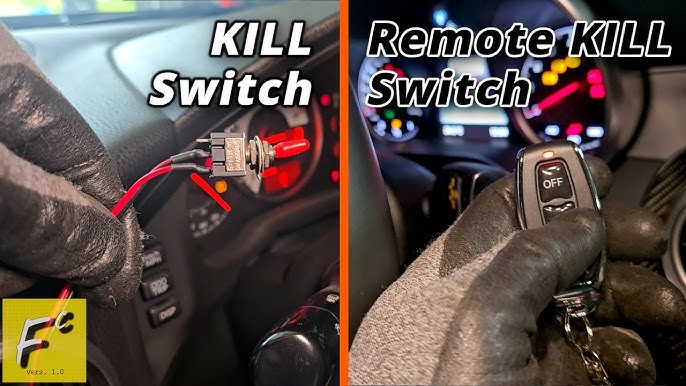
Have you ever been frustrated by your car’s anti-theft system going off at the wrong moment? Knowing how to take the anti-theft off your car quickly and safely can save you from embarrassment and stress.
Whether you’re dealing with a false alarm or trying to reset the system, this guide will walk you through simple steps you can follow right now. Keep reading to learn exactly what to do so you can get back on the road without hassle.
Identify Your Car’s Anti-theft System
Knowing your car’s anti-theft system helps you disable it safely. Different cars have different security setups.
This guide explains common types of anti-theft systems and how to recognize them.
Factory Installed Systems
Many cars come with anti-theft systems built by the manufacturer. These systems often use the car’s key or remote.
Factory systems can include immobilizers that stop the engine from starting without the right key.
- Key transponder chips communicate with the car’s computer
- Engine immobilizer blocks fuel or ignition
- Alarm sounds if doors or ignition are tampered with
Aftermarket Alarm Systems
Aftermarket alarms are added later to cars without factory security. They include alarms and remote controls.
These systems often have sensors for doors, windows, and motion inside the car.
- Remote key fobs to arm and disarm the alarm
- Shock sensors detect impacts or vibrations
- Glass break sensors listen for broken windows
Common Indicators Of Activation
Anti-theft systems usually show signs when they are active. These help you know if the alarm is on.
Look for flashing lights, sounds, or messages on the dashboard.
- Flashing red or blue LED lights on the dashboard or windshield
- Beeping sounds when locking or unlocking the car
- Warning messages or icons on the car’s display screen
- Alarm siren or horn sounding if triggered
Gather Necessary Tools
Taking off the anti-theft system from your car needs the right tools. Being prepared helps the process go smoothly.
Using the correct tools makes the job safer and faster. Let’s look at what you need.
Basic Tools Required
You will need some common tools found in most toolboxes. These help you open panels and disconnect wires safely.
- Screwdrivers (flathead and Phillips)
- Socket wrench set
- Wire cutters or strippers
- Plastic trim removal tools
- Flashlight for visibility
Specialized Equipment
Some anti-theft systems need special tools to remove or disable parts. These tools depend on your car model.
- OBD2 scanner to reset alarms
- Security bit set for unique screws
- Multimeter to check electrical connections
- Anti-theft bypass tool (if applicable)
Safety Precautions
Safety is important when working with your car’s electronics. Follow these tips to avoid damage or injury.
- Disconnect the car battery before starting
- Wear safety gloves to protect your hands
- Work in a well-lit, ventilated space
- Keep tools organized to avoid accidents
Disable The Alarm Temporarily
Car alarms can be very loud and annoying if triggered by mistake. You may want to turn off the alarm without causing damage. There are simple ways to disable the alarm temporarily.
This guide covers three main methods to stop the alarm: using the key fob, manual override, and disconnecting the battery.
Using The Key Fob
The key fob is the easiest way to disable your car alarm. It sends a signal to the car to turn off the alarm system.
- Press the unlock button on your key fob to stop the alarm sound.
- Some cars require holding the unlock button for a few seconds.
- If the alarm keeps sounding, try locking and unlocking the car again using the fob.
Manual Override Methods
If the key fob does not work, you can use manual override methods. These vary by car model but usually involve using the ignition or a hidden switch.
- Insert the key into the ignition and turn it to the “On” position without starting the engine.
- Hold the key in the “On” position for about 10 seconds to reset the alarm system.
- Check if your car has a valet switch. This switch can disable the alarm temporarily when flipped.
- Refer to your car’s manual for the exact location of the valet switch or override button.
Disconnecting The Battery
Disconnecting the battery stops power to the alarm but should be used as a last resort. This method resets the alarm system.
| Step | Action | Notes |
| 1 | Open the car hood and locate the battery. | Wear gloves to protect your hands. |
| 2 | Use a wrench to loosen the negative (-) terminal clamp. | Always disconnect negative first to avoid short circuits. |
| 3 | Remove the negative cable from the battery terminal. | Keep the cable away from the battery to prevent contact. |
| 4 | Wait about 10 minutes before reconnecting to reset the alarm. | This clears the alarm memory in many cars. |

Credit: www.amazon.com
Locate The Anti-theft Module
The anti-theft module helps protect your car from theft. To turn it off, you first need to find where it is in your vehicle.
Knowing the location of the module makes the process easier and safer. This guide will help you find it.
Common Locations In The Vehicle
The anti-theft module is usually hidden inside the car. It can be in different places depending on the car model.
Here are some common spots where the module is found:
- Under the dashboard near the steering wheel
- Behind the glove box
- Under the center console
- Near the fuse box in the engine compartment
- Inside the driver-side kick panel
Accessing The Module Safely
Before touching the anti-theft module, turn off the car and remove the key from the ignition. This prevents electrical shock.
Wear gloves and use proper tools to avoid damage. Be careful not to disconnect other wires or parts.
- Disconnect the car battery before working
- Use a flashlight to see clearly
- Handle wires gently to avoid breaks
- Keep screws and small parts safe
- Follow your car’s manual for guidance
Remove Or Bypass The System
Car anti-theft systems protect vehicles from theft. Sometimes, you may need to remove or bypass these systems. This guide explains common methods to do that safely.
Each method requires care and some technical knowledge. Use the right tools and follow instructions closely to avoid damage.
Disconnecting Wiring Harnesses
One way to disable the anti-theft system is by disconnecting its wiring harnesses. This stops the system from communicating with the car’s engine or alarm.
- Locate the anti-theft control module under the dashboard or hood.
- Identify the wiring harness connected to the module.
- Use a screwdriver or pliers to carefully unplug the harness.
- Check if the engine starts or the alarm stops.
- Reconnect the harness to restore the system.
Using Bypass Modules
Bypass modules let you override the anti-theft system without cutting wires. These devices simulate the correct signals to disable alarms or immobilizers.
| Bypass Module Type | Purpose | Installation |
| Transponder Emulator | Bypass key chip recognition | Plug into ignition wiring |
| Alarm Disabler | Stop horn and siren | Connect near alarm control |
| Immobilizer Override | Allow engine start | Wire to engine control unit |
Reprogramming The System
Reprogramming the anti-theft system changes its settings. You can disable some features or reset the system to factory defaults.
- Connect a diagnostic tool to the car’s OBD-II port.
- Access the anti-theft system menu on the tool.
- Select options to disable or reset the system.
- Save changes and turn off the ignition.
- Test if the car starts without alarm activation.

Credit: www.montyslocksmith.ca
Test The Vehicle After Removal
After you remove the anti-theft system from your car, it is important to test the vehicle. Testing ensures the car works properly without the security system.
Check that the engine starts smoothly and no warning lights stay on. Also, confirm the security features are fully turned off.
Starting The Engine
Try to start the engine as you normally would. Listen for any unusual sounds or delays in starting.
If the engine starts right away, the removal likely did not affect the ignition system.
Checking For Error Lights
Watch the dashboard for any error lights after starting the car. These lights show if the car has any issues.
- Look for the check engine light
- Note any security or alarm warning lights
- Make sure no new lights appear
If error lights stay on, the removal may have caused a problem.
Ensuring Security Functions Are Disabled
Check that the anti-theft system no longer activates. Try locking and unlocking the car to see if the alarm sounds.
Make sure the car does not shut off automatically or prevent starting after removal.
- Test remote locking and unlocking
- Observe if the alarm triggers
- Check if the engine stays running without interruption
Seek Professional Help If Needed
Taking the anti-theft system off your car can be tricky. Some systems are complex and need expert handling.
If you are unsure or face problems, it is best to ask a professional mechanic. They know how to remove it safely.
When To Contact A Mechanic
If your car won’t start after disabling the anti-theft system, call a mechanic. It may cause other issues.
Also, contact a mechanic if you cannot find the right way to turn off the anti-theft system. They have the tools to help.
- Car won’t start after disabling the system
- Anti-theft alarm keeps sounding
- Wiring or electrical problems appear
- Key or remote is lost or damaged
Finding A Reliable Specialist
Look for a mechanic who has experience with your car brand and anti-theft systems. This ensures proper handling.
Check reviews and ask for recommendations. A trusted specialist will fix the issue quickly and safely.
- Choose mechanics with good customer feedback
- Find specialists familiar with anti-theft systems
- Ask about their tools and methods
- Compare prices before deciding
Preventive Measures For Future Use
Removing anti-theft devices from your car is just one part of vehicle security. Taking steps to prevent theft in the future keeps your car safe. Simple actions and smart choices can protect your vehicle effectively.
Below are some ideas on alternative security options and how to keep your system working well. These tips help reduce risks and keep your car secure.
Alternative Security Options
After removing the anti-theft device, consider other ways to secure your car. These options add layers of protection and make stealing harder.
- Install a steering wheel lock to block the steering mechanism.
- Use a car alarm system with loud sirens to alert nearby people.
- Park in well-lit and busy areas to discourage thieves.
- Use GPS tracking devices to find your car if it is stolen.
- Keep your keys safe and do not leave spare keys in the car.
Maintaining System Functionality
Keeping your car’s security systems in good shape helps avoid problems. Regular checks and simple maintenance prevent failures and false alarms.
| Maintenance Task | Frequency | Benefit |
| Check alarm sensors | Every 6 months | Ensures alarm triggers correctly |
| Test remote key fob | Monthly | Prevents lock/unlock failures |
| Replace system batteries | Annually | Keeps devices powered |
| Update software (if applicable) | As updates release | Fixes bugs and improves security |

Credit: mobokey.com
Frequently Asked Questions
How Do I Disable My Car’s Anti-theft System?
To disable the anti-theft system, insert your key and turn it to the “on” position. Use your remote or key fob to unlock the doors, then start the engine. This action typically resets and disables the alarm.
Can I Turn Off Anti-theft Without The Key?
No, turning off the anti-theft system without the key is difficult. It requires specialized tools or professional assistance. Always use the key or remote to prevent damage and ensure proper deactivation.
Why Does My Car Alarm Keep Going Off Randomly?
Random alarm triggers often result from faulty sensors or low battery power. Check door, hood, and trunk sensors for issues. Replace the car battery or alarm battery if needed to avoid false alarms.
Is It Safe To Permanently Disable Car Anti-theft?
Permanently disabling anti-theft systems is not recommended. It reduces vehicle security and increases theft risk. Use temporary deactivation methods or consult a professional for secure solutions.
Conclusion
Turning off your car’s anti-theft system can be simple and quick. Follow the steps carefully for the best results. Always keep your key or remote handy during the process. Avoid forcing any buttons or wires to prevent damage. If problems continue, consult your car’s manual or a professional.
Staying calm and patient helps you solve the issue easily. This way, you protect your car and avoid unnecessary stress. Remember, safe handling of the anti-theft system keeps your vehicle secure.