
Feeling too hot and not sure how to cool down quickly? Knowing how to turn on your air conditioner thermostat is the first step to creating a comfortable space.
If you’ve ever stood in front of the AC unit wondering which button to press or how to set the perfect temperature, you’re not alone. This guide will walk you through simple steps to get your air conditioner working efficiently—so you can enjoy the cool air without any hassle.
Keep reading, and you’ll be beating the heat in no time!
Preparing Your Air Conditioner
Before turning on your air conditioner thermostat, you need to prepare the unit. Proper preparation helps the air conditioner work well and lasts longer.
Check the main parts and surroundings of your air conditioner. This will keep it safe and efficient to use.
Check Power Supply
Make sure your air conditioner is connected to power. Check the plug and outlet for any damage or loose connections.
If your unit uses a circuit breaker, ensure it is switched on. A steady power supply is important for your air conditioner to work.
Inspect Air Filters
Clean air filters help your air conditioner cool the room better. Dirty filters block airflow and reduce performance.
Look for dust, dirt, or debris on the filters. Remove and clean them if needed, or replace if they are worn out.
- Remove the filter from the unit
- Wash with water and mild soap
- Let it dry completely before reinstalling
Clear Surrounding Area
Keep the area around your air conditioner free from obstructions. This allows good airflow and prevents overheating.
Remove furniture, plants, or other items near the unit. Make sure vents are open and not blocked.
Locating The Thermostat
Turning on your air conditioner starts with finding the thermostat. This device controls the temperature in your home.
Knowing where the thermostat is helps you adjust settings quickly and keep cool.
Identify Thermostat Types
Thermostats come in different styles. Some are simple, while others have digital screens.
- Manual Thermostats:Use a dial or slider to set temperature.
- Digital Thermostats:Show temperature on a screen and have buttons.
- Programmable Thermostats:Allow setting different temperatures for times of day.
- Smart Thermostats:Connect to Wi-Fi and can be controlled by phone apps.
Find Thermostat Placement
| Location | Reason |
| Interior Walls | Measures room temperature accurately |
| Hallways | Central spot for whole-house control |
| Living Rooms | Comfort for frequently used spaces |
| Away from Heat Sources | Prevents false readings |
| Not in Direct Sunlight | Avoids overheating the sensor |
Look for the thermostat on a wall about five feet high. It should not be near windows or vents.
Turning On The Thermostat
Turning on your air conditioner thermostat is simple. It helps you control the room temperature with ease.
Follow the steps below to power on the device, set the temperature, and choose the cooling mode.
Power On The Device
Locate the power button on your air conditioner or remote control. Press it once to switch the device on. You should see the display light up, indicating the system is active.
Set Desired Temperature
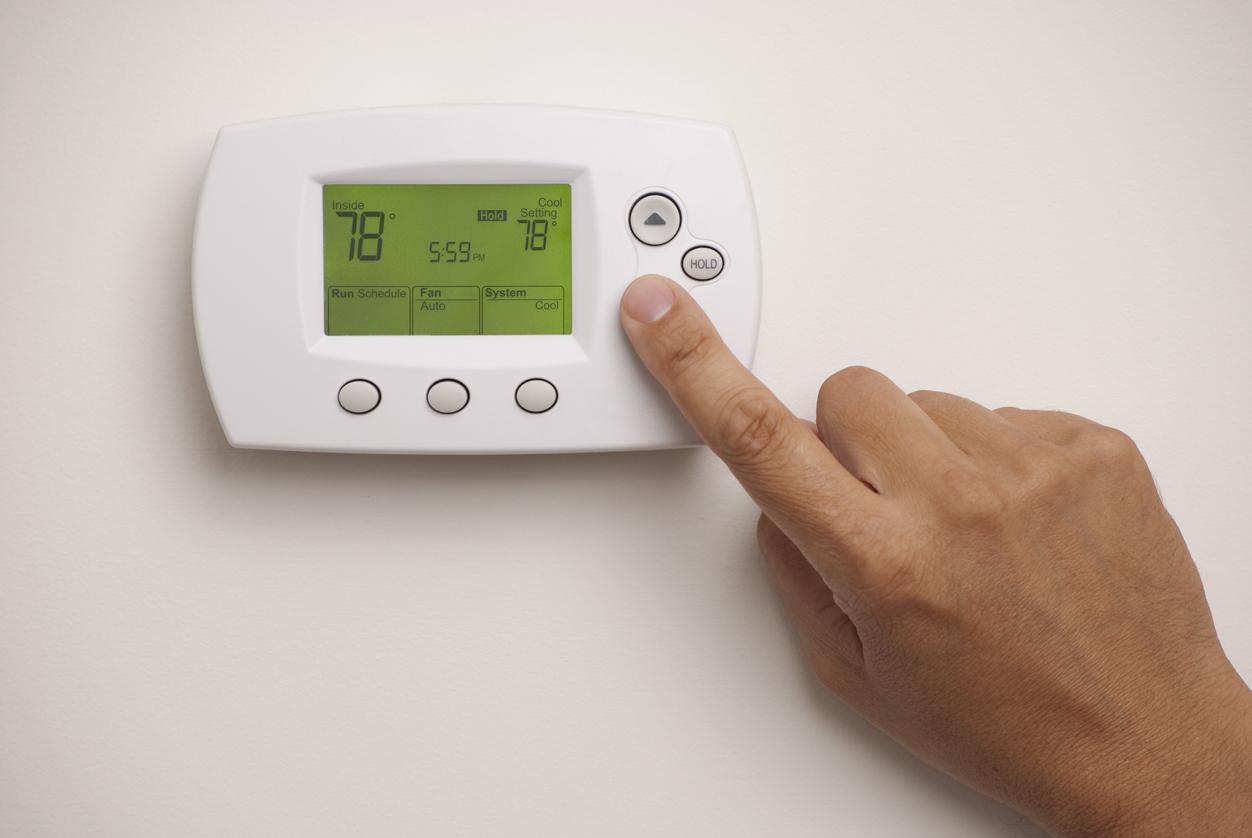
Adjust the thermostat to your preferred temperature. Use the temperature up and down buttons to select a comfortable setting. Most people set it between 72°F and 78°F for cooling.
- Press the temperature up button to increase the temperature.
- Press the temperature down button to lower the temperature.
- Wait a few seconds for the thermostat to confirm the setting.
Choose Cooling Mode
Choose the cooling mode on your air conditioner to start the cooling process. Different modes offer various functions like energy saving or fast cooling.
| Mode | Description |
| Cool | Regular cooling for comfort |
| Dry | Reduces humidity in the room |
| Fan | Circulates air without cooling |
| Auto | Automatically adjusts temperature |

Credit: aquariushomeservices.com
Adjusting Thermostat Settings
Setting your air conditioner’s thermostat correctly helps keep your room comfortable. You can control fan speed, energy use, and temperature timing.
Learn how to use fan settings, energy-saving modes, and temperature schedules to get the best from your AC unit.
Use Fan Settings
The fan setting controls how air moves in the room. You can choose between “Auto” and “On” modes. “Auto” runs the fan only when cooling is active. “On” keeps the fan running all the time.
- Auto: Saves energy by running the fan with the AC compressor
- On: Circulates air constantly for even cooling
- Adjust fan speed if your thermostat allows for low, medium, or high settings
Set Energy-saving Mode
Energy-saving mode helps reduce electricity use while keeping the room cool. It adjusts how the AC runs and uses the fan more efficiently.
| Mode | Function | Benefit |
|---|---|---|
| Energy-Saving | Runs compressor and fan intermittently | Lower power consumption |
| Normal | Runs compressor and fan continuously | Constant cooling but uses more energy |
Program Temperature Schedule
Programming a temperature schedule lets you set different temperatures for different times. This keeps your home comfortable and saves energy.
- Choose the time you want the AC to start cooling
- Set the temperature for that time period
- Repeat for other times of the day
- Save the schedule to activate the program
Troubleshooting Common Issues
Turning on your air conditioner thermostat should be simple. Sometimes, problems stop it from working right.
This guide helps you fix common issues with your AC thermostat quickly.
Thermostat Not Responding
If your thermostat does not respond, check the power first. It might be off or have dead batteries.
Also, make sure the thermostat is properly connected to the AC system.
- Replace the batteries if the screen is blank.
- Check circuit breakers or fuses for power issues.
- Reset the thermostat by turning it off and on.
- Inspect wiring connections for any loose wires.
Incorrect Temperature Reading
Your thermostat may show the wrong temperature. This causes the AC to run too long or not enough.
Check if the thermostat is in a spot with direct sunlight or heat sources nearby.
- Move the thermostat away from sunlight or vents.
- Clean the thermostat to remove dust or dirt.
- Calibrate the thermostat if your model allows it.
- Replace old or faulty thermostats for better accuracy.
Ac Not Cooling Properly
Your AC might run but not cool well. This problem can come from the thermostat or the AC unit.
Check if the thermostat is set to “Cool” mode and the temperature is lower than room temperature.
- Make sure air filters are clean and not blocked.
- Check if the outdoor unit is free of debris.
- Ensure thermostat settings match your cooling needs.
- Call a technician if the AC still does not cool.

Credit: www.cnet.com
Maintaining Your Thermostat
Keeping your air conditioner thermostat in good shape helps it work well. Regular care can stop problems early.
Simple maintenance tasks make your thermostat last longer and keep your home comfortable.
Regular Cleaning Tips
Dust and dirt can affect your thermostat’s sensors. Clean it often to avoid wrong readings.
Use a soft cloth or a small brush to remove dust on the thermostat and around buttons.
- Turn off power before cleaning
- Wipe gently to avoid damage
- Clean sensors carefully without touching wires
- Check the display screen for dirt
Battery Replacement
Thermostats with batteries need new ones to keep working. Replace batteries once a year or when low.
Low batteries can cause your thermostat to turn off or show errors. Always use the correct battery type.
- Remove old batteries carefully
- Insert new batteries with correct polarity
- Test the thermostat after replacement
- Keep spare batteries at home
Software Updates For Smart Thermostats
Smart thermostats need software updates to fix bugs and improve features. Check for updates regularly.
Updating keeps your thermostat secure and running smoothly. Follow the manufacturer’s instructions to update.
- Connect thermostat to Wi-Fi
- Open the app or device menu
- Look for software update option
- Install updates when available
- Restart device if needed
Credit: www.callroth.com
Frequently Asked Questions
How Do I Turn On My Ac Thermostat?
To turn on your AC thermostat, press the power button on the unit or remote. Set the mode to “cool. ” Adjust the temperature to your desired level. Ensure the thermostat is connected to power and properly installed for accurate control.
Why Is My Ac Thermostat Not Turning On?
Your AC thermostat may not turn on due to power issues, dead batteries, or faulty wiring. Check the circuit breaker and replace batteries if needed. If problems persist, consult a professional technician to diagnose and fix the issue safely.
Can I Control My Ac Thermostat Remotely?
Yes, many modern AC thermostats offer remote control via smartphone apps. Ensure your thermostat supports Wi-Fi or smart home integration. Download the compatible app, connect your thermostat, and adjust settings from anywhere for convenience and energy savings.
What Temperature Should I Set On My Ac Thermostat?
Set your AC thermostat between 72°F and 78°F for optimal comfort and energy efficiency. Adjust the temperature based on personal preference and weather conditions. Higher settings save energy while still keeping the room cool and comfortable.
Conclusion
Turning on your air conditioner thermostat is easy. Follow the steps outlined. Remember to check the power source. Make sure the thermostat is set to cool. Adjust the temperature to your liking. Simple steps ensure comfort in your home. Regular maintenance keeps your system running smoothly.
Enjoy a cool and pleasant environment all summer. Stay cool and comfortable with these tips. These straightforward guidelines help you manage your air conditioner. With practice, you’ll become more confident. Enjoy the benefits of a well-maintained cooling system. Keep cool, stay comfortable.
It’s easier than you think.