Is your air conditioner not keeping your home cool like it used to? Before you call a technician, there’s a simple step you can take: check your air conditioner thermostat.
You might be surprised how often a thermostat issue is the reason for poor cooling. In this guide, you’ll learn exactly how to check your thermostat quickly and easily. By the end, you’ll know if your thermostat needs adjusting, replacing, or just a little troubleshooting.
Keep reading to save time, money, and stay comfortable all summer long.
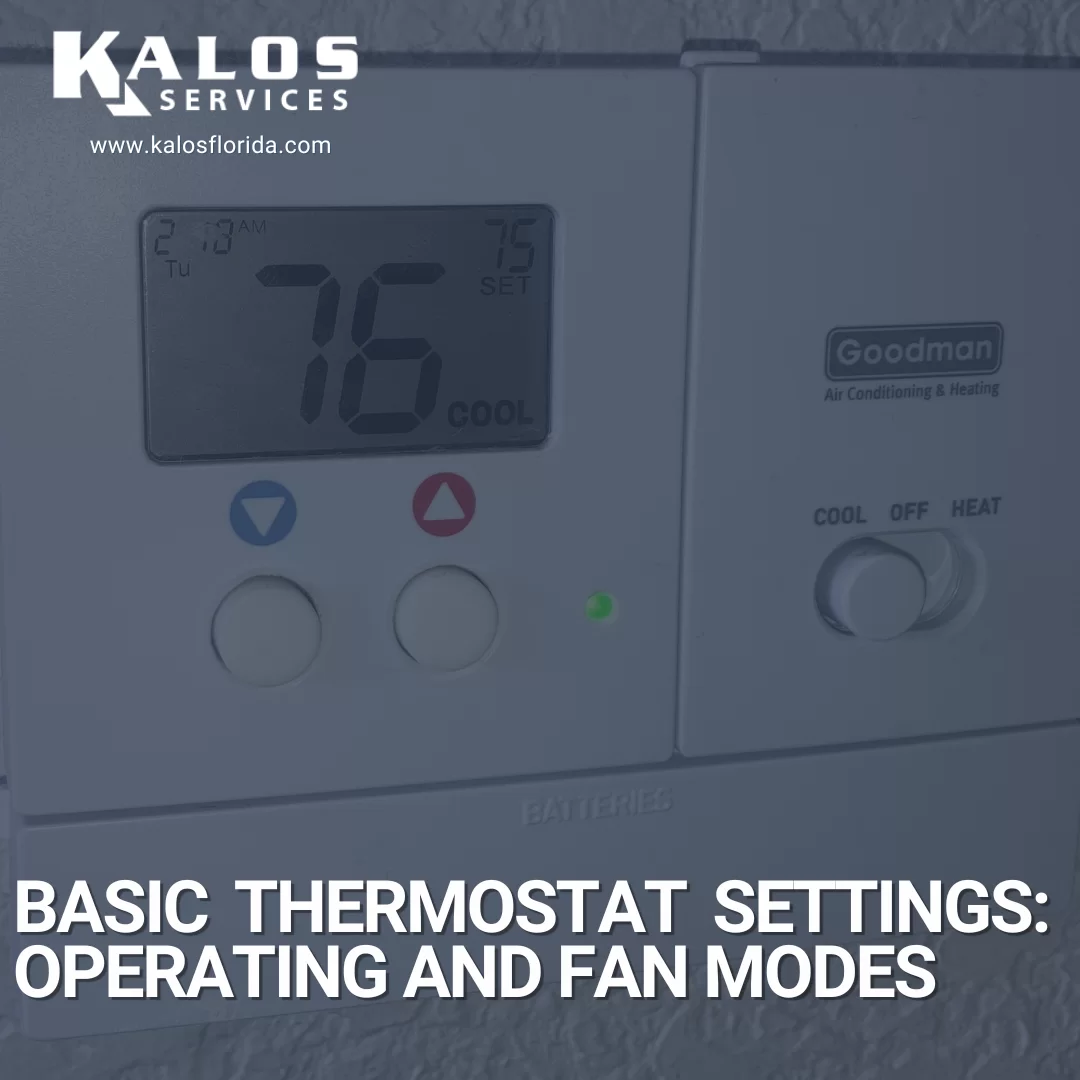
Credit: www.kalosflorida.com
Signs Of A Faulty Thermostat
Your air conditioner’s thermostat controls the room temperature. A faulty thermostat can cause many problems.
Knowing the signs of a bad thermostat helps you fix issues early and keep your home comfortable.
Inconsistent Room Temperature
The room feels too hot or too cold even when the AC is on. This means the thermostat is not reading the temperature right.
The thermostat may switch the AC on and off at the wrong times. This causes uneven cooling in your home.
- Temperature changes often without reason
- Rooms stay warm even if AC runs
- Thermostat setting does not match room temperature
Ac Running Continuously
The air conditioner runs all the time without stopping. This can mean the thermostat does not tell the AC to turn off.
Continuous running raises your energy bills and can damage the AC unit.
- AC never stops even when room is cool
- Higher electricity bills than usual
- AC unit feels very warm or noisy
Thermostat Display Issues
The thermostat screen may be blank, flickering, or show wrong numbers. These display problems affect how it controls the AC.
If the display is broken, the thermostat cannot send correct signals to the air conditioner.
- Screen does not turn on
- Numbers or letters look strange
- Buttons do not respond properly
Credit: heatable.co.uk
Tools Needed For Testing
Checking your air conditioner thermostat needs some simple tools. These tools help you test if the thermostat works well.
Using the right tools makes the process safe and easy. You can find these tools at home or buy them cheaply.
Multimeter
A multimeter measures electric current, voltage, and resistance. It helps you check if the thermostat sends the right signals.
To use a multimeter, set it to test voltage or continuity. This shows if the thermostat is working or if wires are broken.
- Check thermostat terminals for voltage
- Test wires for continuity
- Measure resistance to find faults
Screwdriver
A screwdriver helps you open the thermostat cover safely. You need it to access the wiring and terminals inside.
Use the right size screwdriver to avoid damaging screws. A flat-head or Phillips screwdriver is usually needed.
- Remove thermostat cover carefully
- Access wiring terminals
- Secure screws after testing
User Manual
The user manual shows specific details about your thermostat model. It guides you on testing and safety steps.
Follow the manual to find wiring diagrams and recommended voltage levels. This helps you test correctly.
- Locate wiring diagrams
- Check voltage and settings
- Follow safety instructions
Preparing The Thermostat For Testing
Before checking your air conditioner thermostat, you need to prepare it properly. This helps you test it safely and accurately.
Follow simple steps to get your thermostat ready. These steps include turning off power, removing the cover, and locating the wiring.
Turn Off Power
Always turn off the power before you touch the thermostat. This prevents electric shock and damage to the unit.
You can switch off the power from the circuit breaker or the main power switch for your air conditioner.
Remove Thermostat Cover
Take off the thermostat cover carefully. Most covers snap off or have small screws to remove.
Keep the cover in a safe place so you can put it back after testing.
Locate Wiring
Look inside the thermostat to find the wires. These wires connect the thermostat to the air conditioner.
Identify the wires by their colors and labels. This helps when you test or fix the thermostat.
- Red (R) usually means power
- White (W) connects to heat
- Green (G) controls the fan
- Yellow (Y) links to cooling
Testing Thermostat Functionality
Checking your air conditioner thermostat is important to keep your home cool. A faulty thermostat can cause the AC to run too much or not enough.
This guide helps you test the thermostat to make sure it works well. You will learn simple ways to check its settings, use a multimeter, and verify the temperature sensor.
Check Thermostat Settings
Start by looking at the thermostat settings. Make sure it is set to “cool” mode, not “heat” or “off”.
Check the temperature setting. It should be lower than the room temperature to turn the AC on.
- Set mode to “cool”
- Set temperature below current room temperature
- Ensure the fan is set to “auto” or “on”
Use Multimeter To Test Continuity
Turn off the power to your air conditioner before testing. Remove the thermostat cover to access the wiring.
Set your multimeter to the continuity or resistance mode. Place the probes on the thermostat terminals to check if the circuit is complete.
- If the multimeter beeps or shows zero resistance, the circuit is good.
- No beep or infinite resistance means the thermostat may be faulty.
- Test the thermostat at different temperature settings to see if it changes.
Verify Temperature Sensor
The temperature sensor tells the thermostat when to turn the AC on or off. Check if it reads the room temperature correctly.
You can compare the thermostat reading to a separate room thermometer. If they are very different, the sensor may need cleaning or replacement.
- Remove the thermostat cover carefully.
- Locate the temperature sensor inside the thermostat.
- Clean dust or dirt gently from the sensor.
- Compare the sensor reading with a room thermometer.
Calibrating The Thermostat
Calibrating your air conditioner thermostat ensures it reads the correct temperature. This helps your AC work efficiently and keeps your home comfortable.
Sometimes thermostats can show wrong temperatures. Calibration fixes this by matching the thermostat’s reading to the actual room temperature.
Adjust Temperature Settings
To adjust the temperature settings, start by comparing the thermostat’s reading with a reliable thermometer. Check if the thermostat shows a higher or lower temperature.
If the reading is off, follow your thermostat manual to change the settings. Usually, this involves pressing specific buttons to increase or decrease the temperature offset.
- Place a thermometer near the thermostat
- Note the difference in temperature readings
- Use thermostat buttons to adjust the offset
- Check readings again after adjustment
Reset To Factory Defaults
If adjusting temperature settings does not work, reset the thermostat to factory defaults. This clears any errors and restores original settings.
To reset, find the reset button or option in the thermostat menu. Hold or select it until the device restarts. After reset, set your preferred temperature again.
- Locate the reset button or menu option
- Press and hold until the thermostat restarts
- Re-enter your preferred temperature settings
- Check if the thermostat now reads correctly

Credit: aquariushomeservices.com
When To Replace The Thermostat
Checking your air conditioner thermostat is important to keep your home cool. Sometimes, the thermostat stops working well. You might need to replace it to keep your AC running smoothly.
Knowing when to replace the thermostat saves money and prevents discomfort. Look for signs that your thermostat is not working right.
Frequent Malfunctions
A thermostat can break down after years of use. Common problems include wrong temperature readings and unresponsive controls. If your thermostat often fails, it may be time to replace it.
- Temperature does not match the room
- Display screen is blank or flickers
- Buttons or touch controls do not work
- System turns on and off too much
Outdated Models
Old thermostats may not control your AC well. They might lack features like programmable schedules or energy-saving modes. Replacing an outdated thermostat can improve comfort and save energy.
- Manual dials instead of digital display
- No ability to set different temperatures for day and night
- Limited accuracy in temperature control
- Not compatible with modern AC units
Compatibility Issues
Your thermostat must work well with your air conditioner. If you upgrade your AC, the old thermostat might not fit. Check if your thermostat supports your AC’s system type and features.
- Thermostat does not match the AC voltage
- Lack of support for heat pump or multi-stage systems
- No smart features for newer AC models
- Wiring does not fit the new AC setup
Tips For Maintaining Thermostat Performance
Keeping your air conditioner thermostat working well saves energy and keeps your home comfortable.
Simple care steps help your thermostat last longer and avoid problems.
Regular Cleaning
Dust and dirt can block sensors and affect thermostat accuracy. Clean the thermostat often to keep it working right.
- Turn off the thermostat before cleaning.
- Use a soft, dry cloth to wipe the surface.
- Avoid liquids or sprays that can damage parts.
- Clean air vents around the thermostat gently.
Battery Replacement
Thermostats with batteries need fresh power to run smoothly. Replace batteries regularly to avoid failures.
| Battery Type | Replacement Frequency |
| AA or AAA | Every 6 months |
| 9V | Every 12 months |
| Button Cell | Every 12 months |
Keep Away From Heat Sources
Heat from nearby lamps, windows, or appliances can cause wrong temperature readings.
- Do not place the thermostat near heaters or direct sunlight.
- Avoid installing it close to kitchen or laundry appliances.
- Keep curtains or blinds closed if sunlight hits the thermostat.
Frequently Asked Questions
How Do I Test If My Ac Thermostat Is Working?
To test your AC thermostat, set the temperature below room temperature. If the AC turns on, the thermostat works properly. If not, check the batteries or wiring. Calibration issues may also require professional help.
Why Is My Thermostat Not Cooling The Air?
A thermostat might not cool due to incorrect settings, dead batteries, or sensor issues. Dirty filters or blocked vents can also affect cooling. Ensure the thermostat is clean and properly programmed for cooling.
Can I Recalibrate My Air Conditioner Thermostat Myself?
Yes, many thermostats allow manual recalibration through settings or a small adjustment screw. Refer to your thermostat’s manual for specific instructions. If unsure, consult a professional to avoid damaging the unit.
How Often Should I Check My Ac Thermostat?
Check your AC thermostat at least once every season. Regular checks ensure accurate temperature control and prevent unexpected cooling failures. Replace batteries annually and clean the thermostat to maintain efficiency.
Conclusion
Checking your air conditioner thermostat is simple. Follow the steps carefully. Regular maintenance ensures efficient cooling. A working thermostat saves money and energy. Always turn off the power before inspecting. Look for obvious issues like loose wires. Replace batteries when needed.
Clean the thermostat to avoid dust problems. Test the settings to ensure they work. Seek professional help for complex issues. Regular checks extend your air conditioner’s life. Enjoy a comfortable home environment.