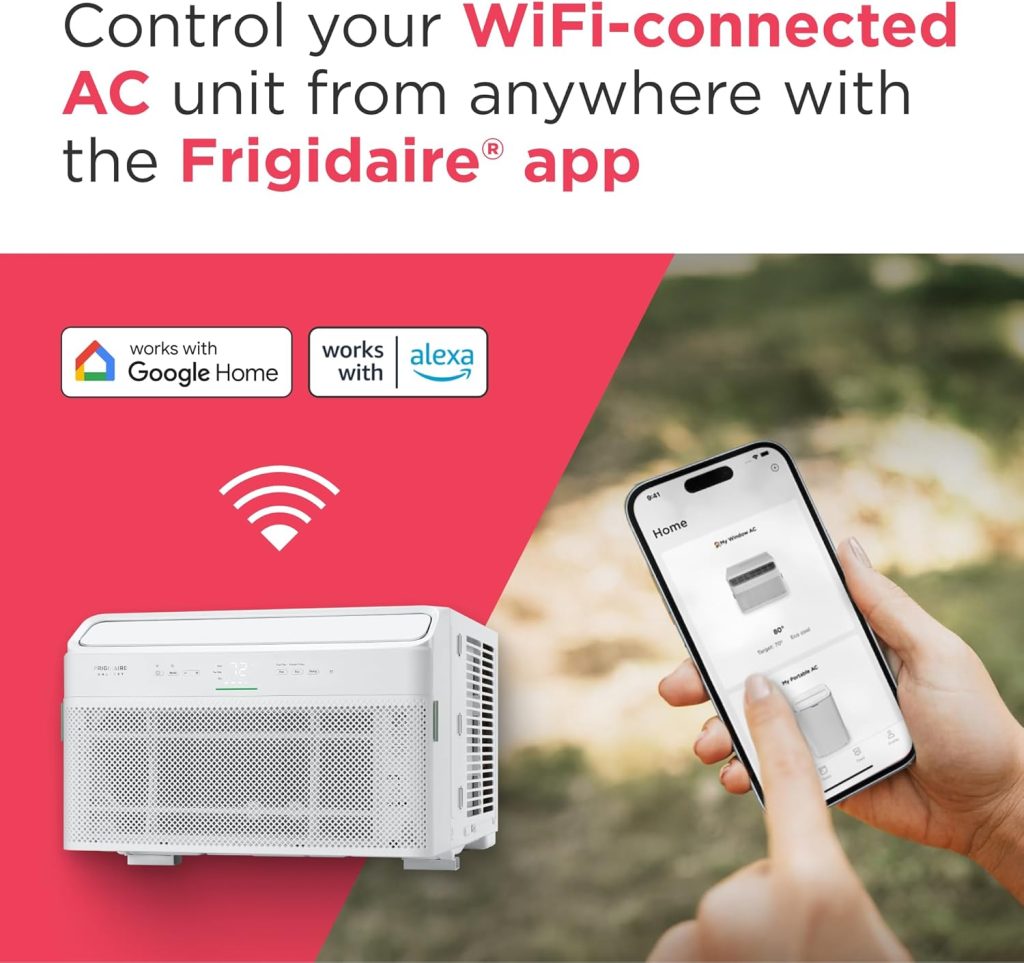
Are you ready to take full control of your Frigidaire air conditioner right from your smartphone? Connecting your AC to WiFi isn’t just about convenience—it’s about comfort, savings, and making your life easier.
Imagine adjusting the temperature before you even step inside or setting schedules that fit your daily routine perfectly. In this guide, you’ll discover simple, step-by-step instructions to get your Frigidaire air conditioner connected to WiFi quickly and without frustration. Keep reading, and you’ll unlock the power of smart cooling in no time.

Credit: www.pcmag.com
Prepare Your Air Conditioner
Connecting your Frigidaire air conditioner to WiFi lets you control it remotely. Before starting, you need to prepare your unit properly.
Preparing your air conditioner helps avoid connection issues. Follow these steps to get ready.
Check Wifi Compatibility
Not all Frigidaire air conditioners support WiFi. Check your model to see if it has WiFi features.
Look for a WiFi or Smart Control symbol on the unit or in the manual. If unsure, check the model number online.
- Find the model number on the unit label
- Search online for WiFi support details
- Confirm the unit supports your home WiFi type
Gather Necessary Information
You need specific details to connect your air conditioner to WiFi. Prepare your WiFi network name and password.
Also, have your smartphone or tablet ready. You will use it to set up the connection through the Frigidaire app.
- Know your WiFi network name (SSID)
- Have the WiFi password ready
- Download the Frigidaire app on your device
- Keep your smartphone or tablet close to the air conditioner
Ensure Stable Power Supply
Your air conditioner must have a steady power supply during setup. Power interruptions can cause connection errors.
Check that the unit is plugged in properly and the power outlet works well. Avoid using extension cords if possible.
- Plug the air conditioner into a reliable outlet
- Test the outlet with another device
- Keep the unit turned on during the setup process
- Do not unplug or turn off the unit while connecting

Credit: www.frigidaire.com
Download Required App
To connect your Frigidaire air conditioner to WiFi, you need a special app. This app lets you control your air conditioner from your phone.
Downloading and setting up the app is the first step. It is simple and quick to do.
Find The Official Frigidaire App
Look for the official Frigidaire app in your device’s app store. The app is free to download and safe to use.
The app is usually called “Frigidaire Smart” or “Frigidaire Connect”. Make sure to check the developer name is Frigidaire.
- Open Google Play Store for Android devices
- Open Apple App Store for iPhones or iPads
- Search for “Frigidaire Smart” or “Frigidaire Connect”
- Confirm the app developer is Frigidaire
Install On Your Device
After finding the app, tap the install or get button. Wait a few moments for the app to download and install.
Once installed, open the app to start setting up your air conditioner connection.
- Tap “Install” or “Get” in the app store
- Wait for the app to download completely
- Tap “Open” to launch the app
Create Or Log Into Your Account
To use the app, you need an account. You can create a new account or log in if you already have one.
Follow the on-screen instructions to enter your email and password. This lets you save your air conditioner settings.
- Tap “Sign Up” to create a new account
- Enter your email address and create a password
- Or tap “Log In” if you have an account
- Use your email and password to access the app
Connect Air Conditioner To Wifi
Connecting your Frigidaire air conditioner to WiFi lets you control it remotely. You can change settings using your phone or tablet.
This guide will help you connect your air conditioner to your WiFi network step by step.
Activate Wifi Mode On Ac
First, turn on the air conditioner and find the WiFi button on the remote or unit. Press and hold it until the WiFi light starts blinking. This means the AC is ready to connect.
Open App And Start Setup
Download the Frigidaire app on your smartphone. Open the app and create an account if you do not have one. Then select “Add Device” to start the setup process.
Select Your Wifi Network
- The app will scan for available WiFi networks.
- Choose your home WiFi network from the list.
- Make sure your phone is connected to the same WiFi network.
Enter Wifi Password
Type in the password for your WiFi network carefully. Check for any typos. Then tap “Connect” or “Next” in the app to send the info to your air conditioner.
Confirm Connection
| Status | What It Means |
| WiFi light steady on | Air conditioner is connected to WiFi |
| WiFi light blinking | Trying to connect or error occurred |
| App shows device online | You can now control the AC remotely |
Troubleshoot Connection Issues
Connecting your Frigidaire air conditioner to WiFi helps you control it remotely. Sometimes the connection may fail or drop.
This guide shows simple ways to fix common WiFi connection problems.
Check Wifi Signal Strength
Weak WiFi signals can stop your air conditioner from connecting. Make sure your router is close to the unit.
Walls and other objects can block signals and cause issues.
- Move the router closer to the air conditioner
- Avoid thick walls or metal objects between devices
- Check if other devices have good WiFi in the same area
Restart Devices
Restart your air conditioner and router to refresh connections. This often fixes temporary problems.
Turn off both devices, wait for 30 seconds, then turn them back on.
- Power off your air conditioner
- Unplug your router
- Wait 30 seconds
- Plug in the router and turn it on
- Turn on the air conditioner
Update App And Firmware
Old app versions or firmware can cause connection trouble. Check for updates regularly.
Update the Frigidaire app on your phone and the air conditioner’s firmware if available.
- Open your app store and update the Frigidaire app
- Check the air conditioner’s settings for firmware updates
- Follow on-screen instructions to install updates
Reset Air Conditioner Wifi Settings
If connection still fails, reset the air conditioner’s WiFi settings. This clears old data and lets you try again.
After resetting, reconnect the device using the app and your WiFi password.
- Find the reset button on your air conditioner
- Press and hold the button for 5-10 seconds
- Wait for the WiFi indicator to blink
- Open the app and follow the setup instructions
Use Smart Features
Connecting your Frigidaire air conditioner to WiFi lets you use smart features. These features help you control cooling easily and save energy. You can manage the AC from your phone or other devices.
Using smart features means more comfort and convenience. You can set schedules, control the unit remotely, and watch how much energy you use.
Remote Control Options
Once your Frigidaire AC is connected to WiFi, you can control it from anywhere. Use the Frigidaire app on your smartphone or tablet to change settings. This makes it easy to adjust temperature and fan speed without being near the unit.
- Turn the AC on or off remotely
- Change temperature settings
- Adjust fan speed and mode
- Receive alerts for maintenance or filter changes
Schedule Cooling Times
Smart scheduling lets you plan cooling times ahead. Set your AC to turn on before you arrive home or switch off when you leave. This saves energy and keeps your home comfortable.
- Open the Frigidaire app on your device
- Go to the scheduling section
- Select the days and times to run the AC
- Save your settings
Monitor Energy Usage
You can track how much energy your AC uses each day. The app shows usage data to help you find ways to save. Watching your energy use helps reduce bills and protect the environment.
| Feature | Description |
| Daily Usage | View how much energy your AC uses each day |
| Monthly Summary | See total energy consumption for the month |
| Energy Saving Tips | Get advice on reducing power use |

Credit: www.frigidaire.ca
Frequently Asked Questions
How Do I Connect My Frigidaire Ac To Wifi?
To connect, turn on your AC and open the Frigidaire app. Follow the in-app instructions to link your WiFi network. Ensure your phone and AC are on the same network. This enables remote control and monitoring via your smartphone.
What Wifi Network Works With Frigidaire Ac?
Frigidaire AC supports 2. 4 GHz WiFi networks only. Dual-band routers must use 2. 4 GHz for connection. 5 GHz networks are not compatible. Check your router settings before connecting to avoid connection issues.
Why Is My Frigidaire Ac Not Connecting To Wifi?
Common issues include weak signal, incorrect password, or network incompatibility. Restart your router and AC unit. Ensure the app and firmware are updated. Verify you use a 2. 4 GHz network. If problems persist, contact Frigidaire support.
Can I Control Frigidaire Ac Remotely Via Wifi?
Yes, once connected, you can control temperature, fan speed, and modes remotely. The app allows scheduling and real-time monitoring. This adds convenience and energy savings by managing the AC from anywhere.
Conclusion
Connecting your Frigidaire air conditioner to WiFi makes control simple. You can use your phone to adjust settings anytime. This helps save energy and stay comfortable. Follow the steps carefully to avoid common issues. Troubleshoot with the app if connection fails.
Enjoy the convenience of smart cooling in your home. Stay cool and relaxed with easy WiFi control.