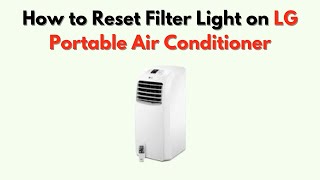
Is your LG air conditioner’s filter light on, and you’re not sure what to do next? That little warning can be annoying, but resetting it is easier than you might think.
If you don’t reset the filter light after cleaning or replacing the filter, your AC might not work at its best. In this guide, you’ll learn exactly how to reset the filter light quickly and keep your air conditioner running smoothly.
Keep reading—you’ll have your AC back to perfect condition in no time!
Why Reset The Filter Light
The filter light on your LG air conditioner tells you when to clean or replace the filter. Resetting this light helps keep your unit running well. It also stops the light from showing after maintenance.
Resetting the filter light is a simple task. It ensures the air conditioner tracks the next cleaning correctly. This helps you avoid poor air flow and bad smells.
Purpose Of The Filter Light
The filter light is a reminder for air filter care. It turns on after a set time of use. This time is based on how long the air conditioner has run.
Its main job is to keep the air conditioner clean and efficient. A dirty filter can block air flow and reduce cooling power. It can also cause the unit to use more energy.
- Alerts you to clean or change the air filter
- Helps maintain good air quality
- Improves energy efficiency
- Prevents damage to the air conditioner
When To Reset
Reset the filter light after you clean or replace the filter. This tells the air conditioner the filter is fresh. The light will then turn off.
If you do not reset the light, it will stay on. This can cause confusion about filter status. Resetting keeps the air conditioner’s alerts accurate.
- After cleaning the air filter
- After replacing the air filter
- When the filter light stays on despite maintenance
- To keep maintenance alerts correct
Tools Needed
Resetting the filter light on your LG air conditioner is simple. You need a few basic tools to do it safely and correctly.
Gather these tools before starting to save time and avoid problems.
User Manual
The user manual has important instructions on your LG air conditioner model. It tells you how to reset the filter light correctly.
Keep the manual handy to follow the exact steps for your unit.
Soft Cloth Or Microfiber Towel
A soft cloth helps you clean the air filter before resetting the light. Cleaning keeps your air conditioner running well.
Use a microfiber towel to gently wipe dust and dirt from the filter and surrounding areas.
Remote Control Or Control Panel
You need the remote control or the control panel on the air conditioner. This lets you reset the filter light after cleaning.
Make sure the remote has working batteries or the control panel buttons are responsive.
Step Stool Or Ladder (optional)
If your air conditioner is mounted high on the wall, use a step stool or ladder. This helps you reach the unit safely.
Always use a stable step stool and have someone nearby for safety if needed.
Step-by-step Reset Process
Resetting the filter light on your LG air conditioner helps keep it running well. This light tells you when to clean or change the filter.
Follow these clear steps to reset the filter light quickly and safely.
Locate The Filter Reset Button
Find the filter reset button on your LG air conditioner remote or the main unit. It is often labeled as “Filter Reset” or has a filter icon.
- Check near the display panel on the main unit.
- Look on the remote control for a button marked “Filter Reset”.
- Refer to your user manual if you cannot find the button.
Press And Hold Instructions
Press and hold the filter reset button to clear the filter light. Hold it down for a few seconds until the light changes.
- Turn on the air conditioner.
- Press and hold the filter reset button for about 3 seconds.
- Release the button when the filter light blinks or turns off.
Confirming The Reset
Check that the filter light is off after resetting. This means the air conditioner has registered the reset.
| Indicator | Meaning |
| Filter Light Off | Reset Successful |
| Filter Light Still On | Reset Failed, Try Again |

Credit: www.reddit.com
Troubleshooting Tips
LG air conditioners have a filter light that shows when the filter needs cleaning or replacement. Sometimes the filter light does not turn off after resetting it. This guide helps you fix common issues with the filter light.
Follow these tips to reset the filter light correctly and keep your air conditioner working well. Regular care helps your unit last longer and keeps the air clean.
Filter Light Not Resetting
The filter light may stay on if the reset process is not done right. Make sure you press and hold the reset button for the correct time. Check your user manual for exact steps.
If the light still does not reset, try unplugging the air conditioner for a few minutes. Then plug it back in and reset the filter light again.
- Press and hold the reset button for 3-5 seconds
- Unplug the unit for 5 minutes
- Check for dirt or damage on the filter
- Ensure the unit is in cooling or fan mode
Filter Replacement Reminders
The filter light reminds you to clean or replace the filter. Clean the filter every month for better air flow. Replace the filter if it is damaged or very dirty.
Keeping the filter clean helps your air conditioner work well. It also stops the filter light from turning on too soon.
- Check the filter every 30 days
- Wash the filter with water and dry it fully
- Replace the filter every 6-12 months
- Use only LG approved filters
Maintenance Tips For Filter Longevity
Keeping your LG air conditioner’s filter clean helps it work well. A clean filter improves air quality and saves energy.
Regular maintenance stops dust build-up. It also prevents the filter light from staying on.
Cleaning The Air Filter
Clean the air filter every two weeks. Remove the filter gently and wash it with lukewarm water.
- Use a soft brush to remove dust before washing.
- Let the filter dry completely before putting it back.
- Do not use strong detergents or hot water.
- Check the filter for damage during cleaning.
Regular Filter Replacement Schedule
Even with cleaning, replace the air filter at the right time. This keeps the AC efficient and healthy.
| Filter Type | Replacement Interval |
| Standard Filter | Every 3 months |
| HEPA Filter | Every 6 months |
| Carbon Filter | Every 12 months |

Credit: www.reddit.com
When To Contact Support
Knowing when to contact support for your LG air conditioner is important. Some issues need expert help to avoid damage.
If the filter light reset does not work or other problems appear, it is time to get professional assistance.
Filter Light Won’t Reset
If you follow the reset steps but the filter light stays on, contact support. This may indicate a sensor or control board issue.
Unusual Noises Or Smells
Strange sounds or bad odors from the unit mean a possible internal problem. Turn off the air conditioner and call support for safety.
Error Codes Displayed
Error codes on the display show malfunctions that need expert checks. Contact support with the code details for quick help.
No Cooling Or Heating
If the air conditioner runs but does not cool or heat properly, the problem may be complex. Support can diagnose and fix it.
Safety Concerns
If you notice sparks, smoke, or a burning smell, turn off the unit immediately. Contact support or an electrician to avoid danger.
- Filter light stays on after reset attempts
- Unusual noises or smells from the unit
- Error codes showing on the display panel
- Air conditioner not cooling or heating
- Signs of electrical hazards
| Issue | Recommended Action |
| Filter light won’t reset | Contact LG support for sensor check |
| Unusual noises or smells | Turn off unit and call technician |
| Error codes displayed | Report code to support for diagnosis |
| No cooling or heating | Request professional service |
| Electrical hazards | Power off and call emergency support |

Credit: www.youtube.com
Frequently Asked Questions
How Do I Reset The Filter Light On Lg Ac?
To reset the filter light, press and hold the Filter Reset button on the remote for 3 seconds. The light will turn off, indicating a successful reset.
Why Is The Filter Light Blinking On My Lg Ac?
The blinking filter light signals it’s time to clean or replace the air filter. Reset the light after maintenance to ensure proper function.
Can I Reset The Filter Light Without The Remote?
Yes, some LG AC models allow resetting via the control panel. Check your user manual for specific button combinations to reset the filter light.
How Often Should I Reset The Filter Light On Lg Ac?
Reset the filter light after every filter cleaning or replacement, typically every 3 months, to maintain efficient air conditioner performance.
Conclusion
Resetting the filter light on your LG air conditioner is simple. Just follow the outlined steps. This ensures clean, efficient air flow. Always keep your filter clean for better performance. Regular maintenance extends your air conditioner’s lifespan. No special tools required.
Just a bit of time and care. Enjoy cool, fresh air without worries. Remember, a clean filter makes a happy home. For any issues, consult your user manual. Stay comfortable all year round. Your air conditioner will thank you. Keep these tips handy for future reference.