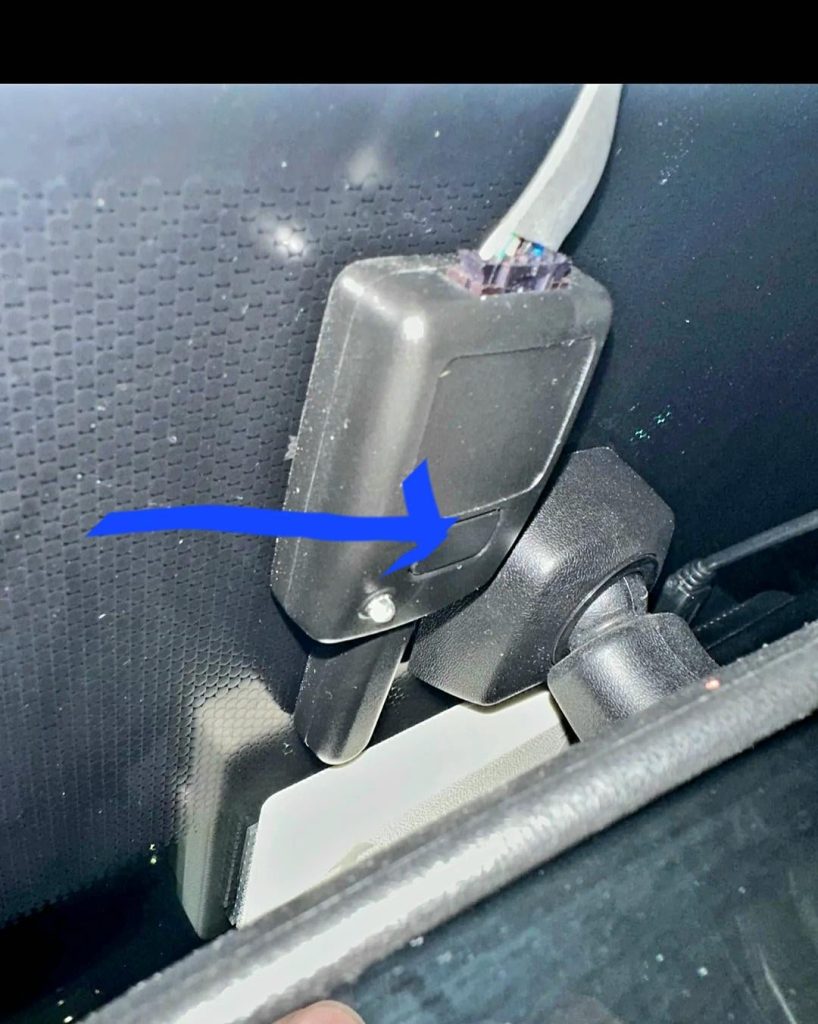
Your car alarm going off unexpectedly can be frustrating and embarrassing. You want to stop that loud noise fast, but you might not know how.
Don’t worry—this guide will help you turn off your car alarm quickly and easily. Whether it’s a false alarm or you accidentally triggered it, you’ll learn simple steps to regain peace and get back on track. Keep reading, and you’ll never feel helpless when your car alarm sounds again.
Common Reasons Car Alarms Go Off
Car alarms can sound unexpectedly and cause confusion. Knowing why alarms go off helps to turn them off quickly.
This guide explains three common causes of car alarms activating without real danger.
Accidental Triggers
Many alarms go off due to accidental triggers. These happen when something lightly touches the car.
- Closing the door too hard
- Strong wind moving the car
- Animals jumping on the vehicle
- Loud noises near the car
Faulty Sensors
Old or damaged sensors may cause false alarms. Sensors detect motion, pressure, and glass breaks.
| Sensor Type | Common Issue |
| Shock sensor | Too sensitive or broken |
| Door sensor | Fails to detect closed doors |
| Glass break sensor | Detects harmless sounds |
Battery Issues
Low or dead batteries in the car or remote can trigger the alarm. The alarm may act strangely or sound randomly.
Check these battery tips:
- Replace car battery if it is old or weak
- Change remote control battery regularly
- Test battery voltage with a multimeter
- Ensure battery connections are clean and tight
Credit: www.maseratilife.com
Quick Ways To Disable The Alarm
Car alarms can go off unexpectedly. It is important to know how to stop the noise fast. This guide shows simple ways to turn off the alarm.
Use easy steps to stop the alarm and avoid disturbing others. These quick tips work on most car models.
Using The Key Fob
The key fob is the easiest way to stop a car alarm. Press the unlock button to silence it. Sometimes pressing the lock button works too.
If the alarm does not stop right away, try pressing the button a few times. Keep the key fob close to the car for best results.
Manual Door Unlock
If the key fob battery is dead, use the car key. Insert the key in the driver’s door lock and turn it to open. This action often stops the alarm.
Make sure to open the door fully. Leaving it slightly open may not stop the alarm. This method works well if the alarm is linked to the door sensor.
Starting The Car
Starting the engine can also turn off the alarm. Insert the key into the ignition and turn it on. The alarm system usually resets when the car starts.
For push-button start cars, press the brake and push the start button. This can stop the alarm noise quickly.
Resetting The Alarm System
Car alarms can be loud and disruptive if they go off unexpectedly. Resetting the alarm system often stops the noise quickly.
This guide explains two simple ways to reset your car alarm. You can disconnect the battery or use the alarm reset button.
Disconnecting The Battery
Disconnecting the car battery cuts power to the alarm. This usually stops the alarm sound fast.
Follow these steps carefully to avoid damage or injury.
- Turn off the car and remove the key.
- Open the car hood and locate the battery.
- Use a wrench to loosen the negative battery terminal.
- Remove the negative cable from the battery.
- Wait about 10 minutes to let the alarm reset.
- Reconnect the negative cable and tighten it.
- Close the hood and start the car to test the alarm.
Using The Alarm Reset Button
Some cars have a reset button inside the vehicle. Pressing it can stop the alarm without disconnecting the battery.
Look for the reset button near the driver’s side or under the dashboard.
- Turn the ignition key to the ON position.
- Press and hold the alarm reset button for a few seconds.
- Release the button when the alarm stops sounding.
- Turn off the ignition and then start the car normally.

Credit: www.youtube.com
Preventing False Alarms
Car alarms can be annoying when they go off without reason. False alarms disturb you and your neighbors. You can reduce false alarms by following simple steps.
Regular care and checks help keep the alarm system working well. This guide covers easy ways to prevent false alarms.
Regular Maintenance
Keep your car alarm system clean and in good shape. Dirt and damage can cause false alarms. Check the alarm parts often to make sure they are not broken or loose.
- Clean sensors and wiring regularly
- Check the battery and replace if low
- Inspect alarm horn and lights for damage
- Test the alarm to ensure it works properly
Checking Sensor Sensitivity
Sensors detect motion or impact near your car. If sensors are too sensitive, they cause false alarms. Adjust the sensitivity to a proper level to avoid this.
| Sensor Type | Recommended Sensitivity | Effect of Too High Sensitivity |
| Shock Sensor | Medium | False alarms from minor bumps |
| Motion Sensor | Low to Medium | False alarms from passing objects |
| Glass Break Sensor | High | Rare false alarms, but check regularly |
When To Seek Professional Help
Car alarms can be tricky to turn off sometimes. If you try simple fixes and the alarm stays on, it may be time to get help.
Some alarm problems need special tools and knowledge. A professional can fix these issues safely and fast.
Persistent Alarm Issues
If your car alarm keeps going off without reason, it can be very annoying. This problem may come from a faulty sensor or wiring.
Trying to fix these problems yourself can cause more damage. A professional has the right tools to check and repair the system.
- Alarm sounds randomly
- Alarm won’t stop after unlocking
- Car key fob doesn’t work properly
- Repeated false alarms
Complex Alarm Systems
Modern cars have advanced alarm systems. They include multiple sensors and computer controls.
These systems are hard to diagnose and fix. Only a trained technician can handle complex alarms safely.
- Factory-installed alarms with smart features
- Integrated GPS tracking systems
- Remote start and security combinations
- Alarm systems linked to car computers

Credit: www.youtube.com
Frequently Asked Questions
How Do I Turn Off A Car Alarm Quickly?
Press the car’s key fob unlock button or insert the key into the ignition. This usually stops the alarm immediately.
What Causes A Car Alarm To Go Off Accidentally?
Car alarms may trigger from loud noises, vibrations, or faulty sensors. Ensure sensors are properly calibrated to avoid false alarms.
Can I Disable My Car Alarm Without A Remote?
Yes, you can disconnect the car battery or locate and remove the alarm fuse to stop the alarm temporarily.
Why Won’t My Car Alarm Turn Off With The Key Fob?
A dead key fob battery or signal interference can cause this. Replace the battery or move closer to the vehicle.
Conclusion
Understanding how to turn off your car alarm is crucial. It saves time and reduces stress. Start by checking your car manual. It often holds the key. Use the remote control or reset the alarm system. Sometimes, disconnecting the battery helps.
Regular maintenance prevents false alarms. Keep your car alarm system in check. It ensures peace of mind. Simple steps make a big difference. Follow these tips to handle car alarms with ease. Stay calm and methodical. You’ll have your car quiet in no time.
Enjoy a peaceful drive.