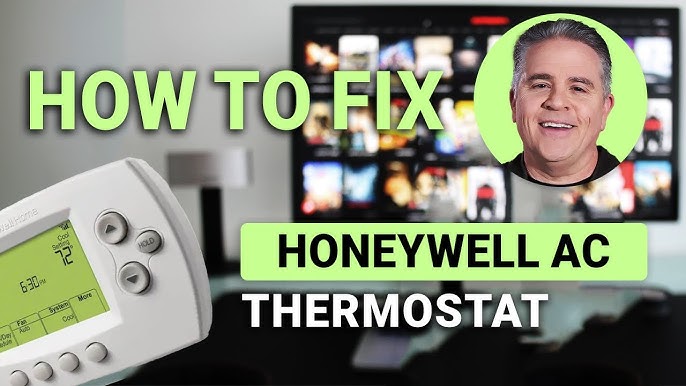
Is your Honeywell air conditioner thermostat not working the way it should? Maybe it’s stuck on the wrong temperature or not responding at all.
Don’t worry—resetting your thermostat can fix these common problems quickly and easily. In this guide, you’ll learn simple steps to reset your Honeywell air conditioner thermostat and get your cooling system back to perfect comfort. Keep reading, and you’ll have your thermostat working like new in no time.
Types Of Honeywell Thermostats
Honeywell offers three main types of thermostats. Each type has unique features and benefits.
- Digital Thermostats: Simple to use with a clear display. They show current temperature and allow easy manual control.
- Programmable Thermostats: Set schedules for heating and cooling. Helps save energy by adjusting temperatures automatically.
- Smart Thermostats: Connect to Wi-Fi for remote control. Learn your habits and adjust settings to improve comfort and efficiency.

Credit: unitedstatesolutions.com
When To Reset Your Thermostat
Resetting your Honeywell air conditioner thermostatcan fix many common problems. It helps clear errors and refresh the system. Sometimes, the thermostat might not respond or show wrong temperatures. Other times, the AC may not turn on or off as expected. These signs suggest a reset is needed.
- Thermostat screen is blank or frozen
- Temperature readings are inconsistent
- AC unit does not start or stop properly
- Buttons do not work or lag
- System settings do not save
Benefits of resetting include:restoring normal function, improving temperature accuracy, and saving energy. It can also extend your AC’s life by preventing long-term issues. A reset is a quick, easy way to solve many problems without tools or service calls.
Preparing For The Reset
Gather a small flathead screwdriver and a new 9V battery. Keep a soft cloth handy to clean the thermostat screen. Ensure you have the Honeywell thermostat manual for reference. These tools will make the reset process easier and safer.
Turn off the air conditioner power before starting. Avoid touching electrical parts to prevent shocks. Work in a dry area to reduce risks. Follow all safety instructions in the manual carefully.

Credit: www.honeywellthermostatmanuals.com
Resetting Digital Honeywell Thermostats
Locate the reset buttonon your Honeywell thermostat. It is usually small and recessed. Use a paperclip or pen tip to press it gently. Hold the button for about 5 secondsuntil the screen turns off or flashes. Release the button and wait for the thermostat to restart. This process clears any temporary errors and restores factory settings.
After the reset, you might need to re-enter your settingslike time, date, and temperature preferences. Check if the thermostat responds correctly to commands. If it does not turn on or shows errors, try removing the batteries (if present) for a minute and then reinsert them.
Persistent issues may require consulting the user manual or contacting support. Avoid pressing other buttons during reset to prevent unwanted changes.
| Problem | Possible Cause | Solution |
|---|---|---|
| Thermostat won’t reset | Battery low or missing | Replace or insert batteries |
| Screen remains blank | Power supply issue | Check circuit breaker or wiring |
| Settings lost after reset | No backup memory | Manually reconfigure settings |
Resetting Programmable Thermostats
To perform a factory reset on a Honeywell programmable thermostat, first locate the reset button. It is usually small and recessed, requiring a paperclip or similar tool to press. Hold the reset button for about 5 seconds until the screen goes blank or the display resets.
The thermostat settings will return to their original factory defaults. This clears all custom schedules and preferences.
After the reset, reprogram the thermostat to fit your needs. Set the current time and date first. Then, create your daily temperature schedule.
- Choose heating and cooling times.
- Set temperature for each period.
- Save your settings to activate the schedule.
Reprogramming ensures the thermostat works efficiently and saves energy.
Resetting Smart Honeywell Thermostats
The thermostat menuoffers a simple way to reset your Honeywell smart thermostat. Access the menu by pressing the main screen or the menu button. Navigate to the settingsor systemsection. Look for the resetoption, which may be labeled as “Restore Defaults” or “Factory Reset.” Confirm your choice to start the reset process. The device will restart and return to its original settings. This clears any custom schedules or preferences.
Using the mobile appmakes resetting easy too. Open the Honeywell Home app on your smartphone. Connect to your thermostat if not connected already. Find the device settingsor thermostat controls. Select the reset option within the app menu. Confirm to reset the device remotely. The app will update and show the thermostat’s status once done.
Tips To Avoid Future Issues
Regular maintenancekeeps your Honeywell thermostat working well. Clean the thermostat and air filters often. Dust and dirt can block sensors and reduce cooling. Check batteries every few months. Replace them if the display fades or stops working. Schedule a professional checkup yearly to spot problems early. This helps avoid costly repairs and keeps your unit efficient.
Proper usage practicesextend the life of your air conditioner. Avoid setting the temperature too low; it strains the system. Use the timer feature to save energy when you are not home. Keep doors and windows closed while cooling. These habits reduce wear and improve performance. Remember, gentle use means fewer resets and longer thermostat life.

Credit: www.youtube.com
Frequently Asked Questions
How Do I Reset My Honeywell Ac Thermostat?
To reset, press and hold the reset button on your Honeywell thermostat for 5 seconds. The display will blink, indicating a reset. This restores factory settings and resolves common issues.
Why Won’t My Honeywell Thermostat Reset?
If the reset fails, check the thermostat’s batteries or power supply. Ensure it’s properly connected to the AC system. A faulty wiring or dead battery can prevent resetting.
How Often Should I Reset My Honeywell Thermostat?
Resetting is only necessary when the thermostat malfunctions or after firmware updates. Frequent resets aren’t required and may disrupt your preset temperatures.
Can I Reset Honeywell Thermostat Without Manual?
Yes, most models allow resetting via on-screen menus. Navigate to the settings, find “Reset” or “Restore Defaults,” and confirm. Consult your specific model guide for exact steps.
Conclusion
Resetting your Honeywell air conditioner thermostat is simple and quick. Follow the steps carefully to avoid mistakes. This can solve many common issues and improve comfort. Keep your thermostat clean and check settings regularly. Doing this helps your air conditioner work better and last longer.
Stay cool and save energy by maintaining your thermostat right. Try these easy tips whenever you need a reset. You’ll feel the difference in no time.