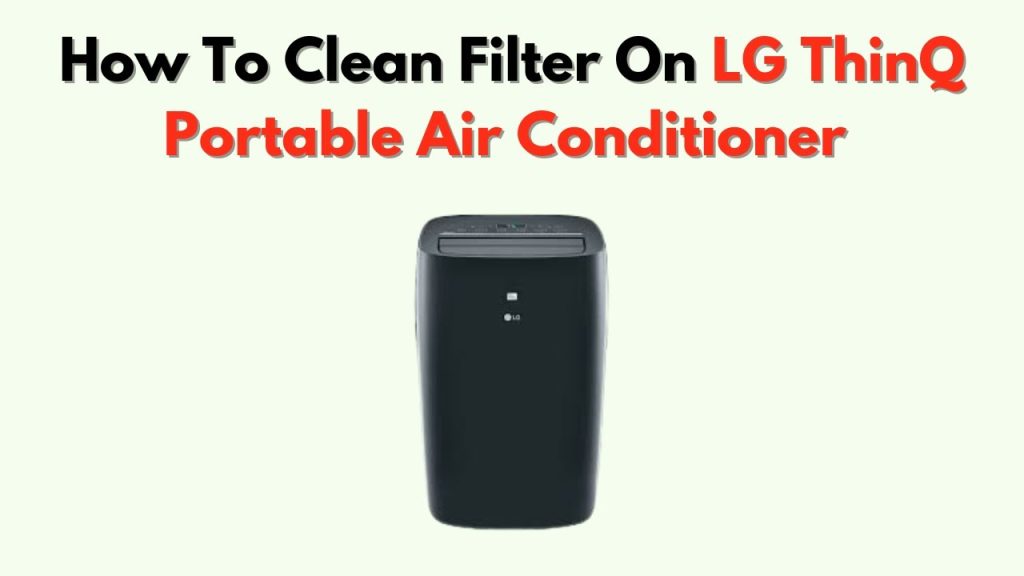
Are you tired of your LG air conditioner not performing at its best? The culprit might just be a dirty filter.
When you neglect this simple maintenance step, your air conditioner works harder, consumes more energy, and costs you more money. But the good news? Cleaning your LG air conditioner filter is easier than you think. In this guide, you’ll discover simple, step-by-step instructions to bring your AC back to peak performance.
Imagine the refreshing cool air flowing smoothly and efficiently, giving you the comfort you crave on those scorching hot days. Don’t wait any longer—dive into this article and transform your air conditioning experience today!
Why Clean Your Lg Ac Filter
Cleaning your LG air conditioner filter is important for keeping your home comfortable. A clean filter helps your AC work well.
Regular cleaning stops dust and dirt from building up. This keeps the air fresh and the system running smoothly.
Impact On Air Quality
A dirty filter traps dust, pollen, and allergens. These particles stay in the air, making it hard to breathe.
Cleaning the filter removes these pollutants. This leads to cleaner and healthier air inside your home.
- Reduces dust and allergens
- Improves indoor air quality
- Helps people with allergies or asthma
Energy Efficiency Benefits
A clogged filter makes your LG AC work harder. The system uses more energy to cool your home.
Cleaning the filter helps the AC run smoothly. This saves energy and can lower your electricity bills.
- Reduces energy use
- Improves cooling performance
- Lowers electricity costs
Preventing System Damage
Dirty filters block airflow inside your AC. This can cause parts to overheat or break down.
Cleaning the filter keeps air flowing well. It helps avoid costly repairs and extends your AC’s life.
- Prevents overheating
- Reduces wear on parts
- Extends air conditioner lifespan

Credit: www.reddit.com
Tools Needed For Cleaning
Cleaning the LG air conditioner filter keeps the air fresh and the unit working well. You need some basic tools before starting the cleaning process.
Gathering the right tools makes the job easier and faster. Below are the essential items for cleaning the filter.
Basic Supplies
These supplies help you remove dust and dirt from the filter safely and effectively.
- Soft brush or vacuum cleaner
- Clean cloth or towel
- Bucket or basin with warm water
- Step stool or ladder (for high units)
- Protective gloves
Optional Cleaning Agents
You can use these agents to clean stubborn dirt or grease from the filter. Use them carefully to avoid damage.
| Cleaning Agent | Purpose | Notes |
|---|---|---|
| Mild dish soap | Removes grease and dust | Use diluted in warm water |
| White vinegar | Kills bacteria and mold | Mix with water (1:1 ratio) |
| Baking soda | Neutralizes odors | Sprinkle lightly before rinsing |
Locating The Filter
The air filter in your LG air conditioner helps clean the air inside your home. It stops dust and dirt from entering the unit.
Finding the filter is the first step to cleaning it. The filter is inside the indoor unit of your air conditioner.
Accessing The Indoor Unit
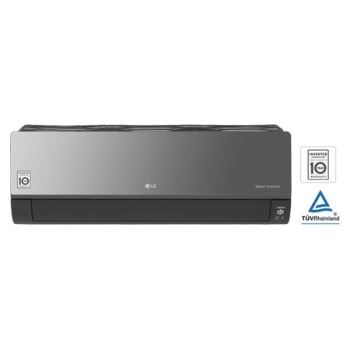
The indoor unit is usually mounted high on a wall. It looks like a long, slim box with vents on the front.
To access the filter, you need to open the front panel of this indoor unit. The panel covers the filter and other parts.
- Make sure the air conditioner is turned off.
- Look for clips or tabs on the front panel.
- Gently pull or lift the panel to open it.
- Set the panel aside carefully.
Removing The Filter Safely
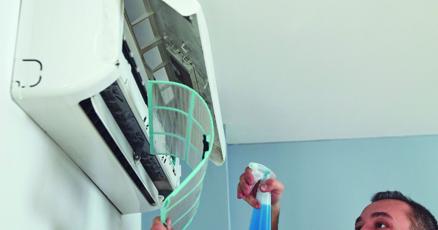
The filter is usually a thin, flat screen inside the open panel. You must remove it carefully to avoid damage.
Hold the filter by its edges. Avoid touching the mesh surface too much because it can tear or bend.
- Pull the filter out slowly and evenly.
- Check for any clips holding the filter in place.
- Place the filter on a clean surface for cleaning.
- Do not use sharp objects to remove the filter.
Step-by-step Cleaning Process
Cleaning the LG air conditioner filter helps your unit work well. A clean filter improves air flow and keeps the air fresh.
Follow these simple steps to clean the filter carefully and safely.
Vacuuming The Filter
Start by turning off the air conditioner and unplugging it. Remove the filter gently from the front panel.
Use a vacuum cleaner with a brush attachment to remove dust from the filter surface. This removes loose dirt easily.
- Hold the filter steady while vacuuming
- Cover all sides of the filter
- Do not press too hard to avoid damage
Washing With Water
After vacuuming, wash the filter with clean water. Use lukewarm water to avoid harming the filter material.
Gently rinse the filter under running water. Avoid using strong soap or chemicals that may damage the filter.
- Use a soft brush to clean stubborn dirt
- Do not scrub too hard
- Rinse until water runs clear
Drying The Filter Completely
Shake off excess water from the filter carefully. Place the filter in a shaded, ventilated area to dry.
Do not expose the filter to direct sunlight or use a dryer. Make sure it is fully dry before reinstalling.
- Drying can take several hours
- Check for damp spots before reinstalling
- Wet filters can cause mold growth
Reinstalling The Filter
After cleaning your LG air conditioner filter, reinstalling it correctly is important. This helps the air conditioner work well and keeps the air clean.
Follow the right steps to put the filter back in place. This keeps the unit safe and efficient.
Ensuring Proper Placement
Place the filter in the correct position inside the air conditioner. The filter should fit snugly without gaps or forcing it in.
Look for guides or arrows on the filter frame. They show the right direction and side to place the filter.
- Hold the filter by its edges
- Slide it gently into the slot
- Match any arrows or marks on the filter
- Ensure it lies flat and level
Securing The Filter
Once the filter is in place, secure it properly. This stops the filter from moving or falling out during use.
Check if your LG air conditioner has clips or locks for the filter. Use them to hold the filter tight.
- Close any cover or panel over the filter
- Press clips or locks until they snap
- Make sure the filter stays firmly in place
- Do not force the cover if it does not close easily
Credit: www.kpcnews.com
Maintenance Tips
Keeping your LG air conditioner filter clean helps it work well. Clean filters improve air flow and cool your room faster.
Regular maintenance saves energy and extends the life of your air conditioner.
Cleaning Frequency
Cleaning the filter often keeps the air fresh and the machine efficient. You should clean your filter at least once every month during heavy use.
- Turn off the air conditioner before cleaning.
- Remove the filter carefully from the unit.
- Use a vacuum cleaner to remove dust.
- Wash the filter with warm water and mild soap.
- Let the filter dry completely before reinstalling.
Signs Of Filter Replacement
Filters wear out over time. Look for these signs to know when to replace your LG air conditioner filter.
| Sign | What it Means | Action |
| Unusual odor | Filter holds dust and mold | Replace filter immediately |
| Visible tears or holes | Filter is damaged | Replace filter |
| Reduced airflow | Filter is clogged | Clean or replace filter |
| Long usage time | Filter past lifespan | Replace every 6-12 months |
Credit: www.lg.com
Frequently Asked Questions
How Often Should I Clean Lg Air Conditioner Filter?
Clean your LG AC filter every 2 to 4 weeks for optimal performance. Frequent cleaning improves airflow and cooling efficiency. Regular maintenance prevents dust buildup that can strain the system. Always refer to your model’s manual for specific recommendations.
What Tools Do I Need To Clean Lg Ac Filters?
You only need a soft brush, mild detergent, and water to clean LG AC filters. Avoid harsh chemicals or abrasive tools to prevent damage. A vacuum cleaner with a brush attachment can also be helpful for removing dust before washing.
Can I Wash Lg Ac Filter With Water?
Yes, washing LG AC filters with lukewarm water is safe and effective. Use mild soap if heavily soiled, then rinse thoroughly. Let the filter dry completely before reinstalling to avoid mold growth. Never use hot water or strong chemicals.
How Do I Remove Lg Air Conditioner Filter Safely?
To remove the LG AC filter, turn off the unit and open the front panel gently. Slide or unclip the filter carefully to avoid damage. Handle the filter by its frame and avoid touching the mesh to keep it clean.
Conclusion
Cleaning your LG air conditioner filter keeps the air fresh and cool. Regular cleaning helps the unit work well and saves energy. It also stops dust and dirt from building up inside. A clean filter means better air quality for your home.
Try to clean the filter every few weeks during use. This small step makes a big difference in comfort. Take care of your air conditioner for longer life and better performance. Simple care leads to a cooler, healthier home environment.