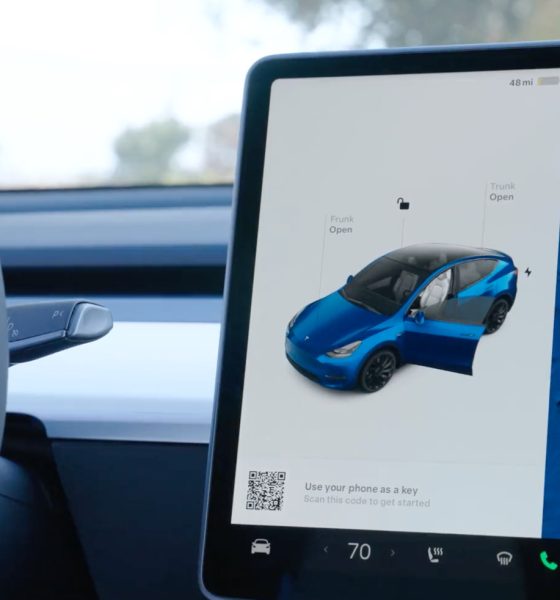
Have you ever wondered if you can use the Tesla app when driving a rental? If you’re renting a Tesla or thinking about it, knowing how the app works with rental cars can save you time and hassle.
The Tesla app offers powerful features like unlocking doors, checking battery life, and controlling climate settings—all from your phone. But does that convenience come with a rental? Keep reading to discover what you need to know and how to make the most of your Tesla rental experience.
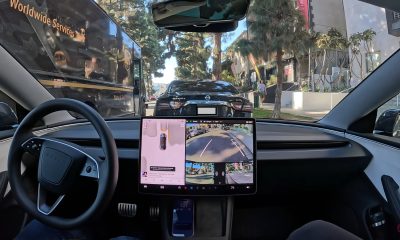
Credit: www.teslarati.com
Tesla App And Rental Cars
The Tesla App offers a smart way to interact with Tesla vehicles. Using it with rental cars raises questions about its compatibility and usefulness. Many renters wonder if they can control a rental Tesla just like their own car. The app provides various features, but some depend on vehicle access and permissions.
Compatibility With Rental Vehicles
Not all rental Teslas support full app access. Some rental companies restrict app use for security. This means renters may not connect their Tesla App to the vehicle. Without proper access, key features remain locked.
Compatibility often depends on the rental provider’s policies. Some allow app activation, while others do not. Tesla’s system requires the car’s owner to enable app permissions. Renters should check with the rental agency before expecting full app use.
Tesla App Features For Renters
The Tesla App can offer useful features for renters, if allowed. These include:
- Remote climate control to cool or heat the car
- Checking battery status and range
- Locating the car via GPS
- Locking and unlocking doors remotely
- Starting or stopping charging sessions
Some features might be limited to protect the rental company’s interests. Renters should verify which app functions are available before renting. The Tesla App can enhance the rental experience but depends on access permissions.

Credit: www.envoythere.com
Setting Up Tesla App For Rentals
Setting up the Tesla app for rental cars allows renters to access many Tesla features. The app offers control over vehicle functions like climate and charging. Setting it up correctly enhances the driving experience and convenience during the rental period.
Account Requirements
To use the Tesla app, you need a Tesla account. The rental company may provide temporary access or link the car to your account. Verify with the rental service if they support app access for renters.
Creating a Tesla account is free and simple. It requires a valid email and password. Having an account ready before renting saves time and hassle.
Linking The Rental Car
Linking the rental car to your Tesla app depends on the rental company’s policies. Some rentals include app access, while others restrict it for security reasons. Confirm if the rental car can be added to your account.
If allowed, the rental company will share a unique car ID or login details. Enter these into the app to connect the vehicle. Once linked, you can control many car features remotely.
Without proper linking, app functions will be limited or unavailable. Always check rental terms regarding Tesla app use before booking.
Limitations And Restrictions
Using the Tesla app with a rental car has some limits and rules. These come from the rental company and the app itself. Knowing these limits helps avoid surprises and ensures smooth use.
Rental Company Policies
Rental companies often restrict app access for security reasons. They may block some app features or the whole app. This protects their vehicles and data.
Some companies disable remote controls like locking, unlocking, or starting the car. Others might allow basic features like checking battery status only. Always ask the rental company about their app rules before renting.
App Functionality Limits
The Tesla app needs a linked Tesla account to work fully. Rental cars usually belong to the company, not the renter. This can limit app functions.
- Remote start may not work without proper account access.
- Navigation and charging controls might be unavailable.
- Vehicle location tracking could be restricted.
Access depends on how the rental company sets up the car’s Tesla account. Some features may work, but expect limits on control and monitoring.
Benefits Of Using Tesla App With Rentals
Using the Tesla app with a rental vehicle offers several helpful benefits. It makes the driving experience smoother and more convenient. The app connects you directly to the car’s features. This connection helps save time and effort while driving a Tesla rental.
Many functions become easier to manage through the app. It gives control right at your fingertips. The app improves safety and comfort throughout your trip.
Remote Access And Control
The Tesla app lets you control the car from a distance. You can lock or unlock doors without using a key. Check if the car is locked anytime. This feature adds security and peace of mind.
Start or stop the climate control remotely. Warm or cool the car before you get inside. It saves waiting time and makes the ride more pleasant. You can also flash lights or sound the horn if needed.
Charging And Navigation
The app shows the car’s battery level and charging status. Find nearby charging stations easily with built-in maps. Get directions to the closest Tesla Supercharger or other chargers.
Plan your trips with real-time traffic updates. The app helps avoid delays and saves fuel. It also suggests the best charging stops along your route. This makes long drives less stressful and more efficient.
Troubleshooting Common Issues
Using the Tesla app with a rental vehicle can sometimes lead to issues that interrupt your experience. Troubleshooting these common problems can save you time and frustration. Here’s how to tackle the most frequent hurdles users face.
Connection Problems
One of the biggest headaches is when the Tesla app won’t connect to the car. This often happens because the vehicle’s Bluetooth isn’t active or the app is out of sync with the car’s system.
Try turning your phone’s Bluetooth off and on again, then reopen the app. Sometimes, restarting the car’s infotainment system helps reset the connection. If you’re still stuck, check if your rental agreement allows app access—some rentals restrict this feature.
Have you noticed that a weak cellular signal can block app functions? Moving to a spot with better coverage or connecting to Wi-Fi can improve connectivity dramatically.
App Permissions
Missing app permissions can block you from using key features like remote start or climate control. The app needs access to location, Bluetooth, and notifications to work smoothly.
Go into your phone’s settings and make sure the Tesla app has all the permissions it requests. Denying location or Bluetooth access is a common reason the app won’t communicate with the car.
Also, check if your phone’s battery saver mode is limiting app background activity. Disabling this mode while using the Tesla app can keep it running without interruptions.
Alternatives If Tesla App Isn’t Available
Not having access to the Tesla app when you rent a Tesla can feel limiting. But don’t worry—you still have ways to control and enjoy the car’s features without it. Let’s look at some practical alternatives that keep you connected and in control.
Third-party Apps
Some third-party apps offer Tesla-like controls and features, even if you don’t have the official app. Apps like Teslafi or TezLab let you track charging, monitor driving stats, and sometimes control basic functions remotely.
However, these apps often require you to input your Tesla account details. So, if your rental provider doesn’t give you access or if you’re uncomfortable sharing credentials, this might not be an option.
Still, exploring these apps can give you a sense of what’s possible beyond the standard interface. Have you tried any third-party Tesla apps before? They might surprise you with useful insights.
Manual Vehicle Controls
Even without an app, Tesla’s touchscreen and physical controls offer plenty of power at your fingertips. Adjust climate settings, open the trunk, or enable autopilot—all directly from the car.
Remember, the car’s interface is designed to be intuitive. Spend a few minutes exploring menus and buttons—you might find features you didn’t expect to access without the app.
Also, key fobs or cards provided with the rental can unlock and start the car easily. If you rely solely on these, have you noticed any differences in convenience or control compared to app use?

Credit: apps.apple.com
Frequently Asked Questions
Can You Access Tesla App With A Rental?
Yes, you can access the Tesla app with a rental. However, it depends on the rental company’s policies. Some companies allow temporary app access. Ensure you have the necessary permissions and login details to use the app features like remote start and charging status.
Do Rental Teslas Offer Full App Features?
Rental Teslas often provide limited app features. While you might access basic functions, some advanced features may be restricted. It’s best to confirm with the rental company which app functionalities are available to you.
How To Connect Tesla App To A Rental Car?
To connect the Tesla app to a rental car, obtain login credentials from the rental company. Once you have the details, download the app and log in. Follow the in-app instructions to connect and manage your rental vehicle efficiently.
Are There Additional Fees For App Usage?
Typically, there are no additional fees for using the Tesla app with a rental. However, it’s essential to verify with the rental company. They may charge for certain features or services, so always read the rental terms carefully.
Conclusion
Using the Tesla app with a rental car depends on the rental company’s rules. Some companies allow app access, while others do not. The app can help control the car’s features and monitor battery life. Always check the rental agreement before trying to use the app.
This prevents any confusion or extra charges. Understanding these points makes renting a Tesla easier and more enjoyable. The Tesla app offers useful tools, but permissions vary. Stay informed and drive safely.