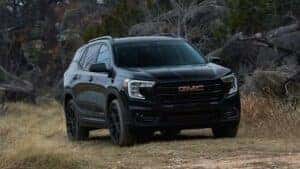
Imagine stepping into your GMC Terrain on a chilly morning and feeling the warmth greet you instantly. Sounds great, right?
Using the remote start feature can make this a reality. If you’re wondering how to use remote start on your GMC Terrain, you’re in the right place. This simple tool saves you time and adds comfort to your daily drive.
Keep reading, and you’ll learn exactly how to make the most of this handy feature every time you get behind the wheel.
Benefits Of Remote Start
Remote start on the GMC Terrain offers many benefits that improve your driving experience. It helps prepare your vehicle before you get inside. This feature makes driving easier and more enjoyable in various situations. Here are some key benefits of using remote start.
Comfort In Extreme Weather
Remote start warms or cools your GMC Terrain before you enter. On cold days, the engine heats up, making the cabin cozy. In hot weather, the air conditioning cools the inside quickly. This saves you from waiting inside an uncomfortable vehicle. Your ride feels pleasant right from the start.
Time-saving Convenience
Remote start saves time by letting you start the engine from a distance. No need to go outside and turn the key manually. You can prepare your vehicle while finishing other tasks. This is especially useful during busy mornings or sudden weather changes. It helps you leave faster and more comfortably.
Enhanced Vehicle Security
Remote start adds a layer of security to your GMC Terrain. The engine only starts if the key fob is nearby. This prevents unauthorized use and theft. You can also keep the doors locked while the engine runs. It keeps your vehicle safe while you enjoy the benefits of remote start.

Credit: www.amazon.com
Prerequisites For Using Remote Start
Before using the remote start feature on your GMC Terrain, certain conditions must be met. These prerequisites ensure the system works safely and correctly. Knowing these requirements helps avoid frustration and saves time.
Check your vehicle and key fob. Also, review settings and safety features. This prepares you to use remote start with ease and confidence.
Compatible Gmc Terrain Models
Not all GMC Terrain models support remote start. Generally, models from recent years offer this feature.
- 2018 and newer models usually have remote start capability.
- Check your vehicle’s manual or contact a dealer for confirmation.
- Base models may lack remote start; higher trims often include it.
Key Fob Requirements
Your key fob must support remote start functions. Older or replacement fobs might not have this feature.
- The key fob should have a dedicated remote start button.
- Battery in the key fob must be fully charged for a strong signal.
- Programming may be needed to enable remote start on some fobs.
Settings And Safety Checks
The vehicle must meet safety conditions before remote start activates. These settings prevent accidents or damage.
- All doors and the hood must be fully closed and locked.
- The vehicle should be in park gear, not drive or reverse.
- Check engine and battery health; remote start may fail if issues exist.
- Some models require the alarm system to be armed before starting remotely.
Activating Remote Start With Key Fob
Activating the remote start feature on your GMC Terrain with the key fob is a straightforward process that can make your driving experience much more comfortable. Imagine stepping into a vehicle that’s already warmed up or cooled down, saving you time and effort, especially during extreme weather. This feature is designed to be user-friendly, but knowing the exact steps and how to handle common hiccups will ensure you get the most out of it.
Step-by-step Activation
Using your key fob to start your GMC Terrain remotely is quick once you know the sequence. The key fob has specific buttons that you need to press in order to activate the remote start.
- Lock your vehicle by pressing the lock button once.
- Within five seconds, press and hold the remote start button (usually marked with a circular arrow) for about four seconds.
- The vehicle’s lights will flash, and the engine will start, running for about 15 minutes.
- If you want to extend the run time, repeat the remote start button hold before the 15 minutes expire.
Have you noticed how some key fobs feel more responsive than others? It’s often due to battery strength, so keeping your fob’s battery fresh can make a big difference.
Troubleshooting Common Issues
If your remote start isn’t working as expected, don’t assume it’s a major problem. Many issues have simple fixes.
- Vehicle won’t start:Check if the hood is properly closed. The remote start won’t activate if the hood latch sensor detects it’s open.
- Key fob not responding:Replace the fob battery or try standing closer to the vehicle.
- Engine shuts off immediately:Ensure the brake pedal isn’t pressed when activating remote start; the system won’t start if it detects brake engagement.
- Security system issues:Sometimes the vehicle’s security system can block remote start. Lock and unlock the vehicle manually with the key to reset it.
Have you ever wondered why the remote start stops working suddenly? It might be your Terrain’s safety features preventing it, which is a good reminder that safety is prioritized even in convenience features.
Using The Gmc Mobile App For Remote Start
The GMC Mobile App offers a seamless way to control your GMC Terrain’s remote start feature right from your smartphone. This tool brings convenience to your fingertips, letting you warm up or cool down your vehicle before you even step outside. Getting familiar with the app’s setup and functions can save you time and enhance your driving experience.
App Setup And Connection
First, download the GMC Mobile App from your device’s app store. After installing, open the app and create or log into your GMC account.
Next, link your GMC Terrain to the app by entering your Vehicle Identification Number (VIN) and following the prompts. Make sure your vehicle is parked in an area with good cellular signal to ensure smooth connection.
Once connected, the app syncs with your Terrain’s system, enabling remote commands. It’s a quick process that sets the foundation for all remote start actions.
Starting Your Terrain Remotely
With the app ready, you can start your GMC Terrain remotely by tapping the remote start icon. The app sends a signal to your vehicle, igniting the engine and activating climate controls.
This feature is particularly useful on cold mornings or hot afternoons when you want the interior temperature just right before you get inside. How much time could you save by having your car ready to go the moment you step out?
Remember, remote start typically runs for about 10 to 15 minutes. You can extend this time by restarting the vehicle through the app if needed.
Additional Features Via App
The GMC Mobile App doesn’t stop at remote start. It also lets you:
- Lock and unlock doors remotely
- Check fuel levels and oil life
- Locate your Terrain on a map
- Set speed and boundary alerts
These features add layers of convenience and security, making your driving experience smarter and safer. Have you explored how these extras might improve your daily routine or give you peace of mind?
Safety Tips When Using Remote Start
Using the remote start feature on your GMC Terrain adds convenience, especially on chilly mornings or hot afternoons. However, safety should always come first. Understanding how to use remote start safely protects you, your vehicle, and those around you.
Avoiding Carbon Monoxide Risks
Carbon monoxide is a silent danger when your vehicle runs in an enclosed space. Never use remote start inside a closed garage or any area with limited ventilation. Even if the garage door is open, fumes can build up quickly and pose a serious health risk.
Think about your last winter morning when you warmed up your car inside a garage. Did you notice any unusual smells or dizziness? That’s a warning sign you should never ignore. Always move your GMC Terrain to an open outdoor space before activating remote start to keep fresh air flowing.
Parking And Locking Guidelines
Remote start only works when your GMC Terrain is properly parked and locked. Ensure the vehicle is in park gear and all doors are closed tightly before you start the engine remotely. This prevents the car from rolling or unauthorized access while it’s running.
Ask yourself: Have you ever left your car unlocked by mistake? Remote start won’t override the locking system, so make it a habit to double-check your locks. This simple step adds a layer of security, keeping your vehicle safe from theft or tampering while you’re not around.
Customizing Remote Start Settings
Customizing the remote start settings on your GMC Terrain lets you tailor the experience to fit your daily needs. It’s not just about starting the engine from a distance; it’s about making sure your vehicle is ready exactly how you want it every time. Small adjustments can make a big difference in comfort and convenience.
Adjusting Auto-stop Timer
The auto-stop timer controls how long your Terrain’s engine runs after you remotely start it. You can set this timer to stop the engine after a few minutes or extend it for longer periods. This feature helps save fuel and reduce emissions while ensuring your car warms up or cools down properly before you get inside.
Consider your typical routine: Do you usually wait outside for a short time, or do you use the remote start to prepare the car well in advance? Adjusting the timer based on your habits can prevent your engine from running unnecessarily. Most GMC Terrain models let you change the timer using the vehicle’s infotainment system or the MyGMC app.
Climate Control Preferences
Setting your preferred climate control options through remote start means stepping into a comfortable cabin every time. You can program the system to adjust the temperature, fan speed, and even seat heaters remotely. This is especially useful during extreme weather when you want your car to be cool in summer or warm in winter before you hop in.
Ask yourself which climate settings matter most: Do you prefer the air conditioning to kick in immediately, or is it more important to have heated seats ready? The GMC Terrain allows you to save these preferences so the remote start activates them automatically. This personal touch makes your daily drive more enjoyable without extra effort.
Common Problems And Solutions
Using the remote start feature on your GMC Terrain can be a game-changer, especially on chilly mornings or hot afternoons. However, it’s common to face some hiccups that prevent it from working smoothly. Understanding these problems and knowing how to fix them helps you get the most out of this convenient feature without frustration.
Remote Start Not Working
If your remote start isn’t activating, start by checking the basics. Is the vehicle in “Park” with all doors, hood, and trunk securely closed? The system won’t engage if any of these aren’t properly secured.
Sometimes, the key fob battery is weak even if it seems okay. Try replacing the battery to see if that resolves the issue. Also, make sure you’re within the effective range—being too far can stop the signal from reaching your Terrain.
Another quick test: does the lock/unlock function on your key fob work? If those don’t respond either, the problem could lie with the key fob itself or the vehicle’s receiver.
Battery And Signal Issues
Your GMC Terrain’s battery health plays a crucial role in remote start functionality. A weak or dying car battery can prevent the remote start from engaging, as the system senses insufficient power to safely start the engine.
Check your battery voltage if you notice sluggish responses or failures in remote start. A simple multimeter reading or a visit to your mechanic can confirm if the battery needs replacement.
Signal interference also causes problems. Nearby buildings, electronic devices, or even thick walls can block the signal from your key fob. If you frequently find yourself too far from your Terrain or in a signal-blocked area, try moving closer or changing your location.
- Replace the key fob battery regularly
- Keep your car battery well-maintained
- Ensure all doors and compartments are fully closed
- Avoid areas with heavy signal interference
Have you ever wondered why your remote start works perfectly one day and not the next? Checking these simple points might save you a trip to the dealership and keep your GMC Terrain ready to roll whenever you need it.
Credit: www.terrainforum.net

Credit: www.youtube.com
Frequently Asked Questions
How Do I Activate Remote Start On Gmc Terrain?
To activate remote start on your GMC Terrain, press the lock button on your key fob. Immediately after, hold the remote start button for about four seconds. The vehicle’s lights will flash, indicating the engine has started. Ensure your vehicle is parked safely and meets all remote start prerequisites.
Can I Use Remote Start With The Gmc App?
Yes, you can use the MyGMC app to remotely start your GMC Terrain. Simply download the app on your smartphone and register your vehicle. Once set up, you can start your engine remotely, providing convenience and comfort, especially in extreme weather conditions.
How Far Does Gmc Terrain Remote Start Work?
The GMC Terrain’s remote start typically works within a range of about 200 feet. However, environmental factors like buildings or interference might affect this range. It’s always best to test the range in your specific location to understand any limitations.
Does Remote Start Affect Battery Life?
Using remote start occasionally won’t significantly affect your battery’s life. However, frequent use can lead to increased battery wear over time. Ensure your battery is in good condition to handle additional use, and always monitor for any signs of battery weakening.
Conclusion
Using remote start on your GMC Terrain saves time and adds comfort. It warms or cools the vehicle before you get inside. Always follow safety steps for the best experience. Practice using the remote start a few times to feel confident.
This feature makes your daily drive easier and more pleasant. Enjoy the convenience every time you use your GMC Terrain.