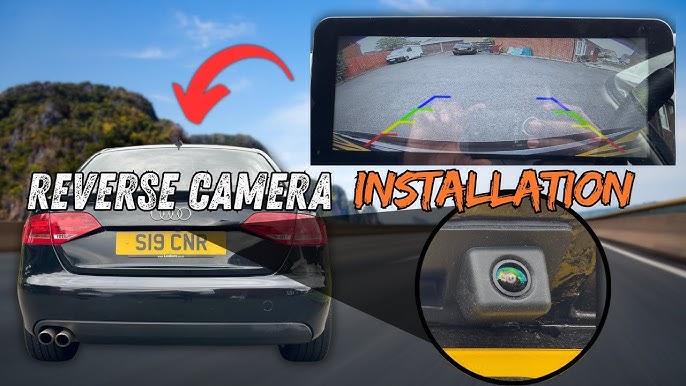
Have you ever struggled to see what’s behind your car when backing up? Installing a backup camera can change that—and make parking safer and easier for you.
But you might be wondering, “Can I install a backup camera in my car myself? ” The good news is, you probably can. You’ll discover simple steps and tips to help you add this handy feature to your vehicle. Keep reading to find out how you can improve your driving experience and protect your car from costly accidents.
Benefits Of A Backup Camera
Installing a backup camera in your car adds many useful features. It helps you see behind your vehicle clearly. This makes driving safer and easier.
Backup cameras are common in new cars. You can add one to older cars too. The benefits are worth the effort and cost.
Improved Safety
A backup camera reduces blind spots behind your car. It helps you spot children, pets, or obstacles quickly. This lowers the risk of accidents when reversing.
- Better view of hard-to-see areas
- Alerts you to moving objects
- Prevents collisions with people and objects
- Improves night-time visibility
Enhanced Parking Accuracy
Backup cameras guide you while parking. They show distance lines and angles on the screen. This helps you park in tight spots without hitting anything.
| Parking Benefit | How Backup Camera Helps |
| Parallel Parking | Shows curb and car position clearly |
| Reverse Parking | Displays obstacles behind the car |
| Garage Parking | Prevents hitting walls or objects |
Increased Vehicle Value
Adding a backup camera can raise your car’s resale value. Many buyers look for this feature today. It shows that the car is safer and more modern.
Key reasons a backup camera increases value:
- Meets safety expectations of buyers
- Reduces chances of damage before sale
- Shows care in maintaining the car

Credit: typesauto.com
Types Of Backup Cameras
Backup cameras help drivers see behind their vehicles. They improve safety when reversing. There are different types of backup cameras to choose from.
Understanding the types can help you pick the right one for your car. Let’s look at wired, wireless, and model-specific cameras.
Wired Cameras
Wired backup cameras connect to the car’s display using cables. They usually offer a stable video signal. The installation can be more complex because wires must run through the vehicle.
These cameras often provide better image quality. They do not need batteries or charging. However, installation may require professional help.
Wireless Cameras
Wireless backup cameras send video signals without cables. They use Wi-Fi or radio frequency to connect to the display. Installation is usually easier and faster.
- Less installation time
- No wires running through the car
- May need battery or charging
- Signal can be affected by interference
Universal Vs. Vehicle-specific Models
Universal backup cameras fit many types of cars. Vehicle-specific cameras are made for certain car models. Each type has pros and cons.
| Feature | Universal Cameras | Vehicle-Specific Cameras |
|---|---|---|
| Compatibility | Works with most cars | Designed for specific models |
| Installation | May need adjustments | Usually plug-and-play |
| Cost | Generally cheaper | Often more expensive |
| Fit and Finish | May not look perfect | Matches car design |
Tools And Materials Needed
Installing a backup camera in your car needs some tools and materials. These help you fit the camera safely and correctly.
You can gather basic tools first. Then, add some optional items for easier installation.
Basic Tools List
These tools are needed to install most backup cameras. They help with removing panels and securing the camera.
- Screwdrivers (flathead and Phillips)
- Wire strippers and cutters
- Electrical tape
- Power drill with drill bits
- Socket wrench set
- Multimeter or voltage tester
- Panel removal tools
- Zip ties or cable clips
Having these tools ready makes the installation smoother. You can avoid damage to your car’s interior.
Optional Accessories
Optional accessories can help improve your installation experience. They are not required but can save time.
- Heat shrink tubing for wire protection
- Voltage regulator or fuse tap
- Extra wiring connectors
- Magnetic pickup tool for screws
- Headlamp or flashlight
- Digital camera or phone to record wire routes
Using these accessories can make your work easier. They help secure wires and protect connections better.
Credit: dashcamtalk.com
Step-by-step Installation Process
Installing a backup camera in your car can improve safety. This guide helps you install it yourself.
Follow these simple steps to get your backup camera up and running. Each step is clear and easy to follow.
Preparing Your Vehicle
First, clean the area where you will mount the camera. Remove any dirt or debris.
Check your vehicle’s manual for any warnings about drilling or wiring. Have basic tools ready like screwdrivers and wire strippers.
Mounting The Camera
Choose a spot near your license plate or rear bumper for the camera. This gives a clear view behind your car.
- Mark the exact spot for the camera.
- Drill holes if needed for screws or wiring.
- Attach the camera securely using screws or adhesive.
- Make sure the camera lens is clean and angled correctly.
Wiring The System
Route the camera wires inside the car. Use existing openings or drill a small hole if needed.
| Wire Color | Function |
| Red | Power (12V) |
| Black | Ground |
| Yellow | Video Signal |
Connect the red wire to the reverse light power wire. Attach the black wire to a metal ground point.
Connecting To The Display
Run the video cable from the camera to the display unit inside the car. This is usually the dashboard screen.
Plug the video connector into the display’s video input. Secure all cables to avoid loose connections.
Testing The Setup
- Turn on your car and shift into reverse gear.
- Check the display to see if the camera image appears.
- Adjust the camera angle if the view is not clear.
- Test the camera in different light conditions.
- Secure all wires and covers after confirming the system works.
Common Installation Challenges
Installing a backup camera in your car can improve safety. Yet, some challenges may arise during installation. Understanding these issues helps you prepare better.
This guide covers common problems with wiring, camera placement, and display compatibility. Each section offers tips to overcome these obstacles.
Dealing With Wiring Issues
Wiring is often the hardest part of installing a backup camera. Cars have many wires, and finding the right ones can be tricky. Poor wiring can cause the camera to fail or work intermittently.
- Locate the reverse light wire to power the camera.
- Use a multimeter to test wire connections safely.
- Secure wires to avoid damage from moving parts.
- Use proper connectors and avoid loose splices.
- Check the fuse if the camera does not turn on.
Placement And Angle Problems
Choosing the right spot for the camera is key. The angle must show a clear view of the area behind the car. Wrong placement can leave blind spots or a poor image.
| Placement Area | Potential Issue | Tip |
| Near License Plate | Obstructed by plate or frame | Mount slightly above or to the side |
| Rear Bumper | Too low, dirt and water spots | Clean often and angle slightly downward |
| Rear Window | Reflections and glare | Use anti-glare cover or shade |
Display Compatibility
Your car’s display must work with the backup camera. Not all monitors support the camera’s video type or input. This can cause no picture or poor quality.
Check these points for display compatibility:
- Match the camera video format (NTSC or PAL) to the display.
- Confirm the display has the correct input type (RCA, HDMI, etc.).
- Test the camera with the display before final installation.
- Update the display software if available.

Credit: www.youtube.com
Maintenance Tips For Backup Cameras
Installing a backup camera in your car helps you see behind while parking. To keep it working well, you need to maintain it regularly.
Simple care steps can improve the camera’s view and prevent problems. These tips help your backup camera last longer.
Cleaning The Lens
The lens can get dirty from dust, rain, or mud. A clean lens shows a clear picture on your screen.
Use a soft cloth and mild cleaner to wipe the lens gently. Avoid harsh chemicals that might damage it.
- Clean the lens once a week or after bad weather
- Do not scratch the lens while cleaning
- Dry the lens after cleaning to avoid water spots
Checking Connections
Loose or damaged wires can stop the camera from working. Check the connections often to keep the camera active.
Look for frayed wires or loose plugs near the camera and the monitor. Secure or replace any weak parts you find.
- Inspect wires monthly for damage
- Make sure plugs fit tightly
- Replace damaged cables immediately
Software Updates
Some backup cameras use software to improve the image or add features. Keeping this software updated helps the camera work well.
Check your car or camera manual to find how to update the software. Updates fix bugs and improve performance.
- Check for updates every few months
- Follow instructions carefully to update
- Contact support if updates fail
When To Seek Professional Help
Installing a backup camera in your car can be simple or tricky. Some situations need expert help.
Knowing when to call a professional keeps your car safe and working well.
Complex Electrical Systems
Modern cars have complex electrical wiring. Backup cameras need a connection to power and display units.
- If your car has many electrical parts, installation can cause problems.
- Wrong wiring may damage your car’s electronics.
- Professionals know how to avoid shorts and power issues.
Advanced Vehicle Models
Newer cars often have built-in technology that works with backup cameras.
| Vehicle Type | Camera Compatibility | Professional Help Needed |
| Standard Models | Aftermarket cameras fit easily | No, if you have basic skills |
| Hybrid/Electric Cars | May need special adapters | Yes, to avoid damage |
| Luxury Vehicles | Integrated systems require coding | Yes, for proper setup |
Warranty Considerations
Some car warranties can be voided by aftermarket installations.
To protect your warranty, consider:
- Checking your car manual before installation
- Using authorized service centers
- Keeping records of all work done
- Asking professionals about warranty impacts
Frequently Asked Questions
Can I Install A Backup Camera In Any Car?
Yes, backup cameras can be installed in almost any car. Compatibility depends on your vehicle’s make and model. Installation may require professional help for some cars, especially older models without built-in display screens.
How Much Does Installing A Backup Camera Cost?
Installation costs vary between $100 and $500. The price depends on the camera type and professional installation fees. DIY kits are cheaper but require technical skills for proper setup.
Do Backup Cameras Improve Driving Safety?
Yes, backup cameras enhance safety by providing a clear rear view. They reduce blind spots and help prevent accidents while reversing. Many drivers find them essential for parking and avoiding obstacles.
Can I Install A Backup Camera Myself?
Yes, many backup cameras come with DIY kits and instructions. Basic electrical knowledge and tools are needed. For complex setups, professional installation is recommended to ensure proper function.
Conclusion
Installing a backup camera in your car is a smart choice. It boosts safety and enhances driving ease. Choose a compatible camera for your vehicle. Follow installation guidelines carefully. Most people find the setup manageable. Yet, seeking professional help is always an option.
A backup camera helps avoid accidents. It makes parking simpler too. Consider your budget and camera features. Research options and read reviews before purchasing. Soon, you’ll enjoy a safer driving experience. Your car will feel more modern and secure. Embrace the added convenience.
Make the roads safer for everyone.