Have you ever wished you had a clearer view when backing up your car? Adding a backup camera can make parking easier and safer, but you might be wondering if it’s possible to install one in your current vehicle.
The good news is, yes—you can add a backup camera to your car, even if it didn’t come with one originally. You’ll discover how simple the process can be, what options are available, and how this small upgrade can protect you and your loved ones every time you hit reverse.
Keep reading to find out everything you need to know before making your car safer and smarter.
Benefits Of A Backup Camera
Adding a backup camera to a car can make driving safer and easier. Many drivers find it helpful when reversing or parking.
Backup cameras show a clear view behind the vehicle. This helps drivers avoid accidents and park with confidence.
Improved Safety
A backup camera reduces blind spots behind the car. This helps drivers see children, pets, or objects that are hard to spot.
It lowers the chance of collisions when reversing. Drivers can react faster to unexpected obstacles.
Enhanced Parking Precision
The backup camera shows the exact position of the car in relation to parking lines. This makes parking easier and more precise.
It helps avoid hitting curbs or other vehicles. Drivers can park in tighter spots with less stress.
- Clear view of parking lines
- Better distance judgment
- Less need to guess while parking
Increased Vehicle Value
Installing a backup camera can make a car more attractive to buyers. It shows the vehicle has modern safety features.
Cars with backup cameras often have higher resale values. Buyers appreciate the added safety and convenience.
Types Of Backup Cameras
Adding a backup camera improves safety when reversing your car. Different types of backup cameras fit various needs and budgets.
Understanding the options helps you pick the best camera for your vehicle and preferences.
Wired Systems
Wired backup cameras connect to your car’s display using cables. These systems offer a stable and clear video signal. Installation can take more time because wires must run through the car’s interior.
- Provide high-quality video feed
- Less prone to interference
- Require professional or careful installation
- Often come with night vision
Wireless Systems
Wireless backup cameras send video signals without cables. These systems are easier to install and can work well for older cars without built-in screens.
- Quick installation with no wiring needed
- Signal can sometimes be interrupted
- Battery or vehicle power options
- May have lower video quality than wired
Mirror And Display Options
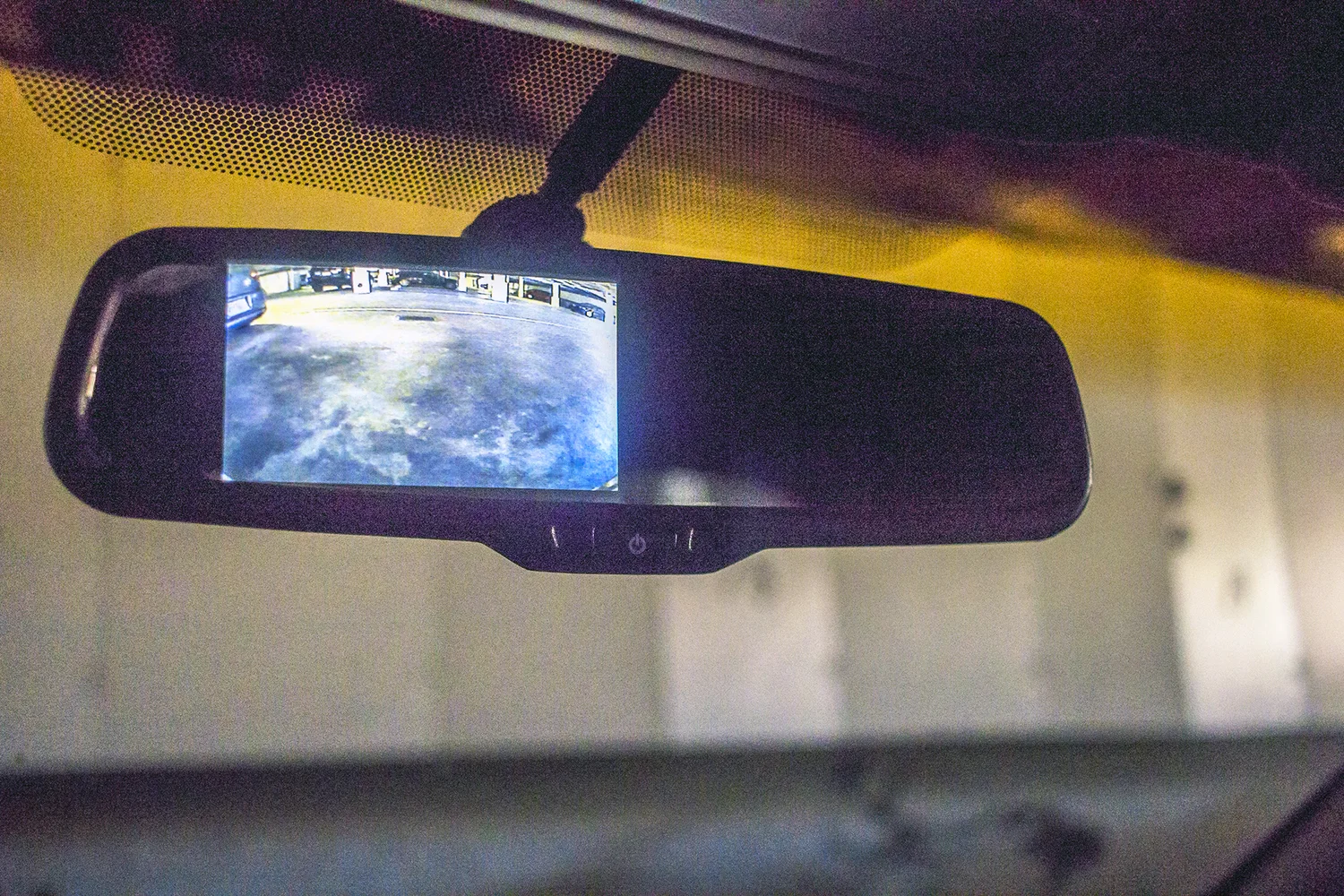
Backup cameras connect to different displays. You can choose between rearview mirrors with built-in screens or separate monitor units.
| Display Type | Features | Installation |
| Rearview Mirror Screen | Integrated display, easy to view | Replaces or attaches to existing mirror |
| Dashboard Monitor | Standalone screen, flexible placement | Mounts on dashboard or windshield |
| In-Dash Screen | Built into car stereo or navigation | Requires professional installation |
Tools And Materials Needed
Adding a backup camera to your car improves safety by helping you see behind your vehicle. You need the right tools and materials for a smooth installation.
Gathering all components and tools before you start saves time. Below are the main items you will need.
Camera Kit Components
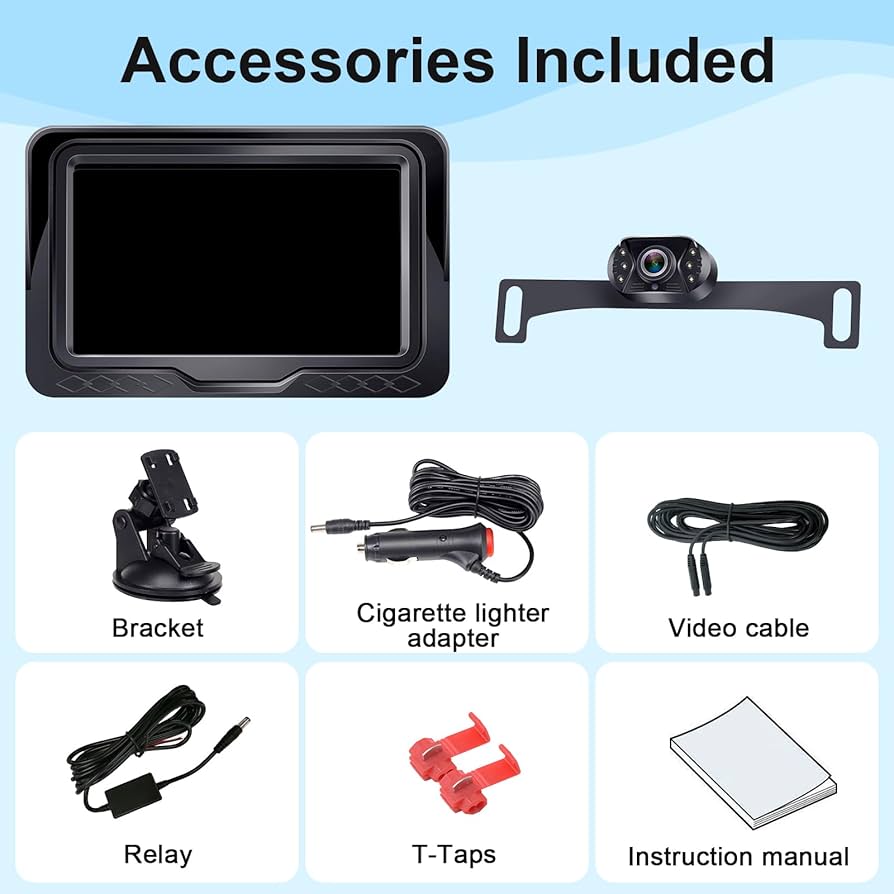
A backup camera kit usually contains everything needed to capture and display the rear view.
- Backup camera with mounting bracket
- Monitor or display screen
- Power cable and wiring harness
- Video cable or wireless transmitter
- User manual and installation guide
Basic Tools Required
| Tool | Purpose |
| Screwdriver set | To remove panels and secure the camera |
| Wire strippers | To strip insulation from wires |
| Electrical tape | To insulate wire connections |
| Drill with bits | To make mounting holes |
| Multimeter | To test voltage and connections |
| Socket wrench | To loosen or tighten bolts |
Additional Supplies
Some extra materials help secure wires and protect the camera system.
- Zip ties to organize cables
- Heat shrink tubing for wire protection
- Silicone sealant to waterproof mounts
- Fuse tap or inline fuse for power safety
- Cleaning cloth to prepare mounting surfaces
Credit: www.12volt.tech
Preparing Your Vehicle
Adding a backup camera to your car helps improve safety and visibility. Before installation, you need to prepare your vehicle properly. This preparation makes the process easier and ensures the camera works well.
Preparation involves choosing the best spot for the camera, accessing the back of the car, and finding power sources. Each step is important for a smooth installation.
Selecting The Camera Mount Location
Pick a place at the rear of your car to mount the camera. The location affects the camera’s view and protection from damage. Most people choose near the license plate or the trunk handle.
- Find a spot with a clear view behind your car.
- Avoid places where dirt or water can easily cover the lens.
- Check that the spot allows easy wiring to the car’s power and display.
- Ensure the camera will not block or be blocked by other parts.
Accessing The Rear Of The Car
You need to open or remove some parts of the car’s rear to install the camera and run the wires. This might include the trunk liner or rear bumper.
- Open the trunk or tailgate to get inside.
- Remove any plastic panels or covers carefully.
- Look for a route to pass the camera wires to the front of the car.
- Keep screws and parts safe for reassembly.
Locating Power Sources
Your camera needs power from the car’s electrical system. Usually, it connects to the reverse light circuit or a fuse box. Finding the right power source is key to proper camera operation.
| Power Source | Location | Notes |
| Reverse Light Wire | Rear light cluster | Activates camera when backing up |
| Fuse Box | Under dashboard or engine bay | Use a fuse tap for safe connection |
| Battery | Engine compartment | Needs inline fuse for protection |
Step-by-step Installation
Adding a backup camera to your car improves safety and parking ease. This guide helps you install the camera yourself.
Follow these clear steps to mount the camera, route the wires, connect power and display, and test the system.
Mounting The Camera
Choose a good spot at the rear of your car to mount the camera. Usually, above the license plate is best.
Clean the area well to ensure the camera sticks properly. Use screws or adhesive, depending on your camera type.
Routing The Wires
Route the camera wires through the trunk and under the car’s interior panels. Avoid sharp edges or moving parts.
- Remove interior panels carefully.
- Use zip ties to secure the wires.
- Keep wires away from heat sources.
- Lead wires toward the dashboard area.
Connecting To Power And Display
Connect the camera power wire to the car’s reverse light wire. This powers the camera only when reversing.
| Wire | Connection Point | Purpose |
|---|---|---|
| Red (Power) | Reverse light positive wire | Camera power |
| Black (Ground) | Car chassis or negative battery terminal | Ground connection |
| Video cable | Display input (head unit or monitor) | Video signal |
Connect the video cable to your car’s display system. Test all connections for firmness.
Testing The System
Start your car and shift into reverse gear. The camera should turn on and display the rear view.
- Check the camera angle and adjust if needed.
- Look for clear video without flickers or lines.
- Ensure the image switches off when not in reverse.
- Secure all wires and panels back in place.
Troubleshooting Common Issues
Adding a backup camera to a car is helpful for safety. Sometimes, the camera may not work as expected. Troubleshooting can fix many common problems.
Below are common issues and simple ways to solve them. These tips can help you get the camera working right.
No Image On Display
If the screen shows no image, check the camera power first. The camera must be connected to the car’s reverse light or power source.
Also, check the video cable for loose or damaged connections. A bad cable can stop the image from showing.
- Ensure camera power wires are connected properly
- Check the video cable for damage or loose ends
- Verify the monitor is set to the correct input
- Test the camera with another monitor if possible
Poor Image Quality
Blurry or dark images can make it hard to see. Clean the camera lens with a soft cloth. Dirt or water drops reduce image quality.
Check if the camera is installed too far or at a bad angle. Adjusting the position can improve the picture. Also, low light can affect image clarity.
- Clean the camera lens regularly
- Adjust the camera angle for a better view
- Make sure the camera has enough light
- Replace the camera if the image is always poor
Intermittent Signal Problems
The image may flicker or cut out sometimes. This can be due to loose wiring or weak connections. Check all cables and connectors.
Interference from other electronics can also cause signal issues. Try to keep the video cable away from power wires or strong signals.
- Secure all cable connections tightly
- Replace damaged or old cables
- Route cables away from power lines and devices
- Use shielded cables to reduce interference
Maintenance Tips
Adding a backup camera to your car can improve safety. To keep it working well, regular maintenance is needed.
Simple care steps help the camera last longer and give clear images. Check the camera often to avoid problems.
Cleaning The Camera Lens
Dirt and dust can blur the camera lens. Clean the lens regularly with a soft cloth to keep the view clear.
Use water or a gentle cleaner if needed. Avoid harsh chemicals that can damage the lens surface.
Inspecting Wiring Regularly
Check the wiring connections often to make sure they are tight and not damaged. Loose wires can cause the camera to stop working.
Look for cracked or worn wires. Replace any damaged parts quickly to prevent electrical problems.
- Check wires near the camera and the display unit
- Look for frayed or exposed wires
- Secure any loose connections
Updating Software Or Firmware
Some backup cameras use software or firmware to work. Keep these updated to fix bugs and improve performance.
Check the manufacturer’s instructions for update steps. Regular updates help the camera stay reliable.

Credit: www.amazon.com

Credit: typesauto.com
Frequently Asked Questions
Can I Install A Backup Camera On Any Car Model?
Yes, you can install a backup camera on most car models. Universal kits fit many vehicles and enhance safety while reversing.
How Much Does Adding A Backup Camera Cost?
Adding a backup camera typically costs between $50 and $200. Prices depend on camera type and installation complexity.
Is Professional Installation Necessary For Backup Cameras?
Professional installation is recommended for optimal camera alignment and wiring. However, DIY kits are available for skilled car owners.
Will A Backup Camera Improve Parking Safety?
Yes, backup cameras reduce blind spots and help avoid obstacles. They significantly increase safety while parking and reversing.
Conclusion
Adding a backup camera to your car is a smart choice. It enhances safety and boosts convenience. Installing one is straightforward, even for beginners. You can choose from various types to suit your needs. Consider wireless options for easier setup.
A backup camera helps prevent accidents and makes parking easier. It also adds value to your vehicle. Ensure you select a reliable brand for long-term use. Research and plan before making a purchase. Investing in a backup camera can make driving safer and stress-free.