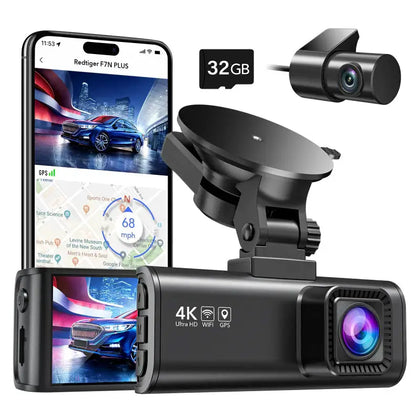
Have you ever wondered if your dash camera keeps watching when your car is off? You might think it only works while you’re driving, but what if it could protect your vehicle even when parked?
Knowing how your dash cam operates when your car is turned off can save you from unexpected damage, theft, or hit-and-run accidents. You’ll discover the truth about dash cameras’ power, how they record when your car isn’t running, and what features to look for to keep your car safe around the clock.
Keep reading—you don’t want to miss this crucial information that could protect your ride.
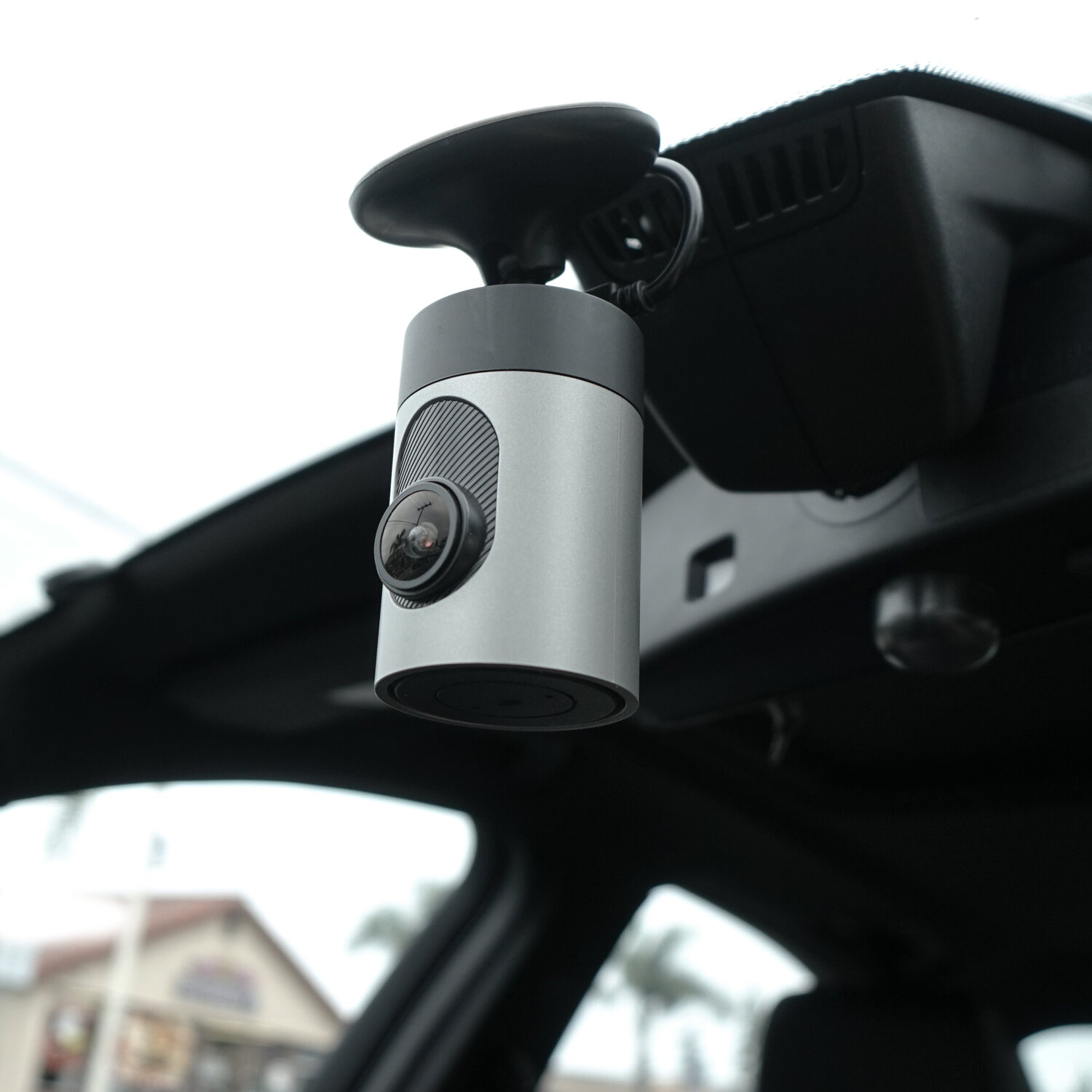
Credit: www.grdian.com
How Dash Cameras Get Power
Dash cameras need electricity to record videos. They get power from different sources. Some use their own batteries. Others connect to the car’s power system.
Knowing how dash cams get power helps you understand if they work when the car is off. This is important for parking and security.
Battery-powered Dash Cams
Battery-powered dash cams have a built-in battery. This battery lets the camera work even when the car is off. But the battery life is limited.
These dash cams usually record for a short time after the engine stops. Then, they turn off to save power and protect the battery.
Hardwired Dash Cams
Hardwired dash cams connect directly to the car’s electrical system. They get power from the car battery through the fuse box or a power cable.
This connection lets the dash cam run even when the car is off. It can record while parked, but it may drain the car battery if used too long.
Using A Parking Mode Feature
Many dash cams have a parking mode. This mode uses low power to watch the car when parked. It turns on only when it detects motion or impact.
Parking mode helps save battery life. It lets the dash cam work after the car is off without draining the power too fast.
Dash Cameras And Parking Mode
Dash cameras can record even when your car is off. Many models have a special parking mode. This mode helps protect your car when you are not inside.
Parking mode keeps the camera ready to record any unusual activity. It activates only if something happens near your car. Let’s look at how it works.
Motion Detection Capabilities
Dash cameras with motion detection can sense movement near your vehicle. When motion is detected, the camera starts recording automatically. This feature helps capture events like people walking close or other cars passing by.
Impact And Vibration Sensors
Impact sensors alert the dash camera to start recording if your car is hit or shaken. These sensors detect bumps and vibrations while the car is parked. They protect your vehicle by saving video of accidents or vandalism.
- Detects collisions or bumps
- Triggers instant recording
- Saves video clips to prevent overwriting
- Works even when the car is off
Time-lapse Recording
Time-lapse recording captures footage at set intervals. It uses less storage space than normal video. This method lets the camera record for long periods while the car is parked.
| Feature | Benefit |
| Motion Detection | Starts recording only when movement is near |
| Impact Sensors | Records on bumps or shocks |
| Time-Lapse Recording | Saves storage and captures long time periods |
Battery Drain Concerns
Dash cameras can run even if the car is off. This raises questions about battery drain. Some worry that leaving a dash cam on could empty the car battery.
It is important to understand how dash cams affect battery life. Knowing this helps prevent unwanted battery problems.
Impact On Car Battery Life
Dash cameras use power from the car battery to work when the engine is off. This can slowly drain the battery if the camera stays on for a long time. The drain depends on the camera’s power needs and the battery size.
| Factor | Effect on Battery |
| Power Usage of Dash Cam | Higher usage drains battery faster |
| Battery Capacity | Larger capacity lasts longer |
| Duration of Camera Use | Longer use drains more power |
| Car Battery Health | Older batteries drain faster |
Auto Shut-off Mechanisms
Many dash cams have auto shut-off features. These stop the camera from using power after a set time. This helps save the battery and avoid complete drain. Some models turn off when the battery voltage drops too low.
- Auto shut-off after a few hours of parking
- Low voltage cutoff to protect battery
- Motion detection to record only when needed
- Parking mode with limited power use
Best Practices To Prevent Drain
To avoid battery problems, follow these tips. They help keep your car battery healthy while using a dash cam.
- Choose a dash cam with auto shut-off features.
- Use a hardwire kit with a low voltage cutoff.
- Turn off the dash cam manually if the car will not be used for days.
- Check your car battery health regularly.
- Limit parking mode recording time if possible.
Types Of Dash Cameras That Work When Off
Many drivers wonder if dash cameras still work when their car is off. Some dash cams can record even when the engine is not running. This feature helps capture incidents when the vehicle is parked.
Different dash cameras use various technologies to stay powered after the car shuts down. Knowing these types helps you choose the right dash cam for your needs.
Models With Built-in Batteries
Some dash cameras have built-in batteries. These batteries allow the camera to keep recording for a short time after the car turns off. The recording time usually lasts from a few minutes up to an hour.
Built-in batteries make dash cams easy to install. They do not need extra wiring to the car’s power system. This type is good for brief parking surveillance.
Dash Cams With Supercapacitors
Supercapacitors store energy like batteries but last longer. Dash cams with supercapacitors handle heat better. They provide stable power during short power cuts.
These dash cams can save video files safely when the car shuts off. They help prevent data loss and protect the camera from damage.
- Better heat resistance
- Longer lifespan than batteries
- Safe file saving during power loss
Advanced Hardwired Systems
Advanced dash cams connect directly to the car’s battery. They use hardwiring kits to draw power even when the car is off. This setup allows constant recording and parking mode features.
Hardwired systems often include low-voltage protection. This feature stops the dash cam from draining the car battery too much. They are best for long-term parking monitoring.
- Continuous power from car battery
- Supports parking surveillance mode
- Includes battery drain protection
Installation Tips For Continuous Recording
Dash cameras can record even when the car is off if installed correctly. Continuous recording needs a reliable power source. It is important to know the best ways to install your dash cam for this feature.
This guide covers how to choose the right power source, the differences between professional and DIY installation, and the use of external battery packs.
Choosing The Right Power Source
To record while the car is off, your dash cam needs a power source that works without the ignition. A few common options are hardwiring kits, cigarette lighter adapters with parking mode, or external batteries.
- Hardwiring kit:Connects the dash cam directly to the car’s fuse box. It can provide constant power safely.
- Cigarette lighter adapter:Simple to plug in but may stop working when the car is off unless it supports parking mode.
- External battery pack:Powers the dash cam without draining the car’s battery.
Professional Vs Diy Installation
Installing a dash cam for continuous recording can be done by yourself or a professional. Each choice has pros and cons.
| Installation Type | Pros | Cons |
| Professional | Safe wiring, warranty on work, proper fuse tap | Costly, appointment needed |
| DIY | Cheaper, flexible timing | Risk of wrong wiring, may void warranty |
Choose professional installation if you want safety and reliability. DIY is good if you have basic car wiring knowledge.
Using External Battery Packs
External battery packs are a great way to power dash cams without using the car battery. They charge while driving and power the camera when the car is off.
- Choose a battery pack with enough capacity for long parking times.
- Make sure it supports pass-through charging.
- Install it in a place with good ventilation.
- Check if the dash cam’s power cable fits the battery pack output.

Credit: www.redtigercam.com
Legal And Safety Considerations
Dash cameras can record footage even when your car is off. This feature helps capture incidents while parked. It is important to understand the legal and safety rules before using this function.
Knowing local laws and protecting privacy and data is key. You must follow these rules to use your dash cam correctly and safely.
Local Regulations On Parking Recording
Many places have laws about recording video in public or private spaces. Some regions allow dash cams to record while parked. Others limit or forbid it due to privacy concerns.
- Check if your state or country allows parking recording
- Know if you must notify others about being recorded
- Be aware of restrictions on audio recording
- Understand how recorded footage can be used in legal cases
Privacy Issues To Keep In Mind
Dash cams record video that may show other people or private property. This raises privacy concerns. You should respect others’ rights and use recordings responsibly.
| Privacy Concern | What to Do |
| Recording people without consent | Limit footage use and inform if needed |
| Capturing private property | Avoid sharing sensitive videos publicly |
| Storing personal data | Secure files and delete when no longer needed |
Ensuring Data Security
Protect your dash cam recordings from theft or hacking. Follow good data security steps to keep your videos safe and private.
- Use strong passwords for your dash cam and storage devices
- Keep firmware updated to fix security issues
- Regularly back up important footage in secure locations
- Avoid sharing videos on unsecured networks or public sites
Troubleshooting Common Issues
Dash cameras help record your drives for safety and proof. Sometimes, they stop working when the car is off. This guide helps you fix common problems with dash cams.
Knowing why a dash cam does not record or lose power can save time and money. Check these tips to keep your camera running smoothly.
Dash Cam Not Recording When Off
Many dash cams stop recording after the car is turned off. This happens because the camera needs power to work. Some models need a special connection to keep recording.
If your dash cam does not record when off, check if it has a parking mode or battery backup. Without these, it will only record while the engine runs.
Power Supply Interruptions
Power interruptions cause dash cams to stop working. Loose cables or bad connections can cut power. A weak battery in the car can also cause problems.
- Check that the dash cam cable is firmly plugged in.
- Inspect the fuse for any damage or burning.
- Test the car battery voltage to ensure it is strong.
- Use a hardwire kit for a stable power supply if needed.
Firmware Updates And Compatibility
Old firmware can cause dash cams to fail or work poorly. Updating firmware fixes bugs and adds features. Some cameras stop recording if the firmware is outdated.
Check the dash cam manufacturer’s website for updates. Make sure your camera’s model supports the latest firmware for best performance.
- Download firmware updates from official sources only.
- Follow update instructions carefully to avoid errors.
- Verify compatibility before updating your dash cam.
- Restart your dash cam after updates to apply changes.

Credit: www.crashservices.com
Frequently Asked Questions
Do Dash Cameras Record When The Car Is Off?
Most dash cameras don’t record when the car is off unless they have a parking mode feature. Parking mode allows the camera to activate when motion or impact is detected. This feature requires a continuous power source, often achieved through a hardwired installation or an external battery pack.
How Does Parking Mode Work In Dash Cams?
Parking mode enables dash cams to monitor your car when it’s parked. It activates the camera upon detecting motion or impact. This mode requires a power source, either through the car’s battery or an external power supply. It’s essential for capturing incidents when you’re not driving.
Can Dash Cams Drain Your Car Battery?
Yes, dash cams can drain your car battery if not properly installed. Hardwiring with a battery-saving feature can prevent drainage. Alternatively, using a separate battery pack can also help. Ensure your dash cam has a voltage cut-off feature to protect your car battery from excessive discharge.
Is It Legal To Use Dash Cams While Parked?
Yes, it’s generally legal to use dash cams while parked. However, local laws may vary regarding audio recording and privacy. Ensure your dash cam complies with regional regulations. It’s wise to review legal requirements in your area to avoid any potential legal issues.
Conclusion
Dash cameras may work when the car is off, depending on the model. Some need power from the car’s battery or an external source. Others stop recording once the engine shuts down. Choosing the right dash cam means checking its parking mode feature.
This keeps your vehicle safe even while parked. Always read product details before buying. A dash cam that records when off adds extra security. It helps catch accidents or thefts anytime. Stay informed and pick a dash cam that fits your needs.