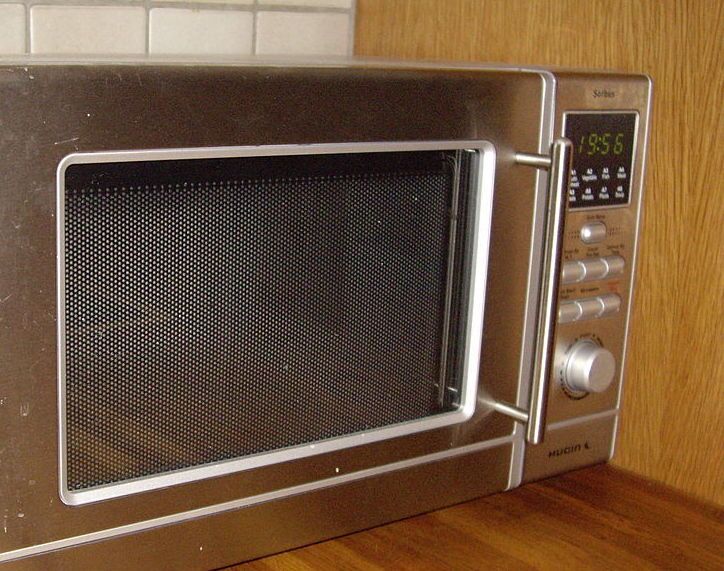
Have you ever noticed your WiFi acting up right when you start the microwave? It’s frustrating when your internet slows down or drops just as you need it most.
You might be wondering—does your microwave oven really interfere with your WiFi signal? Understanding what’s happening behind the scenes can help you fix the problem and keep your connection strong. Keep reading to uncover the surprising truth and learn simple tips to protect your WiFi from kitchen chaos.

Credit: computercures.com.au
Microwave Oven Basics
Microwave ovens are a staple in modern kitchens. They offer quick cooking and reheating. Yet, many wonder if they interfere with WiFi signals. To understand this, one must first grasp the basics of microwave ovens.
How Microwaves Work
Microwave ovens use electromagnetic waves to heat food. These waves cause water molecules in the food to vibrate. This vibration generates heat, cooking the food. The process is efficient, making microwaves popular for quick meals.
Frequency Range Of Microwaves
Microwaves operate at a specific frequency. This frequency is about 2.45 gigahertz. Coincidentally, many WiFi devices use similar frequencies. This overlap can lead to interference. Understanding this helps clarify why microwaves might affect WiFi signals.
Wifi Signal Essentials
Understanding wifi signal essentials helps explain common connection issues. Wifi signals travel through radio waves. These waves operate on specific frequency bands. Devices like routers and microwaves can affect these waves. Knowing how wifi signals work clarifies how interference happens.
Wifi Frequency Bands
Wifi mainly uses two frequency bands: 2.4 GHz and 5 GHz. The 2.4 GHz band covers a larger area but is slower. The 5 GHz band is faster but has a shorter range. Many home devices, including microwaves, use the 2.4 GHz band. This overlap can cause signal interference.
Signal Transmission And Interference
Wifi signals travel as electromagnetic waves. These waves can be blocked or weakened by walls and objects. Other devices emitting similar frequencies cause interference. Microwaves produce waves near the 2.4 GHz band. When a microwave runs, it can disrupt wifi signals on this band. This disruption leads to slower internet or dropped connections.
Microwave And Wifi Frequency Overlap
Microwave ovens and WiFi devices often operate on similar radio frequencies. This overlap can cause interference, affecting WiFi signal quality. Understanding how these frequencies interact helps explain why disruptions happen during microwave use.
Shared Frequency Spectrum
Both microwave ovens and many WiFi routers use the 2.4 GHz frequency band. This frequency is popular because it travels well through walls and objects. Microwaves emit strong signals in this range to heat food quickly.
WiFi signals on 2.4 GHz carry data between devices and routers. Since both share this band, they can interfere with each other’s signals. The overlap creates competition for the same wireless space.
Potential For Signal Disruption
Microwave ovens produce electromagnetic waves when running. These waves leak slightly and can disrupt nearby WiFi signals. This often causes slower internet speeds or connection drops.
The interference is usually temporary and stops once the microwave turns off. Walls, distance, and router quality affect how much disruption occurs. Using the 5 GHz WiFi band can reduce this problem because it does not overlap with microwaves.

Credit: computercures.com.au
Common Interference Symptoms
Microwave ovens can cause problems with WiFi signals. This happens because both use similar frequencies. These issues show up in different ways, making internet use frustrating. Recognizing common interference symptoms helps identify if the microwave is the cause.
Slow Internet Speeds
Internet speed may drop suddenly when the microwave is on. Pages take longer to load. Streaming videos can buffer or pause often. Downloads and uploads slow down noticeably. This happens because microwave signals overlap with WiFi frequencies.
Dropped Connections
WiFi can disconnect randomly during microwave use. Devices lose connection and reconnect after a few seconds. Online calls or gaming sessions may drop without warning. This occurs as microwave interference disrupts the wireless signal.
Signal Weakening
The WiFi signal strength can weaken near the microwave. Devices farther from the router may lose the signal completely. Walls and distance make this effect worse. Microwave interference causes the wireless signal to fade or become unstable.
Scientific Studies On Interference
Scientific studies on whether microwave ovens interfere with WiFi offer valuable insights into this common concern. These studies test signals in controlled settings and real-life environments to understand how microwave ovens might impact your internet connection. Understanding these findings helps you manage your devices better and avoid frustrating slowdowns.
Lab Experiment Results
In controlled lab tests, researchers measured WiFi signal strength and speed with microwave ovens running nearby. They found that microwaves can emit radio waves around the 2.4 GHz frequency, which is the same band many WiFi devices use. This overlap can cause temporary signal drops or slower speeds when the microwave is actively heating food.
However, the interference was usually brief and limited to a small area close to the microwave. When tested beyond a few feet, WiFi signals showed minimal degradation. This suggests that if you keep your router or device a reasonable distance from the microwave, you should experience little to no impact.
Real-world Observations
People often notice WiFi slowdowns or drops when a microwave is running, which matches lab findings. But in everyday use, many other factors also affect WiFi quality, such as walls, other devices, and network congestion. This makes it tricky to isolate microwave interference as the sole cause.
Some users shared their experiences of moving routers or devices away from the kitchen and seeing improved connectivity. Others found switching to the 5 GHz WiFi band helped since microwaves don’t interfere there. Have you tried changing your device’s location or WiFi frequency to reduce interruptions?
Factors Affecting Interference
Interference between microwave ovens and WiFi signals isn’t a simple yes or no answer. Several key factors influence how much disruption you might experience. Understanding these can help you reduce interruptions and improve your internet connection at home or work.
Microwave Oven Age And Condition
Older microwave ovens tend to leak more electromagnetic waves. This leakage happens because seals and shielding degrade over time. If your microwave is more than 10 years old, it might be a bigger source of interference than a newer model.
Regular maintenance also matters. A microwave with a damaged door or broken seals can emit stronger signals that interfere with WiFi. Have you checked your microwave’s condition recently? It might be worth a quick inspection.
Distance Between Devices
The closer your WiFi router is to the microwave, the higher the chance of interference. WiFi signals weaken with distance, but microwave ovens emit strong signals nearby. Even a few feet can make a noticeable difference.
Try moving your router or microwave further apart and observe the change in your connection. Sometimes, simply shifting devices a little can solve persistent signal drops. How far apart are your devices right now?
Router And Microwave Placement
Placement affects how signals travel and interact. Microwaves often sit on kitchen counters surrounded by metal appliances, which can reflect and scatter WiFi signals. Placing your router in an open area away from metal objects and microwaves helps maintain a stable signal.
Think about the layout of your home or office. Is your router hidden behind furniture or tucked in a corner next to the microwave? Adjusting its position to a more central, elevated spot can reduce interference and boost coverage.
Ways To Minimize Interference
Microwave ovens can cause annoying WiFi interruptions because they operate on the same 2.4 GHz frequency band. Fortunately, there are practical ways you can reduce this interference and enjoy smoother internet connections. These steps focus on smart adjustments you can make at home without needing to be a tech expert.
Using 5 Ghz Wifi Band
Switching your WiFi to the 5 GHz band can drastically cut down interference from microwave ovens. Unlike the 2.4 GHz band, 5 GHz offers more channels and less overlap with common household devices.
If your router supports dual-band WiFi, you can easily connect your devices to 5 GHz for faster and more stable internet. Have you checked which frequency your devices are currently using? Making this small change often leads to immediate improvement.
Proper Device Positioning
Where you place your router and microwave matters a lot. Keep your WiFi router as far as possible from the microwave to reduce signal disruption.
Even a few feet of distance can make a big difference. If you notice WiFi slows down when the microwave is running, try moving the router to a different spot or rearranging the kitchen layout if possible.
Upgrading Equipment
Older routers and microwaves tend to cause more interference due to outdated technology. Investing in a newer router with advanced interference management can improve your WiFi experience.
Modern microwaves often have better shielding that limits signal leakage. It’s worth considering equipment upgrades if interference is a constant problem in your home.

Credit: computercures.com.au
When To Worry About Interference
Microwave ovens and WiFi both use radio waves near the 2.4 GHz frequency. This overlap can sometimes cause interference. Most of the time, the interference is brief and mild. It usually happens only when the microwave is running. Knowing when to worry about interference helps keep your internet steady.
Interference becomes a concern if your WiFi connection drops often or slows down without clear reasons. This can affect work, streaming, or online games. Spotting persistent problems means it is time to take action. Understanding the signs helps you fix issues faster and avoid frustration.
Persistent Connectivity Issues
Watch for constant WiFi drops during microwave use. Slow internet speeds only when the microwave is on is a key sign. Devices far from the router but near the microwave may lose signal. Frequent buffering in videos or calls during cooking indicates interference. These problems suggest your microwave may be disrupting the WiFi signal.
Troubleshooting Steps
- Move the WiFi router away from the kitchen or microwave.
- Use the 5 GHz WiFi band to avoid 2.4 GHz interference.
- Check for microwave leaks or old appliances that emit more noise.
- Limit microwave use during important online tasks.
- Restart your router and update its firmware regularly.
- Try changing the WiFi channel to one less crowded.
Frequently Asked Questions
Can Microwave Ovens Disrupt Wifi Signals?
Yes, microwave ovens can interfere with WiFi signals. They emit radiation at a frequency close to 2. 4 GHz, which many WiFi devices use. This can cause temporary signal drops or slow internet speeds when the microwave is running nearby.
Why Do Microwaves Affect 2.4 Ghz Wifi Networks?
Microwaves and 2. 4 GHz WiFi networks operate on similar frequencies. This overlap causes electromagnetic interference. As a result, devices on the 2. 4 GHz band may experience reduced connectivity or slower speeds near active microwaves.
Do Microwave Ovens Interfere With 5 Ghz Wifi?
Microwave ovens rarely affect 5 GHz WiFi signals. The 5 GHz band operates on a different frequency, which microwaves don’t emit. Therefore, using a 5 GHz network can reduce interference from microwave ovens.
How To Reduce Microwave Interference With Wifi?
To minimize interference, keep WiFi routers away from microwaves. Use 5 GHz WiFi when possible, as it’s less prone to disruption. Also, ensure your microwave is well-shielded and in good working condition to limit signal leakage.
Conclusion
Microwave ovens can cause brief wifi interruptions. This happens because both use similar frequencies. Keeping your router away from the microwave helps reduce interference. Using newer devices also improves connection quality. Small disruptions are normal and usually not serious. You can still enjoy strong wifi with simple steps.
Remember, a little distance goes a long way. Stay aware and keep your internet steady.