
Are you thinking about upgrading your ride and wondering if the Honda Civic supports Apple CarPlay? You’re not alone.
Many drivers want seamless smartphone integration to stay connected, entertained, and safe on the road. But does the Civic offer this feature, and if so, which models include it? Keep reading, and you’ll discover everything you need to know about Apple CarPlay in the Honda Civic—so you can make the best choice for your daily drive.
Credit: www.ebay.ca
Apple Carplay Compatibility
Apple CarPlay compatibility makes driving safer and more enjoyable. It connects your iPhone to the car’s infotainment system. This lets you access apps, maps, music, and messages hands-free. The Honda Civic supports Apple CarPlay in several models and years. Understanding which models have CarPlay helps buyers make the right choice.
Honda Civic Models With Carplay
Not all Honda Civic trims have Apple CarPlay. It is commonly available in mid to higher trims. These trims include EX, EX-L, Touring, and Sport Touring. Lower trims like LX may not offer CarPlay. Checking the specific model and trim is essential before buying.
Years Supporting Apple Carplay
Honda introduced Apple CarPlay in the Civic starting in 2016. Models from 2016 onward often support CarPlay. Some earlier models do not have this feature. Newer models have improved CarPlay integration. Always verify the model year for compatibility.
Carplay Features In Honda Civic
CarPlay in the Civic offers key features for drivers:
- Navigation with Apple Maps
- Hands-free calls and texts
- Access to music and podcasts
- Voice control via Siri
These features help drivers stay focused on the road. The interface is simple and easy to use. CarPlay enhances the overall driving experience in the Honda Civic.
Setting Up Apple Carplay
Setting up Apple CarPlay in your Honda Civic is quick and simple. It connects your iPhone to the car’s display. This lets you use apps, maps, music, and messages safely while driving.
Before starting, make sure your iPhone is updated to the latest iOS version. Also, check that your Honda Civic supports Apple CarPlay. Most recent models do, but some older ones might not.
Connecting Your Iphone
Begin by unlocking your iPhone. Use a Lightning cable to plug your phone into the car’s USB port. The port usually has a CarPlay or smartphone icon. Your Civic’s screen will show a prompt to enable CarPlay. Tap “Allow” on your iPhone and follow the on-screen instructions. After this, Apple CarPlay will launch automatically each time you connect your phone.
Wireless Vs Wired Connection
Wired connection uses a USB cable to connect your iPhone. It charges your phone while providing a stable link. Wireless CarPlay connects via Bluetooth and Wi-Fi. This option is available on newer Honda Civic models. Wireless lets you use CarPlay without cables. But it may drain your phone battery faster.
- Wired: Stable, charges your phone
- Wireless: No cables, less stable connection
Troubleshooting Common Issues
If CarPlay does not connect, check your cable first. Use an official Apple cable for best results. Restart your iPhone and the car’s system. Make sure CarPlay is enabled in your iPhone’s settings under “General” and then “CarPlay.” Disable any restrictions that block CarPlay. Clear your phone’s Bluetooth connections and try pairing again. If the screen stays black, reset your car’s infotainment system. These steps fix most common problems quickly.
Benefits Of Apple Carplay
Apple CarPlay brings a suite of practical benefits that enhance your driving experience, especially if you spend a lot of time behind the wheel. It connects your iPhone to your car’s infotainment system, making many tasks safer and more convenient. Let’s look at how it can improve navigation, communication, and entertainment while you drive.
Enhanced Navigation
With Apple CarPlay, you get access to real-time navigation apps like Apple Maps, Google Maps, and Waze directly on your car’s display. This means you can see turn-by-turn directions clearly without fumbling with your phone.
Traffic updates and alternate routes help you avoid delays, saving you time and stress. Have you noticed how much easier it is to focus on the road when you don’t have to glance at your phone?
Hands-free Communication
CarPlay lets you send and receive texts, make calls, and listen to voicemail—all without touching your phone. Using Siri voice commands, you can keep your hands on the wheel and your eyes on the road.
This reduces distractions and helps you stay safe. Imagine replying to an important message or calling someone without breaking your concentration while driving.
Entertainment Options
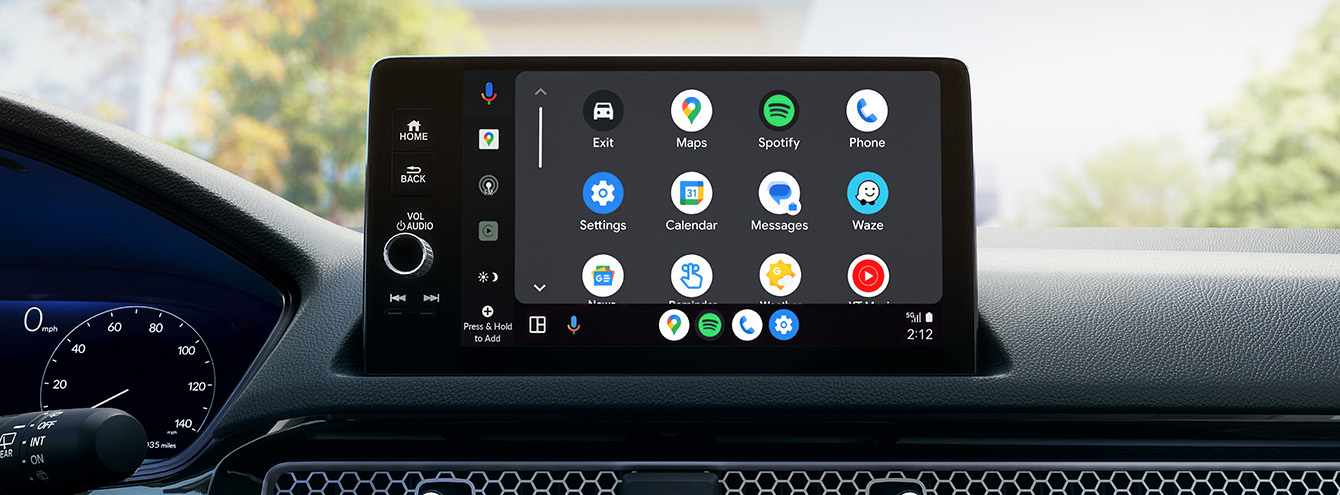
Apple CarPlay gives you quick access to your favorite music, podcasts, and audiobooks through apps like Apple Music, Spotify, and Audible. You can control playback with simple voice commands or steering wheel buttons.
This makes long drives more enjoyable without distracting you. Have you ever found yourself fumbling with apps while driving? CarPlay’s streamlined interface eliminates that hassle.
Credit: www.hondainfocenter.com
Alternatives To Apple Carplay
Many drivers want smartphone connectivity in their cars. Apple CarPlay is popular, but some prefer other options. Honda Civic offers alternatives that enhance your driving experience. These systems keep you connected and entertained safely.
Android Auto Compatibility
Honda Civic supports Android Auto for Android phone users. It connects your phone to the car’s display. You can access apps, maps, music, and messages easily. Voice commands help keep your hands on the wheel. The interface is simple and user-friendly.
Android Auto works with many popular apps like Google Maps, Spotify, and WhatsApp. It updates regularly for better performance and new features. This option suits those who do not use Apple devices.
Honda’s Native Infotainment System
Honda has its own infotainment system in the Civic. It offers touchscreen controls and physical buttons. The system includes Bluetooth for phone calls and music streaming. It also has built-in navigation in some models.
Honda’s system integrates with smartphone apps via USB or Bluetooth. It supports hands-free calling and voice commands. The interface is designed to be clear and easy to use while driving.
This system is a good choice for drivers who want basic functions without extra apps. It keeps your focus on the road and provides reliable connectivity.
Upgrading Older Honda Civics
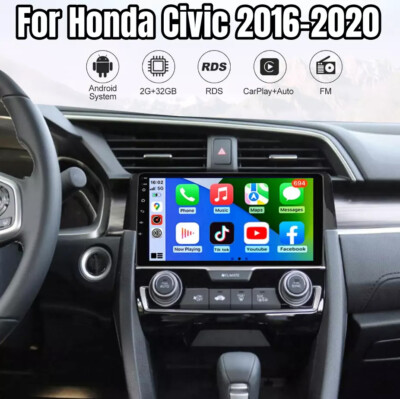
Older Honda Civic models do not come with Apple CarPlay built-in. Many drivers want to upgrade their cars to enjoy this feature. Adding Apple CarPlay can improve the driving experience by providing easy access to apps, navigation, and music. There are practical ways to upgrade these older vehicles.
Aftermarket Solutions
Aftermarket head units are a popular way to add Apple CarPlay to older Civics. These units replace the factory stereo with one that supports CarPlay. Brands like Pioneer, Kenwood, and Alpine offer quality options. Some units include touchscreens and support for both Apple CarPlay and Android Auto.
These systems also come with extra features like Bluetooth and better sound quality. They are designed to fit well in the Civic’s dashboard. Choosing the right unit depends on your budget and desired features.
Installation Tips
Installing an aftermarket head unit requires some technical skill. It is important to disconnect the car battery before starting. Using a vehicle-specific wiring harness helps avoid cutting wires. This harness connects the new stereo to the car’s electrical system safely.
Keeping the installation clean ensures no loose wires or poor connections. Some users prefer professional installation to avoid issues. Others find step-by-step guides and videos helpful for DIY installation.
Cost Considerations
| Item | Price Range |
|---|---|
| Aftermarket Head Unit with Apple CarPlay | $200 – $600 |
| Installation Kit and Wiring Harness | $20 – $50 |
| Professional Installation | $100 – $200 |
Costs vary based on the brand and features of the head unit. Professional installation adds to the total price but can save time. Budgeting for all components ensures no surprises during the upgrade.

Credit: sg.finance.yahoo.com
Frequently Asked Questions
Does The Honda Civic Support Apple Carplay?
Yes, many Honda Civic models support Apple CarPlay. This feature allows you to connect your iPhone and access apps. It enhances your driving experience by providing navigation, music, and more. Check the specific model year for compatibility.
Which Honda Civic Models Include Apple Carplay?
Apple CarPlay is available in several Honda Civic models. Most models from 2016 onwards include this feature. It is standard or optional depending on the trim level. Always verify with the dealership for the latest information.
How Do I Connect Apple Carplay In A Honda Civic?
To connect Apple CarPlay, use a compatible USB cable. Plug your iPhone into the car’s USB port. Follow the on-screen prompts to enable CarPlay. This allows seamless integration of your phone with the car’s infotainment system.
Can I Use Apple Carplay Wirelessly In A Honda Civic?
As of recent models, some Honda Civics offer wireless Apple CarPlay. This allows you to connect without a USB cable. Check your specific model and trim for wireless compatibility. It provides added convenience for drivers.
Conclusion
The Honda Civic offers Apple CarPlay in most recent models. This feature helps you stay connected safely while driving. It allows easy access to apps, music, and navigation. Not all older models include Apple CarPlay, though. Checking the specific year and trim is important before buying.
Overall, Apple CarPlay adds convenience to your driving experience. It fits well with the Civic’s modern design and technology. Choose the right model to enjoy this useful feature every day.