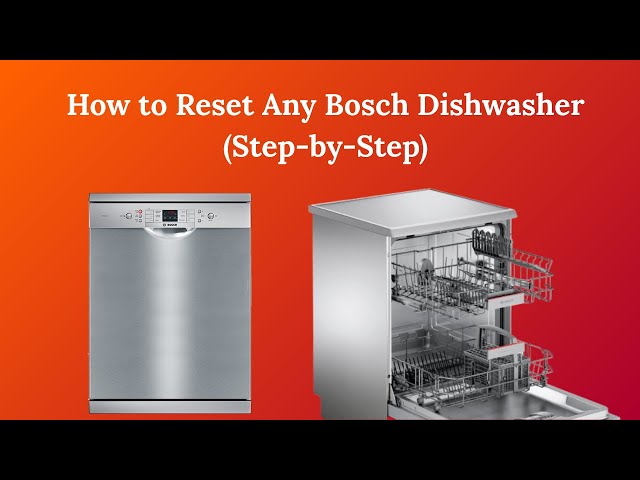
Imagine this: You’ve just finished a delightful dinner, and now it’s time for your trusty Bosch dishwasher to take over. But wait, it’s not starting, or perhaps it’s stuck in the middle of a cycle.
Frustrating, right? This is where knowing how to reset your Bosch dishwasher can save the day. You might be wondering, “Is it complicated? ” or “Will I need to call a technician? ” Good news—resetting your dishwasher is simpler than you think and can often resolve those annoying glitches.
Dive into this guide to discover step-by-step instructions that will have your Bosch dishwasher running smoothly again, all without the need for expert help. Your kitchen’s harmony is just a few clicks away!

Credit: www.youtube.com
Reset Methods
Resetting your Bosch dishwasher can solve many common issues, from unresponsive controls to error codes. Different models might require different reset methods, so knowing a few options can save you time and frustration. Here’s a look at some simple ways to reset your dishwasher and get it running smoothly again.
Control Panel Reset
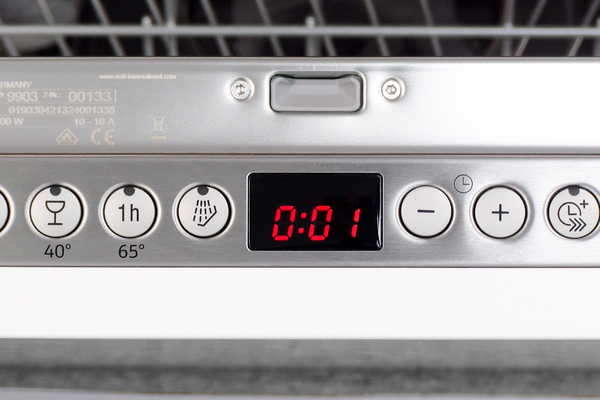
This reset method involves using the dishwasher’s control panel buttons directly. First, make sure your dishwasher door is closed. Then, press and hold the Startbutton for about 3 to 5 seconds until you see the lights blink or the display clears.
This action resets the control board and clears minor glitches. It’s an easy fix if your dishwasher is frozen or the cycle won’t start. Have you noticed how sometimes just a quick button press can fix what seems like a big problem?
Power Cycle Reset
Cutting power to the dishwasher can reset its system completely. To do this, unplug the dishwasher from the wall or switch off the circuit breaker that powers it. Wait for at least 5 minutes to allow the appliance to discharge any residual electricity.
After the wait, restore power and try running a cycle again. This method is effective for hardware-related bugs and can refresh the electronics. It’s like giving your dishwasher a quick nap to clear its head.
Button Combination Reset
Some Bosch models require pressing a specific combination of buttons to reset. For instance, press and hold the Startand Cancelbuttons together for about 10 seconds until the lights flash or the display resets. This combination can vary, so check your user manual if this doesn’t work.
This approach targets deeper resets in the software. Have you ever tried pressing multiple buttons at once on a gadget and been surprised by the result? This reset method is just like that—it can clear stubborn errors that other resets don’t fix.
Credit: www.bosch-home.com.sg
When To Reset
Knowing when to reset a Bosch dishwasher can save time and prevent damage. Resetting clears minor faults and restarts the system. It is useful in specific situations where the machine does not work correctly or shows errors. Understanding the right moments to reset helps keep your dishwasher running smoothly and avoids unnecessary repairs.
Common Error Codes
Bosch dishwashers display error codes to indicate problems. These codes often require a reset to clear the issue. For example, errors like E15 (water leak) or E24 (drain problem) may stop the dishwasher. Resetting can sometimes fix these errors after you address the problem.
Unresponsive Dishwasher
The dishwasher may not respond to buttons or stops mid-cycle. This often means the system is stuck or frozen. A reset can reboot the control panel and restore normal function. It refreshes the dishwasher’s electronics and clears temporary glitches.
After Power Outage
Power outages can disrupt dishwasher operations. Sudden loss of power may cause the dishwasher to freeze or stop working. Resetting the machine after power returns helps it restart correctly. This prevents errors and ensures the dishwasher runs a full cycle.
Step-by-step Reset Guide
Resetting your Bosch dishwasher can often solve common issues like error codes, unresponsive buttons, or interrupted cycles. A clear, step-by-step reset guide helps you get your appliance back to working order without unnecessary calls to service technicians. Let’s walk through the process carefully, so you feel confident handling it yourself.
Preparation Before Reset
Before pressing any buttons, make sure your dishwasher door is securely closed. An open door can prevent the reset from working properly.
Check that the dishwasher is plugged in and the power supply is stable. If you recently experienced a power outage, wait a few minutes before attempting the reset.
Clear out any dishes or utensils that might obstruct the door or sensors. This ensures the dishwasher can start fresh without interruptions.
Performing The Reset
Locate the control panel on your Bosch dishwasher. Different models may have slightly different button layouts, but usually, you will find a reset or cancel button.
- Press and hold the reset button for about 3 to 5 seconds.
- Release the button once you see the lights blink or hear a beep, indicating the reset has started.
- If your model doesn’t have a reset button, try pressing and holding the Start button instead.
This simple action clears the dishwasher’s memory and cancels any current cycle. Have you noticed how a quick reset often fixes issues that seemed complex at first?
Verifying The Reset
After resetting, close the door firmly and select a short wash cycle to test the dishwasher.
Listen for normal sounds like water filling and the motor starting. If these sounds are missing, the reset might not have worked, or there could be a deeper problem.
Check the display panel for any error codes. If none appear and the cycle runs smoothly, your dishwasher is reset and ready to use again.
Troubleshooting Tips
Troubleshooting a Bosch dishwasher involves identifying common issues that may stop it from working properly. Simple checks can often solve many problems and save time. Try these easy tips to find and fix the issue quickly.
Persistent Errors
Watch for error codes on the display panel. These codes point to specific problems. Write down the code and check the Bosch manual for its meaning. Reset the dishwasher by turning it off and on again. If the error returns, the problem may need professional help.
Checking Water Supply
Make sure the dishwasher gets enough water. Check if the water valve is open. Look for kinks or bends in the hose. Clean the water inlet filter to remove debris. Low water pressure or blocked pipes can cause poor cleaning or error messages.
Inspecting Door Latch
The dishwasher won’t start if the door latch is faulty. Check if the door closes tightly and clicks into place. Look for damage or dirt on the latch and surrounding area. Clean the latch gently and test it again. Replace the latch if it does not secure properly.
Preventive Maintenance
Preventive maintenance is key to keeping your Bosch dishwasher running smoothly and extending its lifespan. Taking small, regular steps can prevent costly repairs and improve cleaning results. How often do you check your dishwasher for hidden issues before they become major problems?
Regular Cleaning
Cleaning your Bosch dishwasher regularly helps avoid build-up that can clog spray arms and reduce efficiency. Wipe down the door seals and edges with a damp cloth to remove food particles and grime. Running an empty cycle with dishwasher cleaner once a month can also help eliminate grease and odors.
Filter Checks
The filter traps food debris to prevent it from recirculating during the wash cycle. You should remove and rinse the filter under running water at least once a week. If you notice food residues or slow draining, it’s a sign the filter needs your attention. Have you checked if your filter is free of blockages lately?
Routine Inspections
Inspecting your dishwasher’s components regularly can catch issues early. Look for cracks or wear in spray arms and seals, and ensure the detergent dispenser opens smoothly. Also, listen for unusual noises during operation, which can indicate mechanical problems. Taking a few minutes for these checks can save you from unexpected breakdowns.
Credit: www.searshomeservices.com
Frequently Asked Questions
How Do I Perform A Basic Reset On A Bosch Dishwasher?
To reset a Bosch dishwasher, press and hold the Start button for 3 to 5 seconds. The dishwasher will cancel the current cycle and reset. This clears minor errors and restarts the machine.
Why Won’t My Bosch Dishwasher Reset Properly?
A Bosch dishwasher may not reset if the door isn’t fully closed or if there’s a power issue. Check the door latch and power supply first. Unplug the unit for one minute, then plug it back in to try again.
Can I Reset A Bosch Dishwasher Without Unplugging It?
Yes, you can reset some Bosch dishwashers by holding the Start or Cancel button. This method avoids unplugging and can clear small errors quickly. Refer to your model’s manual for exact button instructions.
How Long Does A Bosch Dishwasher Reset Take?
Resetting a Bosch dishwasher usually takes about 1 to 2 minutes. The machine clears the current cycle and resets the system. Afterward, you can start a new wash cycle.
Conclusion
Resetting a Bosch dishwasher can fix many common problems quickly. Follow the steps carefully to avoid any mistakes. A simple reset often clears error codes and stops the machine from acting up. Always unplug the dishwasher before starting the reset process for safety.
If the problem stays, a professional check might be needed. Regular care and resets help keep your dishwasher running well. Now, you know how to reset your Bosch dishwasher with ease.