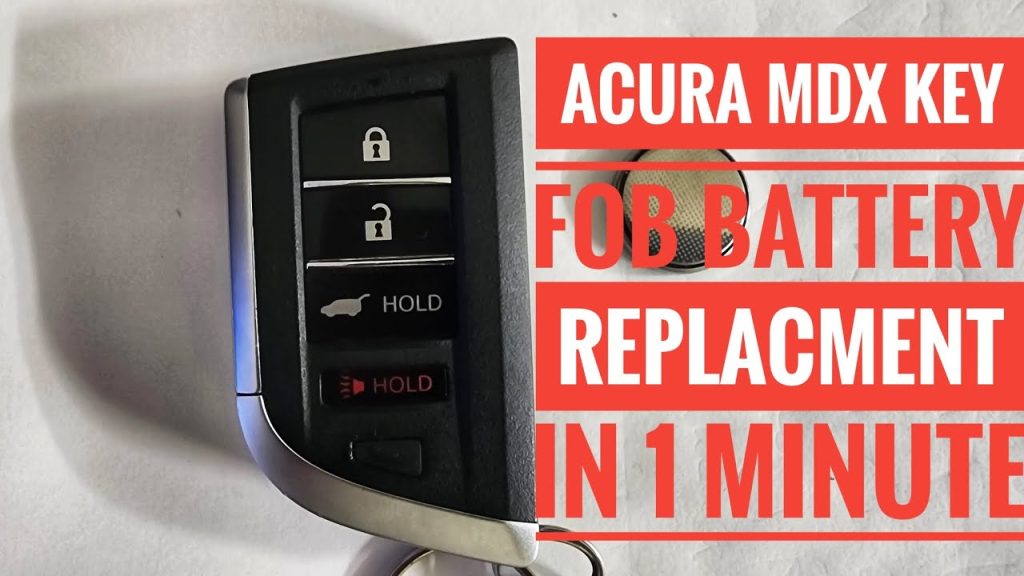
Is your Acura MDX key fob acting up or not working at all? The most common culprit is a dead key battery.
Changing it yourself is easier than you think and can save you time and money. In this guide, you’ll learn step-by-step how to replace your Acura MDX key battery quickly and safely. Keep reading to get your key fob working like new again without any hassle.
Credit: www.youtube.com
Tools Needed
Changing the battery in your Acura MDX key fob requires a few simple tools. Having these tools ready makes the process smooth and fast. The tools are easy to find and affordable.
Gathering the right tools helps avoid damage to the key fob. It also ensures you handle the small parts safely.
Small Flathead Screwdriver
A small flathead screwdriver helps open the key fob case. It fits into the small gap on the key fob. This tool allows gentle prying without scratching the plastic.
Replacement Battery
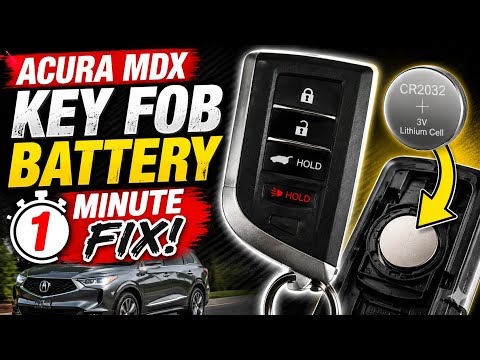
You need the correct battery type for your Acura MDX key. Most models use a CR2032 coin battery. Check your key fob or owner’s manual to confirm the battery size.
Clean Cloth
A clean cloth protects the key fob from scratches while you work. It also keeps the battery contacts free of dirt and grease. Use a soft cloth to handle the parts carefully.
Small Container
A small container holds screws or tiny parts during the battery change. It prevents losing any pieces. Use a bowl or a small box to keep everything in one place.

Credit: www.youtube.com
Locate The Key Release
Find the small release button on the side of the Acura MDX key fob. Press it firmly to separate the key from the fob. This allows easy access to the battery compartment for replacement.
Changing the battery in your Acura MDX key is simple. The first step involves finding the key release. This component is crucial for accessing the battery compartment. Recognizing the key release ensures a smooth process. Understanding its location saves time and effort. Follow this guide to locate the key release with ease.Identify The Key Fob
Begin by identifying your Acura MDX key fob. It is the small device used for locking or unlocking your car. Typically, it fits comfortably in your hand. Familiarize yourself with its buttons and structure.Spot The Key Release Button
Look closely at the fob’s structure. On most Acura MDX key fobs, a small button or switch exists. This is the key release button. It may be on the back or side of the fob.Understand Its Purpose
The key release button has a specific function. Pressing it releases the physical key. This key can manually unlock the car doors. It also provides access to the battery compartment.Use Caution
Be gentle when pressing the key release. Applying too much force can damage the fob. Use steady pressure for a safe release.Check For Visual Guides
Some key fobs have visual markers. These guide you to the key release button. Look for small arrows or symbols indicating the button’s location.Practice Safety
Ensure your hands are clean and dry. This helps maintain a firm grip on the key fob. It also prevents slipping during the process. Safety first.Prepare For Next Steps
Once you locate the key release, you are ready for the next steps. Accessing the battery is straightforward from here. You’re one step closer to changing the battery.Remove The Old Battery
Removing the old battery from your Acura MDX key is a simple process. It requires care to avoid damage to the key or its components. This step is crucial to ensure the new battery fits properly and works well.
Handle the key gently to prevent scratches or breaks. Keep small parts safe to avoid losing them during the process.
Open The Key Fob
Locate the seam where the two halves of the key fob meet. Use a small flat tool or a coin to pry the key apart. Insert the tool carefully and twist it slightly to separate the halves.
Locate The Battery
Inside the key fob, find the round, flat battery. It usually sits in a small compartment held by clips or a cover. Note the battery’s position and orientation before removal.
Remove The Battery
- Use your fingernail or a small tool to lift the battery gently.
- Avoid touching the battery contacts with your fingers to prevent dirt or oils.
- Slide or lift the battery out of its compartment carefully.
Dispose Of The Old Battery Properly
Do not throw the old battery in the trash. Take it to a battery recycling center or a store that accepts used batteries. Proper disposal helps protect the environment.

Credit: www.youtube.com
Choose The Right Replacement Battery
Choosing the right replacement battery for your Acura MDX key is crucial for ensuring your remote functions smoothly. Using the wrong type can lead to poor performance or even damage the key fob. Let’s look at how you can pick the perfect battery so your key stays reliable.
Identify The Battery Type
Most Acura MDX key fobs use a specific coin cell battery, commonly a CR2032 or CR2025. Check your key fob’s back cover or your vehicle’s manual to find the exact model. This small detail matters because even similar batteries have different voltages and sizes.
Check Battery Specifications
Look for the battery’s voltage, size, and capacity when buying. A typical Acura MDX key battery has 3 volts and fits snugly inside the fob’s compartment. Batteries with lower or higher voltage can cause the remote to malfunction or drain quickly.
Choose Quality Brands
Not all batteries are created equal. Brands like Energizer, Duracell, and Panasonic offer reliable performance and longer life. Cheap batteries might save you money upfront but can fail sooner, leaving you stranded without a working key.
Consider Battery Shelf Life
Check the expiration date on the battery packaging before buying. A fresh battery ensures maximum power and longevity. Have you ever bought a battery only to find it dead within weeks? Avoid that by picking batteries with a long shelf life.
Buy From Trusted Retailers
Where you buy your battery matters. Authorized dealers, reputable auto parts stores, or well-known online shops are safe bets. This reduces the risk of counterfeit or low-quality batteries that might damage your key fob.
Insert The New Battery
Inserting the new battery into your Acura MDX key is a simple yet crucial step. It ensures your key fob works smoothly, saving you from unexpected lockouts or malfunctions. The process requires care and attention to avoid damaging the battery or the key itself.
Check The Battery Orientation
Before placing the new battery, confirm the correct orientation. The positive (+) side should face upward, matching the markings inside the battery compartment. This small detail can prevent your key from working improperly.
Place The Battery Gently
Handle the battery carefully to avoid bending or damaging it. Insert it slowly into the slot without forcing it. If you feel resistance, double-check the alignment rather than pushing hard.
Secure The Battery Cover
Once the battery is in place, snap the cover back onto the key fob securely. Make sure it clicks to confirm it’s locked. A loose cover can cause the battery to shift or fall out, interrupting your key’s function.
Test Your Key Fob Immediately
After inserting the battery and closing the cover, press a button to test if the key fob responds. If it doesn’t work, open the case and verify the battery’s position again. Sometimes, the smallest misalignment can cause issues.
Reassemble The Key Fob
After replacing the battery, reassembling the Acura MDX key fob is crucial. This step secures all parts and ensures the key works properly. Taking care during reassembly can prevent damage and malfunction.
Align the two halves of the key fob carefully. Make sure the buttons and circuit board fit correctly inside the casing. Press the halves together firmly but gently until you hear a click.
Check Button Alignment
Ensure each button sits in its correct place. Misaligned buttons may not function or feel stuck. Press each button a few times to confirm smooth movement.
Secure The Key Ring Attachment
Reattach the key ring holder if you removed it. This keeps your key fob easy to carry and prevents loss. Snap it back into place firmly.
Test The Key Fob
Press any button to test if the key fob works. The lock and unlock functions should respond quickly. If it does not work, reopen the fob and check the battery placement.
Test The Key Functionality
After replacing your Acura MDX key battery, testing the key functionality is crucial. This step ensures the new battery is working correctly and your key fob communicates well with your vehicle. Skipping this could leave you stranded or struggling with a key that doesn’t perform as expected.
Check The Key Fob’s Led Light
Start by pressing any button on your key fob and observe the small LED light. If the light blinks brightly, the battery is supplying adequate power. A dim or no light indicates the battery might not be properly installed or could be dead.
Try Locking And Unlocking The Doors
Stand near your Acura MDX and press the lock and unlock buttons on the key fob. Make sure the doors respond immediately. If the locks don’t react or respond inconsistently, the battery might still be weak or there could be a different issue.
Test The Remote Start Feature (if Applicable)
If your Acura MDX key includes a remote start button, test it next. Press and hold the remote start button, and confirm the engine starts as expected. Failure to start could mean the battery power isn’t sufficient or the key needs reprogramming.
Verify Keyless Entry And Push-button Start
Walk up to your vehicle with the key fob in your pocket and try unlocking the doors without pressing any buttons. Then, press the push-button start to see if the car starts smoothly. These features rely heavily on the key’s battery, so any lag or failure here is a red flag.
Consider A Backup Battery Test
If your key has a backup mechanical key, use it to unlock the door manually. This is a good way to check if the key fob’s battery is the only issue or if there’s a broader problem with the key. Have you ever found yourself locked out despite a new battery? Testing this can save you that hassle.
Tips For Battery Maintenance
Keeping your Acura MDX key battery in good shape can save you from unexpected lockouts and costly replacements. Simple habits and regular checks make a big difference in how long your key fob battery lasts. Let’s look at some practical tips that you can easily add to your routine.
Store Your Key Fob Away From Extreme Temperatures
Extreme heat or cold can drain your key fob battery faster than normal. Avoid leaving your key fob on the dashboard or outside in freezing weather. Instead, keep it in a pocket or bag where the temperature stays stable.
Press Buttons Only When Necessary
Every time you press a button, it uses a bit of battery power. Avoid pressing the lock or unlock buttons repeatedly just to check if the doors are locked. Ask yourself: do I really need to use the remote right now?
Clean The Key Fob Contacts Regularly
Dirt and dust can interfere with the battery connection inside your key fob. Open the fob carefully and use a soft cloth or cotton swab to clean the contacts. This simple step can improve battery performance without replacing it immediately.
Replace The Battery At The First Sign Of Weakness
Don’t wait until your key fob stops working completely. If you notice the range is shorter or the signal is weaker, it’s time for a new battery. Acting early prevents situations where you might get locked out or need urgent help.
Keep A Spare Battery Handy
Having an extra battery in your glove compartment or home means you’re never caught off guard. It only takes a minute to swap the old battery for a new one. Have you ever been stuck without a replacement when you needed it most?
Frequently Asked Questions
How Do I Open Acura Mdx Key Fob?
Use a small flathead screwdriver to pry open the key fob. Insert it gently into the seam. Twist carefully to separate the halves without damaging the casing.
What Type Of Battery Does Acura Mdx Key Use?
The Acura MDX key fob typically uses a CR2032 lithium coin battery. This battery is widely available and easy to replace.
How Often Should I Change Acura Mdx Key Battery?
Change the battery every 1 to 2 years or when the key fob signal weakens. Signs include delayed locking or unlocking.
Can I Replace Acura Mdx Key Battery Myself?
Yes, replacing the battery is simple and can be done at home. Just open the fob, swap the battery, and reassemble.
Conclusion
Changing the Acura MDX key battery is simple and quick. You only need a few tools and a new battery. Follow the steps carefully to avoid damage. Regular battery checks help keep your key working well. Now, you can save time and money by doing it yourself.
Your key will work smoothly again in no time. Stay prepared and maintain your key battery often. This small task keeps your car ready to go anytime.