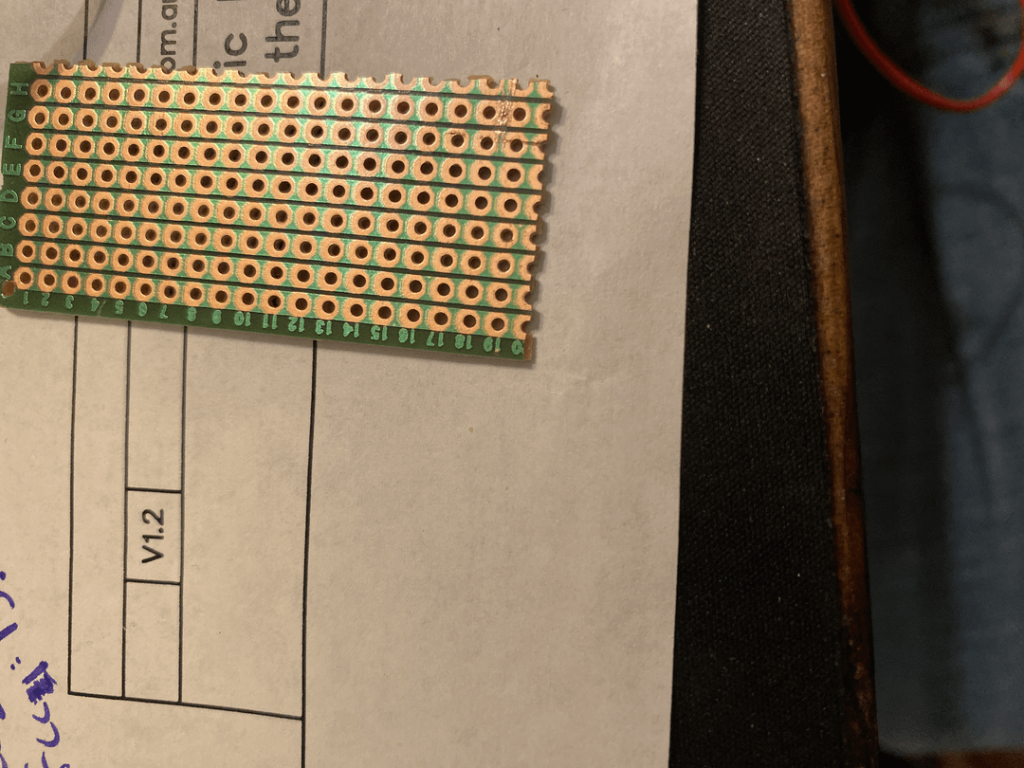
Cutting a PCB board might seem tricky at first, but with the right steps, you can do it quickly and safely. Whether you’re working on a DIY project or fixing a device, knowing how to cut your PCB board cleanly can save you time and frustration.
In this guide, you’ll learn simple techniques and useful tips that anyone can follow—even if you’ve never done it before. Keep reading to discover how to make precise cuts that protect your board and keep your project on track.
Tools And Materials Needed
Cutting a PCB board requires the right tools and materials. Using proper equipment ensures a clean and safe cut.
Gather these tools before you start to make the process easier and more accurate.
Pcb Cutter Or Scoring Tool
A PCB cutter or scoring tool is designed to cut or snap the board along a straight line. It helps to get a clean break without damaging the circuits.
- Used for thin or standard PCB boards
- Easy to handle and control
- Creates straight cuts or snaps
Hacksaw Or Fine-toothed Saw
A small hacksaw with fine teeth cuts thicker or double-layer boards. It gives more control and reduces splintering on edges.
- Best for thick or multi-layer PCBs
- Use slow and steady strokes
- Wear safety goggles to protect eyes
Rotary Tool Or Dremel
A rotary tool with a cutting disc can quickly cut PCBs. It works well for precise shapes or curves but needs careful handling.
- Good for detailed or curved cuts
- Wear a mask to avoid inhaling dust
- Keep firm grip to prevent slips
Cutting Mat Or Work Surface
Use a cutting mat or a solid surface to protect your workbench. It helps keep the PCB steady and prevents damage underneath.
A flat, stable surface also improves cutting accuracy.
Ruler And Marker
A ruler measures where to cut the PCB. A fine tip marker or pencil marks the cut line clearly.
- Use a metal ruler for straight edges
- Mark lines lightly to avoid damage
- Double-check measurements before cutting
Safety Gear
Wear safety gear to protect yourself. Cutting PCBs can create dust and sharp edges.
- Safety goggles to protect eyes
- Gloves to avoid cuts
- Mask to prevent dust inhalation
Safety Precautions
Cutting a PCB board requires careful attention to safety. Small mistakes can cause injuries or damage the board.
Use the right tools and follow safety rules to protect yourself and your work.
Wear Protective Gear
Always wear safety glasses to protect your eyes from flying debris. Use gloves to avoid cuts from sharp edges on the PCB.
Use Proper Tools
Choose the correct cutting tool for your PCB type. Use a sharp blade or a PCB cutter for clean cuts and less force.
- PCB shear cutter
- Utility knife with a fresh blade
- Rotary tool with a cutting disc
- Glass cutter for score and snap method
Work In A Well-ventilated Area
Cutting PCB boards can release dust and fumes. Always work where air flows freely to avoid breathing in harmful particles.
Secure The Pcb Board Firmly
Clamp the PCB board to a stable surface before cutting. This stops the board from slipping and causing accidents.
Handle Sharp Edges Carefully
After cutting, the edges of the PCB can be sharp. Use sandpaper or a file to smooth them before handling further.
| Hazard | Precaution |
| Eye injury | Wear safety glasses |
| Hand cuts | Use gloves and sharp tools |
| Inhalation of dust | Work in ventilated area |
| Board slipping | Clamp the board securely |
| Sharp edges | File edges after cutting |
Preparing The Work Area
Cutting a PCB board needs a clean and safe workspace. Organizing your tools helps you work faster and avoid mistakes.
Before you start cutting, prepare everything you need. This guide will help you set up your work area properly.
Choose A Stable Surface
Pick a flat, sturdy table or workbench. A stable surface keeps the PCB steady while you cut. Avoid working on soft or uneven surfaces.
Gather Safety Equipment
Safety is important when cutting PCBs. Use protective glasses to shield your eyes from small fragments. Wear gloves to protect your hands from sharp edges.
- Safety glasses or goggles
- Protective gloves
- Dust mask to avoid inhaling particles
- Closed-toe shoes for foot protection
Organize Your Tools
Keep all tools within reach to work smoothly. Use containers or trays to avoid losing small parts like screws or clips.
- PCB cutter or scoring tool
- Fine sandpaper or file
- Measuring ruler or caliper
- Marker for cutting lines
Ensure Good Lighting
Work in a well-lit area. Bright light helps you see cutting lines clearly. Use a desk lamp if needed.
Clear The Work Area
Remove all clutter from your table. A clean space reduces accidents and gives you enough room to handle the PCB safely.
| Do | Don’t |
| Keep tools organized | Scatter tools around |
| Wear safety gear | Cut without protection |
| Work on a flat surface | Use unstable tables |
| Clear workspace before cutting | Work in crowded areas |
Credit: topfastpcba.com
Marking The Cutting Line
Marking the cutting line on a PCB board helps you cut accurately. This step prevents mistakes and keeps your board clean.
Use the right tools and take your time to draw a clear line. This makes cutting easier and safer.
Clean The Pcb Surface
Wipe the PCB surface to remove dirt and grease. A clean surface helps the marker stick better and shows the line clearly.
Use a soft cloth and some isopropyl alcohol for cleaning. Let the board dry before marking.
Use A Ruler Or Straight Edge
Place a ruler or straight edge on the PCB where you want to cut. This tool guides your pen or pencil to make a straight line.
Hold the ruler firmly to avoid slipping. This ensures your line is precise and neat.
Select A Fine Tip Marker Or Pencil
Use a fine tip permanent marker or a sharp pencil. These tools create thin, clear lines that are easy to follow when cutting.
Choose a color that contrasts well with the PCB surface, like black or blue. This makes the line visible under different lights.
Draw The Cutting Line Carefully
Draw the line slowly along the ruler or straight edge. Check that the line is continuous and clear.
If needed, trace the line twice for better visibility. Avoid making the line too thick, as it may cause cutting errors.
Double-check The Marked Line
Look over the marked line to confirm its position. Make sure it matches your desired cut size and shape.
Measure both sides of the line to keep symmetry. Adjust the line if you find any mistakes before cutting.
Choosing The Right Cutting Method
Cutting a PCB board correctly is important for your project. The right method keeps the board safe and working well.
This guide looks at two ways to cut PCB boards. You will learn about manual cutting and using power tools.
Manual Cutting Techniques
Manual cutting uses simple hand tools. It is good for small or simple cuts. You have more control and less risk of damage.
- Use a sharp utility knife to score the board along a straight edge.
- Snap the board along the scored line carefully.
- Try a PCB cutter tool for clean, precise cuts.
- Use a small saw or hobby knife for detailed shapes.
Using Power Tools
Power tools cut faster and handle large or thick boards well. They require care to avoid damage or injury.
| Tool | Best For | Notes |
| Rotary tool | Small cuts and shapes | Use a fine blade and low speed |
| Jigsaw | Large straight or curved cuts | Use a fine-toothed blade |
| Band saw | Thick boards | Ensure steady feed and support |
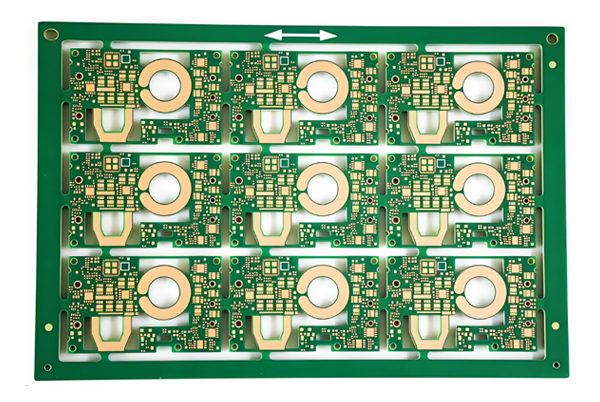
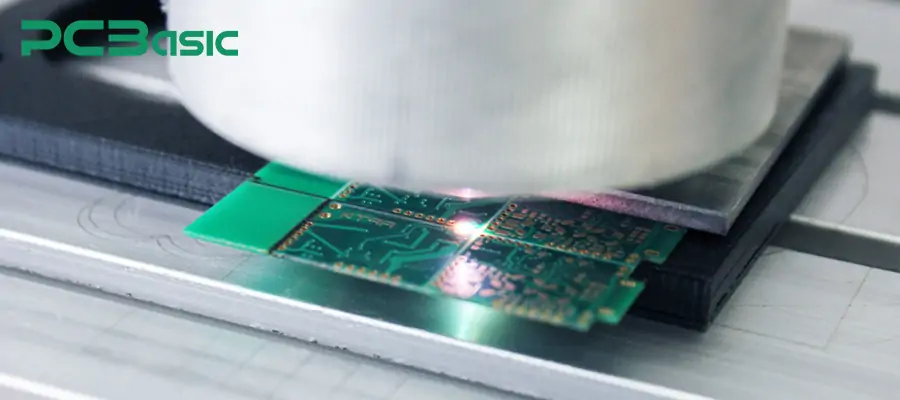
| Laser cutter | Very precise cuts | Needs special PCB compatible settings |

Credit: www.electronicsandyou.com
Step-by-step Cutting Process
Cutting a PCB board is an important task in electronics projects. You need to cut the board carefully to avoid damage.
This guide shows you how to cut a PCB board step by step for clean and accurate results.
Positioning The Board
Place the PCB board on a flat, stable surface. Make sure the board is clean and dry before cutting.
Mark the cutting line clearly with a pencil or marker. Use a ruler to keep the line straight.
- Use a cutting mat or protective sheet under the board
- Secure the board with clamps or tape to stop movement
- Double-check measurements before cutting
Executing The Cut
Use a fine saw or PCB cutter tool to follow the marked line. Cut slowly to avoid cracking the board.
Hold the board firmly while cutting. Apply steady pressure and keep the tool straight to get a clean edge.
- Start cutting from one edge and move steadily across
- Do not rush to prevent splintering or damage
- After cutting, smooth the edges with sandpaper if needed
Smoothing The Edges
After cutting a PCB board, the edges can be rough and sharp. Smoothing these edges makes the board safer to handle. It also helps avoid damage to the PCB or other components.
This guide covers simple methods to smooth the edges of your PCB board. Using the right tools and techniques can improve the board’s finish and durability.
Using Sandpaper To Smooth Edges
Sandpaper is an easy tool to smooth PCB edges. Choose fine-grit sandpaper to avoid damaging the board. Gently rub the edges until they feel smooth to touch.
- Start with medium grit (around 120) to remove rough parts
- Finish with fine grit (around 400) for a smooth surface
- Sand evenly along the edges for best results
- Clean the board after sanding to remove dust
Filing The Edges For Precision
A small file can shape and smooth PCB edges with precision. Use a fine metal file and apply light pressure. Move the file in one direction to avoid splintering.
Using A Rotary Tool For Faster Smoothing
A rotary tool with a sanding bit speeds up edge smoothing. Hold the tool steady and move it gently along the edges. Wear safety glasses to protect your eyes from debris.
| Tool | Best Use | Tips |
| Sandpaper | Manual smoothing | Use fine grit for finish |
| File | Precise shaping | Light pressure, one direction |
| Rotary Tool | Fast smoothing | Wear safety gear |
Credit: www.pcbasic.com
Cleaning The Board
Cleaning the PCB board is important before cutting it. Dirt and grease can cause damage.
Clean boards are easier to cut and give better results. Take time to prepare the surface.
Remove Dust And Debris
Use a soft brush or cloth to remove dust from the board. Make sure the surface is clear.
Dust can scratch the board or block cutting tools. Cleaning helps avoid these problems.
Use Isopropyl Alcohol
Apply isopropyl alcohol to a cloth. Gently wipe the board surface to remove grease and oils.
Alcohol dries quickly and leaves no residue. It cleans better than water or soap.
Dry The Board Thoroughly
After cleaning, let the board dry completely. Use a dry cloth if needed.
Cutting a wet board can cause damage. Make sure no moisture stays on the surface.
Check For Residue Or Marks
Look closely at the board for any leftover dirt or marks. Clean again if needed.
Clear surfaces help tools cut smoothly. Avoid rough edges by cleaning well.
Quality Check
Checking the quality of a PCB board after cutting is important. It ensures the board works well and lasts long.
Quality checks help find any damage or errors caused during cutting. This step saves time and cost later on.
Visual Inspection
Look at the PCB board closely to find visible defects. Check for cracks, rough edges, or missing parts on the board.
- Check for uneven or jagged edges
- Look for scratches or surface damage
- Ensure no copper traces are cut or broken
- Confirm all holes and slots are cleanly cut
Dimensional Accuracy
Measure the board size to match the design specifications. Use tools like calipers to check length, width, and hole positions.
| Measurement | Expected Size | Acceptable Range |
| Length | 100 mm | ± 0.5 mm |
| Width | 50 mm | ± 0.5 mm |
| Hole Diameter | 1.0 mm | ± 0.1 mm |
| Hole Position | Exact per design | ± 0.2 mm |
Electrical Testing
Test the board for electrical continuity and shorts. Use a multimeter to check that circuits are connected properly.
- Check all circuit paths for continuity
- Test for any short circuits between traces
- Verify ground and power connections
Edge Smoothness Test
Run your finger or a soft tool along the edges. The edge should feel smooth without sharp burrs or rough spots.
Frequently Asked Questions
How Do I Safely Cut A Pcb Board?
Use a PCB cutter or a sharp utility knife. Mark the cutting line clearly. Wear safety goggles to protect your eyes. Cut slowly to avoid damaging the board or components. Smooth edges with fine sandpaper after cutting.
What Tools Are Best For Cutting Pcb Boards?
A PCB shear, rotary tool with a cutting disc, or a precision saw work best. For small cuts, a sharp utility knife or scoring tool is useful. Always choose tools that provide clean, straight cuts without damaging the board.
Can I Cut Pcb Boards Without Special Tools?
Yes, you can score the board with a utility knife and snap it. However, this method is less precise and may cause rough edges. For clean, professional cuts, specialized PCB cutting tools are recommended.
How To Prevent Damage When Cutting Pcb Boards?
Mark the cutting line clearly and cut slowly. Use sharp tools for clean cuts. Avoid applying excessive pressure to prevent cracks. Handle the board gently and wear safety gear to protect yourself.
Conclusion
Cutting a PCB board is simple with the right tools and steps. Always measure carefully before making any cuts. Use a sharp blade or saw to get clean edges. Take your time and work slowly to avoid damage. Safety matters—wear protective gear and work in a clear space.
Practice on scrap pieces to build your confidence. Follow these tips, and your PCB cutting will be smooth and precise every time. Keep learning and improving your skills with each project.