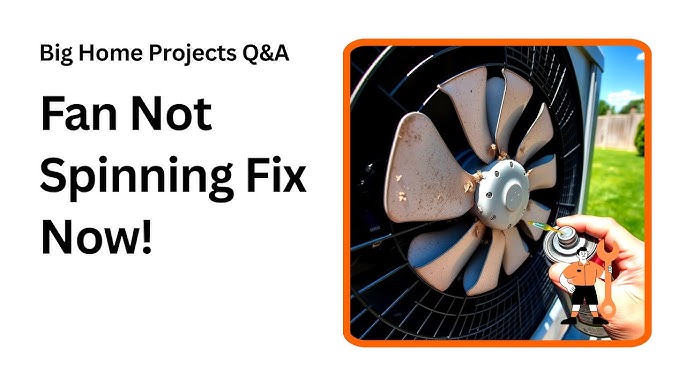
Is your air conditioner fan making strange noises or not spinning at all? When your AC fan stops working, your home can quickly become uncomfortable and stuffy.
You might feel frustrated or unsure about what to do next. Don’t worry—you can fix it yourself without spending a fortune on repairs. In this guide, you’ll discover simple, step-by-step ways to get your fan running smoothly again. Keep reading, and you’ll learn how to bring cool air back into your space fast.
Common Fan Problems
Fan not spinningcan happen due to a broken belt, motor failure, or obstruction. Check for dirt or debris blocking the fan blades. Sometimes, loose wiringstops the fan from running. Tighten or replace damaged parts to fix this.
Noisy fan operationoften means worn bearingsor loose fan blades. The noise could be a sign of motor problemstoo. Listen carefully; a grinding or squealing sound needs quick attention to avoid damage.
Fan running intermittentlymay be caused by overheating motoror electrical issues. A faulty capacitorcan also stop the fan from running smoothly. Check the capacitor and motor for signs of wear or damage.

Credit: www.youtube.com
Tools And Safety Tips
Basic toolsmake fixing an air conditioner fan easier. Keep these items ready:
- Screwdriver set for screws and panels
- Multimeter to check electrical parts
- Wrench for bolts and nuts
- Cleaning brush to clear dust
- Flashlight to see inside tight spaces
Safety is key. Always turn off the power before starting work. Use gloves to protect your hands. Wear safety glasses to guard your eyes from dust and debris. Avoid loose clothing that can catch on moving parts. Work in a well-lit area to see clearly. Never touch wires with wet hands. Keep children and pets away during repairs.
Diagnosing The Issue
Check the power supplyfirst. Make sure the unit is plugged in and the circuit breaker is not tripped. A loose wire or blown fuse can stop the fan from working.
Look at the fan motor. Listen for any strange sounds like buzzing or grinding. If the motor feels hot or won’t spin freely, it might be broken or stuck.
The capacitorhelps start the fan motor. Check for any signs of swelling or leaks. A bad capacitor can stop the fan from starting or cause it to run slowly.
Examine the fan bladesfor dirt or damage. Clean any dust or debris gently. Bent or broken blades need to be fixed or replaced to keep the fan balanced and working well.

Credit: www.youtube.com
Step-by-step Repair Process
Replacing the Capacitorinvolves turning off power to the unit first. Remove the fan’s access panel and locate the capacitor. Discharge it safely using a screwdriver with an insulated handle. Disconnect the wires and take out the old capacitor. Match the new capacitor’s rating exactly before installing it. Connect the wires firmly, then close the panel. Restore power and test the fan.
Fixing or Replacing the Fan Motorstarts by checking if the motor runs or hums. A humming motor may need lubrication or a capacitor change. If the motor does not run, it might require replacement. Remove the fan blades and motor housing. Disconnect wiring carefully, noting connections. Replace the motor with an identical model. Reassemble and test the fan’s operation.
Cleaning and Lubricating Fan Componentskeeps the fan running smoothly. Turn off the power and remove the fan blades. Wipe dirt and dust from blades and motor parts. Use a soft cloth and mild cleaner. Apply a few drops of oil to motor bearings if accessible. Avoid over-oiling as it may attract more dust. Reattach blades and run the fan to check.
Securing Loose Fan Bladesprevents noise and vibration. Inspect each blade for tight screws or bolts. Tighten any loose fasteners with a screwdriver or wrench. Check the blade balance by spinning it gently. Adjust or replace bent blades to avoid wobbling. Secure the fan cover back in place and test the fan’s stability.
Preventive Maintenance Tips
Regular cleaninghelps stop dust from blocking the fan blades. Clean the fan blades and air filters every month. Use a soft brush or cloth to remove dirt. This keeps air flowing well and stops the fan from working too hard.
Scheduled inspectionscatch small problems early. Check the fan motor and belts for wear every few months. Look for loose parts or strange noises. Fixing issues early saves money and keeps the air conditioner working longer.
Proper usage practicesprotect the fan from damage. Avoid running the air conditioner when windows or doors are open. Do not block air vents with furniture or curtains. Use the fan only at recommended speeds to prevent strain.
When To Call A Professional
Complex electrical issues can be dangerous and hard to fix. Problems like faulty wiring or a broken capacitor need special tools and skills. These should be handled by a professional to avoid injury or damage.
Severe mechanical damage, such as a bent fan blade or a broken motor, often requires expert repair. Trying to fix these parts without knowledge can cause more harm or make the air conditioner unsafe to use.
Persistent fan problems, like the fan not spinning or making loud noises after basic fixes, suggest deeper issues. Professionals can find the root cause and fix it properly to keep the unit working well.

Credit: www.ars.com
Frequently Asked Questions
How Do I Fix A Noisy Air Conditioner Fan?
A noisy AC fan usually means loose or damaged parts. Tighten screws and clean the fan blades. If noise persists, check the motor and bearings. Replacing worn parts often solves the issue quickly and restores quiet operation.
Why Is My Air Conditioner Fan Not Spinning?
The fan may not spin due to a faulty capacitor or motor. Check if the capacitor is swollen or leaking. Also, inspect the fan motor wiring and connections. Replacing the capacitor or motor usually fixes the problem.
How Can I Clean My Air Conditioner Fan Safely?
Turn off power before cleaning. Use a soft brush or cloth to remove dust and debris from blades and motor. Avoid water contact with electrical parts. Regular cleaning improves airflow and extends fan life.
What Causes An Air Conditioner Fan To Stop Working?
Common causes include electrical issues, a broken capacitor, or a seized motor. Check power supply and fuses first. If electrical parts are fine, the motor or capacitor may need replacement.
Conclusion
Fixing your air conditioner fan can save time and money. Start by checking the power and cleaning dirt from the blades. Tighten loose screws and replace worn-out parts carefully. Always turn off the unit before working on it. Regular maintenance helps keep your fan running smoothly.
Small problems can grow if ignored. Stay safe and patient during repairs. With simple steps, your fan can cool your home again. Take action early to avoid bigger issues later. Your comfort depends on a well-working air conditioner fan.