Are you ready to unlock the full potential of your Samsung microwave oven? Whether you’re a culinary novice or a seasoned chef, mastering this kitchen appliance can transform the way you prepare meals.
In this guide, we’ll take you step-by-step through the process of operating your Samsung microwave oven with ease and confidence. Imagine cooking delicious meals faster and with less hassle, all while saving time and energy. By the end of this article, you’ll wonder how you ever got by without knowing these tips and tricks.
Ready to make your life a little bit easier? Let’s dive in and get started!

Credit: www.youtube.com
Getting To Know Your Microwave
Understanding your Samsung microwave oven helps you use it safely and efficiently. The device offers several features designed for quick cooking and easy cleaning. Learning the control panel and safety tips ensures a better cooking experience.
Key Features
- Multiple power levels for different cooking needs
- Preset cooking modes for common foods like popcorn and vegetables
- Child lock to prevent accidental use
- Turntable for even heating of food
- Defrost function for quick thawing
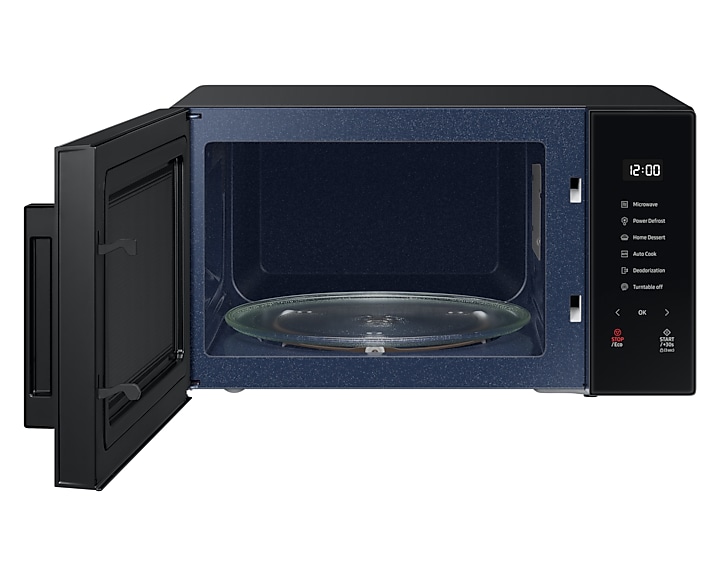
Control Panel Basics
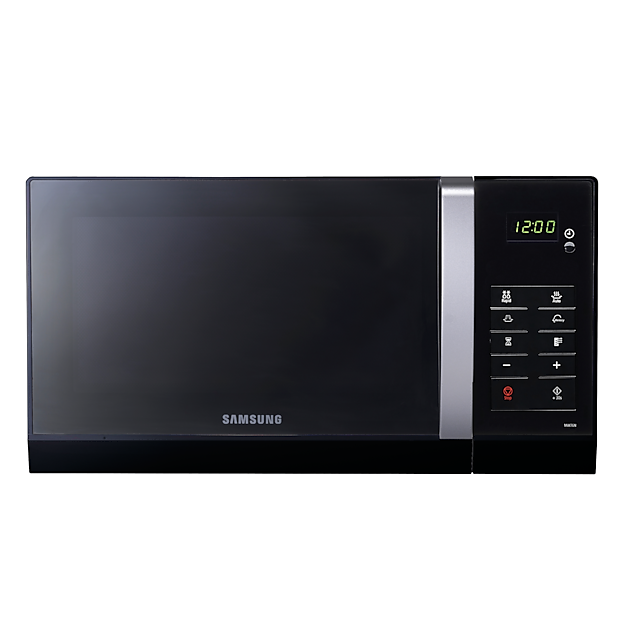
The control panel shows buttons and a digital display. Use the number pad to set cooking time. Press the start button to begin heating. The stop or cancel button ends the process early. Some models have a dial for easy time adjustment.
Preset buttons allow one-touch cooking. Look for options like “Popcorn,” “Beverage,” or “Reheat.” The timer helps to cook food without supervision. The display shows the remaining cooking time clearly.
Safety Precautions
- Never operate the microwave empty
- Use microwave-safe containers only
- Avoid metal objects inside the oven
- Keep the door closed during operation
- Clean spills immediately to prevent smoke
- Do not block the air vents
- Supervise children using the microwave
Setting Up For Cooking
Setting up your Samsung microwave oven correctly is key for good cooking results. Proper setup makes the cooking process safe and efficient. This section covers essential steps to prepare your microwave for use.
Placing The Microwave
Place the microwave on a flat, stable surface. Keep it away from water sources and heat. Allow at least 3 inches of space around the microwave for ventilation. Avoid placing it inside cabinets or tight spaces.
Power Settings Explained
Samsung microwaves offer multiple power levels. High power cooks food quickly. Medium power is good for gentle cooking or reheating. Low power defrosts or simmers food slowly. Adjust power based on the food type and cooking need.
Using Microwave-safe Containers
Use containers labeled microwave-safe only. Avoid metal or aluminum foil as they cause sparks. Glass, ceramic, and certain plastics work well. Check container labels before use. Cover food to prevent splatters and keep moisture.
Basic Cooking Functions
Basic cooking functions are the foundation of using your Samsung microwave oven effectively. Understanding these functions helps you prepare meals quickly and with precision. Whether reheating leftovers or cooking from scratch, mastering these basics ensures consistent results every time.
Using Auto Cook Modes
Samsung microwaves come with preset auto cook modes designed for common foods like popcorn, vegetables, and beverages. These modes take the guesswork out of cooking times and power levels.
Simply select the food type on the control panel, and the microwave adjusts settings automatically. Have you noticed how much easier it is to get perfect results without constant checking?
Auto cook modes save time and reduce energy use by optimizing cooking cycles. They are especially handy when you’re in a rush or unsure about exact cooking times.
Manual Time And Power Settings
Sometimes, you need more control over cooking than auto modes allow. Using manual settings lets you choose the cooking time and power level precisely.
Adjust the power percentage to suit different foods: use low power for gentle cooking, medium for reheating, and high for quick heating. For example, melting chocolate requires low power to avoid burning.
Try experimenting with different power levels and times to find what works best for your favorite dishes. This hands-on approach can improve your cooking skills and confidence.
Defrosting Tips
Defrosting in your Samsung microwave requires careful attention to prevent partially cooked edges. Use the defrost mode or set the power to 30% for even thawing.
Break up or flip frozen food halfway through defrosting to speed up the process and avoid hot spots. For instance, flipping frozen chicken pieces helps them thaw uniformly.
Have you ever noticed some parts still icy while others start cooking? Adjusting defrost time in small increments can help achieve perfect results without overcooking.

Credit: www.samsung.com
Advanced Features
Samsung microwave ovens offer more than just basic heating. Their advanced features give you the power to cook a variety of meals with precision and ease. These features can save time and elevate your cooking experience, but only if you know how to use them effectively.
Grill And Convection Options
The grill function lets you brown and crisp your food, similar to a traditional grill. It’s perfect for dishes like grilled sandwiches or crispy chicken. You can use the convection option to bake and roast, turning your microwave into a versatile oven.
To use these features, select the grill or convection mode on the control panel. Adjust the temperature and cooking time based on your recipe. Have you tried roasting vegetables in your microwave yet? The results can be surprisingly delicious.
Multi-stage Cooking
Multi-stage cooking allows you to set different cooking modes and times in one go. This means you can start with microwaving to heat food quickly, then switch to grilling or convection without stopping. It’s a handy feature when preparing meals that require multiple steps.
For example, you can microwave a casserole first, then use the grill to brown the top. To program multi-stage cooking, enter the time and power level for each stage in sequence. This feature makes meal prep smoother, especially when you’re in a rush.
Using The Child Lock
The child lock is an important safety feature that prevents accidental use of the microwave. Activating it disables the control panel, so curious kids can’t start the microwave or change settings. This gives peace of mind if you have young children around.
To enable the child lock, press and hold the designated button or combination of buttons as indicated in your user manual. You’ll see a lock symbol appear on the display. Have you set the child lock when you leave the kitchen? It’s a simple step that enhances safety dramatically.
Maintenance And Care
Proper maintenance and care can extend the life of your Samsung microwave oven and keep it working efficiently. Regular attention to cleaning and minor troubleshooting prevents small problems from becoming costly repairs. How often do you check your microwave’s condition or clean its interior?
Cleaning Tips
Keep the microwave interior fresh by wiping it down after each use. Use a soft cloth dampened with warm water and mild detergent to remove food splatters. Avoid harsh chemicals that can damage the microwave’s surface.
For stubborn stains, place a bowl of water with lemon slices inside and run the microwave on high for 3-5 minutes. The steam loosens grime, making it easier to wipe away. Don’t forget to clean the door seals gently to maintain a proper seal.
Troubleshooting Common Issues
If your microwave isn’t heating, first check if the door is fully closed and the power supply is stable. Sometimes, a simple reset by unplugging it for a minute resolves the issue. Have you noticed unusual noises or sparks? These could signal a worn-out component or debris inside.
Other common issues include uneven cooking or the turntable not rotating. Make sure the turntable is properly aligned and clean. If problems persist, consult the user manual’s troubleshooting guide tailored for your model.
When To Call For Service
Persistent problems like a microwave that won’t start, strange odors, or a burning smell require professional attention. Avoid attempting repairs yourself, especially with electrical components. Safety should always come first.
If your microwave display malfunctions or buttons become unresponsive, contacting Samsung service ensures that the right parts and expertise handle the repair. Remember, timely service can save you from bigger damage and higher costs later.
Credit: www.samsung.com
Frequently Asked Questions
How Do I Start My Samsung Microwave Oven?
Press the “Power” button, then enter cooking time using the number pad. Finally, press “Start” to begin heating.
What Does The Defrost Function On Samsung Microwaves Do?
The defrost function thaws frozen food by using lower power levels. It prevents cooking while thawing for even results.
How To Set The Timer On A Samsung Microwave?
Press the “Timer” button, enter the desired time using the keypad, then press “Start” to activate the timer.
Can I Use Metal Containers In A Samsung Microwave?
No, metal containers cause sparks and damage. Use microwave-safe glass or plastic containers only.
Conclusion
Operating a Samsung microwave oven is simple and quick. Follow the steps carefully for best results. Choose the right settings for your food type. Keep the microwave clean and safe to use. Practice helps you become more confident with controls.
Enjoy warm meals without hassle every day. A little care goes a long way in maintenance. This guide helps you use your microwave with ease. Try different functions to find what works best. Cooking at home becomes faster and more fun.