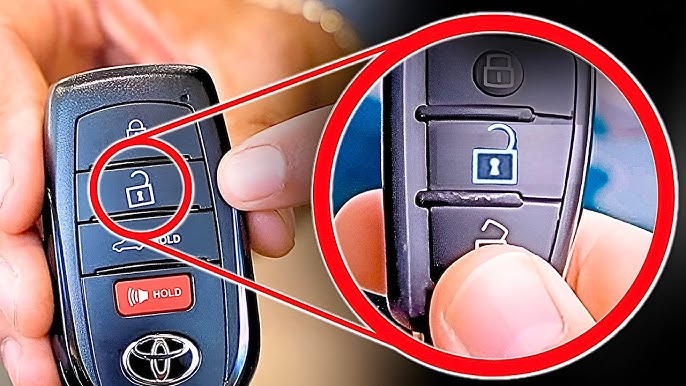
Want to warm up your GMC Canyon before you even step outside? Learning how to remote start your truck can save you time and keep you comfortable, no matter the weather.
If you’ve ever wished your engine would be ready to go the moment you get in, this guide is for you. Keep reading, and you’ll discover simple steps to master your remote start, so you can enjoy a smoother, hassle-free start every time.

Credit: www.keylessentryremotefob.com
Remote Start Basics
Understanding the basics of remote start for your GMC Canyon can save you time and add comfort to your daily routine. It’s more than just a fancy feature; it’s a practical tool that prepares your vehicle before you even step inside. Let’s break down what remote start is and why it might be a game-changer for your driving experience.
What Is Remote Start
Remote start is a system that allows you to start your GMC Canyon’s engine from a distance using a key fob or smartphone app. This means you can warm up or cool down your truck without sitting inside it. The technology works by sending a signal to your vehicle’s ignition system to start the engine remotely.
This feature is especially useful during extreme weather conditions. Imagine stepping into a pre-warmed truck on a freezing winter morning or getting into a cool cabin after a hot summer day. It’s simple but effective.
Benefits Of Remote Start
Remote start offers several advantages that improve your day-to-day driving comfort and vehicle maintenance.
- Comfort:Pre-conditioning your vehicle’s interior temperature before you get in.
- Convenience:Starting your engine without having to be inside the truck, saving time.
- Safety:Defrosting and de-icing windows remotely reduces driving hazards.
- Engine Health:Warming up the engine before driving can extend its life, especially in cold weather.
- Security Features:Many systems prevent the vehicle from being driven without the key fob nearby.
Have you ever rushed out in the morning, only to find your windows covered with ice? Remote start can change that experience. It’s a small convenience that quickly becomes a daily necessity once you try it.
Compatibility Check
Before you dive into the convenience of remote starting your GMC Canyon, it’s crucial to ensure that your vehicle is compatible with this feature. Not all GMC Canyon models come equipped with remote start capabilities, and knowing the specific requirements will save you time and frustration. Let’s explore which models support this feature and what equipment you’ll need to get started.
Models With Remote Start
Remote start is not a standard feature on all GMC Canyon models. Typically, it’s available on more recent models and specific trims. If you own a GMC Canyon from 2015 onwards, there’s a good chance your vehicle supports remote start. However, it’s always best to check your owner’s manual or consult with your dealer to confirm compatibility.
Have you ever found yourself on a freezing morning, wishing you could warm up your truck before stepping outside? If your Canyon is a Denali or SLT trim, you’re likely in luck. These trims frequently come with remote start, making those cold starts a thing of the past.
Required Equipment
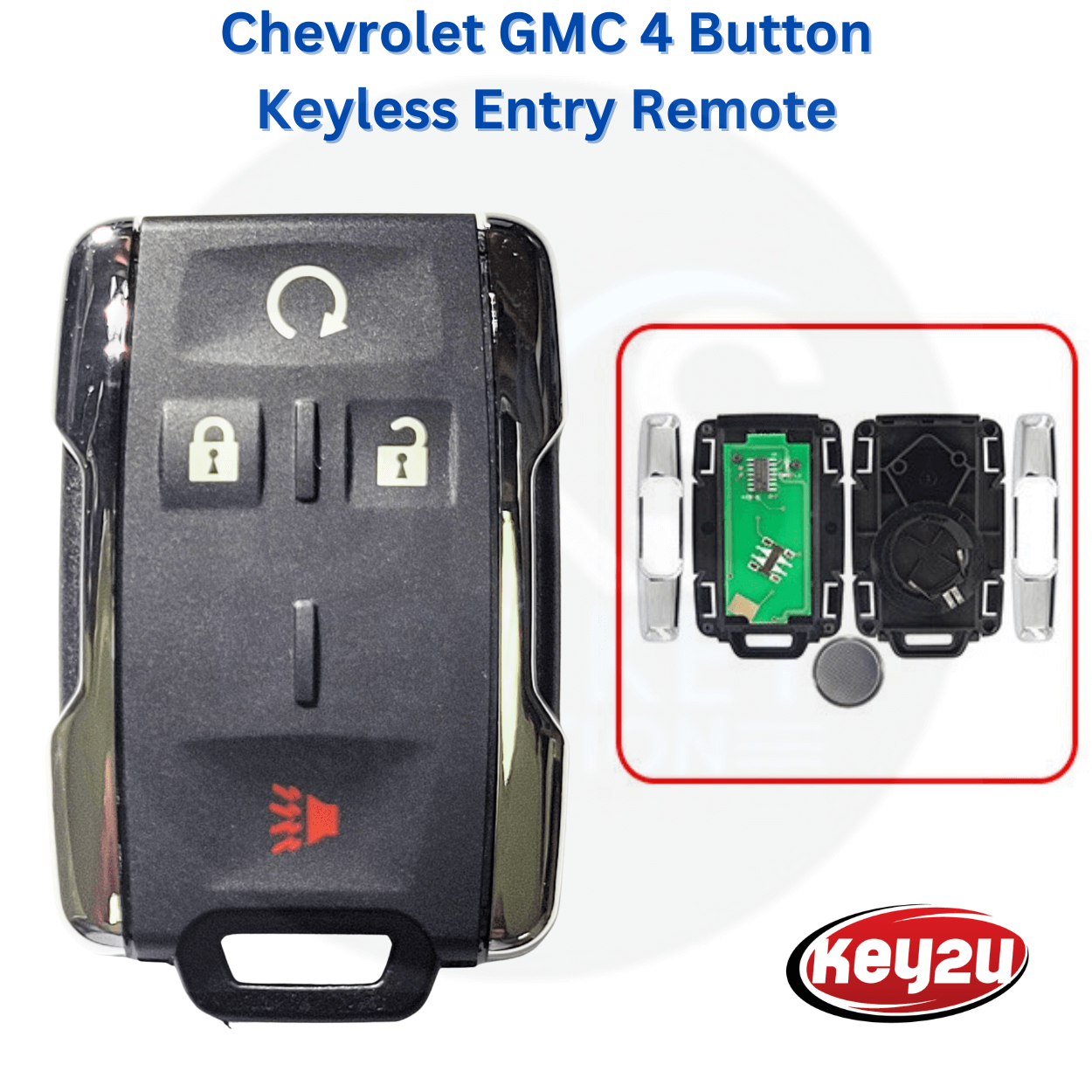
Once you’ve confirmed your vehicle’s compatibility, the next step is ensuring you have the right equipment. A key fob with a remote start button is essential. This button is usually marked with a circular arrow icon. If your key fob doesn’t have this, you might need an upgrade.
Additionally, some models might require software updates or additional installation of a remote start kit. This might sound daunting, but many dealers offer package deals to include the necessary hardware and software. Consider reaching out to them for advice or to schedule an installation.
Do you have a trusted mechanic or dealership? They can be invaluable resources for ensuring your vehicle is equipped with the latest technology, saving you time and potential headaches in the long run.
By conducting a compatibility check and gathering the required equipment, you’re setting the stage for a smoother, more convenient start to your day. After all, who doesn’t enjoy stepping into a perfectly prepped vehicle, no matter the weather? Are you ready to embrace the comfort of remote starting your GMC Canyon?
Preparing Your Gmc Canyon
Preparing your GMC Canyon for remote start is essential to ensure smooth and safe operation. Before you enjoy the convenience of starting your truck from a distance, you need to get your key fob ready and make sure the vehicle’s safety features are all set. Taking these initial steps prevents any unexpected issues and gives you confidence every time you use remote start.
Setting Up Key Fob
Your GMC Canyon’s key fob is the gateway to remote start. First, check if your key fob supports the remote start feature, as not all models come with it pre-enabled. If it does, you might need to activate the remote start function by following instructions in your owner’s manual or contacting your dealership.
Typically, to use remote start, you will:
- Press the lock button on your key fob to secure the doors.
- Immediately press and hold the remote start button for about 4 seconds until the lights flash.
Make sure your key fob’s battery is fresh. A weak battery can cause inconsistent remote starts, leaving you frustrated in cold or hot weather when you need it most.
Ensuring Vehicle Safety
Your GMC Canyon won’t start remotely if certain safety conditions aren’t met. The truck must be in park, the doors closed, and the hood securely latched. These checks are in place to prevent accidents or theft.
Before you use remote start, physically inspect your vehicle or have a routine to confirm these conditions. For example, ask yourself: Are all doors fully closed? Is the parking brake engaged if required? This small habit can save you from potential hazards and mechanical issues.
Also, remember that remote start systems often shut off automatically after a set time, usually around 10 to 15 minutes. Plan your timing so your truck is ready when you step inside but not running unattended for too long.
Credit: www.bestkeysolution.com
Step-by-step Remote Start Process
The remote start feature on your GMC Canyon adds a new level of convenience to your daily routine. It lets you warm up or cool down your truck before you even step inside. Understanding the precise steps to use this function correctly ensures you get the most out of it without any hassle.
Activating Remote Start
Begin by making sure your GMC Canyon is locked. The remote start will not work if the doors are open or unlocked. Press the lock button on your key fob first to secure the vehicle.
After locking, press and hold the remote start button, usually marked with a circular arrow, for about three seconds. You might hear the lights flash or the horn beep, signaling that the remote start command has been sent. If nothing happens, check your key fob battery or vehicle settings.
Confirming Engine Start
Once you activate remote start, look for visual or auditory signals that confirm the engine is running. Typically, the parking lights will flash, and you might hear the engine running softly from outside the vehicle.
Inside the vehicle, the dashboard lights should indicate that the engine is active. If your GMC Canyon has a remote start indicator on the key fob, it may also flash to confirm the start. If you don’t notice these signs, try the activation process again or consult your owner’s manual.
Troubleshooting Common Issues
Remote start can sometimes fail due to simple reasons. Check if the hood is securely closed, as an open hood disables the system for safety. Also, ensure your truck is in park; remote start won’t engage if it’s in any other gear.
If your vehicle doesn’t respond, verify the key fob’s battery life. A weak battery can send weak signals. Additionally, extreme temperatures might interfere with the remote start range or function.
Have you ever tried to remote start your truck only to find it unresponsive? Identifying these common pitfalls helps you avoid frustration and keeps your GMC Canyon ready when you need it most.
Customizing Remote Start Settings
Customizing your GMC Canyon’s remote start settings lets you tailor the experience to match your daily needs. It’s not just about starting the engine from afar—it’s about making sure the truck feels ready the moment you step inside. Small tweaks can make a big difference in comfort and convenience, especially during extreme weather.
Adjusting Warm-up Duration
The warm-up duration is how long your Canyon’s engine runs before you get inside. You can set this time to ensure your truck is perfectly warmed up or cooled down before driving off. Some prefer a shorter warm-up for quick errands, while others like a longer period in colder months to let the engine and cabin reach an ideal temperature.
To adjust this, check your owner’s manual or your vehicle’s infotainment system. You might find options like 5, 10, or 15 minutes. Think about your routine: do you often step out right after remote start, or do you wait a bit? Setting the right duration saves fuel and reduces unnecessary engine wear.
Climate Control Options
Your remote start can also activate the climate control system, which means your GMC Canyon can start cooling or heating the cabin automatically. This feature is a game changer on scorching summer days or freezing winter mornings.
Most models allow you to customize whether the air conditioning or heater kicks in immediately with the engine. You can choose to have the fan speed and temperature set to your preference or leave it on automatic mode. Adjusting these settings ensures your truck’s interior feels just right when you get in, without any extra steps.
Have you tried setting your climate controls before remote starting? It’s a small detail that can turn a simple feature into a daily comfort boost. What’s your ideal cabin temperature to start your day?
Safety Precautions
Using remote start on your GMC Canyon offers convenience. Safety must be a top priority. Taking precautions helps avoid accidents and legal trouble.
Avoiding Accidental Starts
Keep the key fob away from children and pets. Store it in a secure place to prevent unintentional presses. Check the vehicle’s surroundings before remote starting. Ensure no one is near the exhaust or engine area. Always use the remote start in a well-ventilated area. Never leave your vehicle running unattended for long periods.
Legal Considerations
Know the local laws about remote starting. Some areas restrict idling times to reduce pollution. Check if remote start is allowed in your city or state. Follow any regulations about vehicle emissions and noise. Use remote start responsibly to avoid fines or penalties. Respect neighborhood quiet hours to prevent disturbance.
Alternative Warm-up Methods
Alternative warm-up methods help prepare your GMC Canyon for cold weather without remote start. These techniques improve engine performance and comfort in chilly conditions. Understanding different ways to warm up your truck ensures it runs smoothly and lasts longer.
Manual Start Tips
Start your GMC Canyon by turning the key or pressing the start button. Let the engine run for a few minutes before driving. This warms the oil and fluids, reducing engine wear. Avoid revving the engine right after starting.
Keep the heater on low during warm-up to prevent fog on windows. If outside temperatures are very low, use a block heater or other warming tools. Manual starts give you control over how long to warm your truck.
Using Block Heaters
Block heaters plug into an electrical outlet to warm the engine block. This helps oil flow smoothly and reduces engine strain on cold mornings. Use the block heater for at least two hours before starting your GMC Canyon.
Install the block heater in a safe location on the engine. Check your owner’s manual for recommended use and installation tips. Block heaters save fuel and improve engine life by lowering cold start damage.

Credit: www.keylessentryremotefob.com
Frequently Asked Questions
How Do I Activate Remote Start On Gmc Canyon?
To activate remote start, press the lock button twice on your key fob. Then, hold the remote start button until the engine starts. This works if your GMC Canyon is equipped with remote start functionality.
Can I Use My Phone To Remote Start Gmc Canyon?
Yes, if your GMC Canyon supports the myGMC app, you can remote start your vehicle using your smartphone. Download the app, create an account, and follow the setup instructions to enable remote start remotely.
What Is The Maximum Range For Gmc Canyon Remote Start?
The remote start range depends on your key fob and environment. Generally, it works up to 300 feet away. Obstacles like buildings or interference may reduce the effective range.
Does Remote Start Work With Manual Transmission Gmc Canyon?
No, remote start is typically disabled on manual transmission models for safety reasons. It is mainly available on automatic transmission versions to prevent accidental vehicle movement.
Conclusion
Remote starting your GMC Canyon saves time and adds comfort. Follow the steps carefully to avoid mistakes. Keep your key fob battery fresh for best results. Practice using the remote start feature often to feel confident. Enjoy warm or cool cabin before you enter the truck.
Stay safe and respect local laws about remote starting vehicles. This simple skill makes daily driving easier and more pleasant. Try it today and see the difference it brings.