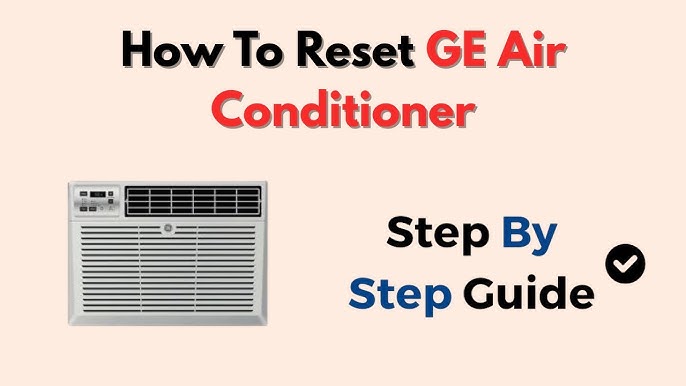
Is your GE air conditioner not cooling like it used to? Sometimes, all it takes is a simple reset to get it back to working perfectly.
You might be wondering how to do this quickly and safely without calling a technician. This guide will walk you through easy steps to reset your GE air conditioner, helping you avoid frustration and stay cool. Keep reading—you’ll learn exactly what to do to bring your AC back to life in no time.

Credit: www.youtube.com
Identify Your Ge Ac Model
Finding the model numberis important before resetting your GE air conditioner. This number helps you follow the correct reset steps for your unit.
Check these common places to find the model number:
- Inside the front panel or near the filter
- On the back or side of the unit
- On the user manual or purchase receipt
The model number usually looks like a mix of letters and numbers. It might start with “A,” “AW,” or “AZ.” Knowing this helps you get the right instructions.

Credit: manuals.plus
Locate The Reset Button
The reset buttonon a GE air conditioner is usually located on the control panel. It may be a small, recessed button requiring a paperclip or pin to press. Some models place the reset button inside the filter coveror near the power cord.
Look for a button labeled “Reset”or with a small hole marked for resetting. Press and hold this button for about 5 seconds until the unit restarts or the lights blink. This action resets the systemand clears any error codes.
- Unplug the unit before locating the reset button.
- Use a non-metal tool to press the button if recessed.
- Check the user manual if unsure about the button’s location.
Power Off The Unit
Turn off the air conditioner by pressing the power button on the unit or remote control. Wait for about 5 minutes to let the system cool down. Unplug the unit from the wall socket to ensure it is completely powered off. This step helps clear any minor electrical faults inside the unit.
After waiting, plug the air conditioner back into the power source. Press the power button again to turn it on. This simple reset can fix many common issues and improve performance.
Press And Hold The Reset Button
Locate the reset buttonon your GE air conditioner. It is usually small and may be inside the front panel or near the control buttons.
Press and hold the reset buttonfor about 5 to 10 seconds. This action helps clear any error codes or malfunctions.
Release the button and wait for the air conditioner to restart. The unit should now work normally.
If the air conditioner does not reset, unplug it from the power source. Wait for one minute before plugging it back in. Then, try pressing the reset button again.
Always check the user manual for specific instructions related to your model. Some models might have different reset procedures.
Restore Power To The Ac
To restore powerto your GE air conditioner, first check the circuit breakeror fuse box. Sometimes, the breaker trips and cuts power to the unit.
- Locate the breaker panel in your home.
- Look for the switch labeled for the air conditioner.
- Flip the breaker off and then back on to reset it.
If your air conditioner has a power switchnear the unit, make sure it is turned on. Also, check the power cordand plug for any damage.
After restoring power, allow a few minutes for the system to reboot. The unit should start running normally. If not, further troubleshooting may be needed.
Credit: airaceheatingandcooling.com
Check The Thermostat Settings
Check the thermostat settingsfirst to reset a GE air conditioner. Make sure the thermostat is set to cool mode. The temperature should be lower than the room temperature. This tells the AC to start cooling. If the thermostat uses batteries, replace them with new ones. Dirty or faulty thermostat sensors can cause problems. Clean the sensors gently with a soft cloth. Avoid touching any wires inside the thermostat.
Confirm that the thermostat is not set to fan-only mode. If it is, the air conditioner will only blow air without cooling. Also, check if the thermostat is on the right setting for your room size and needs. Sometimes, resetting the thermostat can help. Turn it off, wait a few seconds, and then turn it back on.
Test The Air Conditioner
Switch on the air conditioner to see if it works properly. Check if cool air is coming from the vents. Listen for any strange noises that may signal a problem. Watch the display panel for error codes or warning lights.
Make sure the remote control or thermostat is set to the right temperature. Confirm the power supply is stable and the unit is plugged in securely. Observe if the fan spins smoothly without stopping.
Use the table below to understand common issues and what they might mean:
| Symptom | Possible Cause | What to Do |
|---|---|---|
| No cool air | Dirty filter or low refrigerant | Clean filter or call technician |
| Unit won’t turn on | Power issue or blown fuse | Check power source and reset breaker |
| Strange noises | Loose parts or motor issue | Inspect unit and tighten parts |
Troubleshoot Common Issues
No Power to the Unit:Check if the air conditioner is plugged in properly. Look for a tripped circuit breaker or blown fuse. Make sure the power switch is turned on. Sometimes, a loose wire inside the unit can cause no power. Call a technician if you find damaged wiring.
Reset Button Not Responding:The reset button might be stuck or broken. Gently press and hold it for a few seconds. If it still does not work, unplug the unit for 10 minutes and plug it back in. This can help reset the system. If the reset button remains unresponsive, professional help is needed.
AC Still Not Cooling:Check if the thermostat is set to cool mode and at the right temperature. Clean or replace the air filter if dirty. Make sure the outdoor unit is free from debris. Low refrigerant levels or a faulty compressor can stop cooling. Contact a technician for these issues.
When To Contact Professional Help
Contact a professional if the air conditioner won’t resetafter following all steps. Persistent strange noisesor leaksneed expert checks. If the unit does not cooleven after resetting, it might have internal issues. Electrical problemsor tripped breakersrequire a technician’s help. Avoid trying to fix wiring or parts inside the unit. A professional can safely handle complex repairs and prevent further damage.
Frequently Asked Questions
How Do I Reset My Ge Air Conditioner?
To reset your GE air conditioner, unplug it from the power source. Wait for at least 60 seconds before plugging it back in. This process helps reset the internal circuit and can resolve minor issues. Ensure the unit is switched off before beginning this process for safety reasons.
Why Is My Ge Air Conditioner Not Cooling?
If your GE air conditioner isn’t cooling, check the thermostat settings first. Ensure they’re set to a lower temperature than the room. Also, clean or replace the air filter if it’s dirty. A clogged filter can reduce airflow, affecting the cooling efficiency of your unit.
What Causes A Ge Air Conditioner To Stop Working?
A GE air conditioner may stop working due to power issues. Check the circuit breaker and ensure it’s not tripped. Inspect the power cord for damage. If the unit still doesn’t work, the internal components might need professional inspection or repair for faults.
Can I Reset My Air Conditioner Without Unplugging?
Yes, some GE models have a reset button. Locate the reset button on your unit. Press and hold it for a few seconds. This action can sometimes reset the system without needing to unplug it. Refer to your user manual for specific instructions related to your model.
Conclusion
Resetting your GE air conditioner helps fix many common issues fast. Follow the steps carefully to avoid mistakes. This simple process often saves time and money. Keep your unit clean and check it regularly to prevent problems. Remember, a well-maintained air conditioner lasts longer and works better.
Try resetting before calling for service. Stay cool and comfortable all year round.