Have you just changed your car battery and now your alarm won’t stop beeping or won’t reset? It’s frustrating when your car alarm acts up right after a battery swap.
But don’t worry—resetting your car alarm is easier than you think. You’ll discover simple, step-by-step methods to get your alarm back to normal quickly. Keep reading, and you’ll save time, avoid stress, and get your car alarm working perfectly again.

Credit: medium.com
Why Resetting Matters
After changing your car battery, your car alarm may stop working correctly.
Resetting the alarm helps it function normally and keeps your vehicle safe.
Common Alarm Issues After Battery Change
Battery replacement can cause the alarm system to lose its settings.
- The alarm may not arm or disarm properly.
- False alarms can happen without any reason.
- Remote key fob might stop controlling the alarm.
- Alarm sounds may be weaker or delayed.
Impact On Vehicle Security
When the alarm is not reset, your car is at higher risk of theft.
| Issue | Security Impact | Reason |
|---|---|---|
| Alarm Won’t Arm | High | Car is unprotected from break-ins |
| False Alarms | Medium | May cause owners to ignore real threats |
| Remote Not Working | High | Hard to control alarm and lock doors |
| Delayed Alarm Sound | Medium | Thieves have more time to act |
Tools You’ll Need
Resetting a car alarm after a battery change requires a few basic tools. Having the right equipment ready makes the process easier and safer.
Below are the essential tools and safety tips to help you reset your car alarm correctly.
Basic Equipment Checklist
- Car key or remote fob
- Screwdriver set (flathead and Phillips)
- Owner’s manual for your vehicle
- Socket wrench set
- Gloves to protect your hands
- Multimeter to check electrical connections
These tools will help you access the alarm system and verify the electrical parts work after the battery is replaced.
Safety Precautions
| Safety Tip | Reason |
|---|---|
| Disconnect the negative battery terminal first | Prevents electrical shock and short circuits |
| Wear gloves | Protects your hands from sharp parts and battery acid |
| Avoid metal jewelry | Reduces risk of accidental sparks |
| Work in a well-ventilated area | Prevents inhaling harmful fumes from the battery |
| Keep tools organized | Prevents dropping or losing small parts |
Following these safety steps keeps you safe and protects your vehicle’s electrical system while resetting the alarm.
Step-by-step Reset Process
Changing your car battery can sometimes cause the alarm to go off. You need to reset the alarm to stop it from sounding. This guide will show you how to reset your car alarm easily.
Follow these simple steps to reset your car alarm after a battery change. Use the method that works best for your car model.
Disconnecting And Reconnecting The Battery
Start by disconnecting the negative cable from the car battery. Wait a few minutes to let the system reset. Reconnect the cable firmly to restore power.
This process helps clear any alarm errors caused by the battery change. It can reset the alarm system to its default state.
- Turn off the ignition and remove the key
- Use a wrench to loosen the negative battery terminal
- Wait 5 to 10 minutes before reconnecting
- Reconnect the negative terminal and tighten securely
- Start the car and check the alarm status
Using The Key Fob
Your car key fob can reset the alarm after the battery change. Press the unlock button to stop the alarm sound. This sends a signal to the car’s alarm system.
If the alarm does not stop, try pressing the lock button followed by unlock again. Some cars need this to fully reset the alarm.
- Stand close to the car
- Press the unlock button once
- Wait for the alarm to turn off
- If alarm sounds, press lock then unlock again
- Test the alarm by locking and unlocking the car
Manual Reset Via Alarm System
Some cars allow a manual reset inside the vehicle. Use the ignition key to turn the car on and off in a specific pattern. This resets the alarm system.
Check your car manual for the exact steps. Commonly, turning the key on and off three times can reset the alarm.
- Insert the key into the ignition
- Turn the key to the ‘On’ position without starting
- Turn the key back to ‘Off’
- Repeat this on-off cycle 3 times quickly
- Turn the key to ‘Start’ to check if the alarm is off

Credit: carbuzz.com
Troubleshooting Tips
Changing your car battery can sometimes cause the car alarm to act up. It might not reset on its own. Knowing how to fix this saves time and stress.
Here are some simple tips to troubleshoot your car alarm after a battery change. They will help you get your alarm working properly again.
When The Alarm Won’t Reset
If the alarm stays on after the battery change, try locking and unlocking the doors with the remote. This often resets the system.
If that does not work, disconnect the battery again for a few minutes. Reconnect it and try the remote once more.
- Use the key fob to lock and unlock doors
- Turn the ignition on and off
- Disconnect and reconnect the battery
- Press the alarm reset button if available
Dealing With False Alarms
False alarms can happen after a battery change. They may sound without real threats. Check if any doors or the trunk are not fully closed.
Make sure sensors are clean and free from dirt or damage. Sometimes, moving the car can stop false alarms. If alarms continue, look for sensor issues.
- Check all doors and trunk are closed
- Clean sensor areas gently
- Move the car slightly to reset sensors
- Inspect sensors for damage or loose wires
Consulting The Vehicle Manual
Your vehicle manual has specific instructions for your car alarm system. It can tell you how to reset the alarm correctly after a battery change.
Look for sections on alarms, security systems, or battery replacement. Follow the steps exactly to avoid problems or false alarms.
- Find the alarm or security section
- Follow reset steps carefully
- Check for special tools or codes needed
- Keep the manual handy for future reference
Preventing Future Alarm Issues
Resetting your car alarm after a battery change can be easy if you follow the right steps. Taking care of your alarm system helps avoid problems later.
Good habits keep your car alarm working well and stop false alarms. Learn how to maintain and handle your car battery properly.
Regular Maintenance Advice
Check your car alarm system often to find small issues early. Clean the sensors and remote controls to keep them working well.
Look for warning signs like strange sounds or false alarms. Fix problems quickly to stop bigger damage to your alarm system.
- Test the alarm every month
- Keep sensors free from dirt and dust
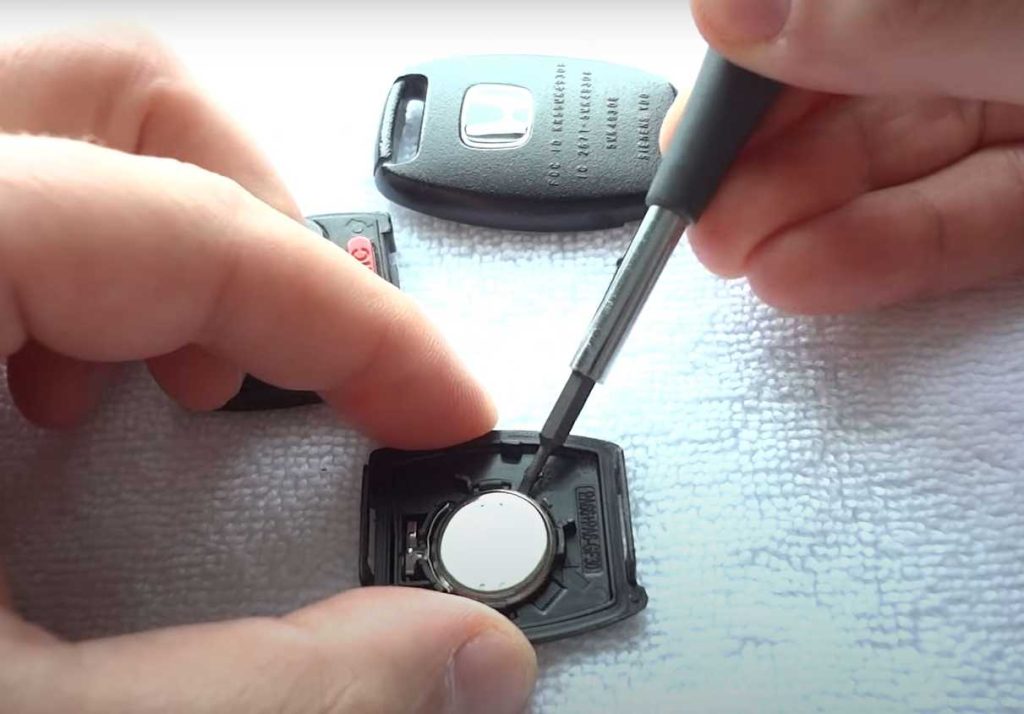
- Replace remote batteries regularly
- Listen for unusual alarm sounds
- Visit a technician for checks yearly
Battery Replacement Best Practices
Turn off the alarm before changing the car battery. This stops the alarm from going off during the process.
Use the right tools and follow your car’s manual. Connect the new battery carefully to avoid damage to the alarm system.
- Switch off the alarm system first
- Disconnect the negative battery cable first
- Replace the battery with one that fits
- Reconnect the positive cable first
- Reset the alarm according to the manual

Credit: www.reddit.com
Frequently Asked Questions
How Do I Reset My Car Alarm After Battery Replacement?
To reset your car alarm after a battery change, start by locking and unlocking the car using the key fob. Then, turn the ignition on and off a few times without starting the engine. This should reset the alarm system and restore normal functionality.
Why Does My Car Alarm Go Off After Battery Change?
A car alarm may go off after a battery change due to a system reset. Disconnecting the battery can trigger the alarm system. This happens because the alarm system loses power temporarily, causing it to reactivate once power is restored.
Can A Car Alarm Drain My Battery?
Yes, a car alarm can drain your battery if it malfunctions or is improperly installed. Continuous or frequent false alarms can consume battery power. It’s essential to ensure the alarm system is functioning correctly to avoid unnecessary battery drainage.
What Tools Do I Need To Reset My Car Alarm?
To reset your car alarm, you typically need the car’s key fob and ignition key. No special tools are usually required. In some cases, you might also need to consult the vehicle’s manual for specific reset instructions related to your car model.
Conclusion
Resetting your car alarm after a battery change is simple. Follow the steps carefully and stay patient. This process helps your alarm work properly again. Avoid frustration by checking your car manual first. Practice these steps a few times to gain confidence.
Soon, your alarm will function as before. Keep this guide handy for future battery changes. Taking small actions can save time and trouble. Stay calm and enjoy a smooth car experience.