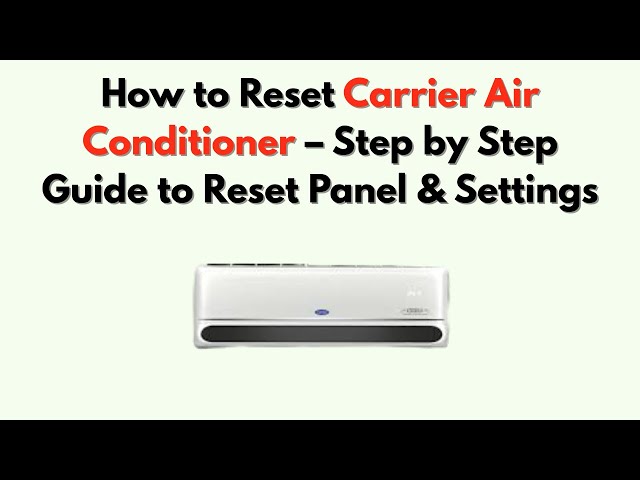
Is your Carrier air conditioner acting up or not cooling like it used to? Sometimes, all it takes is a simple reset to get your unit back to perfect working order.
In this guide, you’ll learn exactly how to reset your Carrier air conditioner quickly and safely. Whether you’re dealing with error codes, unexpected shutdowns, or just want to start fresh, this step-by-step approach will help you fix the problem without calling a technician.
Keep reading to take control of your cooling system and enjoy the comfort you deserve.
Signs You Need A Reset
Common Carrier AC issuesinclude the unit not cooling properly, strange noises, and the system not turning on. Other problems might be frequent cycling or the display showing error codes. These signs often mean the system needs a reset.
When resetting helps, it can clear minor glitches and restore normal function. Resetting the unit can fix issues like frozen coils, sensor errors, or stuck compressors. It is a quick way to troubleshoot before calling a technician.
| Common Issue | Effect | Reset Helps? |
|---|---|---|
| Not cooling | Warm air blowing | Yes, sometimes |
| Unit won’t start | No power or response | Yes, often |
| Strange noises | Clicking or buzzing | Sometimes |
| Frequent cycling | Turns on/off often | Sometimes |
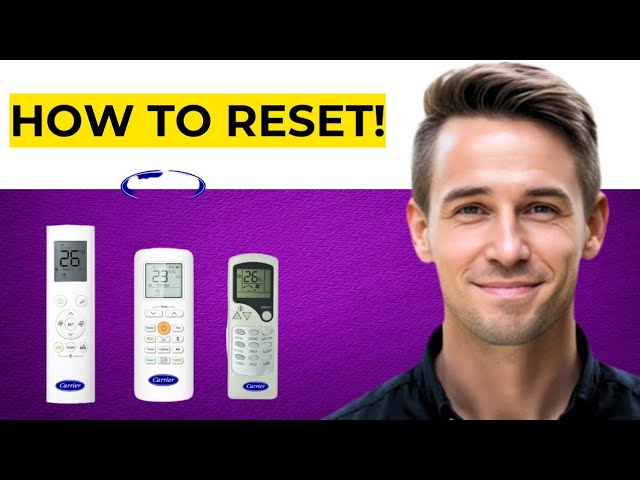
Credit: www.youtube.com
Preparing For The Reset
Before resetting a Carrier air conditioner, safetyis very important. Make sure the unit is turned offand disconnectedfrom power. This prevents electric shocks or damage. Clear the area around the unit for easy access and avoid accidents. Keep children and pets away during the process.
Some tools may help during the reset:
- Screwdriverto open the unit’s panel if needed
- Owner’s manualfor specific reset instructions
- Flashlightto see inside the unit clearly
- Multimeterto check electrical connections
Having these ready makes the reset safer and smoother.
Reset Methods For Carrier Ac
Use the thermostat to reset the Carrier AC by turning it off. Wait for about 5 minutes before turning it back on. This process allows the system to clear minor errors and restart fresh.
Power cycle reset involves switching off the AC unit’s power supply. Unplug the unit or turn off the circuit breaker. Leave it off for a few minutes, then restore power. This can help reset the internal controls.
The reset button is usually located on the outdoor unit or near the control panel. Press and hold this button for a few seconds to reset the system. This quick action can solve some common issues without professional help.

Credit: www.youtube.com
Step-by-step Reset Guide
Turn off the unit using the main power button or remote control. Make sure the air conditioner stops running before proceeding.
Disconnect the power by unplugging the unit or switching off the circuit breaker. This step ensures safety during the reset.
Wait for at least five minutes before reconnecting power. This pause allows the internal system to reset properly.
Restart the air conditioner by plugging it back in or turning on the circuit breaker. Press the power button to switch it on again.
Troubleshooting After Reset
Unit Not Respondingcan mean the air conditioner did not reset properly. Check if power is on and the remote has working batteries. Sometimes, the unit needs a few minutes to restart after a reset. Make sure all buttons on the remote work. If the unit still does not respond, unplug it for 5 minutes, then plug it back in.
| Error Code | Meaning | Action |
|---|---|---|
| E1 | Temperature sensor error | Turn off unit, call technician |
| E2 | Fan motor problem | Reset unit, check vents |
| E3 | Communication error | Unplug and reset, call technician if persists |
When to Call a Technicianis important. Call help if error codes stay after resets. Strange noises or water leaks need expert checks. If the unit stops working entirely or smells burning, stop use and get professional help.
Maintenance Tips To Avoid Resets
Regular filter cleaningkeeps air flowing well. Dirty filters make the system work harder. Clean filters every 1-3 months to avoid dust build-up. This helps keep the air fresh and the unit running smoothly.
Proper thermostat usesaves energy and prevents quick wear. Set the temperature to a steady level. Avoid changing it too often. Use a programmable thermostat for better control and comfort.
| Checkup Type | Frequency | What It Includes |
|---|---|---|
| Professional Inspection | Once a year | Check refrigerant, clean coils, test system |
| System Tune-Up | Twice a year | Lubricate parts, tighten connections, check controls |
Scheduled professional checkups catch small problems early. They keep your Carrier air conditioner working well for a long time.

Credit: www.youtube.com
Frequently Asked Questions
How Do I Reset My Carrier Ac Unit?
To reset your Carrier air conditioner, locate the “Reset” button on the control panel. Hold it for three seconds until you hear a beep. Release the button, and your unit should reset. If your model lacks a reset button, turn off the power for 30 seconds and then restart it.
Why Is My Carrier Ac Not Cooling?
Your Carrier AC might not be cooling due to a dirty filter, low refrigerant levels, or thermostat issues. Ensure the filter is clean and the thermostat settings are correct. If problems persist, it could be a refrigerant leak, requiring professional assistance.
Regular maintenance can prevent these issues.
How Often Should I Reset My Carrier Ac?
Reset your Carrier air conditioner only when necessary, such as after a power outage or when troubleshooting. Frequent resets aren’t needed for normal operation. If you find yourself resetting often, it might indicate an underlying issue. Consult a professional to diagnose and resolve persistent problems.
What Should I Do If The Reset Doesn’t Work?
If resetting your Carrier AC doesn’t work, check for tripped circuit breakers or blown fuses. Ensure the thermostat is functioning correctly. Inspect the unit for visible damage or blockages. If the issue persists, contact a qualified technician to diagnose and repair your air conditioner.
Conclusion
Resetting your Carrier air conditioner is simple and quick. Just follow the steps carefully to avoid mistakes. A proper reset helps your unit run smoothly again. Remember to turn off power before starting the reset. Regular maintenance keeps your AC working well longer.
If problems continue, contact a professional for help. Taking care of your AC saves money and energy. Keep your home cool and comfortable with these easy tips. You can handle basic issues yourself and stay comfortable year-round.