
Is your Frigidaire Gallery ice maker acting up or refusing to make ice? You’re not alone, and the good news is that resetting it can often fix the problem quickly.
Imagine having your ice maker working smoothly again in just a few simple steps. You’ll discover exactly how to reset your Frigidaire Gallery ice maker without hassle. Keep reading, and you’ll get your ice flowing again before you know it.
Signs Your Ice Maker Needs A Reset
Knowing when your Frigidaire Gallery ice maker needs a reset can save you time and frustration. Ice makers don’t always give clear warnings before they stop working properly. Paying attention to subtle signs can help you fix issues before they become bigger problems.
No Ice Production
One of the most obvious signs is when your ice maker stops producing ice completely. You might notice an empty ice bin even after the machine has run for hours. This could mean the ice maker is stuck or needs a simple reset to resume normal operation.
Have you ever opened the freezer expecting fresh ice only to find none? It’s frustrating, but often a reset can bring your ice maker back to life quickly.
Ice Jams And Blockages
If you find chunks of ice stuck inside the dispenser or around the ice tray, your ice maker could be jammed. These blockages stop new ice from forming or being dispensed properly. Clearing the jam and resetting the unit often clears this problem.
Ice jams happen when pieces don’t fall out as they should. Resetting helps the ice maker recalibrate and prevent future blockages.
Unusual Noises
Strange sounds like grinding, buzzing, or clicking from your ice maker are red flags. These noises might mean the motor or gears are struggling. A reset can sometimes stop the noise by restarting the system and fixing minor mechanical glitches.
Ever heard a noise that just didn’t seem right? Instead of ignoring it, try resetting your ice maker to see if that smooths out the operation.
Error Codes And Indicators
Your Frigidaire Gallery ice maker might display error codes or flashing lights when something is wrong. These signals are designed to alert you to specific issues needing attention. Consulting your user manual on what these codes mean and then resetting the ice maker can often clear the error.
Pay attention to these codes—they’re your ice maker’s way of communicating. Resetting after noting the error can solve the problem or tell you if professional help is needed.

Credit: www.dtappliance.com
Preparing To Reset The Ice Maker
Before you reset your Frigidaire Gallery ice maker, it’s important to prepare properly. Getting ready helps you avoid mistakes and ensures the reset goes smoothly. Taking time to gather tools, follow safety steps, and locate the ice maker can save you from frustration later.
Gathering Necessary Tools
Start by collecting the tools you will need. Usually, a screwdriver and a flashlight are enough. Having a towel or cloth nearby can also help if any water spills during the process.
Think about your workspace too. Is it well-lit? If not, a portable lamp or your phone’s flashlight can come in handy. Being prepared with these simple items makes the reset easier and faster.
Safety Precautions
Safety is key when working with any appliance. Before you touch the ice maker, unplug your fridge to avoid electric shock. It only takes a second, but it protects you from harm.
Also, avoid wearing loose clothing or jewelry that might get caught. Make sure your hands are dry to reduce slipping. These small precautions keep you safe and focused on the task.
Locating The Ice Maker
Finding your ice maker is sometimes the trickiest part. In most Frigidaire Gallery models, it’s inside the freezer compartment, usually mounted on the side wall.
If you’re unsure, look for the small box with a motor and metal arms. Some models have a visible ejector arm or a small reset button on the front or side. Knowing exactly where it is saves time and frustration.
Step-by-step Reset Process
Unplug the ice maker to stop its operation. Wait for a few minutes, then plug it back in to reset the system. Press and hold the reset button until the ice maker restarts and begins making ice again.
Resetting your Frigidaire Gallery Ice Maker can seem daunting, but breaking it down into simple steps can make the process straightforward. Whether your ice maker has stopped producing ice or is functioning erratically, a reset often solves many common issues. Let’s walk through the process together to ensure your ice maker is back to its optimal performance.Turning Off The Ice Maker
Begin by locating the on/off switch on your Frigidaire Gallery Ice Maker. It’s usually found on the ice maker unit itself, often marked clearly. Turn it off to halt any current operations, ensuring your hands are dry to prevent any mishaps with electricity.Pressing The Reset Button
The reset button is your next target. It’s typically positioned near the on/off switch or somewhere easily accessible on the ice maker. Gently press and hold the button for about 10 seconds. This initiates the reset process, giving the ice maker a fresh start.Power Cycling The Refrigerator
Sometimes, a simple power cycle can work wonders. Unplug your refrigerator from the wall outlet. Wait for about a minute before plugging it back in. This action refreshes the entire system, potentially resolving connectivity or functionality glitches.Waiting For The Ice Maker To Restart
Patience is key here. After completing the above steps, give your ice maker some time to reboot. It might take a few minutes before it starts producing ice again. Check periodically to see if ice production resumes, ensuring everything is back on track. Troubleshooting appliances can be a bit of an adventure, but it’s a valuable skill to have. Have you ever wondered how often we depend on these machines without realizing it? By understanding these simple reset steps, you’re not just solving a problem but also gaining confidence in managing your kitchen appliances efficiently.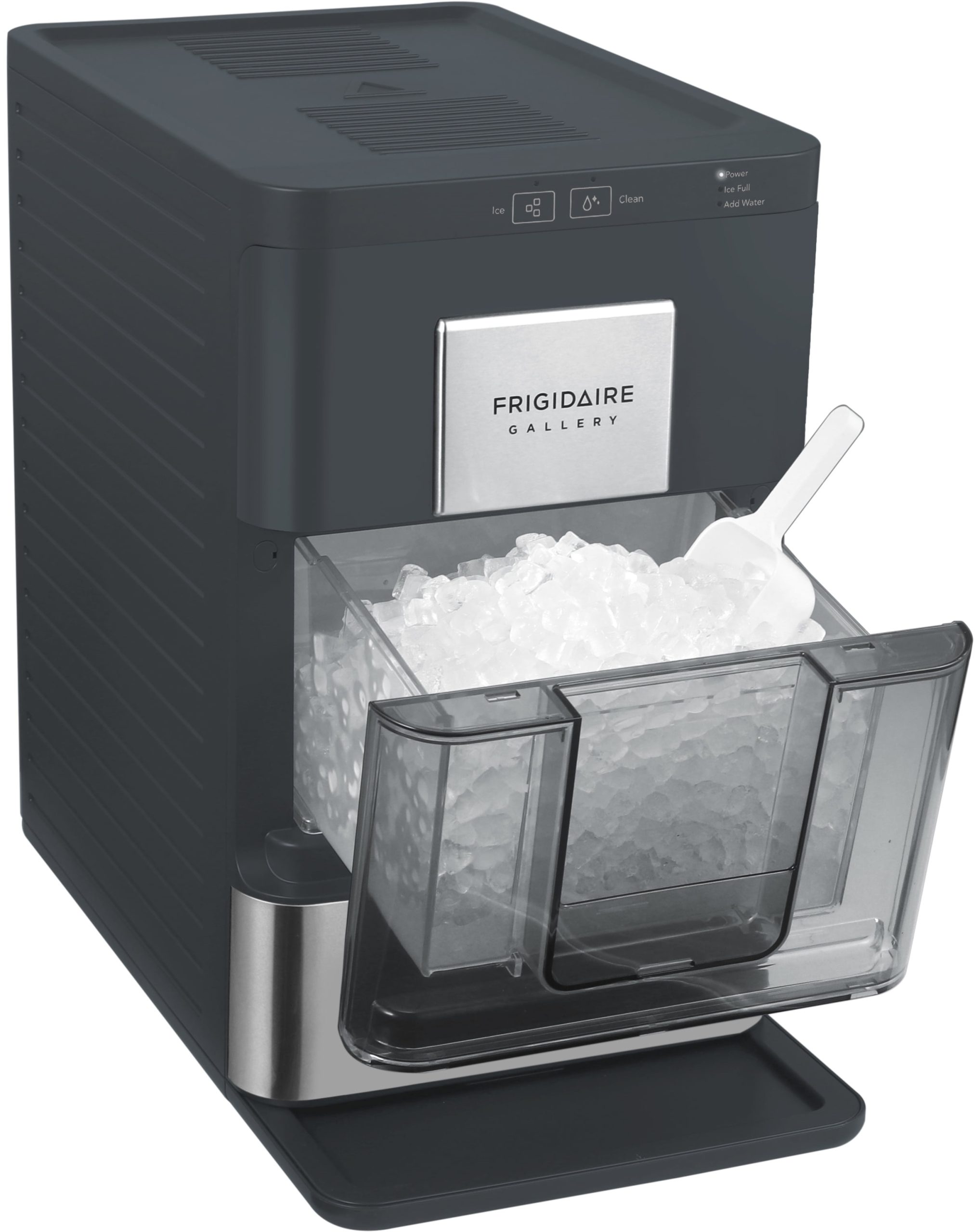
Credit: manuals.plus
Troubleshooting Common Issues
Troubleshooting common issues with your Frigidaire Gallery ice maker can save time and avoid unnecessary repairs. Many problems have simple solutions you can try at home. Understanding basic troubleshooting steps helps you keep the ice maker running smoothly.
Check for obvious signs like no ice production or slow ice making. Some problems relate to water flow or temperature settings. Knowing what to inspect first helps fix most issues quickly.
Ice Maker Still Not Working
Confirm the ice maker is turned on. Look for any visible damage or blockages inside the ice tray. Clear any ice jams that stop the cycle.
Reset the ice maker using the reset button or power cycle the freezer. Wait a few minutes and see if ice production starts again.
Water Supply Problems
Check the water line for kinks or leaks. Ensure the water valve is fully open. Low water pressure can prevent ice from forming.
Clean the water filter if it is clogged. Replace the filter every six months to maintain good water flow. Inspect the water inlet valve for proper operation.
Freezer Temperature Settings
Set the freezer temperature between 0°F and 5°F (-18°C to -15°C). Warmer settings stop ice from freezing properly.
Make sure the freezer door seals tightly. Warm air entering the freezer causes poor ice production. Avoid frequent door openings.
Reset Button Not Responding
Unplug the freezer for 5 minutes to reset the ice maker manually. Press and hold the reset button firmly for at least 10 seconds.
Inspect the button for damage or dirt blocking it. Clean gently with a dry cloth if needed. If the reset button still does not work, the ice maker may need professional service.
Maintaining Your Frigidaire Ice Maker
Keeping your Frigidaire Gallery ice maker in top shape ensures fresh ice and smooth operation. Regular care prevents common problems and extends the appliance’s life. Simple tasks like cleaning and checking parts save time and money.
Taking good care of your ice maker also improves ice quality. Avoid unpleasant tastes and odors by following easy maintenance steps. Stay ahead of issues by routine checks and timely service.
Regular Cleaning Tips
Clean the ice bin and dispenser every two weeks. Use a soft cloth with warm water and mild soap. Avoid harsh chemicals that can damage surfaces. Rinse thoroughly and dry before replacing parts. Clean the ice maker’s interior to stop mold and mildew growth.
Preventing Ice Build-up
Clear ice build-up by defrosting the freezer regularly. Keep the freezer temperature at the recommended level. Avoid opening the door often to prevent moisture. Check ice thickness and remove excess ice manually. This helps the machine work efficiently and stops jams.
Checking Water Filters
Replace water filters every six months or as needed. Old filters reduce water flow and affect ice taste. Use only Frigidaire-approved filters for best results. Monitor the filter indicator light and act promptly. Clean the filter housing during filter changes to avoid blockages.
Scheduling Routine Maintenance
Set reminders for regular ice maker inspections. Look for leaks, strange noises, or slow ice production. Call a professional technician for detailed checks yearly. Keep the appliance manual handy for troubleshooting. Routine service helps catch small issues early before they grow.

Credit: www.dtappliance.com
Frequently Asked Questions
How Do I Reset My Frigidaire Gallery Ice Maker?
To reset, locate the reset button on the ice maker module. Press and hold it for 10 seconds. Release and wait for the ice maker to restart its cycle automatically.
Why Is My Frigidaire Ice Maker Not Making Ice?
Check water supply and ensure the ice maker is turned on. Also, inspect for any ice blockages or a faulty thermostat causing the issue.
How Often Should I Reset My Frigidaire Ice Maker?
Reset only when the ice maker malfunctions or stops producing ice. Regular resets are unnecessary and won’t improve performance.
Can I Reset The Ice Maker Without Unplugging The Fridge?
Yes, press and hold the reset button for 10 seconds. Unplugging is not required for most Frigidaire Gallery models.
Conclusion
Resetting your Frigidaire Gallery ice maker can solve many common issues quickly. Just follow the clear steps to get it working again. Regular resets help keep your ice maker running smoothly. Remember to unplug the unit before starting the reset process.
Check the ice maker after a few hours to see if it works properly. Simple actions can save you time and avoid costly repairs. Keep your ice maker clean and maintained for best results. A working ice maker means cold ice ready whenever you need it.