
Is your Hyundai radio acting up or stuck on a frozen screen? You’re not alone, and the good news is that resetting it can often fix the problem quickly.
Whether you lost your presets or your radio won’t turn on, knowing how to reset your Hyundai radio can save you time, frustration, and even a trip to the dealer. In this guide, you’ll find simple steps tailored just for your Hyundai model to get your radio back to working perfectly.
Keep reading—you’re just moments away from tuning back in without hassle.
Reasons To Reset Hyundai Radio
Resetting your Hyundai radio can solve a range of problems and improve your overall driving experience. Understanding why you might need to reset your radio helps you act quickly and avoid unnecessary frustration. Let’s look at the common issues that lead to a reset and when it’s absolutely necessary to do so.
Common Radio Issues
Many Hyundai owners face radio glitches that disrupt their daily drive. Your radio might freeze, stop responding to button presses, or fail to turn on. Sometimes, the sound cuts out unexpectedly or the station presets get lost.
Another frequent problem is the radio displaying an error code or asking for a security code after a battery disconnect. This can be confusing and annoying, especially if you just want to listen to your favorite music.
Have you ever experienced sudden static or poor reception, even in areas where reception used to be clear? This can also signal that your radio system needs a reset to clear out minor software bugs.
When Reset Is Necessary
Resetting your Hyundai radio is necessary when simple troubleshooting doesn’t work. For example, if the radio won’t respond to any controls or if it’s stuck on a blank screen, a reset can bring it back to normal.
If your radio prompts for a security code repeatedly or locks you out after a power interruption, resetting it can help restore access. Ignoring these signs might lead to more complicated repairs later.
Think about the last time your radio acted oddly—did restarting your car fix the issue temporarily? If problems keep coming back, a proper reset is a practical next step to prevent ongoing hassle.

Credit: www.reddit.com
Preparing To Reset
Preparing to reset your Hyundai radio is important for a smooth process. This step helps avoid errors and saves time. Gather all necessary items and information before starting.
Knowing what tools you need and where to find your radio code is essential. These preparations ensure you reset the radio quickly and correctly.
Gathering Required Tools
Have the right tools ready to avoid interruptions. Common tools include:
- Car manual
- Owner’s manual
- Small flathead screwdriver
- Pen and paper for notes
- Your vehicle’s registration or proof of ownership
These tools help access the radio and record important information. Keep them within reach before you start resetting.
Locating The Radio Code
The radio code is a security feature. It prevents unauthorized use after battery disconnection.
Find the code in one of these places:
- Radio code card inside the glove box or manual
- Sticker on the radio or inside the fuse box
- Original purchase documents or service records
If you cannot find the code, contact a Hyundai dealer. They can provide the code using your vehicle’s VIN.
Reset Methods
Resetting your Hyundai radio can solve many common issues like frozen screens or lost settings. Understanding the right reset method helps you get back on track quickly without frustration. Let’s look at different ways you can reset your radio effectively.
Soft Reset Process
A soft reset is your first go-to fix for minor glitches. It doesn’t erase your saved presets or settings.
To perform a soft reset, simply press and hold the power button or volume knob for about 10 seconds until the radio screen goes black and then restarts. This quick action refreshes the system without wiping your personalized data.
Have you ever noticed your radio freezing after a long drive? A soft reset often solves that without any hassle.
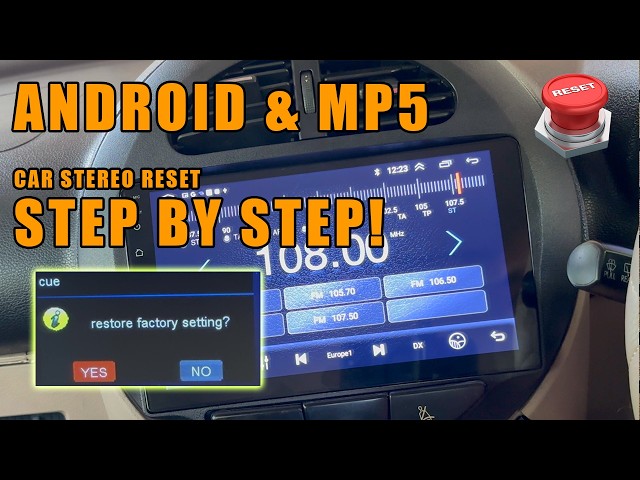
Hard Reset Steps
If the soft reset doesn’t work, a hard reset wipes all radio settings and restores factory defaults. This can help fix deeper software issues but means you’ll lose saved stations and preferences.
Here’s how to do a hard reset:
- Turn off the car and radio completely.
- Press and hold the “Setup” or “Menu” button along with the power button.
- Keep holding until the screen flashes or shows the reset message.
- Release the buttons and wait for the radio to reboot.
Think about when your phone needs a full reset to fix persistent problems—your radio works the same way.
Using The Radio Code
Sometimes your Hyundai radio locks after losing power, asking for a security code. This is an anti-theft feature.
You’ll find the radio code in your owner’s manual, or you can get it from a Hyundai dealer by providing your car’s VIN and proof of ownership.
To enter the code:
- Turn on the radio; it will display “CODE” or “LOCK”.
- Use the preset buttons to enter the code numbers.
- Press “OK” or the power button to confirm.
If you enter the wrong code multiple times, the radio may lock for a period—so take your time. Have you checked your manual recently? Sometimes the code is tucked away in an unexpected spot.
Credit: www.youtube.com
Troubleshooting Post-reset
After resetting your Hyundai radio, you might expect everything to work perfectly right away. But sometimes, the reset doesn’t fix all issues immediately, or new settings might need tweaking. Troubleshooting post-reset helps you identify and solve lingering problems, ensuring your radio functions just the way you want.
Radio Still Not Working
If your radio still doesn’t turn on or respond after a reset, start by checking the basics. Is your vehicle’s ignition on? Sometimes, the radio won’t power up unless the key is in the accessory or on position.
Next, inspect the fuse related to the radio. A blown fuse can stop power flow completely. You can find the fuse box diagram in your owner’s manual to locate the correct fuse and replace it if necessary.
If these steps don’t help, the problem might be more complex, like wiring issues or a faulty radio unit. Consider consulting a professional technician or your Hyundai dealership to avoid causing more damage.
Audio Settings Adjustment
After a reset, your radio’s audio settings usually return to factory defaults. This can make the sound seem off or less clear than before. Don’t hesitate to adjust bass, treble, balance, and fade to suit your preferences.
Many Hyundai radios offer presets for different music styles or environments. Experiment with these presets to find the one that feels best to you. Have you noticed how small changes in settings can drastically improve your listening experience?
Remember to save your preferred settings once you find the perfect sound. This way, you won’t have to readjust every time you start your car. It’s a simple step that improves your daily drive significantly.
Preventing Future Issues
Preventing future issues with your Hyundai radio doesn’t just save you time; it keeps your driving experience smooth and enjoyable. Small, consistent actions can protect your radio from unexpected resets and malfunctions. Let’s look at practical ways you can safeguard your system starting today.
Battery Maintenance Tips
Your car’s battery health directly affects your radio’s performance. A weak or dying battery can cause your radio to lose settings or stop working altogether.
- Check battery voltage regularly.Use a multimeter or visit a mechanic to ensure your battery stays above 12.4 volts.
- Clean battery terminals.Corrosion can block power flow and cause intermittent radio issues. Use a wire brush and a baking soda solution to clean them.
- Turn off electronics before starting the engine.This reduces the initial power surge that can harm sensitive components like your radio.
- Replace your battery every 3-5 years.Old batteries fail to provide stable power, increasing the risk of radio resets.
Have you noticed your radio acting up after your battery weakens? That’s your car’s way of telling you to pay attention.
Regular Radio Care
Your radio needs care beyond just resetting it when problems arise. Treat it like any other important device in your car.
- Keep the software updated.Check Hyundai’s website or your dealership for firmware updates that fix bugs and improve radio stability.
- Avoid abrupt power cuts.Turn off your radio before shutting off the engine to prevent data corruption.
- Protect your radio from moisture and dust.Clean the dashboard area regularly and avoid spilling liquids near your radio controls.
- Use the correct fuse.If you replace a blown fuse, make sure to use one with the exact rating specified by Hyundai.
Think about how you treat your smartphone. Would you let it run out of battery constantly or expose it to dirt? Your radio deserves the same attention.
Credit: www.hyundai-forums.com
Frequently Asked Questions
How Do I Reset My Hyundai Radio?
To reset your Hyundai radio, first ensure your vehicle is in park. Turn off the ignition and then restart your car. Locate the radio’s power button and hold it down for about 10 seconds. This should reset the system, restoring factory settings.
Why Is My Hyundai Radio Not Working?
Your Hyundai radio might not work due to a blown fuse or software glitch. Check the fuse box for any blown fuses. If the fuses are fine, try resetting the radio. If problems persist, consult a professional technician for further diagnosis.
Can I Reset The Hyundai Radio Without The Code?
Yes, you can reset a Hyundai radio without a code. First, disconnect the car battery for about 10 minutes. Reconnect it and start your vehicle. This method often resets the radio without needing the security code. If issues continue, consult your owner’s manual or dealership.
What Should I Do If My Radio Display Is Blank?
If your Hyundai radio display is blank, try resetting the radio by holding the power button. Check if the radio’s fuse is blown. If issues persist, consult your vehicle’s manual or a professional technician to diagnose the problem further.
Conclusion
Resetting your Hyundai radio is simple and quick. Follow the steps carefully to avoid mistakes. This process can fix common radio problems easily. Keep your car manual handy for specific details. Regular resets help maintain your radio’s performance. Enjoy clear sound and smooth operation again.
Stay calm and take your time with each step. Your Hyundai radio will work like new soon. Keep this guide for future reference.