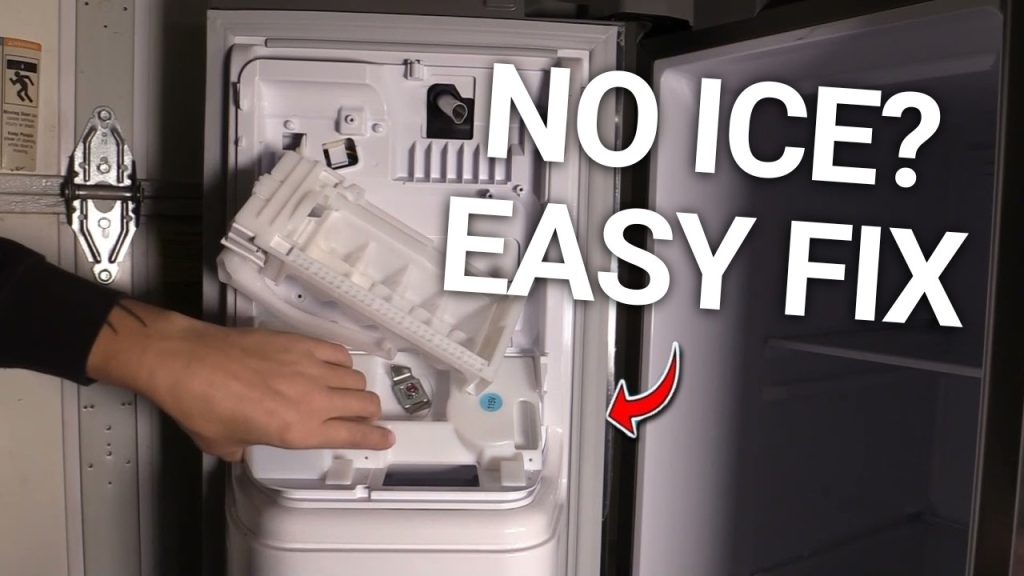
Is your GE refrigerator’s ice maker not working like it used to? If you’re tired of waiting for ice that never comes or dealing with ice that’s stuck and won’t drop, you’re not alone.
The good news is, resetting your ice maker can often fix these common problems quickly—and you can do it yourself without calling a technician. In this guide, you’ll learn simple, step-by-step instructions to reset your GE refrigerator’s ice maker and get it back to making ice smoothly.
Keep reading, and you’ll be enjoying fresh ice again in no time!
Locate The Ice Maker
Locating the ice maker in your GE refrigerator is the first key step before you can reset it. Knowing exactly where to find it saves you time and avoids unnecessary frustration. It also helps you understand how the reset process works and what parts you’ll be interacting with.
Find The Ice Maker In Your Ge Refrigerator
Most GE refrigerators have the ice maker installed inside the freezer compartment. Open your freezer door and look towards the back or side walls—this is where the ice maker usually sits. It often has a small plastic arm or metal lever that controls ice production.
If you don’t see it immediately, check for a removable cover or panel that might be hiding the ice maker. Sometimes GE models place the ice maker in the upper corner or behind a plastic shield. Don’t hesitate to use your phone flashlight to get a better look inside tight spaces.
Identify The Reset Button Or Switch
Once you locate the ice maker, look for a small button or switch on the unit. This reset button is often red or black and might be labeled “Reset” or simply marked with a symbol. On some models, it could be a tiny hole requiring a paperclip to press.
Not all GE ice makers have a visible reset button; some use a switch on the side or bottom of the unit instead. If you can’t find any button or switch, check the user manual or the inside of the freezer door for a diagram. Have you ever checked your fridge only to find the reset option hidden in plain sight?
Prepare For Reset
Preparing to reset the ice maker on your GE refrigerator is important. This step ensures safety and proper function during the reset process. Take a moment to follow these steps carefully before moving forward.
Turn Off The Ice Maker
Locate the ice maker control arm or switch inside the freezer. Move the arm to the off position or press the switch to turn off the ice maker. This stops ice production and prevents damage during the reset.
Wait a few minutes after turning it off. This pause helps the ice maker stop completely before you reset it.
Unplug The Refrigerator Or Disconnect Power
Unplug the refrigerator from the wall outlet to cut the power supply. If unplugging is not possible, turn off the circuit breaker that powers the fridge.
Disconnecting power protects you from electric shock. It also allows the ice maker to reset fully. Leave the power off for about five minutes before plugging it back in.
Reset Methods
Press and hold the ice maker reset button for a few seconds to restart the system. Unplugging the refrigerator for a minute can also reset the ice maker. These simple steps often fix common ice maker issues quickly.
Resetting the ice maker on a GE refrigerator can solve many issues. Sometimes, the ice maker stops working due to minor glitches. Before calling a technician, try these reset methods. Each method is straightforward and easy to follow.Use The Reset Button
Some GE refrigerators have a reset button on the ice maker. Locate this button on your model. It is often near the ice maker or control panel. Press and hold it for a few seconds. This action should reset the ice maker. Wait a few minutes to see if it resumes normal operation.Cycle The Power
Unplug the refrigerator from the power source. Wait for about 5 minutes. Plug it back in to restart the system. This power cycling can clear temporary glitches. Check if the ice maker is functioning again.Manual Reset Via Switch
Locate the on/off switch on the ice maker. Switch it to the off position. Wait a few moments, then turn it back on. This manual reset can refresh the ice maker system. Verify if the ice maker starts producing ice.
Credit: www.reddit.com
After Reset Steps
After you reset your GE refrigerator’s ice maker, there are a couple of important steps to follow to get it back to working properly. These steps ensure the ice maker resumes production smoothly and helps avoid any further interruptions. Taking a moment to complete these actions can save you time and frustration down the line.
Turn The Ice Maker Back On
Once the reset is complete, locate the ice maker’s power switch or control arm inside the freezer compartment. Flip the switch to the “on” position or lower the arm to activate the ice maker. This simple action tells the machine it’s ready to start making ice again.
Sometimes, it’s easy to forget this step, and your ice maker might seem like it’s still not working. Have you ever reset your appliance only to realize you never turned it back on? Double-checking this will save you unnecessary troubleshooting.
Wait For Ice Production To Resume
After turning the ice maker back on, patience is key. It usually takes a few hours before you see the first batch of ice cubes. The machine needs time to fill the tray and freeze the water properly.
During this waiting period, avoid opening the freezer door frequently. Each time you open it, warm air enters, which can delay ice formation. Have you noticed how often we unintentionally slow down ice production by checking too soon?
If ice doesn’t appear after 24 hours, check for any water supply issues or revisit the reset process. Your ice maker’s smooth operation depends on these small but crucial after-reset steps.
Troubleshooting Tips
Troubleshooting your GE refrigerator’s ice maker can solve many common problems quickly. Small issues often stop the ice maker from working. Checking key areas saves time and avoids extra costs. Follow simple tips to find and fix the problem.
Check Water Supply
Ensure the water line is connected and not frozen. A blocked or kinked tube stops water flow. Check the water valve for proper opening. Low water pressure can reduce ice production. Clear any ice buildup in the supply line. Run water to confirm it flows freely.
Inspect Ice Maker Components
Look at the ice maker’s arm or sensor. If stuck, it may stop ice making. Examine the ejector blades for damage or jamming. Clean dirt or debris from the ice mold. Check the thermostat and wiring for loose connections. Replace broken parts to restore function.
When To Call A Technician
Call a professional if the ice maker still fails after checks. Complex electrical or mechanical issues need expert help. Avoid DIY repairs that may void your warranty. Technicians have tools and parts for safe fixes. Schedule service to prevent further damage or leaks.

Credit: alphatekappliance.com
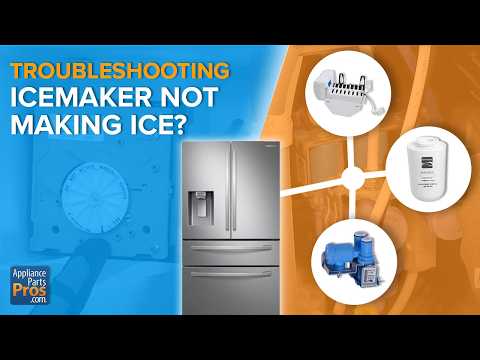
Credit: www.appliancerepairfortlauderdalefl.net
Frequently Asked Questions
How Do I Reset The Ice Maker On My Ge Refrigerator?
To reset, locate the ice maker’s reset button inside the freezer. Press and hold it for 10 seconds. Release and wait for the ice maker to restart. This process clears errors and restarts ice production efficiently.
Why Is My Ge Ice Maker Not Making Ice?
Common causes include a frozen water line, low water pressure, or a faulty ice maker module. Resetting the ice maker often fixes minor glitches. If the issue persists, check water supply and temperature settings.
How Long Does A Ge Ice Maker Take To Reset?
After pressing the reset button, the ice maker typically restarts within 5 minutes. It may take up to 24 hours to produce the first batch of ice after a full reset.
Can I Reset The Ice Maker Without Unplugging The Refrigerator?
Yes, most GE ice makers have a reset button or switch. Press and hold the reset button as per instructions, without unplugging the appliance. Unplugging is not required unless for a full system reboot.
Conclusion
Resetting the ice maker on your GE refrigerator is simple and quick. Follow the steps carefully to avoid mistakes. A proper reset can fix most common ice maker issues. Keep your ice maker clean and check it regularly. This helps it work well and last longer.
If problems continue, consider calling a professional. Regular care saves time and money. Enjoy fresh ice without hassle.