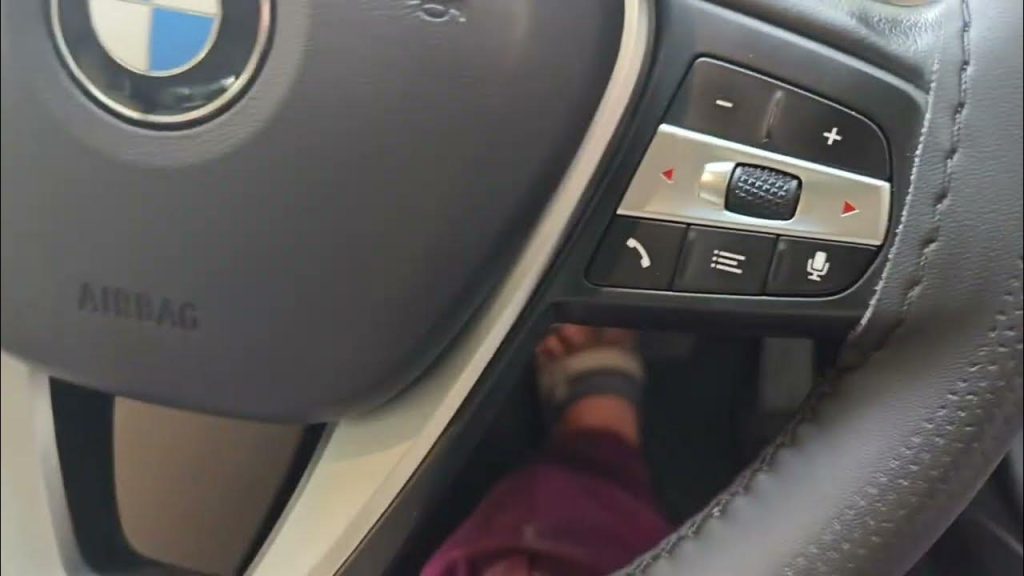
Are your BMW parking sensors acting up and giving false alerts? It can be frustrating when these helpful features don’t work right, especially when you rely on them every day.
The good news is, you don’t have to rush to a mechanic just yet. You can reset your parking sensors yourself—and get them back to perfect working order quickly. In this guide, you’ll discover simple, step-by-step instructions to reset your BMW parking sensors, so you can drive with confidence and ease.
Keep reading to find out how to fix this common issue in minutes.

Credit: www.youtube.com
Signs Of Faulty Parking Sensors
Parking sensors help you park safely by detecting objects around your car. When these sensors fail, parking becomes risky. Spotting faulty sensors early keeps your BMW safe and functional.
Common Sensor Issues
- False alarms going off without obstacles nearby
- Sensor warning sounds that do not stop
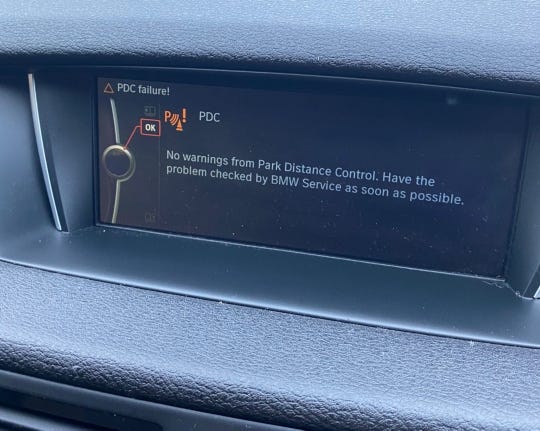
- Parking sensor lights flashing on the dashboard
- Sensors failing to detect objects at close range
- Intermittent sensor performance or total sensor silence
- Physical damage or dirt covering the sensor areas
When To Reset Sensors
Reset sensors after cleaning or repairing them. Reset also helps when sensors act strangely or give wrong alerts.
Perform a reset if the sensor warning light stays on after parking. Resetting can fix sensor errors caused by temporary glitches.
Use reset after sensor replacement or battery disconnect to restore sensor function.
Tools Needed For Reset
Resetting the parking sensors on your BMW requires some specific tools to ensure the process goes smoothly. Having the right equipment not only saves time but also helps avoid unnecessary frustration. Let’s look at what you absolutely need and what can make the task easier.
Essential Equipment
- OBD-II Scanner:This is the most crucial tool. It connects to your BMW’s onboard computer and lets you access sensor settings.
- Basic Hand Tools:A set of screwdrivers and a wrench might be necessary to open panels or covers to access sensor components.
- Vehicle Owner’s Manual:This guides you through specific instructions tailored to your BMW model, which can save you from guesswork.
Without an OBD-II scanner, resetting sensors manually can be hit or miss. Many BMW models require electronic resets that only the scanner can trigger. Have you ever tried fixing a tech problem without the right tools? It’s frustrating and often ineffective.
Optional Diagnostic Tools
- Advanced BMW Diagnostic Software:Tools like BMW INPA or ISTA offer deeper system diagnostics and sensor calibration options.
- Multimeter:Handy for checking electrical connections and sensor wiring if you suspect hardware issues.
- Wireless Bluetooth Adapters:Paired with smartphone apps, these adapters provide a convenient way to monitor and reset sensors.
These optional tools aren’t mandatory but can save you time and provide detailed insights. If you want to go beyond simple resets and diagnose sensor health, they are worth considering. Would you invest in these tools to avoid repeated trips to the mechanic?
Step-by-step Reset Process
Resetting the parking sensors on your BMW helps fix sensor errors and improves system accuracy. The process is simple and can be done manually or through the BMW iDrive system. Follow the steps below to reset your parking sensors effectively.
Manual Reset Method
This method works well for basic sensor resets without needing special tools.
- Turn off the engine and open the driver’s door.
- Locate the fuse box under the dashboard or in the engine bay.
- Find the fuse labeled for parking sensors using the fuse diagram.
- Remove the fuse carefully using a fuse puller or tweezers.
- Wait for about 30 seconds to let the system reset.
- Reinsert the fuse back into its slot securely.
- Close the fuse box and start the engine.
- Check if the parking sensors are functioning properly.
Using Bmw Idrive System
This approach is ideal for newer BMW models with the iDrive interface.
- Switch on your BMW and access the iDrive main menu.
- Navigate to the “Settings” or “Vehicle Settings” option.
- Select “Parking Assistance” or a similar sensor-related menu.
- Choose the option to reset or recalibrate the parking sensors.
- Follow on-screen instructions carefully for the reset process.
- Complete the reset and exit the menu.
- Test the parking sensors by parking near an obstacle.
Credit: www.bimmerforums.co.uk
Calibrating Sensors After Reset
Calibrating sensors after resetting your BMW parking sensors is essential for accurate performance. The sensors need proper alignment to detect objects correctly. Calibration ensures the system works smoothly and alerts you to obstacles in real time.
Proper calibration prevents false alarms and missed detections. It helps maintain safety and convenience during parking maneuvers. Taking a few extra minutes to calibrate sensors improves your driving experience.
Calibration Tips
- Ensure the car is on a flat, level surface before starting calibration.
- Clean the sensor areas to remove dirt and debris that may block signals.
- Check the vehicle’s manual for specific calibration instructions or tools needed.
- Avoid heavy rain or extreme weather during calibration to prevent sensor errors.
- Use the BMW iDrive system or diagnostic tools to access sensor settings if required.
Test Drive Checks
- Drive slowly in a safe area to test sensor alerts on all sides of the car.
- Listen for beeps and watch the display for correct distance warnings.
- Approach obstacles at different angles to verify sensor sensitivity and range.
- Note any false alerts or missed detections and recalibrate if necessary.
- Repeat the test drive in various parking situations to confirm consistent sensor function.
Troubleshooting Persistent Issues
Troubleshooting persistent issues with BMW parking sensors requires patience and careful checks. Sensors may fail to reset properly due to dirt, damage, or software glitches. Identifying the root cause helps avoid repeated problems. Start by observing sensor behavior and noting any error messages on the dashboard. Understanding common errors simplifies the troubleshooting process.
Common Errors
- Sensor blockage by mud, ice, or debris
- Faulty sensor wiring or loose connections
- Software glitches affecting sensor calibration
- Damaged sensors from impacts or wear
- Inconsistent sensor signals causing false alarms
Cleaning sensors often solves many issues. Check for visible damage next. Software resets can clear glitches but may not fix hardware faults.
When To Seek Professional Help
Persistent sensor errors might indicate deeper problems. Complex wiring faults need expert diagnosis. Sensor replacement requires technical tools and skills. Professional diagnostics ensures accurate fault detection. Avoid guessing repairs to prevent further damage.
Contact a BMW specialist if sensors fail after basic resets. They can update software and replace faulty parts. Proper repair restores sensor reliability and safety.
Maintenance Tips To Avoid Sensor Problems
Proper maintenance keeps BMW parking sensors working well. It helps avoid false alerts and sensor failures. Simple care steps extend sensor life and improve safety. Focus on cleaning and updates for best results.
Regular Cleaning
Keep sensors free from dirt, mud, and ice. Use a soft cloth with mild soap and water. Avoid harsh chemicals or abrasive tools. Clean sensors gently to prevent damage. Check sensors often, especially after bad weather.
Software Updates
BMW releases updates to improve sensor performance. Updates fix bugs and enhance accuracy. Visit your dealer or use BMW’s app for updates. Regular updates ensure your sensors run smoothly. Stay current to avoid sensor errors.
Credit: www.i4talk.com
Frequently Asked Questions
How Do I Reset Bmw Parking Sensors?
To reset BMW parking sensors, turn off the engine. Wait a few seconds and restart the car. This can recalibrate the sensors. If the issue persists, consult your vehicle’s manual or a professional technician for assistance.
Why Are My Bmw Parking Sensors Not Working?
BMW parking sensors might malfunction due to dirt, damage, or software issues. Clean the sensors gently with a soft cloth. Ensure no physical damage is present. If they still don’t work, consider software updates or professional diagnostics.
Can I Reset Parking Sensors Without Tools?
Yes, you can reset them without tools. Simply turn off your BMW, wait a few seconds, and restart it. This can recalibrate the sensors. If this doesn’t solve the issue, professional help may be necessary.
Where Are Bmw Parking Sensors Located?
BMW parking sensors are usually located in the front and rear bumpers. They help detect obstacles when parking. Regularly check these areas for dirt or damage to ensure proper functionality.
Conclusion
Resetting parking sensors on your BMW can fix many common issues fast. Follow the steps carefully and take your time. This simple process helps your sensors work properly again. Clear sensors mean safer parking and fewer accidents. Keep your BMW’s sensors clean and maintained to avoid future problems.
A little care goes a long way. Stay calm, and you will get your sensors back to normal soon. Parking with confidence feels much better.