Is your air conditioner running when you don’t need it? Turning off your AC thermostat might seem simple, but doing it the right way can save you money and keep your home comfortable.
If you’re not sure how to switch it off without causing issues or wasting energy, this guide is for you. Keep reading, and you’ll learn easy steps to take control of your thermostat quickly and confidently. Don’t let confusion or mistakes cost you—take charge now!
Credit: www.directenergy.com
Types Of Air Conditioner Thermostats
Air conditioners use different thermostats to control the temperature. These thermostats help keep rooms cool and comfortable. Knowing the types helps you manage your air conditioner better.
There are manual, digital, and smart thermostats. Each type works differently and has unique features. This guide explains how they work and how to turn them off.
Manual Thermostats
Manual thermostats use a dial or lever to set the temperature. You turn the dial to the desired setting. To turn off the air conditioner, you usually move the dial to the “Off” position.
These thermostats are simple and easy to use. They do not have digital screens or smart features. You must adjust them by hand every time you want to change settings.
Digital Thermostats
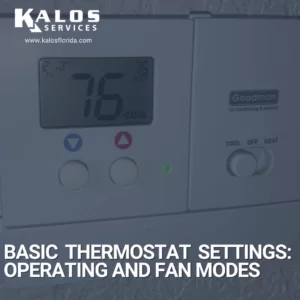
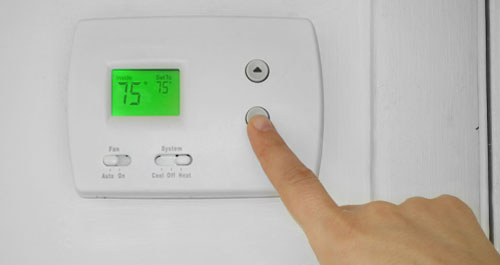
Digital thermostats have a screen that shows the temperature. You can press buttons to change settings. To turn off the air conditioner, press the “Off” button or select the off option on the screen.
They offer more precise temperature control than manual thermostats. Some models have timers to schedule when the air conditioner turns on or off.
- Use buttons or touch controls
- Display temperature clearly
- May include timer settings
Smart Thermostats
Smart thermostats connect to Wi-Fi and can be controlled with a phone app. You can turn off the air conditioner from anywhere using your smartphone. Voice commands may also work with smart assistants.
They learn your habits and adjust temperature automatically. This type offers the most convenience and energy savings. You do not need to be near the thermostat to control it.
- Control via smartphone app
- Works with voice assistants
- Can adjust settings automatically

Credit: www.waychoffsac.com
Locating The Thermostat
Turning off your air conditioner thermostat starts with finding it first. The thermostat controls the temperature in your home. Knowing where it is helps you manage your AC easily.
Most thermostats are mounted on walls inside your home. They are often placed in central locations for accurate temperature readings.
Common Thermostat Locations
Thermostats are usually in spots that avoid direct heat or cold. Here are common places where you can look for your thermostat.
- Hallways near living rooms or bedrooms
- Near the main entrance or foyer
- On interior walls away from windows and doors
- Close to the center of the home
- Above light switches or near electrical panels
Avoid checking areas like kitchens, bathrooms, or near vents. These places can give wrong temperature readings.
Checking The Ac Unit
Besides the thermostat, you can check the AC unit itself. The outdoor unit often has a power switch or breaker that can turn the system off.
| Location | What to Look For |
| Outdoor AC Unit | Power switch or breaker to turn off the unit |
| Indoor Air Handler | Switch or fuse box controlling the system |
| Thermostat Panel | Buttons or switch to power off the thermostat |
Turning Off Manual Thermostats
Manual thermostats control your air conditioner by adjusting a dial or switch. Turning them off is simple if you know where to look. This guide shows how to turn off manual thermostats safely and correctly.
Knowing how to turn off your air conditioner thermostat helps save energy and prevent damage. Follow these easy steps to switch off your manual thermostat.
Using The Dial Or Switch
Most manual thermostats use a dial or a switch to control the temperature. To turn off the air conditioner, you first need to find this control. The dial often has temperature numbers or settings like “Cool” and “Off”. The switch might have positions labeled “On”, “Off”, and “Auto”.
- Locate the thermostat dial or switch on the wall or unit.
- Look for the “Off” setting on the dial or switch.
- Turn the dial counterclockwise until it reaches “Off”.
- If it is a switch, flip it to the “Off” position.
- Check that the air conditioner stops running after a few moments.
Setting The Thermostat To Off
After finding the “Off” position, set the thermostat carefully. This stops the air conditioner from cooling or heating. Some thermostats may also have a small lever or button to fully disconnect the system.
| Thermostat Type | How to Set to Off |
| Dial Thermostat | Turn dial counterclockwise to “Off” or lowest setting |
| Switch Thermostat | Flip switch to “Off” position |
| Lever Thermostat | Move lever to “Off” or neutral position |

Credit: www.acostainc.com
Turning Off Digital Thermostats
Digital thermostats control your air conditioner with easy buttons and screens. Turning them off can save energy and stop cooling when you do not need it.
This guide shows simple ways to turn off your digital thermostat safely and quickly.
Using The Power Button
Most digital thermostats have a power button to turn the unit on or off. Look for a button with a power symbol or labeled “On/Off.”
Press the power button once to switch off the air conditioner. The display screen will usually go dark or show an “Off” message.
Adjusting The Temperature Settings
You can turn off the air conditioner by setting the temperature to a higher number than the room temperature. This stops cooling without pressing the power button.
- Find the temperature up/down buttons on your thermostat.
- Press the up button to raise the temperature above the current room temperature.
- Wait a few seconds for the system to stop cooling.
- The thermostat may display “Hold” or “Off” to show the AC is off.
Navigating The Menu
Some digital thermostats have menus to control settings deeply. You can turn off the air conditioner through this menu.
| Menu Option | Action |
| Mode | Select “Off” to stop cooling |
| Fan | Set to “Auto” or “Off” to save energy |
| Schedule | Disable or pause to avoid automatic cooling |
Turning Off Smart Thermostats
Smart thermostats help control your air conditioner easily. Sometimes, you need to turn them off. This guide shows how to turn off your smart thermostat.
There are several ways to switch off your smart thermostat. You can use your phone, voice commands, or the device itself.
Using The Mobile App
Most smart thermostats connect to a mobile app. You can turn off the air conditioner using this app. Open the app and find the power or off button.
Tap the button to switch off your air conditioner. The app also shows the current temperature and settings.
- Open the thermostat app on your phone
- Find the power or off control
- Tap to turn off the air conditioner
Voice Control Options
You can turn off smart thermostats using voice commands. Use voice assistants like Alexa, Google Assistant, or Siri. Say the command clearly to turn off the AC.
For example, say “Turn off the air conditioner” or “Switch off thermostat”. Your smart home device will follow the command.
- Activate your voice assistant
- Say the command to turn off the thermostat
- Wait for confirmation from the device
Manual Controls On The Device
You can turn off the thermostat directly on the device. Most smart thermostats have a touch screen or buttons. Look for the power or off option on the device.
Press the button or tap the screen to switch off the air conditioner. This method works even without internet or phone access.
- Locate the power or off button on the thermostat
- Press or tap to turn off the air conditioner
- Check the display to confirm it is off
Troubleshooting Common Issues
Turning off your air conditioner thermostat should be simple. Sometimes, problems stop it from working properly. This guide helps you fix common troubles.
Read these tips to understand why your thermostat acts up and how to fix it safely.
Thermostat Not Responding
If your thermostat does not respond, it might be dead or stuck. Check the power source first. Batteries can run out or wires can loosen.
- Replace old batteries with new ones
- Check if the thermostat is properly connected to power
- Make sure the thermostat screen lights up
- Clean the thermostat to remove dust and debris
- Try pressing reset buttons if available
Ac Still Running After Turning Off
If your air conditioner keeps running after turning off the thermostat, the problem might be with the settings or wiring.
| Cause | Solution |
| Thermostat fan set to “On” | Change fan setting to “Auto” |
| Wiring problems | Check or replace faulty wires |
| Stuck relay switch | Call a technician to fix the relay |
| Incorrect temperature setting | Adjust temperature to desired level |
Resetting The Thermostat
Resetting your thermostat can fix many issues. This process clears errors and restarts the system.
Follow these steps to reset:
- Turn off the thermostat power using the switch or breaker.
- Wait for at least 30 seconds to 1 minute.
- Turn the power back on.
- Check if the thermostat display turns on and works normally.
Energy-saving Tips When Not Using Ac
Turning off your air conditioner when it is not needed saves energy. This helps lower your electricity bills and reduces wear on your unit.
There are simple ways to save energy while keeping your home comfortable. Using the thermostat wisely and maintaining your AC unit are key steps.
Proper Thermostat Settings
Set your thermostat to a higher temperature when you are not home. This prevents the AC from running unnecessarily.
Use a programmable thermostat to turn off the AC during certain hours. This keeps your energy use low without sacrificing comfort.
- Set thermostat to 78°F or higher when away
- Use “auto” fan mode, not “on”
- Lower temperature only when you return home
Maintaining Your Ac Unit
Clean your AC filters regularly to keep airflow strong. Dirty filters make the unit work harder and use more energy.
Check for leaks and seal gaps around windows and doors. This helps keep cool air inside and hot air outside.
- Replace or clean air filters every 1-3 months
- Inspect ducts for leaks and fix them
- Clear debris from outdoor AC unit
Alternative Cooling Methods
Use fans to help cool rooms without running the AC. Ceiling fans use less energy and improve air circulation.
Close blinds or curtains during the day to block heat. Open windows at night for fresh air if it is cooler outside.
- Use ceiling or portable fans
- Keep blinds closed on sunny windows
- Open windows at night if safe
Frequently Asked Questions
How Do I Turn Off An Air Conditioner Thermostat?
To turn off an air conditioner thermostat, locate the power or mode button. Press it until the display shows “Off” or the unit stops running. Some models require pressing and holding the button for a few seconds to power off.
Can I Turn Off The Thermostat Without Unplugging The Ac?
Yes, most thermostats have an “Off” mode that stops cooling without unplugging. Use the control panel or remote to switch off the thermostat. This prevents wear on the compressor and saves energy.
What Happens If I Leave The Ac Thermostat On But Off Cooling?
Leaving the thermostat on but not cooling maintains the system’s settings. It may consume minimal power to display the temperature and keep the fan running. To save energy, switch the thermostat fully off when not in use.
How Do I Reset My Air Conditioner Thermostat After Turning Off?
To reset the thermostat, turn it off, wait for 30 seconds, then turn it back on. This clears temporary errors and restores normal operation. Check your manual for model-specific reset instructions.
Conclusion
Turning off your air conditioner thermostat is simple and quick. Just follow the steps carefully to avoid confusion. This helps save energy and reduces your electricity bills. Remember to check your thermostat model for exact instructions. Keeping your device off when not needed extends its life.
A little care makes a big difference in comfort and cost. Now you can control your air conditioner with confidence. Stay cool and save money easily.