Is your home feeling too warm and you’re not sure how to get your air conditioner working? Knowing how to turn on your air conditioner thermostat can make all the difference in staying cool and comfortable.
Whether you’re new to using a thermostat or just need a quick refresher, this guide will walk you through simple steps to get your AC running efficiently. By the end, you’ll feel confident controlling your indoor temperature with ease. Keep reading to discover how to take charge of your comfort right now.
Locate The Thermostat
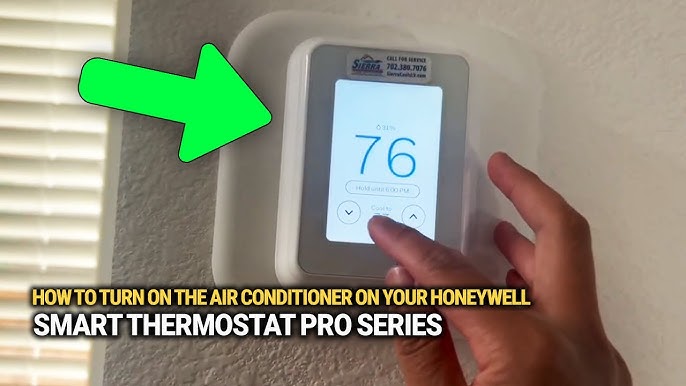
Thermostats are usually found on the walls inside rooms. They look like small boxes with a screen or dial. Wall-mounted units are often near the living room or hallway.
Portable air conditioners have controls on the unit itself. These controls may be buttons or a small screen. Check the top or front of the portable unit for easy access.
- Wall-mounted thermostatscontrol the whole room’s temperature.
- Portable AC controlsadjust settings directly on the unit.
- Look for temperature buttonsor a dial to change settings.
- Some units may have a remote controlfor easy use.

Credit: www.cnet.com
Power On The Thermostat
Press the power buttonon the thermostat to switch it on. The display will light up, showing the current settings. Use the temperature controlsto set your desired cooling level. Some thermostats beep or flash when powered on, confirming activation.
To reset the device, locate the reset button, usually a small hole needing a pin. Press and hold it for a few seconds until the screen goes blank and restarts. Resetting clears errors and restores factory settings. This step is useful if the thermostat does not respond or behaves oddly.
Set The Desired Temperature
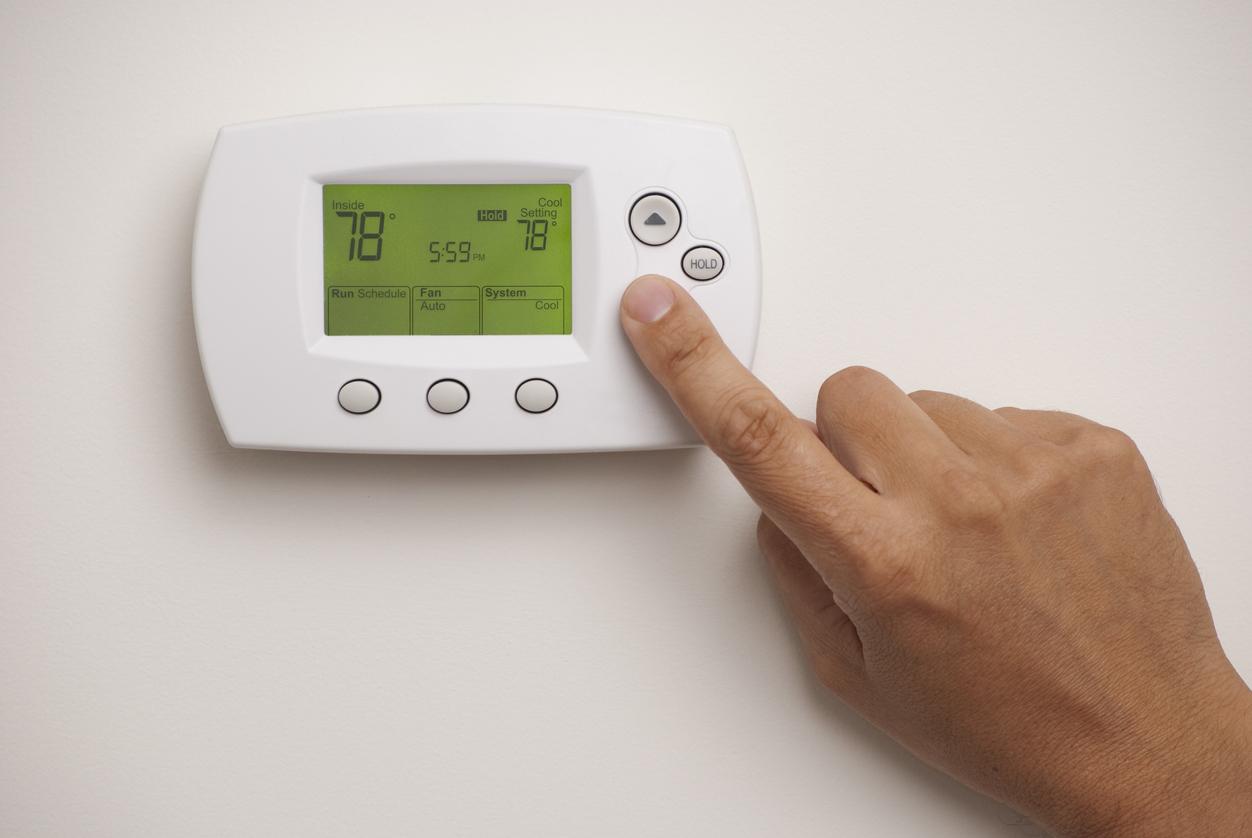
Set the thermostat to a comfortable temperature for your room. Most people find 72°F to 78°Fideal for cooling. Lower temperatures can use more energy and may not cool the room faster.
Adjust the temperature using the thermostat buttons or dial. Some thermostats have a digital display to show the set temperature. Make small changes and wait a few minutes to feel the effect.
| Recommended Cooling Levels | Purpose |
|---|---|
| 72°F – 75°F | For hot days or if you want extra cool air |
| 76°F – 78°F | Energy-saving and comfortable for most people |
| 79°F and above | Minimal cooling, saves energy |
Credit: www.callroth.com
Choose The Cooling Mode
Selecting the right mode on your air conditioner is key to comfort. Cooling modelowers room temperature effectively. It uses the compressor to cool the air. This mode is best on hot days.
Fan mode moves air without cooling. It helps circulate air and can save energy. Good for mild days or when cooling isn’t needed.
Auto mode adjusts settings automatically. It changes fan speed and cooling based on room temperature. This mode keeps a steady and comfy room climate without manual changes.
- Cooling Mode:Active cooling, lowers temperature.
- Fan Mode:Air circulation, no cooling.
- Auto Mode:Automatic adjustments for comfort.
Optimize Airflow For Fast Cooling
Adjust the fan speedto control how fast air moves. Higher speeds cool rooms quicker. Lower speeds save energy and reduce noise. Choose a speed that fits your comfort.
Position air ventsto let cool air spread evenly. Point vents away from walls and furniture. Keep vents open and clean to avoid blockages. Good vent placement helps cool all parts of the room.

Credit: aquariushomeservices.com
Troubleshoot Common Issues
Thermostat not respondingoften means a power issue. Check if the thermostat has power by testing the batteries or the circuit breaker. Sometimes, the thermostat might be set to the wrong mode, so ensure it is on “cool” or “auto.” Resetting the thermostat by turning it off and on again can fix minor glitches.
AC not cooling properlycould be due to dirty filters blocking airflow. Clean or replace filters regularly. Also, check if the outdoor unit is free from debris like leaves or dirt. Low refrigerant levels can cause poor cooling; a professional should handle this. Make sure windows and doors are closed to keep cool air inside.
Frequently Asked Questions
How Do I Turn On The Ac Thermostat?
To turn on your AC thermostat, locate the thermostat panel. Switch the mode to ‘Cool’ or ‘Auto’. Set your desired temperature using the up and down arrows. Ensure the fan setting is on ‘Auto’ or ‘On’. Your air conditioner should start cooling shortly.
Why Is My Ac Thermostat Not Working?
If your AC thermostat isn’t working, check if it’s powered on and properly connected. Ensure the batteries aren’t dead and the circuit breaker is functioning. If these aren’t the issue, it might need recalibration or professional servicing for further electrical problems.
What Should I Set My Thermostat To?
For optimal comfort and energy savings, set your thermostat between 72°F and 78°F. Adjust based on your comfort level and energy goals. During warmer months, higher settings save energy. Lower settings offer more immediate cooling but consume more energy.
How Do I Reset My Ac Thermostat?
To reset your AC thermostat, turn it off and remove the batteries. Wait for about five minutes. Reinsert the batteries and turn the thermostat back on. This simple reset can often fix minor issues or glitches with your thermostat settings.
Conclusion
Turning on your air conditioner thermostat is simple and quick. Just follow the steps carefully. Set the temperature to your comfort level. Make sure the unit is plugged in and switched on. Regularly check and clean the filters for better cooling.
This helps the air conditioner work well and last longer. Stay cool and save energy by using the thermostat wisely. Now you can enjoy a comfortable home all day.