
Feeling the heat and ready to cool down? Knowing how to turn on your air conditioner quickly can make all the difference between sweating it out and enjoying instant relief.
Whether you have a window unit, a split system, or central air, this simple skill puts comfort right at your fingertips. In this guide, you’ll learn easy, step-by-step instructions that anyone can follow. By the end, you’ll be confident in powering up your AC and creating the perfect cool space for yourself.
Keep reading to beat the heat and stay comfortable every day!
Credit: airconditioninggladstone.com.au
Check The Power Source
Ensure the air conditioner is plugged into a working power outlet. Check the power cord for any damage or loose connections. The power switch on the unit or wall might need to be turned on. Confirm that the circuit breaker or fuse for the air conditioner is not tripped or blown. Sometimes, pressing the reset button on the outlet helps restore power. A stable power source is essential for the air conditioner to work properly. Avoid using extension cords as they may cause power issues. Double-check all these points before trying to switch on the air conditioner.

Credit: www.youtube.com
Locate The Control Panel
The control panelis usually on the front or side of the air conditioner. It has buttons or a touchscreen to operate the unit. Look for labels like Power, Mode, or Temperature. Sometimes, the panel is hidden behind a small door or cover. Check for a remote control if the panel is hard to reach. The remote often has the same buttons as the control panel. Make sure the air conditioner is plugged in before trying to turn it on. If the panel has a display, it will light up when the unit is powered. This helps confirm the air conditioner is ready to use.
Set The Mode To Cool
Locate the remote control or the panel on the air conditioner unit. Find the button labeled “Mode”or similar. Press this button until the display shows “Cool”. This sets the air conditioner to produce cold air instead of heat or fan-only modes.
Adjust the temperature to your comfort level using the temperature buttons. Usually, a number with a degree symbol will appear on the display. The lower the number, the cooler the air will be.
- Check if the fan speed is set as desired.
- Ensure the air conditioner’s vents are open and unobstructed.
- Wait a few moments for the unit to start cooling.
Adjust The Temperature
Use the remote or control panel to set the temperature. Choose a temperature that feels comfortable but saves energy.
Setting the temperature too low wastes power. A good range is between 72°F and 78°F. This keeps the room cool without using too much energy.
Press the temperature buttons slowly to avoid setting it too cold or hot. The air conditioner will start cooling after a few seconds.
Look at the display screen to check the temperature setting. Adjust it up or down if needed for more comfort.
Turn On The Fan
To turn on the fanof an air conditioner, first locate the remote control or the unit’s control panel. Press the power buttonto activate the air conditioner. Next, find the fan modebutton or option. This mode runs the fan without cooling, which helps circulate air in the room.
The fan speed can usually be adjusted. Options often include low, medium, and highspeeds. Choose the speed that feels best for your room. The fan mode uses less energy than cooling mode, so it is good for mild days.
- Press the power button to turn on the unit.
- Select the fan mode on the remote or panel.
- Adjust fan speed to low, medium, or high.
- The fan moves air without cooling the room.
Use The Remote Control
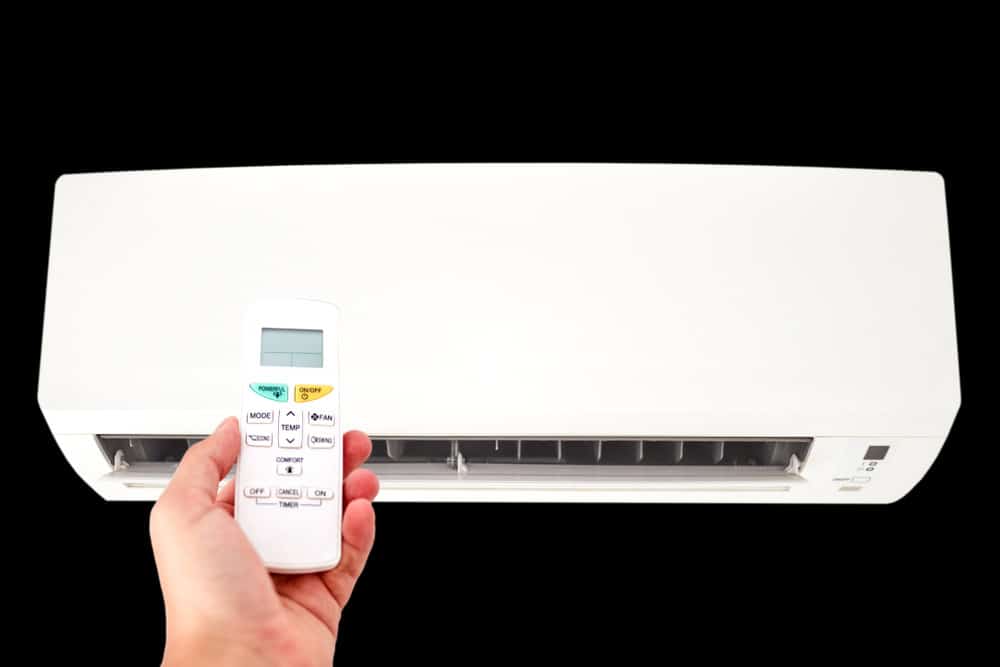
Point the remote control directly at the air conditioner unit. Make sure there are no objects blocking the signal. Press the power button to turn it on. The air conditioner should respond within a few seconds. Keep the remote steady for best results.
Preset modes help set the temperature and fan speed easily. Common modes include:
- Cool:Lowers the room temperature quickly.
- Fan:Circulates air without cooling.
- Dry:Reduces humidity in the room.
- Auto:Adjusts settings based on room temperature.
Choose a mode that fits your comfort needs. Use the mode button to cycle through options. Each mode changes how the air conditioner works. This makes it easy to stay comfortable.
Troubleshoot Common Issues
No Powercould mean the unit is not plugged in properly. Check the power outlet and the plug. Sometimes, the circuit breaker trips. Reset it if needed. Ensure the power switch near the AC is turned on.
Unresponsive Controlsmight be due to dead batteries in the remote. Replace them with new ones. Clean the remote’s sensor and the AC’s sensor. Dust can block signals. Try using the control panel on the unit if the remote still does not work.
Airflow Problemshappen when filters are dirty or blocked. Clean or replace the filters regularly. Check if the vents are open and not blocked by furniture. Make sure the fan is working. If airflow is weak, the fan motor may need service.
Maintain Your Air Conditioner
Keeping the air conditioner clean helps it work well and last longer. Filtersshould be cleaned often. Dirty filters block air and make the unit use more power. Remove the filter and wash it with water. Let it dry before putting it back.
Check for blockagesaround the air conditioner. Leaves, dust, and dirt can stop air from flowing. Clear any debris near the unit. This helps the air conditioner cool the room better.

Credit: www.youtube.com
Frequently Asked Questions
How Do I Turn On An Air Conditioner?
To turn on an air conditioner, locate the power button on the unit or remote. Press the button to start the system. Ensure the thermostat is set to the desired temperature. Check if the unit is plugged in and there’s a power supply.
Why Won’t My Air Conditioner Start?
If your air conditioner won’t start, check the power connection first. Ensure the unit is plugged in properly. Verify that the circuit breaker hasn’t tripped. Inspect the thermostat settings and replace batteries if needed. If issues persist, consult a technician.
How To Set The Air Conditioner Temperature?
To set the temperature, use the remote control or unit’s panel. Press the temperature adjustment buttons to select your desired temperature. Ensure the mode is set to cooling. Adjust the fan speed if necessary to enhance comfort.
What Mode Should I Use On My Ac?
Most air conditioners have multiple modes: cool, fan, dry, and auto. Use the cool mode for cooling the room. The fan mode circulates air without cooling. Dry mode reduces humidity, while auto adjusts settings automatically based on room temperature.
Conclusion
Turning on an air conditioner is simple and quick. Find the power button on the remote or unit. Press it to start cooling your room. Adjust the temperature to your comfort level. Remember to keep doors and windows closed. This helps the air conditioner work better.
Regular cleaning keeps it running smoothly. Now, enjoy a cool and fresh space anytime. Stay comfortable during hot days with ease.