Are you standing in front of your induction cooktop, wondering how to get it started? You’re not alone.
Many people find themselves puzzled when faced with this sleek, modern appliance. But don’t worry—this guide will make it easy for you. Understanding how to turn on your induction cooktop not only saves you time but also enhances your kitchen experience.
Imagine effortlessly cooking your favorite meals with just a touch. With a little know-how, you’ll be a pro in no time. Keep reading to discover the simple steps that will have you cooking with confidence and ease.
Credit: www.maytag.ca
Getting Started With Induction Cooktops
Starting with an induction cooktop is simple and quick. Understanding the basics helps you use it safely and effectively. This guide covers the essential first steps to get your cooktop ready for cooking.
Checking Power Supply
Ensure your induction cooktop is plugged into a suitable power outlet. Check the voltage matches the cooktop’s requirement. Avoid using extension cords or adapters that can cause power issues. The cooktop will not turn on without a stable power source. A dedicated circuit is best to prevent electrical problems.
Placing Compatible Cookware
Induction cooktops work only with certain types of cookware. Use pots and pans made from magnetic materials like cast iron or stainless steel. Test your cookware by placing a magnet on the bottom. It should stick firmly to the surface. Avoid glass, aluminum, or copper pots as they do not heat properly.
Locating The Power Button
Locating the power button on an induction cooktop is the first step to start cooking. It controls the entire unit, so knowing its exact place helps you switch on the cooktop quickly. Most induction cooktops have a sleek design, making the power button blend with other controls.
Understanding the layout of the control panel will make finding the power button easier. It often sits apart from temperature and timer settings. Recognizing common symbols also speeds up the process.
Identifying Control Panel Layout
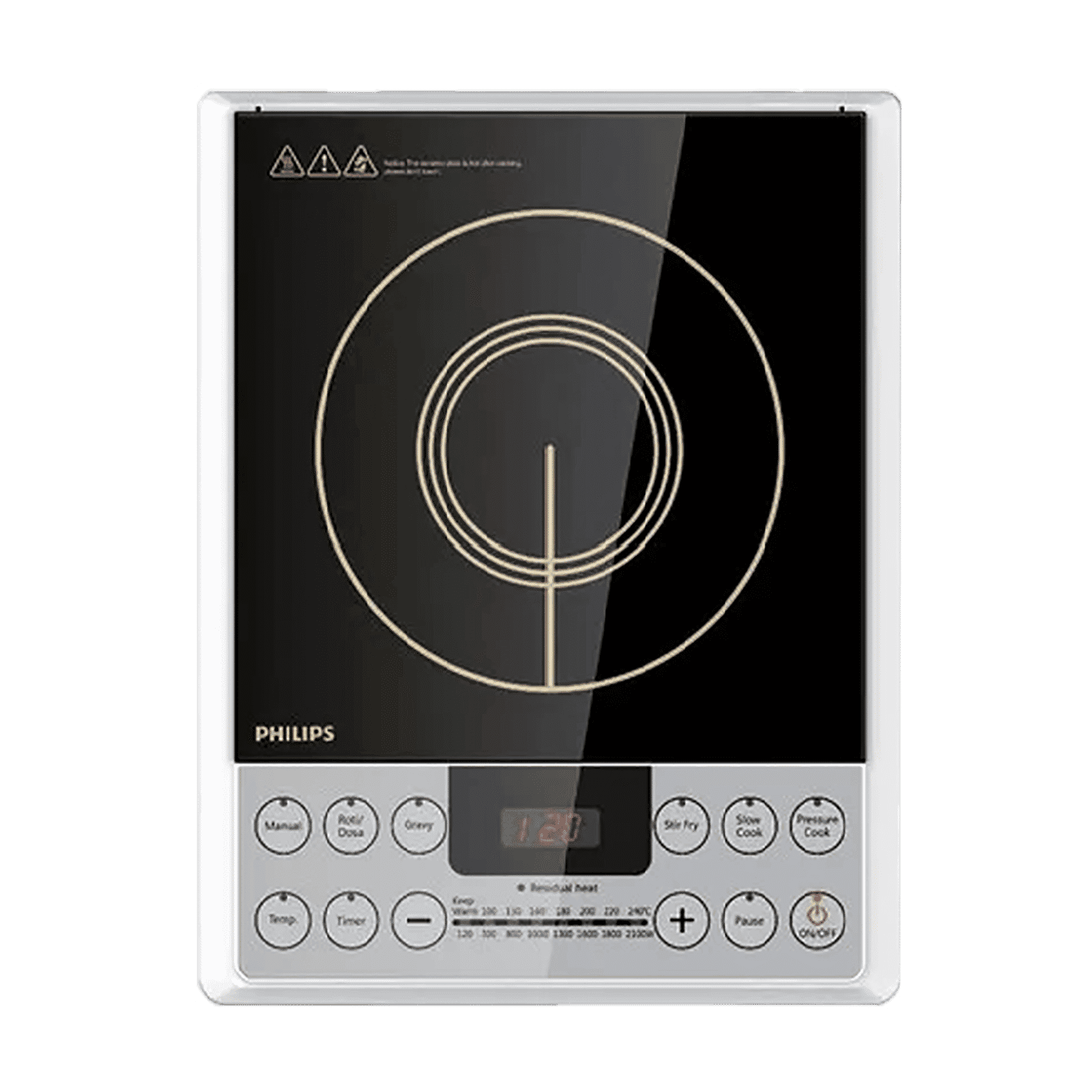
The control panel usually lies along the front edge or center of the cooktop. It has touch-sensitive buttons or a digital display. The power button often appears as the largest or most distinct control. Other buttons manage heat levels, timers, and safety locks.
Some cooktops use a single panel for all functions, while others separate controls by zones. The power button may be on the left, right, or middle depending on the model. Check for a button near the display screen or main control area.
Common Power Button Symbols
The power button often uses simple symbols. A circle with a vertical line (⏻) is the universal power symbol. Sometimes, it looks like a small circle with a line inside or a plain circle.
- Circle with vertical line: means power on/off
- Plain circle: may also indicate power
- Word “Power” or “On/Off”: labeled on some models
Knowing these symbols helps avoid confusion with other buttons. The power button may light up or blink when pressed, confirming the cooktop is on.
Turning On The Cooktop
Turning on an induction cooktop is quick and easy. It prepares the appliance for cooking and shows essential information on the display. Understanding this process helps you start cooking smoothly and safely.
Pressing The Power Button
Locate the power button on the cooktop’s control panel. It usually has a symbol like a circle with a vertical line. Press it once to turn on the cooktop. You might hear a beep or see lights activate, signaling the cooktop is ready.
Keep in mind that some models require holding the button for a second or two. This prevents accidental activation. Make sure the cooktop surface is clean and dry before turning it on.
Initial Display Indicators
Once powered on, the display shows key information. You will see numbers, symbols, or letters indicating the status. Common indicators include:
- Power level setting
- Timer or clock
- Lock or safety symbol
These indicators confirm the cooktop is functioning correctly. If any warning symbol appears, check the user manual for guidance. The display helps you adjust settings for your cooking needs.
Credit: www.tataneu.com
Setting The Cooking Temperature
Setting the cooking temperature on your induction cooktop is key to achieving perfect meals. It gives you control over how fast or slow your food cooks, helping you avoid burning or undercooking. Understanding the controls and heat levels will make your cooking experience smoother and more enjoyable.
Using Touch Controls
Most induction cooktops feature sleek touch controls that respond to a light tap or swipe. You’ll usually find a power button to turn the burner on before adjusting the temperature.
Try sliding your finger along the control panel to increase or decrease the heat gradually. Some models show digital numbers, so you can see the exact temperature setting.
Have you noticed how sensitive these controls can be? A gentle touch is enough, so avoid pressing too hard or you might skip the number you wanted.
Adjusting Heat Levels
Heat levels on induction cooktops often range from low simmer to high boil, typically numbered from 1 to 10 or more. Start with a lower setting to gently warm your pan, then raise it as needed.
For example, use level 2 to melt butter without burning it. Level 7 or 8 is great for frying or boiling water quickly.
If you’re unsure which level suits your dish, experiment with small adjustments while cooking. This hands-on approach helps you learn how your specific cooktop responds and saves you from overheating your food.
Activating Safety Features
Activating safety features on an induction cooktop is essential. These features protect users from accidents and ensure safe cooking. Understanding how to enable these settings helps maintain a secure kitchen environment.
Child Lock Functions
The child lock prevents unintended use of the cooktop. It stops children from turning on the burner or changing settings.
To activate the child lock, press and hold the lock button. Usually, it takes 3 to 5 seconds. The control panel will show a lock icon when active. To deactivate, press and hold the same button again.
Auto Shut-off Settings
The auto shut-off feature turns off the cooktop after no activity. This helps avoid overheating or fire hazards.
It activates automatically after a set time without use. Some models let you adjust the timer in the settings menu. Always check your cooktop manual for exact instructions.
Troubleshooting Common Issues
Troubleshooting common issues with your induction cooktop can save you time and frustration in the kitchen. Understanding the typical problems and their solutions helps you get back to cooking quickly. Let’s look at how to handle two frequent challenges: when the cooktop won’t power on and when error messages appear.
Cooktop Not Powering On
If your induction cooktop doesn’t turn on, start by checking the power source. Is the cooktop plugged in securely? Sometimes, a loose connection is the culprit.
Next, inspect your circuit breaker or fuse box. A tripped breaker or blown fuse can cut power to the cooktop without any obvious signs. Reset the breaker or replace the fuse if needed.
Remember, your cooktop might have a built-in safety lock feature. Have you accidentally activated it? Look for a lock icon on the display and consult your manual on how to disable it.
Error Messages And Alerts
Error codes can feel intimidating, but they usually point to specific issues you can fix. Your cooktop’s manual lists common error messages and what they mean.
For example, an “E0” or “Err” message often indicates no cookware is detected. Make sure you’re using induction-compatible pots. Cast iron or stainless steel with a flat bottom usually works best.
If you see a temperature warning or an overheating alert, check for proper ventilation around the cooktop. Are you blocking the vents? Overheating can cause the unit to shut down for safety.
Have you noticed any unusual noises or smells along with the error? These signs could mean an electrical issue, and it’s safer to call a technician rather than trying to fix it yourself.
Credit: www.familyhandyman.com
Frequently Asked Questions
How Do I Start An Induction Cooktop Safely?
To start an induction cooktop, first plug it in and press the power button. Then, place compatible cookware on the surface. Select the desired heat setting using the control panel. Always use cookware with a magnetic base for safety and efficiency.
What Types Of Cookware Work On Induction Cooktops?
Cookware with magnetic bases, like cast iron or stainless steel, works on induction cooktops. Avoid aluminum, copper, or glass pots, as they don’t heat properly. Test with a magnet: if it sticks, the cookware is suitable for induction cooking.
How Can I Adjust Heat Settings On An Induction Cooktop?
Use the touch controls or dial on the cooktop panel to adjust heat. Increase or decrease power levels based on your cooking needs. Some models offer preset modes for simmering, boiling, or frying for precise temperature control.
Why Won’t My Induction Cooktop Turn On?
Your induction cooktop may not turn on if it’s unplugged or the power supply is faulty. Also, ensure the cookware is induction-compatible and placed correctly on the surface. Check for any error codes in the user manual for troubleshooting.
Conclusion
Turning on an induction cooktop is quick and simple. Just follow the steps carefully. Make sure your cookware is suitable for induction use. Press the power button, select the heat level, and start cooking. Always read your cooktop’s manual for safety tips.
This method helps you cook efficiently and safely every time. Enjoy the convenience and speed of your induction cooktop today. Simple steps lead to great meals. Ready to cook?