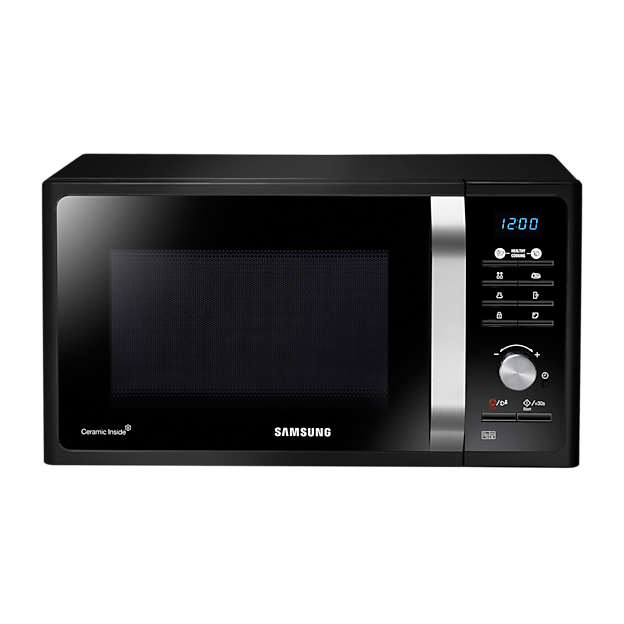
Are you ready to make the most out of your Samsung microwave oven? Whether you’re a culinary novice or a seasoned kitchen pro, using a microwave can significantly simplify your cooking routine.
Imagine perfectly reheated leftovers, quick meal preps, and delicious snacks at the touch of a button. But to harness its full potential, you need to know the ins and outs of your appliance. In this guide, you’ll discover practical tips and step-by-step instructions to master your Samsung microwave oven.
By the end of this article, you’ll not only save time but also elevate your cooking game. Dive in and unlock the secrets to effortless, efficient cooking today!

Credit: www.tascoappliance.ca
Getting Started With Your Samsung Microwave
Getting started with your Samsung microwave is simpler than you might think. With a few easy steps, you can have it ready for use and understand its features quickly. Let’s walk through the basics so you feel confident and safe while using your new appliance.
Setting Up The Microwave
First, find a flat, stable surface near an electrical outlet. Avoid placing the microwave near heat sources or in direct sunlight to ensure it works efficiently.
Unpack the microwave carefully and remove all packaging materials. Keep the user manual handy—you’ll want to refer to it for model-specific instructions.
Plug the microwave into a grounded outlet. If you notice any sparks or unusual sounds, unplug it immediately and consult the manual or customer support.
Understanding The Control Panel
The control panel might look overwhelming at first, but it’s straightforward once you get used to it. Most Samsung microwaves have buttons for power levels, cooking presets, time settings, and a start/stop function.
Try pressing the “Auto Cook” options to prepare common foods like popcorn or beverages without guessing times or power levels. You’ll save time and avoid overcooking.
Did you know many models let you adjust the clock and set kitchen timers? These small features can help you multitask better while cooking.
Safety Tips
- Never operate the microwave when it’s empty; it can damage the appliance.
- Use microwave-safe containers only—avoid metal or aluminum foil to prevent sparks.
- Keep the door seals clean and check regularly for damage to ensure safe operation.
- Be cautious when removing hot containers; always use oven mitts or a cloth.
- Have you noticed how some foods heat unevenly? Stir or rotate your food midway to avoid cold spots.
Following these tips protects both you and your microwave, making your cooking experience smoother and safer.
Basic Cooking Functions
Samsung microwave ovens come with simple cooking functions. These functions make heating and cooking food easy and fast. Understanding basic cooking functions helps you get the best results every time. These features include auto cook modes, manual settings, and defrost options.
Using Auto Cook Modes
Auto cook modes provide preset times and power levels for common foods. Just select the food type and weight. The microwave adjusts cooking time and power automatically. This feature works well for vegetables, popcorn, and reheating leftovers. It saves time and avoids guesswork.
Manual Time And Power Settings
Manual settings allow you to control cooking time and power level. Use this option to cook food exactly as you want. Press the time button to set cooking minutes and seconds. Then choose the power level from high to low. This control helps cook delicate or uneven foods better.
Defrosting Options
Defrost mode melts frozen food safely and evenly. Select the defrost button and enter the food weight. The microwave uses low power and short bursts to thaw food. It prevents cooking the edges while the inside stays frozen. Use this for meat, poultry, and bread.
Advanced Features To Try
Samsung microwave ovens offer more than just basic heating. Their advanced features can make cooking faster, easier, and more precise. Trying these options can transform how you prepare meals and save you time in the kitchen.
Sensor Cooking Technology
Sensor cooking technology adjusts cooking time and power automatically based on the food’s moisture and temperature. You don’t need to guess how long to cook your dish. This feature ensures your food is neither undercooked nor overcooked.
Imagine heating leftovers that come out just right every time, without drying out. The microwave detects steam and adjusts accordingly. Have you noticed how this can reduce the need to reheat or check food repeatedly?
Using The Grill And Convection Modes
The grill mode lets you brown or crisp food, adding texture and flavor. It’s perfect for melting cheese on a sandwich or giving your chicken a crispy finish. The convection mode combines microwave energy with hot air circulation, allowing you to bake or roast.
You can bake cakes or roast vegetables without needing a separate oven. This dual function saves space and energy. Are you ready to try grilling a small pizza or baking cookies in your microwave?
Pre-programmed Recipes
Samsung microwaves come with a variety of pre-programmed recipes for common dishes. These settings adjust power and time automatically, so you don’t have to guess. It’s helpful when you’re in a hurry or trying a new recipe.
From popcorn to steamed vegetables, these presets simplify cooking. You can even customize some recipes to fit your taste. Have you explored these options to make quick meals without stress?

Credit: www.samsung.com
Tips For Perfect Cooking Results
Getting perfect results with your Samsung microwave oven requires some simple tips. These tips help you cook food evenly and preserve taste. Small changes can make a big difference in your cooking.
Choosing The Right Cookware
Use microwave-safe containers only. Glass, ceramic, and some plastics work well. Avoid metal containers as they cause sparks. Thin containers heat food unevenly. Thick cookware holds heat better and cooks more evenly.
Adjusting Cooking Times
Microwave cooking times vary by food type and quantity. Check food halfway through cooking to avoid overcooking. Use lower power settings for delicate foods like fish or vegetables. Increase time slightly for frozen or dense foods. Stir or rotate food for even heat distribution.
Avoiding Common Mistakes
- Do not overcrowd the microwave. Air must circulate freely.
- Cover food to prevent splatters and keep moisture.
- Use microwave lids or vented covers to avoid steam buildup.
- Do not run the microwave empty. It can damage the oven.
- Allow food to rest after cooking to complete the process.
Cleaning And Maintenance
Keeping your Samsung microwave oven clean ensures it works well and lasts longer. Regular cleaning stops food buildup and bad smells. Proper care also keeps the inside safe for cooking your meals.
Routine Cleaning Steps
- Unplug the microwave before cleaning for safety.
- Use a soft cloth or sponge with warm, soapy water.
- Wipe the interior walls, ceiling, and floor gently.
- Clean the glass tray and roller ring separately with soap and water.
- Dry all parts completely before placing them back inside.
- Wipe the outside surface and control panel with a damp cloth.
- Do not use harsh chemicals or abrasive materials.
Handling Odors And Stains
To remove odors, place a bowl of water with lemon slices or vinegar inside. Run the microwave for 3–5 minutes. The steam will loosen stains and freshen the air.
After steaming, wipe the interior with a clean cloth. For tough stains, use a baking soda paste. Apply gently and rinse with water.
When To Call For Service
- The microwave does not heat food properly.
- Strange noises or sparks appear during operation.
- The door does not close or latch correctly.
- Control panel buttons stop working or respond slowly.
- Any visible damage inside or outside the microwave.
Contact Samsung support or an authorized technician for repairs. Avoid trying to fix electrical problems yourself.

Credit: www.samsung.com
Frequently Asked Questions
How Do I Set The Cooking Time On A Samsung Microwave?
To set cooking time, press the number buttons for desired minutes and seconds. Then, press “Start” to begin heating immediately.
What Is The Best Way To Clean A Samsung Microwave?
Use a damp cloth with mild detergent to wipe the interior. Avoid abrasive cleaners to prevent damage.
How Can I Use The Samsung Microwave’s Auto-cook Feature?
Select the auto-cook menu by pressing the corresponding button. Choose your food type, and the microwave will set time and power automatically.
How Do I Defrost Food In A Samsung Microwave?
Press the “Defrost” button, enter the food weight, and start. The microwave adjusts power and time for even thawing.
Conclusion
Using your Samsung microwave oven is simple and saves time. Follow the steps carefully for best results. Clean the oven regularly to keep it working well. Choose the right settings for your food type. Practice will help you feel more confident and quick.
Enjoy warm, tasty meals with less effort every day. Your Samsung microwave can be a helpful kitchen tool. Try new recipes and explore its features at your pace. Keep safety in mind to avoid accidents. Cooking becomes easier and more fun with this appliance.