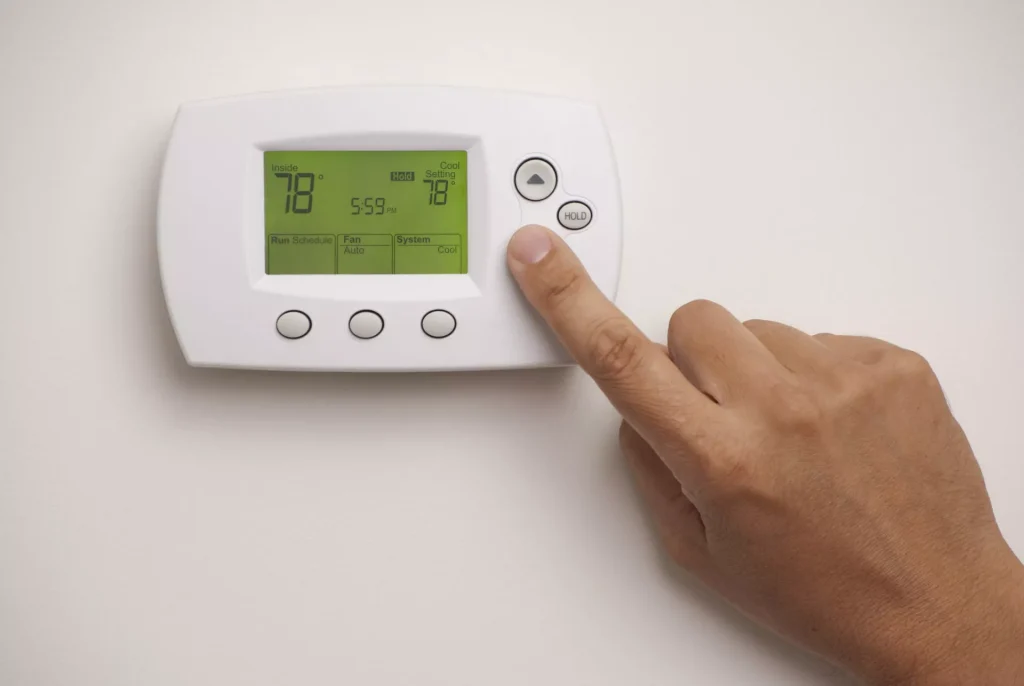
Are you confused about whether your air conditioner fan should be set to auto or on? You’re not alone.
Choosing the right setting can make a big difference in your comfort and energy bills. Imagine feeling perfectly cool all day without wasting electricity or hearing constant fan noise. You’ll discover the simple truth behind these two settings and learn which one is best for your home.
Keep reading, because the answer might surprise you—and it could save you money too.
Fan Settings Explained
The air conditioner fan has two main settings: Auto and On. Each setting controls how the fan runs during cooling or heating.
Choosing the right fan setting affects comfort, energy use, and air quality in your home.
Auto Mode Basics
In Auto mode, the fan runs only when the air conditioner cools or heats the air. The fan stops when the system finishes its cycle.
- Fan runs only during active cooling or heating
- Helps save electricity by turning off the fan when not needed
- Maintains consistent room temperature
- Reduces wear on the fan motor
This mode is best for energy savings and quiet operation.
On Mode Basics
In On mode, the fan runs continuously, regardless of cooling or heating cycles. It keeps air moving all the time.
| Benefit | Explanation |
| Constant Air Circulation | Keeps air moving to avoid hot or cold spots |
| Improved Air Filtration | Filters air more often, which can reduce dust and allergens |
| Higher Energy Use | Fan runs nonstop, which uses more electricity |
| More Noise | Fan noise is constant, which might bother some people |
Use On mode if you want better air circulation or cleaner air but expect higher energy costs.

Credit: www.reddit.com
Energy Efficiency Comparison
Choosing the right fan setting on your air conditioner affects energy use. The fan can be set to Auto or On.
This guide compares power consumption in both modes to help you save energy.
Power Consumption In Auto Mode
In Auto mode, the fan runs only when the air conditioner cools the air. It stops when the room reaches the set temperature.
This mode saves power because the fan does not run all the time. It uses less electricity overall.
- Fan runs intermittently
- Energy use depends on cooling needs
- Less electricity used for fan motor
Power Consumption In On Mode
In On mode, the fan runs continuously, even when the air conditioner is not actively cooling.
This causes higher energy use because the fan motor works nonstop. It uses more electricity than Auto mode.
- Fan runs all the time
- Constant energy use for fan motor
- Higher electricity consumption overall
Impact On Air Quality
The fan setting on your air conditioner affects air quality inside your home. Choosing between auto and on changes how air moves and filters.
Understanding these modes helps you keep the air clean and fresh. Let’s look at how each setting impacts air quality.
Air Filtration With Fan On
When the fan is set to “On,” it runs constantly, even if the cooling is not active. This means air passes through the filter all the time.
Continuous filtering can reduce dust and allergens more effectively. The air stays cleaner because the filter works nonstop.
- Filters air constantly
- Reduces dust and allergens better
- Helps maintain consistent air quality
Air Circulation In Auto Mode
In “Auto” mode, the fan runs only when cooling is needed. Air moves less often, so filtration happens less frequently.
This can save energy but may let dust settle between cycles. Air circulation is less constant, which may affect freshness.
- Fan runs only during cooling
- Uses less energy
- Air filtration happens intermittently
Effect On System Wear And Tear
The fan in your air conditioner moves air through the system. Its operation mode affects how much the fan motor wears out over time. Choosing the right mode can help keep your system running longer.
This section explains how the fan motor lifespan changes in auto and on modes. It focuses on the impact of each mode on system wear and tear.
Fan Motor Lifespan In Auto
In auto mode, the fan runs only when the air conditioner cools the air. This limits how long the fan motor works. Less runtime means less wear and tear on the motor parts.
- The fan runs only during cooling cycles.
- The motor has time to cool down when off.
- Less electrical use reduces motor stress.
- Parts last longer due to fewer operating hours.
Overall, auto mode helps extend the fan motor lifespan by reducing unnecessary use.
Fan Motor Lifespan In On Mode
In on mode, the fan runs continuously, even when the air conditioner is not cooling. This constant use can cause faster wear on the motor and related parts.
| Factor | Effect on Motor |
| Continuous Operation | Increases wear on motor bearings and windings |
| Heat Buildup | Raises motor temperature, shortening lifespan |
| Electrical Load | Higher energy use can stress motor components |
| Maintenance Frequency | Needs more frequent checks and possible repairs |
Running the fan continuously may be useful for air circulation. But it can reduce the fan motor’s life due to added wear.
Comfort And Noise Levels
Choosing the right setting for your air conditioner fan affects your comfort and noise levels. The fan can be set to run on “Auto” or “On.” Each mode changes how the air flows and how loud the system sounds.
Understanding the differences helps you decide which mode fits your needs best.
Temperature Consistency
The “Auto” fan mode runs the fan only when the air conditioner cools the air. This keeps the room temperature steady by cycling the fan on and off.
The “On” fan mode runs the fan all the time. This moves air continuously but may cause small temperature changes since the air conditioner is not always cooling.
- Auto:Fan runs with cooling for steady temperatures.
- On:Fan runs nonstop, which can mix warm and cool air.
- Auto:Saves energy by running the fan less.
- On:Better air circulation but may feel less even.
Noise Differences Between Modes
The noise level changes depending on the fan mode. The “Auto” mode is quieter because the fan turns off when not cooling. The “On” mode keeps the fan running, creating constant background noise.
| Fan Mode | Noise Level | Comfort Impact |
| Auto | Low | Quiet and less distracting |
| On | Moderate | Continuous sound may bother some |

Credit: www.acostainc.com
When To Use Auto Mode
Choosing the right fan setting on your air conditioner helps save energy. The auto mode lets the fan run only when needed.
This mode adjusts the fan speed based on the room temperature. It keeps the space comfortable without wasting power.
Maintaining Consistent Temperature
Auto mode helps keep your room temperature steady. The fan only runs when the AC compressor is on.
This stops the fan from blowing air when the room is already cool. It avoids hot or cold spots.
Saving Energy And Reducing Costs
Using auto mode saves electricity by running the fan less. The fan turns off when cooling is not needed.
This lowers your electric bill and reduces wear on your AC unit. It is a good choice for energy savings.
Preventing Humidity Problems
Auto mode helps control indoor humidity better. The fan runs only when the AC cools and removes moisture.
Running the fan continuously can blow moist air back into the room. Auto mode avoids this issue.
Reducing Noise Levels
Auto mode reduces noise because the fan runs less often. The room stays quieter than with the fan on all the time.
This makes auto mode a good choice for bedrooms and offices where quiet is important.
When To Use On Mode
Air conditioner fans can run in two modes: Auto and On. Choosing the right mode helps your home stay comfortable and saves energy.
The On mode keeps the fan running all the time. This helps when you need constant air circulation.
Improving Air Circulation
Use the On mode to keep air moving in your rooms. This helps avoid hot or cold spots and keeps the air fresh.
Reducing Humidity
Running the fan continuously helps reduce humidity. It moves moist air out and brings in drier air, making your home more comfortable.
When Allergies Or Dust Are A Concern
The On mode can help filter air better if you have allergies. The fan keeps air flowing through filters all the time.
- Helps trap dust and pollen
- Keeps allergens from settling
- Improves indoor air quality
Energy Use Considerations
Keep in mind that On mode uses more electricity. The fan runs all the time, even when the AC is not cooling.
| Mode | Fan Operation | Energy Use |
| Auto | Runs only during cooling | Lower |
| On | Runs continuously | Higher |
Tips For Optimizing Fan Settings
Choosing the right fan setting for your air conditioner helps save energy. It also keeps your home comfortable all day.
This guide explains whether to set your fan on Auto or On. It also shares tips to get the best cooling results.
Understanding Auto Fan Setting
The Auto setting turns the fan on only when the AC cools your home. The fan stops when cooling stops.
This saves electricity because the fan runs less. It also helps your AC work more efficiently.
Benefits Of Using The On Fan Setting
The On setting runs the fan all the time. It keeps air moving, even when the AC is off.
This can help spread cool air evenly. It also improves air circulation in your home.
Energy Efficiency Tips
Use the Auto fan setting to save energy. It stops the fan when cooling is not needed.
Running the fan all the time uses more electricity and may raise your bills.
- Set fan to Auto during moderate weather
- Use On only if you want constant air flow
- Turn fan Off if you want maximum energy savings
Improving Air Quality With Fan Settings
Running the fan on On helps filter air continuously. It passes air through your AC filter all the time.
This can reduce dust and allergens in your home. Use it if air quality is a concern.
Maintaining Your Air Conditioner Fan
Clean or replace filters regularly for best fan performance. Dirty filters reduce airflow and cooling.
Check fan settings after service or during seasonal changes. Proper settings keep your AC efficient.
- Clean filters every 1-3 months
- Inspect fan settings monthly
- Schedule annual AC maintenance

Credit: blossomaircon.com
Frequently Asked Questions
Should My Ac Fan Be Set To Auto Or On?
Setting your AC fan to auto saves energy by running only when cooling is needed. The “on” mode runs continuously, improving air circulation but using more electricity.
What Are The Benefits Of Using Ac Fan On Auto?
Auto mode reduces energy consumption and wear on your AC system. It also maintains consistent temperatures by running the fan only during cooling cycles.
Does Fan On Mode Improve Air Quality?
Fan on mode circulates air constantly, which can help distribute air filters’ cleaned air. However, it may also spread dust if filters are dirty.
Can Running The Fan On Continuously Increase Electricity Bills?
Yes, keeping the fan on continuously uses more electricity. Auto mode is more energy-efficient as the fan runs only during cooling.
Conclusion
Choosing the right fan setting saves energy and boosts comfort. Auto mode adjusts fan speed to match cooling needs. This can mean lower energy bills. Fan mode runs continuously, providing constant airflow. Great for consistent temperatures. But, it may lead to higher energy use.
Weigh your priorities. Comfort or cost? Each setting has its benefits. Consider your lifestyle and home needs. Make a decision that suits your environment best. Regular maintenance of your AC also helps. Keep these tips in mind. Stay cool and energy-efficient all summer long.