
Have you ever noticed the “Auto” setting on your air conditioner but wondered what it really does? Understanding this simple feature can make a big difference in how comfortable your home feels and how much energy you use.
When you know how the Auto mode works, you can set your AC to cool your space efficiently without constantly adjusting the temperature. Keep reading to discover how this smart setting can save you time, money, and hassle while keeping your room just right.
Auto Mode Basics
Auto mode on an air conditioner helps keep the room comfortable. It adjusts settings without needing you to change them often.
This mode uses sensors to decide the best temperature and fan speed for your space.
How Auto Mode Works
The air conditioner uses a built-in sensor to check the room temperature. It then changes cooling or heating automatically. This keeps the room at a steady, comfortable level.
- The sensor reads the current room temperature.
- The system compares it to the target temperature.
- It adjusts cooling, heating, or fan speed accordingly.
- The unit runs only as much as needed to save energy.
- The process repeats to maintain comfort.
Benefits Of Auto Mode
Using auto mode has many advantages. It makes your air conditioner easy to use and can lower energy use.
| Benefit | Description |
| Energy Savings | Runs only as much as needed to keep temperature steady. |
| Comfort | Maintains a balanced temperature without manual changes. |
| Convenience | Adjusts settings automatically for you. |
| Longer Equipment Life | Reduces wear by avoiding constant on/off cycles. |
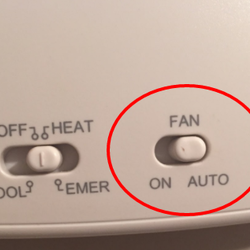
Credit: www.aiellohomeservices.com
Smart Cooling Features
Auto mode on air conditioners uses smart technology to keep rooms comfortable. It adjusts settings without needing manual changes. This helps maintain the right temperature all day.
Smart cooling features improve how the air conditioner works. They save energy and give a better cooling experience. Let’s look at some key features.
Temperature Sensors
Temperature sensors detect the room’s current temperature. The air conditioner uses this data to adjust cooling automatically. This keeps the room from getting too cold or hot.
These sensors help the AC work efficiently. They prevent energy waste by only cooling when needed.
Energy Efficiency
Auto mode helps save power by adjusting cooling based on room conditions. It reduces electricity use and lowers bills.
- Adjusts temperature automatically
- Turns off compressor when not needed
- Maintains balance between comfort and power use
- Reduces wear and tear on the unit
Adaptive Fan Speed
The fan speed changes based on the room temperature and cooling demand. This feature keeps airflow comfortable and quiet.
| Fan Speed Level | When It Activates |
| Low | Room near target temperature |
| Medium | Room slightly warmer than target |
| High | Room much warmer than target |
Auto Mode Vs Manual Settings
Auto mode on an air conditioner adjusts settings by itself. It changes temperature and fan speed to keep the room comfortable.
Manual settings let you control temperature and fan speed yourself. You decide how cool or warm the room should be.
Comfort Comparison
Auto mode keeps the room at a steady temperature. It changes fan speed to avoid big temperature swings.
Manual settings can cause uneven cooling. If you set a fixed fan speed, the room may feel too cold or too warm sometimes.
- Auto mode adjusts for steady comfort
- Manual mode may need frequent changes
- Auto mode prevents sudden temperature changes
Energy Consumption
Auto mode uses energy based on room needs. It lowers fan speed and compressor use when possible.
Manual settings may waste energy if fan speed or temperature is too low or high. The AC runs harder than needed.
- Auto mode can save energy by adjusting itself
- Manual mode may use more power if set incorrectly
- Auto mode balances comfort and energy use
User Convenience
Auto mode is easy to use. You set the temperature, and the AC handles the rest.
Manual mode needs more attention. You must change settings as the room temperature changes.
- Auto mode reduces user work
- Manual mode requires regular adjustments
- Auto mode is good for busy users
When To Use Auto Mode
Auto mode on an air conditioner adjusts the temperature and fan speed by itself. It works based on the room’s current temperature. This mode helps keep the room comfortable without manual changes.
Knowing when to use auto mode can save energy and improve comfort. It is useful in different times of the day and during seasonal changes.
Daytime Cooling
During the day, temperatures often rise quickly. Auto mode helps the air conditioner adjust to these changes. It cools the room efficiently without making it too cold.
- Automatically lowers temperature when it gets hot
- Increases fan speed as needed
- Prevents energy waste by not overcooling
- Maintains steady comfort for active hours
Nighttime Settings
At night, the room temperature usually drops. Auto mode adjusts to keep the air conditioner quieter and less cool. This helps you sleep better and saves electricity.
| Time | Auto Mode Behavior |
| Early Night | Moderate cooling, low fan speed |
| Late Night | Minimal cooling, very low fan speed |
| Early Morning | Increased cooling as temperature rises |
Seasonal Adjustments
Auto mode also adapts to the seasons. It changes how hard the air conditioner works based on outside temperature. This keeps your home comfortable year-round.
Here are simple tips for using auto mode in different seasons:
- Summer:Auto mode cools faster and runs longer.
- Winter:If your AC has heating, auto mode warms gently.
- Spring/Fall:Auto mode balances cooling and heating for mild weather.
Troubleshooting Auto Mode
Auto mode on an air conditioner helps keep your room comfortable by adjusting settings automatically. Sometimes, it may not work as expected. Troubleshooting can fix common problems with this mode.
Knowing how to identify issues and reset the system can save time. You should also know when professional help is needed.
Common Issues
Auto mode may not cool or heat properly. The unit might keep running without stopping. Sometimes, the temperature feels too hot or cold.
- Air conditioner does not switch between cooling and heating.
- Fan runs continuously without change in temperature.
- Room temperature does not match the set point.
- Strange noises or smells when auto mode is on.
Resetting The System
Resetting the air conditioner can clear minor glitches in auto mode. Follow these simple steps carefully.
- Turn off the air conditioner and unplug it from power.
- Wait for about five minutes to let the system cool down.
- Plug the unit back in and turn it on.
- Set the mode to auto and choose your desired temperature.
- Check if the air conditioner adjusts settings automatically.
When To Call A Technician
Some problems need expert help. If you notice these signs, call a technician right away.
| Problem | Reason | Action |
|---|---|---|
| Auto mode does not respond after reset | Internal control board issue | Call a technician |
| Strange noises or burning smell | Electrical or mechanical fault | Turn off unit and get professional help |
| Water leakage during operation | Blocked drainage or frozen coils | Schedule technician visit |
| Frequent on/off cycling | Sensor or refrigerant problem | Technician inspection needed |
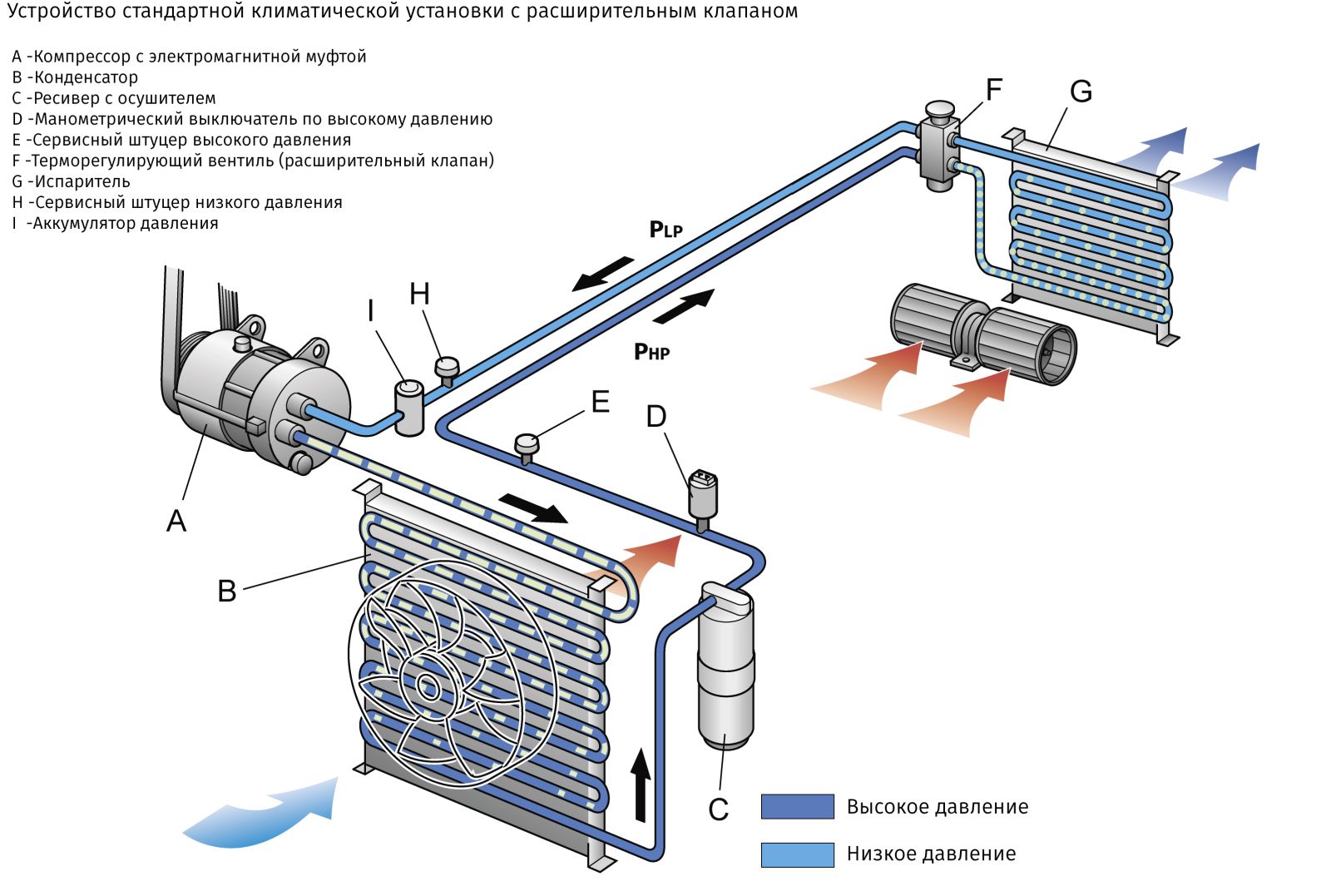
Credit: msg.equipment
Future Of Smart Cooling
Auto mode on air conditioners adjusts temperature automatically. It keeps rooms comfortable without manual changes.
Smart cooling uses new technology to save energy and improve comfort. It learns user habits and reacts quickly.
Ai Integration
AI helps air conditioners understand how you like your room. It studies temperature and humidity to adjust settings.
With AI, the AC can predict when to cool or heat. It also avoids wasting energy by turning off when not needed.
Iot Connectivity
Internet of Things (IoT) lets air conditioners connect to other devices. You can control your AC from a smartphone or voice assistant.
IoT makes it easy to monitor energy use and set schedules. Your AC can talk to smart home systems for better control.
- Remote control via phone apps
- Integration with smart home devices
- Real-time energy monitoring
Energy Saving Trends
Modern air conditioners use sensors to save energy. They adjust power based on room size and number of people.
Auto mode helps reduce electricity bills by avoiding extra cooling. It keeps air fresh while using less power.
- Smart sensors for temperature and occupancy
- Variable speed compressors
- Eco-friendly refrigerants
:max_bytes(150000):strip_icc()/leave-air-conditioner-on-GettyImages-2176217597-fddfcc38e1da46228d8d9d3cc65c27ae.jpg)
Credit: www.realsimple.com
Frequently Asked Questions
What Does Auto Mode On An Air Conditioner Mean?
Auto mode lets the AC adjust fan speed and temperature automatically. It maintains a comfortable room temperature efficiently without manual changes.
How Does Auto Mode Improve Air Conditioner Performance?
Auto mode optimizes cooling by detecting room temperature. It saves energy by running the AC only as needed for comfort.
Can Auto Mode Save Electricity On Air Conditioners?
Yes, Auto mode reduces electricity use by adjusting settings automatically. It prevents overcooling and unnecessary power consumption, lowering energy bills.
When Should I Use Auto Mode On My Ac?
Use Auto mode for consistent comfort without manual adjustments. It’s ideal for fluctuating temperatures and maintaining steady cooling all day.
Conclusion
Auto mode on an air conditioner offers simple comfort. It adjusts temperature automatically. This saves energy and keeps your home cool. You don’t need constant manual changes. Auto mode senses room temperature. Then, it sets the right fan speed. This ensures consistent cooling.
It’s ideal for busy lifestyles. No fuss, just efficient cooling. You enjoy a comfortable environment with less effort. Remember to use auto mode for convenience. Simplifying your cooling needs has never been easier.