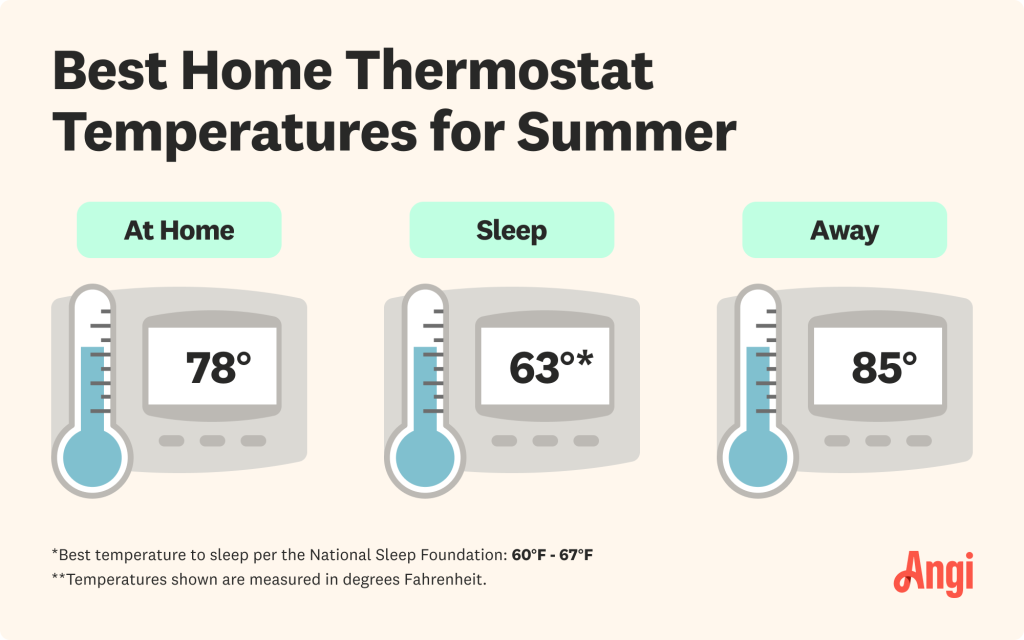
Are you tired of constantly adjusting your air conditioner and still not feeling comfortable? Finding the best setting for your air conditioner can make a big difference in how cool and fresh your home feels.
But what temperature should you choose to save energy and keep your bills low, while staying comfortable? You’ll discover simple tips and tricks to set your AC just right—so you can enjoy a perfect balance of comfort and savings every day.
Keep reading, because the answer might be easier than you think.

Credit: www.healthkart.com
Ideal Temperature Range
Setting the right temperature for your air conditioner keeps your home comfortable. It also helps save energy and reduce bills.
Finding the best temperature depends on balancing comfort with energy use. Adjusting settings by season also matters.
Balancing Comfort And Energy Use
The ideal temperature range for most rooms is between 24°C and 26°C (75°F to 78°F). This range feels comfortable and lowers energy use.
- Set the temperature higher when you are away to save power.
- Use a programmable thermostat for better control.
- Keep doors and windows closed to maintain the temperature.
- Use fans to help circulate air and reduce AC load.
Seasonal Temperature Adjustments
Changing the air conditioner setting with the seasons improves comfort and efficiency. Cooler temperatures work best in summer, while warmer settings suit mild weather.
| Season | Recommended AC Temperature | Reason |
|---|---|---|
| Summer | 24°C – 26°C (75°F – 78°F) | Keep cool but save energy |
| Spring/Fall | 26°C – 28°C (78°F – 82°F) | Use less cooling when weather is mild |
| Winter | Turn AC off or set above 28°C (82°F) | Heat is usually preferred |
Optimal Fan Speed Settings
Choosing the right fan speed on your air conditioner helps keep your room comfortable. It also affects energy use and air flow.
Understanding when to use low, medium, or high fan speed can improve cooling and save power.
When To Use Low Fan Speed
Use low fan speed when the room is already cool or the weather is mild. It helps keep the temperature steady without using too much energy.
Low speed is also good for sleeping because it is quieter and avoids strong air blasts.
- Maintains steady temperature
- Consumes less energy
- Quieter operation
- Reduces strong air drafts
When To Use Medium Fan Speed
Medium fan speed works well for normal daily use. It cools the room faster than low speed but is still energy efficient.
This setting balances comfort and power use, making it ideal for most situations.
- Faster cooling than low speed
- Moderate energy consumption
- Good for average room temperature
When To Use High Fan Speed
High fan speed is best when you want to cool the room quickly. It moves air faster and helps lower temperature fast.
This setting uses more energy and can be noisy, so use it for short periods.
- Quickly lowers room temperature
- Increases air flow speed
- Higher energy use
- Louder operation
Impact On Air Circulation
Fan speed changes how air moves in the room. Higher speeds push air further and mix it better.
Lower speeds create gentle air flow, which is good for comfort but slower to spread cool air.
| Fan Speed | Air Circulation Effect |
|---|---|
| Low | Gentle air flow, limited reach |
| Medium | Balanced air flow, good room coverage |
| High | Strong air flow, wide air distribution |
Choosing The Right Mode
Setting your air conditioner correctly helps you stay comfortable. Different modes suit different needs and weather conditions. Knowing which mode to use saves energy and improves air quality.
We will explain the differences between Cooling and Auto modes. Then, we will look at Dehumidify and Fan Only options to help you choose the best setting.
Cooling Vs. Auto Mode
The Cooling mode runs the air conditioner until the room reaches the set temperature. It keeps the room cold but uses more energy. Auto mode lets the AC decide when to cool, fan, or stop based on room temperature.
- Cooling mode is best for very hot days.
- Auto mode saves energy by adjusting operation.
- Auto mode keeps temperature stable without constant cooling.
- Cooling mode runs the compressor more often, using more power.
Dehumidify And Fan Only Options
Dehumidify mode lowers the humidity in the room without much cooling. This is good for damp days. Fan Only mode circulates air without cooling or removing moisture. It uses the least energy.
| Mode | Main Purpose | Energy Use | Best Use |
|---|---|---|---|
| Dehumidify | Remove moisture | Moderate | Humid or rainy days |
| Fan Only | Air circulation | Low | Mild weather without heat |

Credit: www.acostainc.com
Energy-saving Tips
Setting your air conditioner right can save energy and lower bills. Small changes make a big difference. Learn how to use timers and sleep mode well.
Keeping your AC unit clean and maintained helps it run better. This reduces power use and keeps your home cool.
Using Timers And Sleep Mode
Timers help you run your AC only when you need it. Sleep mode adjusts the temperature slowly at night. Both save energy.
- Set the timer to turn off the AC when you leave home.
- Use sleep mode to raise the temperature by 1-2 degrees at night.
- Avoid running the AC all day if the room is empty.
- Combine timers and sleep mode for best energy savings.
Maintaining Your Ac Unit
Regular care keeps your air conditioner efficient. Clean filters and check parts often. This stops extra energy use.
| Maintenance Task | Frequency | Energy Benefit |
| Clean or replace filters | Every 1-3 months | Improves airflow and efficiency |
| Check refrigerant levels | Yearly | Prevents power waste |
| Clean coils | Yearly | Better cooling, less energy |
| Inspect ducts | Every 2 years | Reduces leaks and loss |
Smart Thermostat Benefits
Smart thermostats help control your air conditioner more efficiently. They adjust the temperature to keep your home comfortable while saving energy.
These devices use technology to make cooling easier and more convenient. You can set them to match your daily routine and preferences.
Automated Temperature Control
Smart thermostats learn your temperature preferences over time. They adjust settings automatically to keep your home at the best temperature.
- Maintains steady temperature without manual changes
- Prevents energy waste by adjusting when rooms are empty
- Uses sensors to detect temperature and humidity
- Adapts to weather changes for better comfort
Remote Access And Scheduling
With remote access, you control your air conditioner from anywhere using a smartphone or tablet. Scheduling lets you set specific times for cooling.
| Feature | Benefit |
| Remote Access | Change temperature from outside your home |
| Scheduling | Set cooling times to match your daily routine |
| Energy Savings | Reduce costs by avoiding cooling empty rooms |
Common Mistakes To Avoid
Choosing the right air conditioner setting can save energy and keep you comfortable. Many people make simple mistakes that waste power and reduce comfort.
Knowing what to avoid helps your air conditioner work better and last longer. Here are two common mistakes to watch out for.
Setting Too Low Temperatures
Setting the air conditioner too low does not cool a room faster. It makes the unit run longer and uses more energy. This wastes money and can damage the AC.
It is best to keep the temperature around 24 to 26 degrees Celsius (75 to 78 degrees Fahrenheit). This keeps the room comfortable and saves power.
- Setting below 22°C wastes energy
- Too low temps can freeze AC coils
- Longer run time increases wear
- Higher electricity bills result
Ignoring Regular Maintenance
Many people forget to clean and check their air conditioners. Dirt and dust block airflow and reduce cooling power. This makes the AC work harder and use more energy.
Regular maintenance keeps the AC running well. Clean filters and check parts often to avoid costly repairs and save energy.
- Clean or replace filters monthly
- Check for leaks or strange noises
- Keep outdoor units free from debris
- Schedule professional service yearly
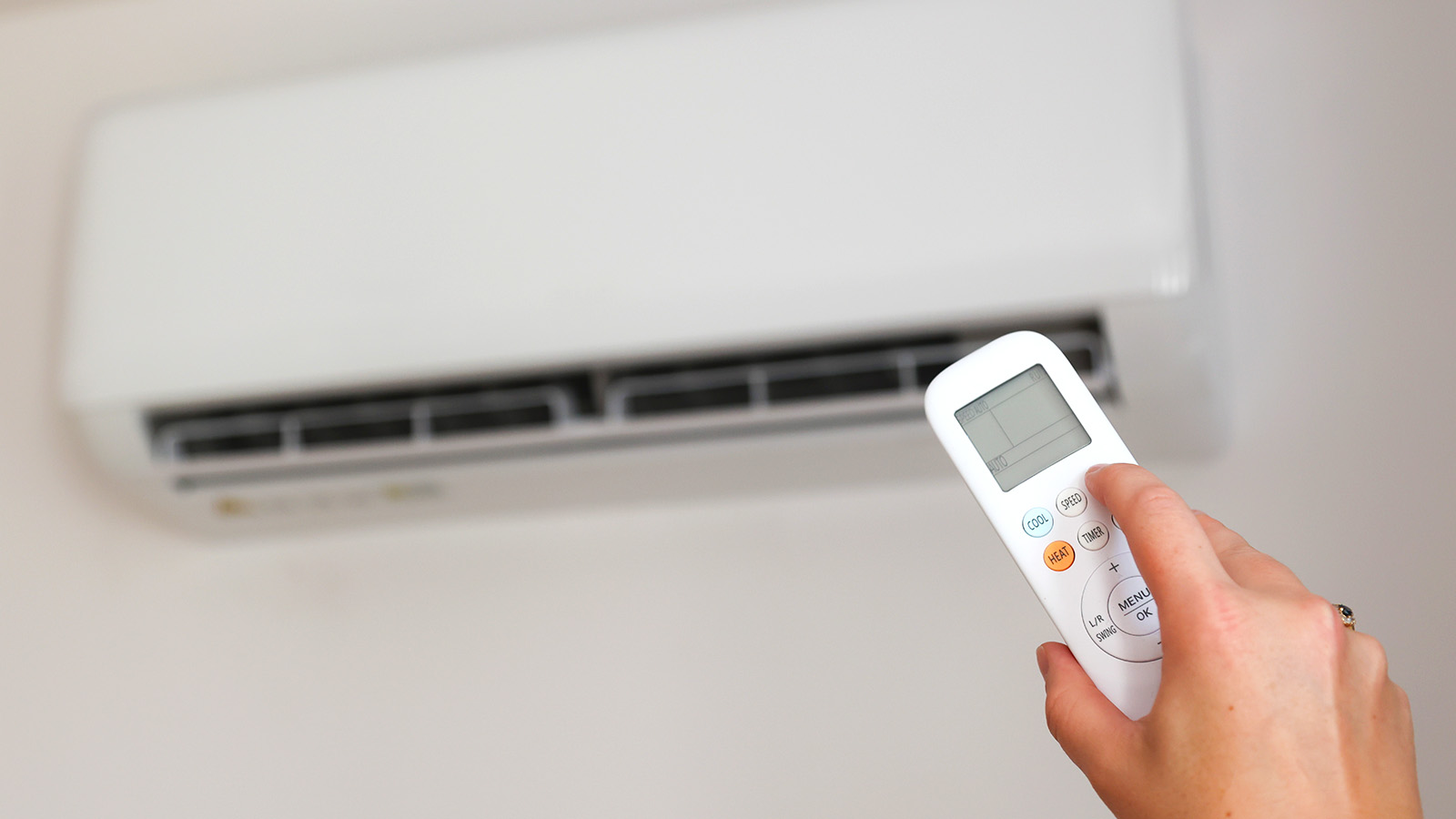
Credit: www.tomsguide.com
Frequently Asked Questions
What Is The Ideal Temperature Setting For Air Conditioners?
The ideal air conditioner temperature is around 24-26°C (75-78°F). This range balances comfort and energy efficiency. It cools effectively without excessive power use, saving on electricity bills while maintaining a comfortable indoor climate.
How Does Fan Speed Affect Ac Performance?
Fan speed controls airflow and cooling speed. Higher fan speeds cool rooms faster but use more energy. Lower speeds save energy but cool slower. Adjust fan speed based on your comfort and energy-saving needs for optimal AC performance.
Should I Use Ac In Dry Or Humid Mode?
Use dry mode in high humidity to reduce moisture without heavy cooling. Humid mode is less common but helps add moisture in very dry conditions. Choose the mode based on your local climate and indoor comfort preferences.
Can Setting Ac Too Low Damage The Unit?
Setting the AC too low can strain the compressor and increase wear. It causes higher energy consumption and may shorten the unit’s lifespan. Maintain a moderate temperature to ensure efficient operation and avoid damage.
Conclusion
Choosing the right air conditioner setting saves energy and boosts comfort. For most, 24°C (75°F) works best. It balances cool air and energy use. Experiment to find your ideal setting. Always keep room size and insulation in mind. Smaller rooms cool faster.
Good insulation maintains your preferred temperature. Regular maintenance also ensures efficiency. Clean filters promote better airflow. Dirty filters waste energy. A well-set air conditioner keeps you comfortable and reduces bills. Enjoy a cool, pleasant environment with smart temperature choices. Stay comfortable, save money, and enjoy peace of mind.