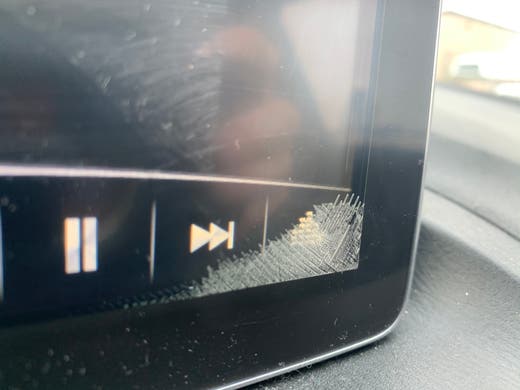
Is your Mazda screen suddenly going black? It’s frustrating when you rely on that screen for navigation, music, or important car settings, and it just won’t turn on.
You might be wondering if it’s a simple fix or something serious. Don’t worry—you’re not alone, and there are clear reasons why this happens. Keep reading to discover the common causes behind your Mazda’s black screen and what you can do to get it back up and running quickly.
Credit: www.mazda6club.com
Common Causes Of Black Screen
If your Mazda screen suddenly goes black, it can feel frustrating and confusing. Understanding the common causes can help you troubleshoot effectively and decide whether you can fix it yourself or need professional help. Let’s look at the main reasons your Mazda screen might not be showing anything.
Power Supply Issues
Your Mazda screen relies on a steady power supply to function. A blown fuse or a drained car battery can cut power to the screen, causing it to go black. Checking the fuse box for any blown fuses related to the infotainment system is a quick way to spot this problem.
Have you ever tried turning your phone off and on to fix a screen glitch? Similarly, if your car’s battery is weak, it may not provide enough power for the screen to operate properly.
Software Glitches
Software errors can cause the screen to freeze or go black unexpectedly. Sometimes, the system just needs a restart to clear any bugs. If your Mazda has an option to reset the infotainment system, giving it a try might bring the screen back to life.
Think about apps crashing on your smartphone—car systems are similar. Are you keeping your Mazda’s software updated? Outdated software can increase the chances of glitches.
Hardware Failures
Physical damage to the screen or internal components can also cause black screens. If your car has been in an accident or the screen was hit, this could be the issue. In such cases, professional repair or replacement is usually necessary.
Sometimes, internal hardware parts like the display controller or wiring inside the screen unit fail over time. Have you noticed any flickering or strange lines before the screen went completely black? These signs often point to hardware problems.
Loose Connections
Loose or damaged cables connecting the screen to the car’s main system can interrupt the display signal. Vibrations from driving over rough roads can sometimes loosen these connections. Opening the dashboard to check cables isn’t always easy, but it’s worth inspecting if you’re comfortable.
Imagine unplugging and replugging a charger to fix a phone’s connection—that’s similar to what reconnecting loose cables can do for your Mazda screen. If you’re unsure, a mechanic can quickly check and secure these connections for you.

Credit: www.reddit.com
Basic Troubleshooting Steps
If you’ve ever encountered a black screen issue with your Mazda, it can be quite frustrating, especially when you’re relying on the infotainment system for navigation or entertainment. Before you rush to the dealership, there are some basic troubleshooting steps you can try. These steps might save you time and money, and possibly resolve the issue from the comfort of your own driveway.
Restarting The System
Sometimes, the solution is as simple as restarting the system. Much like your computer or smartphone, your Mazda’s infotainment system can benefit from a reboot. To do this, turn off your car completely and wait for a few minutes before restarting it. This allows the system to reset and can often resolve minor glitches causing the black screen.
Checking Fuses And Power
Another potential culprit for a black screen is a blown fuse. You can check your vehicle’s fuse box, typically located under the dashboard or in the engine compartment. Your owner’s manual will guide you to the correct fuse related to the infotainment system. If a fuse is blown, replacing it might bring your screen back to life.
Inspecting Cables And Connections
Loose or damaged cables can also lead to a black screen. Inspect the connections behind your dashboard to ensure everything is securely plugged in. While this might seem daunting, it’s often just a matter of ensuring cables haven’t been dislodged over time. A simple reconnection could restore your system’s display, bringing back your tunes and maps.
Troubleshooting doesn’t have to be intimidating. With these steps, you might just solve the problem on your own. Have you ever resolved a tech issue that seemed impossible at first? It’s a satisfying feeling, isn’t it?
Software Reset Methods
Dealing with a black Mazda screen can be frustrating, but software issues often cause these glitches. Resetting your system through software methods can bring the screen back to life without needing a costly repair. Let’s look at how you can try different reset options to fix the problem quickly and effectively.
Performing A Soft Reset
A soft reset is the simplest way to refresh your Mazda’s screen without losing any settings. Usually, you can do this by pressing and holding the power button or a combination of buttons on the dashboard for about 10 seconds. This forces the system to reboot and can clear minor software hiccups causing the black screen.
If your screen turns back on after this, you’ve likely resolved the issue. If not, don’t worry—there are other reset options to try.
Updating Firmware
Outdated firmware can cause your Mazda’s screen to freeze or go black. Checking for updates and installing the latest software can often fix these bugs and improve system performance. You can usually update the firmware through your Mazda’s infotainment settings or by downloading the update from Mazda’s official website onto a USB drive.
Have you checked your firmware version recently? Staying updated might prevent future screen issues and add useful features you didn’t know your car had.
Factory Reset Options
If the soft reset and firmware update don’t work, a factory reset might be necessary. This option restores your Mazda’s infotainment system to its original settings and clears any corrupted data causing the screen to stay black. Keep in mind that a factory reset will erase your saved settings, so back up any important data like paired phones or navigation favorites.
You can usually find the factory reset option within the system settings menu. Would you be ready to start fresh if it meant getting your screen fully functional again?
When To Seek Professional Help
Knowing when to seek professional help is key for a black Mazda screen. Some problems need expert attention to avoid further damage. Identifying these moments saves time and money.
Persistent Display Issues
If the screen stays black after restarting the car, it signals a deeper issue. Soft resets or basic troubleshooting won’t fix it. Persistent black screens may point to software glitches or internal faults. Professionals can diagnose these problems accurately.
Hardware Repairs
Physical damage or worn-out parts require skilled repairs. Issues like cracked screens, faulty wiring, or damaged connectors need careful handling. Attempting self-repair can worsen the problem. Certified technicians have the tools and knowledge to fix hardware safely.
Authorized Service Centers
Choosing authorized Mazda service centers ensures genuine parts and quality work. These centers follow manufacturer guidelines for repairs and updates. They provide warranties and support for your vehicle’s electronics. Trusting experts at these centers keeps your Mazda screen in top condition.
Preventive Tips For Screen Maintenance
Keeping your Mazda screen in good condition can save you from the frustration of a sudden black screen. Simple care routines prevent many common issues and extend the life of your display. Let’s look at some practical tips that you can start using today to protect your screen.
Regular Software Updates
Your Mazda’s screen relies heavily on software to function properly. Regular updates fix bugs, improve performance, and add new features that keep your system running smoothly. Ignoring updates can cause glitches or screen freezes that might lead to a black display.
Check your car’s manual or infotainment system settings to find out how to update the software. If you’re unsure, your local dealership can assist you. Have you ever noticed a feature stop working just before an update? That’s a sign your system needs attention.
Avoiding Extreme Temperatures
Extreme heat or cold can damage your Mazda’s screen. High temperatures might cause the screen to become unresponsive, while freezing cold can lead to cracks or sluggish behavior. Park your car in shaded areas during hot days or use a windshield sunshade to keep the interior cooler.
In winter, try to warm up your car gently rather than blasting the heater immediately. Protecting your screen from harsh weather conditions is easier than fixing it after damage occurs. How often do you consider the impact of temperature on your car’s electronics?
Safe Handling Practices
Touchscreens are sensitive and require gentle use. Avoid pressing too hard or using sharp objects like keys or pens on the screen. Fingerprints and smudges might be annoying but cleaning them with a soft microfiber cloth keeps the display clear without causing harm.
Also, be cautious when cleaning—use screen-friendly cleaners instead of harsh chemicals that can erode the protective layer. Treat your screen like a delicate device, and it will reward you with reliable performance. Do you treat your car’s screen as carefully as your phone’s?
Credit: www.cx30talk.com
Frequently Asked Questions
Why Is My Mazda Screen Suddenly Black?
A black Mazda screen often indicates a software glitch or power issue. Restarting the car or resetting the infotainment system usually fixes it quickly.
How Do I Reset A Black Mazda Infotainment Screen?
To reset, turn off the car and open the driver’s door. Wait a minute, then close the door and restart the vehicle. This soft reset often restores the screen.
Can A Blown Fuse Cause A Black Mazda Screen?
Yes, a blown fuse can cut power to the screen. Check your vehicle’s fuse box and replace any blown fuses related to the infotainment system.
Is A Black Mazda Screen A Sign Of Hardware Failure?
Not always. While hardware issues can cause a black screen, software errors or loose connections are more common causes. Professional diagnosis may be needed for hardware faults.
Conclusion
A black screen on your Mazda can feel frustrating. It often points to simple fixes like a loose connection or a software glitch. Checking these first can save time and money. Sometimes, a quick reset solves the issue. If the problem stays, professional help might be needed.
Regular care helps keep your screen working well. Stay calm and follow basic steps to bring your screen back to life. Your Mazda’s display can work normally again with a little attention.