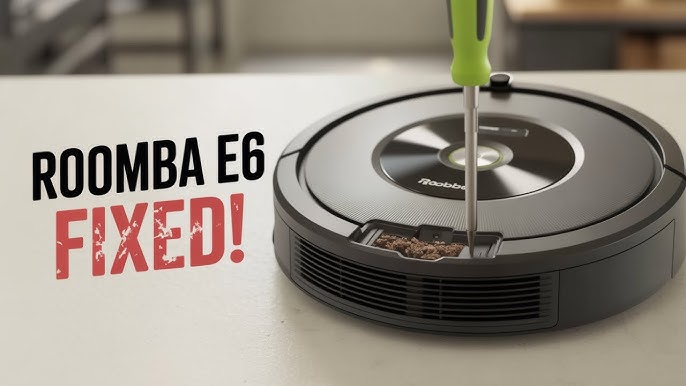
Have you ever excitedly set your Roomba to work, only to find it aimlessly wandering around your home without actually vacuuming? It’s frustrating, isn’t it?
You rely on your trusty robotic cleaner to keep your floors spotless, but now it seems to be on a cleaning strike. Don’t worry; you’re not alone in this. Many Roomba owners experience similar issues, and there’s a good chance there’s a simple solution.
We’ll explore the common reasons why your Roomba might not be performing as expected and guide you through the steps to get it back to its best cleaning performance. Stick around, and you’ll have your Roomba back to tackling dust bunnies in no time.
Common Roomba Issues
Understanding common issues with your Roomba can save you time and frustration. Many users face similar problems that stop their robot vacuum from working efficiently. Identifying these problems quickly helps you get your Roomba back to cleaning without delay.
Battery And Charging Problems
If your Roomba doesn’t start or stops mid-cleaning, the battery might be the culprit. Sometimes, the battery loses its ability to hold a charge after long use. Other times, the charging contacts get dirty, preventing proper power transfer.
Check if the Roomba’s battery is charging by placing it on the dock and looking for a light indicator. Clean the charging contacts on both the robot and the dock using a soft cloth. Have you noticed your Roomba running shorter cycles lately? That’s a sign the battery may need replacement.
Clogged Brushes And Filters
Hair, dust, and debris can quickly clog the brushes and filters, reducing your Roomba’s vacuuming power. When brushes get tangled or filters are blocked, suction drops significantly. This often leads to poor cleaning performance or the Roomba stopping altogether.
Regularly remove and clean the brushes, and replace filters as recommended. A quick check after every few cleaning sessions can prevent buildup. Are you cleaning these parts often enough to maintain strong suction?
Sensor Malfunctions
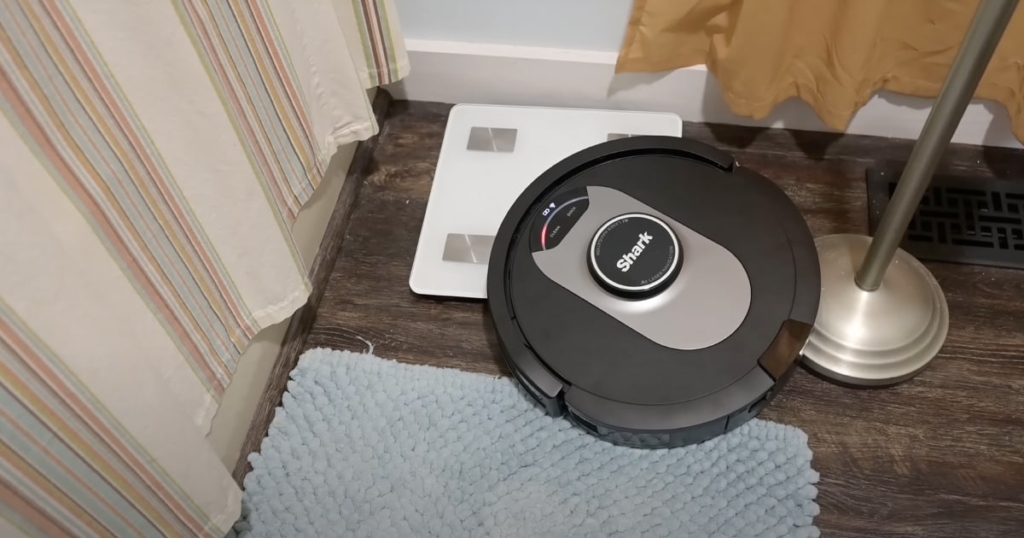
Your Roomba relies on sensors to navigate and avoid obstacles. Dust or smudges on these sensors can confuse the robot, causing it to stop or get stuck. Dirt on cliff sensors might make your Roomba think it’s about to fall off stairs, so it won’t move.
Wipe the sensors gently with a dry microfiber cloth to keep them clear. If your Roomba behaves erratically, sensor problems might be the cause. Could a quick sensor cleaning be the fix you haven’t tried yet?
Credit: vacuumwars.com
Troubleshooting Steps
When your Roomba stops vacuuming, follow these troubleshooting steps. These actions often fix common problems quickly. They help you identify the issue and restore your Roomba’s cleaning power.
Resetting Your Roomba
Resetting can fix many small bugs and glitches. To reset, press and hold the CLEAN button for about 10 seconds. Release the button when the light ring around it glows. This process restarts the device’s system and clears temporary errors.
Cleaning And Maintenance Tips
Clogged brushes or sensors stop Roomba from working well. Check and remove hair, dust, and debris from brushes. Clean the side wheels and front caster wheel for smooth movement. Wipe the cliff sensors with a soft cloth to prevent false stops.
- Empty the dustbin regularly.
- Clean or replace the filter as needed.
- Remove any obstructions around the wheels.
Checking For Software Updates
Software updates improve Roomba’s performance and fix bugs. Connect your Roomba to Wi-Fi and open the app. Check for any available updates and install them. Updated software ensures your Roomba runs smoothly and cleans efficiently.
Parts Replacement Guide
Knowing when and how to replace parts on your Roomba keeps it working well. This guide helps identify common parts that wear out. Replacing these parts can fix many vacuuming issues. Regular checks extend your Roomba’s life and improve cleaning performance.
When To Replace Brushes
Brushes wear down over time and collect hair and debris. Check them every few months. Replace brushes if you notice:
- Frayed or bent bristles
- Reduced cleaning power
- Brushes not spinning freely
Cleaning brushes often delays replacement. Use a small tool to remove tangled hair.
Battery Replacement Tips
Battery life affects how long your Roomba cleans. Signs to replace the battery include:
- Shorter cleaning cycles
- Roomba won’t start
- Slow charging times
Use only manufacturer-recommended batteries. Always fully charge the new battery before first use.
Sensor Repair Options
Sensors help Roomba detect edges and obstacles. Dirty or faulty sensors cause poor navigation or stopping. Clean sensors gently with a soft cloth. For sensor damage, consider professional repair or replacement parts. Accurate sensors ensure smooth and efficient cleaning.
Preventive Care Practices
Preventive care practices are key to keeping your Roomba running smoothly and vacuuming effectively. Simple habits can stop small issues from turning into big problems. You might be surprised how much a little attention can improve your Roomba’s performance and lifespan.
Regular Cleaning Schedule
Cleaning your Roomba regularly is essential. Dust, hair, and debris can clog brushes and sensors, causing your Roomba to stop vacuuming properly. Make it a habit to check and clean the brushes, wheels, and dustbin every few uses.
Setting a schedule helps you stay consistent. Think about your own routine—do you clean your living space regularly? Your Roomba needs similar care to perform its best. Missing this step often leads to decreased suction and missed spots.
Proper Roomba Storage
Where you keep your Roomba matters. Storing it in a clean, dry place protects it from dust buildup and moisture damage. Avoid placing it in direct sunlight or near heat sources, as this can harm the battery and plastic components.
Consider the environment around your charging dock. Is it free of obstacles? A cluttered or dusty area can interfere with charging and the Roomba’s ability to dock properly. Your Roomba should have a safe, quiet spot to rest between jobs.
Avoiding Common Damage
Physical damage often causes vacuuming failures. Watch out for tangled cords, loose rugs, or small objects that can jam the brushes or wheels. Removing these hazards from your Roomba’s path prevents unnecessary wear and tear.
Have you noticed your Roomba struggling on certain floors? Hard floors and carpets need different settings or attachments. Using your Roomba on unsuitable surfaces repeatedly can strain its motor and reduce efficiency. Tailoring your Roomba’s use to your home environment helps avoid damage.
When To Contact Support
Knowing when to reach out for support can save you time and avoid unnecessary frustration with your Roomba. Some problems are easy to fix on your own, but others need professional help to prevent further damage. Recognizing the right moment to contact support ensures your vacuum gets back to work efficiently.
Identifying Serious Issues
Not all issues with your Roomba are simple glitches. If your device won’t turn on at all, or if it stops mid-clean without any warning, these are signs of deeper problems.
Another red flag is when you notice unusual noises like grinding or constant beeping. These could indicate mechanical or sensor failures that require expert diagnosis.
Ask yourself: Have you tried basic troubleshooting steps like cleaning the brushes or resetting the Roomba? If yes, and the problem persists, it’s time to contact support.
Warranty And Service Options
Before you seek repairs, check if your Roomba is still under warranty. Most models come with a one-year warranty that covers defects and certain repairs.
Contacting the manufacturer’s support team can help you understand what services are free and what might cost extra. Keep your purchase receipt and model information handy when you call or email.
Some companies also offer extended service plans or replacement programs. Exploring these options could save you money on repairs.
Professional Repair Services
Using authorized repair centers ensures that your Roomba is fixed with genuine parts and expert care. Attempting to repair complex issues yourself might void the warranty or cause more harm.
Professional technicians can also run thorough diagnostics to pinpoint problems that aren’t obvious. This often leads to faster and more reliable fixes.
Have you considered how much time and effort you’ll save by letting professionals handle the repair? Sometimes, paying for service is a smart investment in the long run.

Credit: www.youtube.com

Credit: www.youtube.com
Frequently Asked Questions
Why Is My Roomba Not Picking Up Dirt?
Your Roomba may have clogged brushes or filters. Clean these regularly for optimal suction and dirt pickup.
How Do I Reset My Roomba Vacuum?
Press and hold the CLEAN button for 10 seconds. This resets the Roomba and may fix vacuuming issues.
What Causes Roomba To Stop Vacuuming Mid-cycle?
Low battery or stuck wheels often cause mid-cycle stops. Charge fully and check for obstructions.
Can A Dirty Filter Affect Roomba’s Vacuuming?
Yes, a dirty filter reduces suction power. Clean or replace filters to maintain strong vacuum performance.
Conclusion
A Roomba that does not vacuum can be frustrating. Check the brushes, wheels, and sensors for dirt or damage. Make sure the battery is charged and the dustbin is empty. Sometimes, a simple reset can fix the issue. Keep your Roomba clean and maintained for best results.
Small problems often cause big troubles. Stay patient and follow these steps to get it working again. Your floors will thank you for the effort.