Have you ever been watching your favorite show on your LCD TV when suddenly the screen freezes? It’s frustrating, right?
You might be wondering, “Will LCD TVs freeze often? And if they do, why does it happen? ” Understanding this can save you from unnecessary stress and help you enjoy your viewing experience without interruptions. You’ll discover the real reasons behind frozen screens on LCD TVs and what you can do to prevent it.
Keep reading—you’ll find simple tips that make a big difference.

Credit: eu.community.samsung.com
Why Lcd Tvs Freeze
LCD TVs freezing can be frustrating, especially when you’re in the middle of watching your favorite show or an important game. Understanding why this happens can help you troubleshoot the issue faster and avoid recurring problems. Let’s look at some common reasons why your LCD TV might freeze unexpectedly.
Software Glitches
Software glitches are a frequent cause of freezing in LCD TVs. Sometimes, the TV’s firmware or apps may have bugs that disrupt smooth operation. If you notice freezing after a recent update, the software might be unstable or incompatible.
Have you ever experienced your TV freezing right after launching a streaming app? This is a classic sign of software conflicts. Regularly checking for updates and restarting your TV can often clear these glitches.
Overheating Issues
Overheating can cause your LCD TV to freeze as a protective measure. Dust buildup inside the TV or poor ventilation can increase the internal temperature. If your TV feels unusually warm, this could be the culprit.
Try placing your TV in a cooler spot and ensure vents are not blocked. A personal tip: I once fixed a freezing problem simply by cleaning the dust from the back panel and improving airflow around the unit.
Signal Problems
Weak or unstable signals can make your LCD TV freeze, especially when streaming live content or using cable/satellite services. This happens because the TV struggles to process incomplete or poor-quality data.
Check your cables and connections for any loose or damaged parts. Switching to a wired connection instead of Wi-Fi often stabilizes the signal and reduces freezing incidents.
Hardware Malfunctions
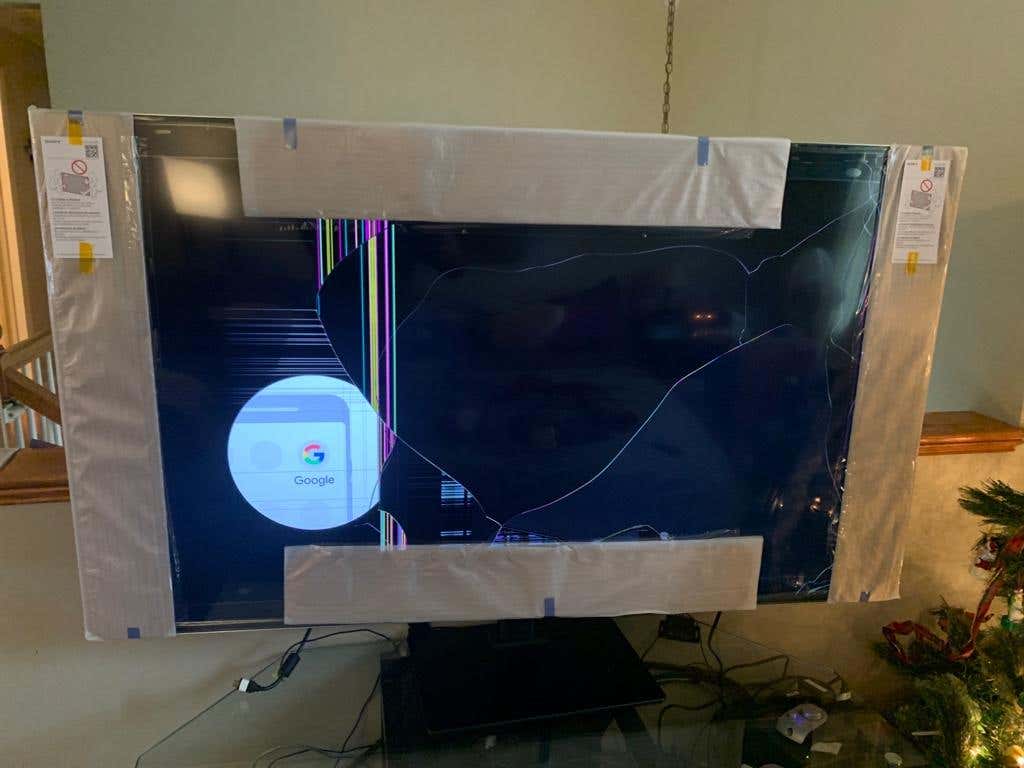
Hardware issues like failing components or damaged screens can also cause freezing. This is less common but more serious since it may require professional repair. Problems with the motherboard, memory, or internal circuits often lead to unresponsive screens.
If your TV freezes frequently and none of the above solutions work, it might be time to have a technician examine the hardware. Don’t ignore consistent freezing—it could indicate a deeper issue.
Troubleshooting Software Issues
Software glitches often cause LCD TVs to freeze unexpectedly. Before assuming hardware failure, you should troubleshoot common software issues. Fixing these can save you time and money while restoring your TV’s smooth performance.
Restarting Your Tv
Have you tried turning your TV off and on again? Restarting your LCD TV can clear temporary bugs that cause freezing. Simply unplug the TV from the power outlet, wait about 30 seconds, and plug it back in.
This process refreshes the TV’s system and can fix minor software hiccups. It’s a quick fix that often gets overlooked but works surprisingly well.
Updating Firmware
Firmware updates are essential to keep your TV running smoothly. Manufacturers release updates to fix bugs and improve performance. Check your TV’s settings menu for software updates and install them if available.
Sometimes, a freeze happens because your TV is running outdated software. Staying current with updates can prevent this and even introduce new features you didn’t know your TV had.
Resetting To Factory Settings
If problems persist, resetting your TV to factory settings might be necessary. This erases custom settings and returns the TV to its original state. Look for the reset option in your TV’s settings menu and follow the prompts carefully.
Keep in mind, this step deletes saved preferences and apps, so use it as a last resort. However, it often resolves stubborn freezing issues caused by corrupted software settings.
Managing Overheating
Overheating is a common cause of LCD TVs freezing or shutting down unexpectedly. Managing your TV’s temperature can help maintain smooth performance and extend its lifespan. Simple steps can make a big difference in keeping your screen running without interruptions.
Checking Ventilation
Make sure your TV has enough space around it for air to flow freely. Avoid placing it in tight cabinets or against walls that block vents. You might be surprised how just a few inches of clearance can improve cooling.
Think about where your TV is located—is it near a heat source like a radiator or direct sunlight? These can raise the temperature and increase the risk of freezing.
Cleaning Dust Build-up
Dust can clog vents and trap heat inside your TV, causing it to overheat. Regularly wipe down the exterior and use a soft brush or compressed air to clear dust from vents.
If your TV is in a dusty room, consider cleaning more often. A clean TV breathes better and stays cooler.
Avoiding Prolonged Use
Leaving your TV on for hours without breaks can cause it to overheat. Try to give your TV short rests during long viewing sessions.
If you binge-watch shows, pause occasionally or turn off the TV between episodes. This helps prevent heat build-up and reduces the chance of freezing.
Fixing Signal And Connection Problems
Signal and connection issues often cause LCD TVs to freeze or display glitches. Before assuming a hardware fault, it’s important to check these areas carefully. Fixing these problems can bring your TV back to smooth operation without needing a costly repair.
Inspecting Cables
Start by examining every cable connected to your TV. Look for any visible damage like fraying, bends, or loose ends. Even a slightly loose HDMI or power cable can cause freezing or signal loss.
Try swapping out cables if you have spares available. Sometimes a faulty cable is the silent culprit behind your TV’s freezing. A good quality HDMI cable can make a noticeable difference in picture and sound stability.
Reconnecting Devices
Unplug your TV and all connected devices for about a minute. This simple reset can clear temporary glitches in the signal chain. Then, reconnect everything firmly, ensuring each plug clicks into place.
Power cycling devices like streaming boxes or gaming consoles often resolves freezing issues linked to signal handshakes. Have you noticed your TV freezing more when certain devices are connected? Reconnecting might reveal the problem.
Testing Different Inputs
Switch your TV to different input sources to isolate the problem. If freezing only happens on one input, the issue might be with that specific device or port. Testing with a different HDMI port or input type can pinpoint this.
Try connecting a different device to the same input to see if freezing persists. This approach helps you figure out whether your TV or the device is causing the problem. Could a simple input switch solve your freezing woes?
Addressing Hardware Failures
Hardware failures often cause LCD TVs to freeze or stop responding. Understanding these failures helps maintain your TV’s performance. Troubleshooting hardware problems can save time and money.
Identifying Faulty Components
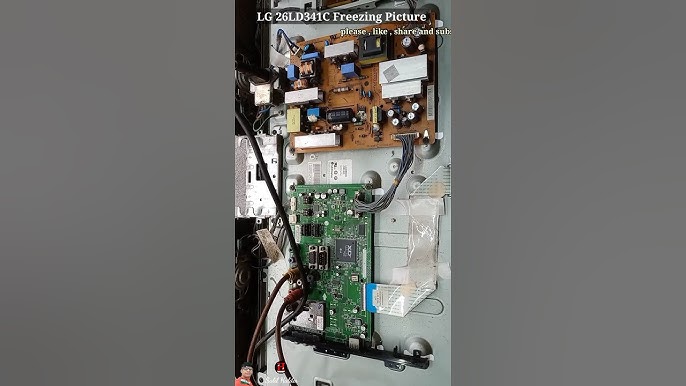
Look for symptoms like screen flicker, no display, or freezing. Common faulty parts include the power supply board, T-con board, and main board. Listen for unusual sounds or smell burnt components. Visual inspection can reveal swollen capacitors or damaged circuits. Use a multimeter to test electrical parts carefully.
When To Seek Professional Repair
Complex issues require expert help to avoid further damage. Seek professionals if the TV won’t turn on or shows no picture. Avoid opening the TV if you lack technical skills. Some repairs need special tools and knowledge. Professional repair ensures safety and proper diagnosis.
Replacing Parts Safely
Always unplug the TV before starting repairs. Use anti-static wristbands to protect sensitive components. Follow the manufacturer’s guide for part replacement. Keep screws and small parts organized during disassembly. Avoid touching the LCD screen directly. Test the TV after reassembling to confirm fixes.
Credit: www.avsforum.com
Preventive Tips To Avoid Freezing
Freezing issues with LCD TVs can disrupt your viewing experience. Taking simple steps helps keep your TV running smoothly. These preventive tips reduce the chance of your screen freezing.
Regular Maintenance
Clean the screen and vents often to prevent dust buildup. Dust blocks airflow and causes overheating. Overheating can lead to freezing and glitches.
Update your TV’s software regularly. Updates fix bugs and improve performance. Check for updates in the TV settings menu.
Using Surge Protectors
Protect your TV from power surges by using a surge protector. Power spikes can damage internal components. Damage may cause freezing or complete failure.
Choose a surge protector with a proper joule rating. This ensures better protection for your TV over time.
Proper Setup And Placement
Place your TV in a well-ventilated area. Avoid enclosed spaces or direct sunlight. Heat buildup increases the risk of freezing.
Keep cables and wires organized and secure. Loose connections can cause signal loss and screen freezing. Check connections regularly to avoid issues.

Credit: www.reddit.com
Frequently Asked Questions
Why Do Lcd Tvs Freeze Sometimes?
LCD TVs can freeze due to software glitches, outdated firmware, or signal interruptions. These issues disrupt the TV’s processing, causing the screen to freeze temporarily until resolved.
Can Cold Temperatures Cause Lcd Tvs To Freeze?
Yes, extreme cold can affect LCD TVs. Low temperatures slow liquid crystals’ response, leading to temporary freezing or slow image updates until the TV warms up.
How Can I Fix A Frozen Lcd Tv Screen?
To fix a frozen screen, try restarting the TV. Unplug it for a minute, then plug it back in. Updating firmware also helps prevent freezes.
Does An Unstable Internet Connection Cause Lcd Tv Freezing?
Yes, streaming on an unstable internet can freeze LCD TVs. Buffering or poor connectivity interrupts video playback, causing the screen to freeze or lag during streaming.
Conclusion
LCD TVs can handle cold, but avoid freezing conditions. Extreme cold may affect performance. Keep your TV in a stable environment. Protect it from harsh temperature drops. Use a warm, dry space for storage. Always follow manufacturer guidelines for best care.
Regular maintenance helps prolong its life. A little caution goes a long way. Ensuring a safe environment keeps your TV running smoothly. Proper care enhances your viewing experience. Keep these tips in mind for peace of mind. Enjoy your TV without worry.