If you own a 2016 Honda Civic, you know how important it is to keep your car running smoothly. One key part of maintenance is resetting the oil life indicator after an oil change.
But how exactly do you do that? Getting this right ensures your Civic’s dashboard shows accurate information, helping you avoid unnecessary oil changes or missed maintenance. In this guide, you’ll learn the simple steps to reset your oil life quickly and easily.
By the end, you’ll feel confident managing your car’s upkeep like a pro. Keep reading to save time and protect your engine’s health.
Oil Life Indicator Basics
The oil life indicator in a 2016 Honda Civic helps track the health of your engine oil. It shows when the oil needs changing based on driving habits and conditions. Understanding this system keeps your car running smoothly and avoids engine damage.
What Oil Life Means
The oil life shows the remaining time before the oil should be changed. It is a percentage, starting at 100% after an oil change. The system reduces this number as you drive. When it reaches 15% or lower, it signals that an oil change is needed soon.
The indicator uses sensors and algorithms to estimate oil condition. It factors in engine temperature, driving style, and miles driven. This helps keep your engine protected by reminding you to replace old oil.
Why Resetting Matters
Resetting the oil life indicator after an oil change is crucial. It tells the car’s computer that fresh oil is installed. Without a reset, the system will give incorrect alerts. This can cause unnecessary worry or missed oil changes.
Resetting ensures the indicator matches the actual oil condition. It improves the accuracy of maintenance reminders. This simple step helps maintain engine performance and extends the life of your vehicle.
Preparing To Reset
Preparing to reset the oil life on a 2016 Honda Civic is an important step. It ensures the process goes smoothly and safely. Before starting, gather the necessary tools and follow safety measures. This preparation saves time and prevents errors during the reset.
Tools Needed
- Key fob or car key
- Owner’s manual (optional but helpful)
- Clean cloth or rag
- Flat surface to park the vehicle
Safety Precautions
- Park the car on a flat, stable surface
- Turn off the engine before starting
- Engage the parking brake to prevent movement
- Keep hands and tools away from hot engine parts
- Use a clean cloth to avoid dirt entering the system
Resetting Oil Life On Dashboard
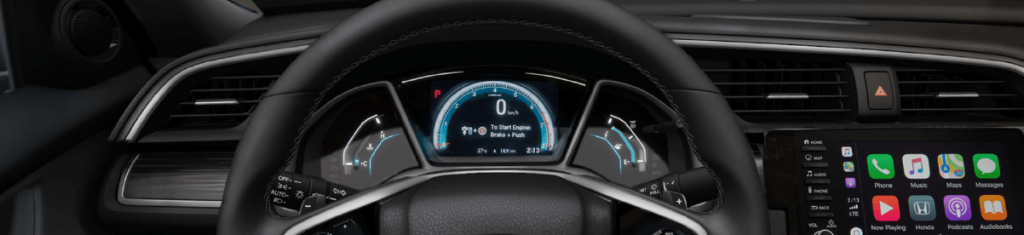
Resetting the oil life on your 2016 Honda Civic dashboard is simple and quick. The dashboard shows oil life percentage, helping you know when to change the oil. After an oil change, reset this indicator to keep track accurately.
Follow these easy steps to reset the oil life directly from the dashboard. No tools needed, just the car’s buttons and menu system.
Using The Trip Button
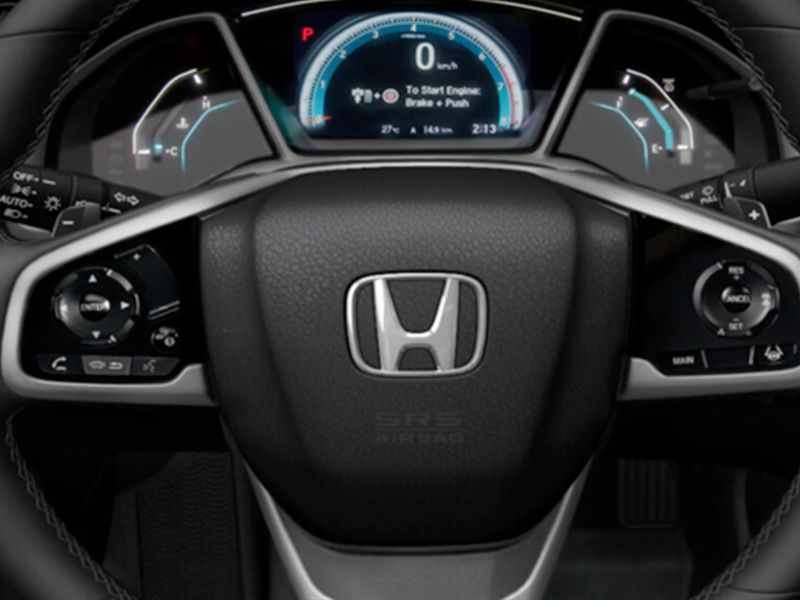
Start by turning the ignition to the ON position without starting the engine. Press the trip button on the dashboard repeatedly until the oil life percentage appears. This button is usually near the speedometer or on the steering wheel.
Navigating The Menu
Press and hold the trip button for about 10 seconds. The oil life indicator will start blinking or show a reset option. Use the trip button to scroll through menu options if needed. Wait until the reset option is displayed clearly on the screen.
Confirming The Reset
Press and hold the trip button again to confirm the reset. The oil life percentage will return to 100%. Turn off the ignition and then start the engine to check the reset was successful. The dashboard now tracks oil life from zero again.

Credit: www.youtube.com
Resetting Using The Infotainment System
Resetting the oil life on your 2016 Honda Civic through the infotainment system is a straightforward way to keep your vehicle’s maintenance on track. This method uses the touchscreen interface, which many drivers find convenient and user-friendly. It allows you to quickly update the system after an oil change, ensuring your car’s alerts remain accurate.
Accessing Vehicle Settings
Start by turning on your Civic’s ignition without starting the engine. Look for the home screen on your infotainment display, which shows options like audio, phone, and settings.
Tap the Settingsicon to enter the vehicle’s setup menu. From there, navigate to the Vehicleor Maintenancesection, depending on your system version. This area contains the oil life monitoring system and other important vehicle information.
Finding these settings might feel tricky at first, but the menu is designed to be intuitive. If you get stuck, the user manual has clear screenshots that help guide you through the process.
Reset Procedure Steps
- Within the Maintenancemenu, select the option labeled Oil Lifeor Oil Life Reset.
- Confirm your selection by tapping Resetor Yeswhen prompted by the system.
- The display should show the oil life percentage reset to 100%, indicating the system is updated.
- Exit the menu and turn off the ignition to save the changes.
Have you noticed how quickly the oil life percentage drops after an oil change if this reset isn’t done? It can cause unnecessary confusion and might make you question if the oil change was effective. Resetting through the infotainment system keeps your Civic’s maintenance alerts precise and reliable.
Troubleshooting Reset Issues
Resetting the oil life on a 2016 Honda Civic usually works smoothly. Sometimes, the reset does not take effect as expected. Troubleshooting these issues can save time and prevent confusion. Knowing what to check helps fix the problem quickly.
Common Problems
- The oil life indicator does not reset after following the steps.
- The car battery is low or disconnected recently.
- The ignition is not in the correct position during the reset process.
- The oil change was not performed properly or the sensor is faulty.
- The settings menu on the dashboard display is unresponsive or stuck.
These problems often cause the oil life light to stay on. Double-check each step carefully to avoid mistakes. Sometimes, the dashboard system needs a quick restart by turning the car off and on.
When To Visit A Mechanic
If the oil life indicator still won’t reset after trying the steps, visit a mechanic. A professional can check the car’s computer system and sensors. Problems with the oil life sensor or dashboard display may need expert repair.
Also, a mechanic can confirm if the oil change was done correctly. Ignoring reset issues might lead to incorrect maintenance alerts. This can affect your car’s performance and engine health.
Credit: www.formulahonda.com
Maintaining Oil Life Post-reset
Maintaining oil life after a reset is crucial for your Honda Civic 2016’s engine health. It helps keep the engine running smoothly and avoids costly repairs. Regular care ensures the oil functions at its best and protects engine parts effectively.
Check oil quality and level often. This simple habit can extend oil life and improve car performance. Using the right oil type also plays a big role. Choosing the recommended oil keeps the engine clean and efficient.
Regular Oil Checks
Check your oil level every two weeks or before long trips. Use the dipstick to see if oil is low or dirty. Clean oil looks amber and clear. Dark or gritty oil means it needs changing.
- Park on level ground and turn off the engine.
- Wait a few minutes for oil to settle.
- Pull out the dipstick, wipe clean, then reinsert.
- Remove again to check oil level and color.
Top up oil if the level is low but do not overfill. Keeping oil clean and full helps the engine run well longer.
Recommended Oil Types
Use the oil grade listed in the Honda Civic 2016 owner’s manual. This is usually 0W-20 synthetic oil. Synthetic oils last longer and protect better than conventional oils.
- Always choose oils with the right viscosity.
- Check for API certification on the oil label.
- Use oils designed for gasoline engines.
Choosing the correct oil type reduces wear and supports fuel efficiency. Avoid mixing different oil brands or types to keep oil performance stable.
Credit: www.youtube.com
Frequently Asked Questions
How Do I Reset Oil Life On Honda Civic 2016?
To reset oil life, turn ignition ON without starting. Press the accelerator pedal fully three times within five seconds. The oil life indicator will reset to 100%.
When Should I Reset Oil Life Indicator On Honda Civic?
Reset the oil life indicator after every oil change. This keeps your maintenance schedule accurate and ensures optimal engine performance.
Can I Reset Oil Life Without A Scan Tool?
Yes, the 2016 Honda Civic allows manual reset using the accelerator pedal method. No scan tool is needed.
What If Oil Life Won’t Reset On My Honda Civic?
If reset fails, check your procedure or battery voltage. Consult a mechanic if the oil life indicator still doesn’t reset.
Conclusion
Resetting the oil life on your 2016 Honda Civic is simple and quick. Regularly updating this helps keep your engine healthy. Follow the steps carefully to avoid any mistakes. Checking the oil life ensures your car runs smoothly. Take a moment after every oil change to reset the system.
This small task can save you from costly repairs later. Stay on top of maintenance for a longer car life. Now, you can confidently reset the oil life indicator yourself.